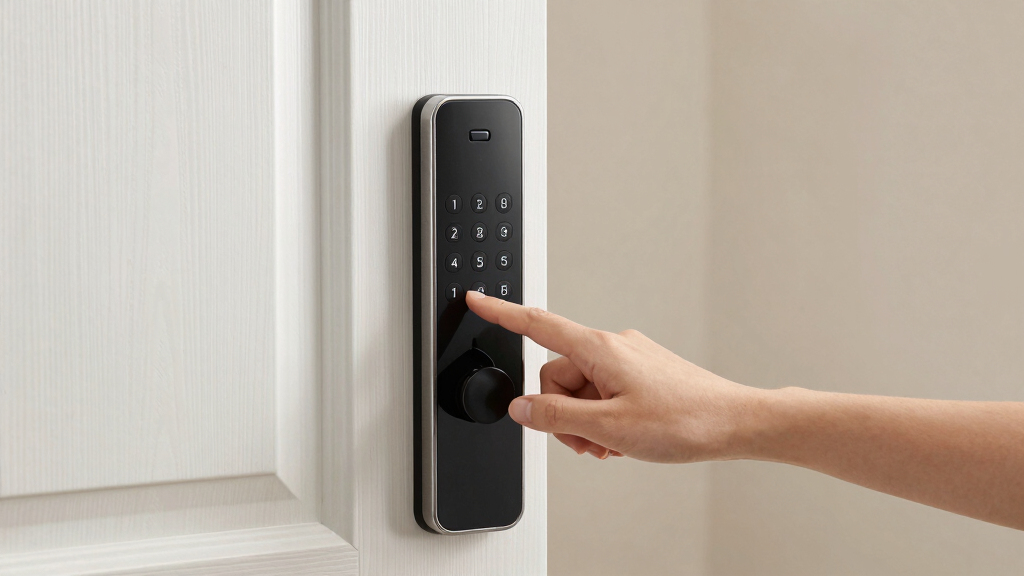
When searching for the best smart deadbolt lock with keypad, the key considerations include security features, ease of installation, and smart home compatibility. The Schlage Electronic Keypad Deadbolt stands out as the overall top choice for its durable build and reliable performance. For those seeking seamless remote control, the Philips WiFi Keypad Deadbolt offers built-in WiFi and smart app access, though it comes at a higher price. Meanwhile, the Kwikset SmartCode 260 provides excellent value with straightforward features perfect for budget-conscious buyers. These options highlight the main tradeoffs: balancing advanced smart features against simplicity and cost. Keep reading for the full breakdown to find the best fit for your home security needs.
Get ready for Prime Big Deal Days — try Prime free
Exclusive member deals on October 6–7, plus fast free delivery. Cancel anytime.
Start your free trialAs an affiliate, we earn on qualifying purchases.
Complete the kit


Key Takeaways
- Top picks balance security, smart features, and ease of installation, with no single product excelling in all areas.
- WiFi-enabled locks, like Philips models, offer convenience but tend to be more expensive and require a stable network connection.
- Mechanical key backup remains a valuable feature for reliability during power or WiFi outages, present in most top models.
- Design and finish options matter for aesthetic integration; satin nickel and bronze are common, but choose based on your home decor.
- The best value locks prioritize core security and usability over advanced smart home integrations, making them ideal for most users.
| Schlage Electronic Keypad Deadbolt Lock, Camelot Trim, Aged Bronze |  | Best Overall for Residential Security and Ease of Use | Control method: Application | Backset compatibility: 2-3/8 in. or 2-3/4 in. | Door thickness: 1-3/8 in. to 1-3/4 in. | VIEW LATEST PRICE | See Our Full Breakdown |
| Philips WiFi Keypad Deadbolt with Handle, Built-in WiFi, App Remote Control |  | Best for Tech-Integrated Homes with Remote Access Needs | WiFi Compatibility: 2.4GHz WiFi, no hub needed | Auto-Lock: Yes, customizable 0-180 seconds | Battery Life: Up to 6 months | VIEW LATEST PRICE | See Our Full Breakdown |
| TEEHO TE001 Keyless Entry Deadbolt with Keypad for Front Door, Bronze |  | Best for All-Weather Durability and Easy Installation | Material: Aluminum alloy | Battery: 4 AA batteries (not included) | Battery Life: Up to 365 days | VIEW LATEST PRICE | See Our Full Breakdown |
| Philips Wi-Fi Smart Deadbolt Lock, Keyless Entry Door Lock |  | Best for Remote Control and Multi-Method Access | Connectivity: Wi-Fi 2.4GHz | Power: AA alkaline batteries (not included) | Compatibility: Doors 1-3/8″ to 2″ | VIEW LATEST PRICE | See Our Full Breakdown |
| TEEHO TE002 Fingerprint Deadbolt with Keypad for Front Door, Matte Black |  | Best for Fast, Secure Biometric Access Outdoors | Unlock Methods: Fingerprint, Passcode, Physical Keys, One-time PIN | Fingerprint Storage: 20 fingerprints | Passcode Storage: 20 passcodes | VIEW LATEST PRICE | See Our Full Breakdown |
| Schlage Encode Smart WiFi Deadbolt Lock with Century Trim, Satin Nickel |  | Best Overall WiFi-Connected Smart Deadbolt | Material: Satin Nickel | Connectivity: WiFi | Power Source: 4 AA batteries | VIEW LATEST PRICE | See Our Full Breakdown |
| ULTRALOQ Bolt SE Wi-Fi Smart Lock with Matter over Thread, App Remote Access |  | Best Versatile Access Methods and Long Battery Life | Fingerprint Storage: 50 fingerprints | Passcode Capacity: 50 passcodes | Connectivity: Wi-Fi 2.4 GHz, Matter over Thread | VIEW LATEST PRICE | See Our Full Breakdown |
| Kwikset SmartCode 260 Keyless Entry Electronic Keypad Deadbolt Door Lock |  | Best Value for Basic Keyless Security | Security Grade: Grade 2 BHMA | Battery Life: 12 months | Batteries: 4x AA alkaline (not included) | VIEW LATEST PRICE | See Our Full Breakdown |
| Kwikset SmartCode 260 Keyless Entry Electronic Deadbolt with Auto-Lock and Custom User Codes |  | Best for Re-Keying and Security Features | Material: Matte Black Finish | Security Grade: Grade 2 BHMA | Battery Life: 12 months | VIEW LATEST PRICE | See Our Full Breakdown |
| Kwikset Powerbolt 250 10-Button Keypad Satin Nickel Electronic Deadbolt Door Lock |  | Best Basic Keypad Deadbolt | Material: Satin Nickel | Number of User Codes: 25 | One-time User Codes: 5 | VIEW LATEST PRICE | See Our Full Breakdown |
| smart deadbolt lock with keypad | Battery life | Material |
|---|---|---|
| Schlage Electronic Keypad Dead | Up to 2 years | — |
| Philips WiFi Keypad Deadbolt w | Up to 6 months | — |
| TEEHO TE001 Keyless Entry Dead | Up to 365 days | Aluminum alloy |
| Philips Wi-Fi Smart Deadbolt L | — | — |
| TEEHO TE002 Fingerprint Deadbo | Up to 365 days | Aluminum alloy |
| Schlage Encode Smart WiFi Dead | Up to 6 months | Satin Nickel |
| ULTRALOQ Bolt SE Wi-Fi Smart L | 18 months | Zinc alloy |
| Kwikset SmartCode 260 Keyless | 12 months | — |
| Kwikset SmartCode 260 Keyless | 12 months | Matte Black Finish |
| Kwikset Powerbolt 250 10-Butto | 12 months | Satin Nickel |
More Details on Our Top Picks
Schlage Electronic Keypad Deadbolt Lock, Camelot Trim, Aged Bronze
This Schlage model stands out for its trusted brand reputation and durable construction, making it a reliable choice for homeowners seeking straightforward security. Compared with the Philips WiFi Deadbolt, it lacks remote access, but its simple setup and physical keypad provide a dependable, no-fuss solution for everyday use. The illuminated keypad enhances convenience at night, and its mechanical quality ensures longevity. However, it requires measuring your door’s backset and thickness beforehand, and battery life can vary with usage, which might be inconvenient for those seeking maintenance-free operation. This pick makes the most sense for residents prioritizing trusted brand reliability and easy installation without the need for internet connectivity.
Pros:- Easy to install with no wiring required
- Keyless entry with multiple user codes
- Illuminated keypad for use in the dark
- Trusted brand with durable construction
Cons:- Requires measuring door backset and thickness for proper fit
- Battery life may vary depending on usage
Best for: Homeowners who want a durable, straightforward keypad deadbolt with trusted brand backing
Not ideal for: Tech-savvy users seeking remote access or smart home integration with app control
- Control method:Application
- Backset compatibility:2-3/8 in. or 2-3/4 in.
- Door thickness:1-3/8 in. to 1-3/4 in.
- Battery life:Up to 2 years
- Battery type:9V battery
- Rating:Grade 2/AAA
Our verdict“This lock is ideal for users who value durability and simplicity over remote connectivity.”
Philips WiFi Keypad Deadbolt with Handle, Built-in WiFi, App Remote Control
This Philips WiFi Deadbolt is designed for users who want to manage their lock remotely, with quick biometric access and app control. Compared with the Schlage model, it offers the convenience of remote management and voice control via Alexa or Google, making it suitable for busy households or those who often forget to lock up. Its long battery life of up to six months and support for multiple passcode types, including biometric access, add flexibility. However, it requires batteries (not included) and a stable 2.4GHz WiFi connection, which could be limiting for those with unreliable internet. The auto-lock feature needs manual activation via the app, which might be a drawback for users expecting fully automated security.
Pros:- Remote control and access management via app
- Supports multiple passcode types and biometric access
- Long battery life with low-battery alerts
- Compatible with Alexa and Google Assistant
Cons:- Batteries not included, requiring additional purchase
- Auto-lock feature requires manual activation in app
Best for: Tech-heavy households needing remote control and biometric unlocking
Not ideal for: Users with limited WiFi stability or who prefer battery-free, off-grid options
- WiFi Compatibility:2.4GHz WiFi, no hub needed
- Auto-Lock:Yes, customizable 0-180 seconds
- Battery Life:Up to 6 months
- Battery type:Standard 1.5V alkaline batteries
- Installation Thickness:1-3/8″ to 1-3/4″
- Fingerprint Speed:0.3 seconds
Our verdict“This lock suits tech-savvy users who want modern control options and remote management capabilities.”
TEEHO TE001 Keyless Entry Deadbolt with Keypad for Front Door, Bronze
The TEEHO TE001 is a rugged, weather-resistant deadbolt designed to withstand outdoor conditions, making it ideal for homes in harsher climates. Its aluminum alloy construction and IP54 weather resistance offer peace of mind outside. Compared to the Philips WiFi Deadbolt, it doesn’t support remote access but excels in durability and automatic locking, which enhances security without relying on internet connectivity. Its support for multiple user codes and a one-time guest code makes it flexible for families and short-term visitors. The requirement of 4 AA batteries (not included) and the need for resetting before first use are minor inconveniences. This lock suits users who prioritize rugged outdoor performance and straightforward operation over smart features.
Pros:- Durable, weather-resistant construction
- Supports multiple user and guest codes
- Automatic locking enhances security
- Easy to install on standard doors
Cons:- Requires 4 AA batteries (not included)
- Not compatible with 38mm door holes
Best for: Homeowners needing weatherproof, reliable access control for outdoor doors
Not ideal for: Urban dwellers seeking advanced app-based or remote features
- Material:Aluminum alloy
- Battery:4 AA batteries (not included)
- Battery Life:Up to 365 days
- Weather Resistance:IP54
- Lock Type:Deadbolt
- Number of Access Codes:20
Our verdict“This model is perfect for users who need a durable, weatherproof deadbolt with simple, secure access features.”
Philips Wi-Fi Smart Deadbolt Lock, Keyless Entry Door Lock
The Philips Wi-Fi Smart Deadbolt stands out for its versatility, supporting app, passcode, fingerprint, and voice commands, making it suitable for households with varying access needs. Compared with the Schlage model, it offers remote unlocking and real-time notifications, which are valuable for busy or security-conscious users. Its compatibility with Alexa and Google Assistant broadens smart home integration. Installation is straightforward, but it requires 2.4GHz Wi-Fi (not 5GHz), and batteries are not included, possibly adding to initial setup costs. The absence of a door sensor means auto-locking relies on timers rather than door status, which can be a drawback for those seeking full automation.
Pros:- Supports multiple unlocking methods including app, passcode, fingerprint, and voice
- Remote access and real-time notifications
- Easy to install with clear instructions
- Compatible with most standard doors
Cons:- Requires 2.4GHz Wi-Fi, not compatible with 5GHz
- Batteries not included
Best for: Tech-oriented users who want comprehensive smart control over their door lock
Not ideal for: Users with unreliable Wi-Fi or those preferring off-grid solutions
- Connectivity:Wi-Fi 2.4GHz
- Power:AA alkaline batteries (not included)
- Compatibility:Doors 1-3/8″ to 2″
- Remote Control Range:65 ft
- Voice Control:Alexa, Google Assistant
- Auto-Lock Timer:10-180 seconds
- Number of Passcodes:up to 100
Our verdict“This lock is best for users wanting flexible, remote-controlled access with smart home integration.”
TEEHO TE002 Fingerprint Deadbolt with Keypad for Front Door, Matte Black
The TEEHO TE002 offers biometric security with a fast fingerprint scanner and a keypad for multiple unlocking options, making it ideal for outdoor use. Compared with the Philips WiFi model, it doesn’t support remote control but excels in quick, reliable biometric recognition and weather-resistant build. Its capacity for 20 fingerprints and passcodes, along with auto-locking, supports secure, hassle-free access for busy households. The need for 4 AA batteries (not included) and specific door hole size requirements are minor drawbacks for those seeking a fully wireless, smart experience. This model suits users who value biometric security and durable outdoor performance without relying on internet connectivity.
Pros:- Fast, AI-powered fingerprint recognition
- Supports multiple secure unlocking options
- Weather-resistant, suitable for outdoor use
- Long battery life with low battery indicator
Cons:- Batteries not included
- Limited to BHMA Grade 3 certification
Best for: Families wanting quick, secure outdoor access with biometric technology
Not ideal for: Users seeking remote management or app-based control
- Unlock Methods:Fingerprint, Passcode, Physical Keys, One-time PIN
- Fingerprint Storage:20 fingerprints
- Passcode Storage:20 passcodes
- Auto Lock Timer:10–99 seconds
- Battery Life:Up to 365 days
- Material:Aluminum alloy
- Certification:BHMA Grade 3
Our verdict“This lock is ideal for users prioritizing biometric security and outdoor durability over remote connectivity.”
Schlage Encode Smart WiFi Deadbolt Lock with Century Trim, Satin Nickel
The Schlage Encode stands out for its reliable WiFi connectivity, allowing remote management without additional hubs, making it ideal for tech-savvy homeowners who want seamless control. Compared to the ULTRALOQ Bolt SE, it offers more straightforward WiFi access but less versatility in access methods like fingerprint or Bluetooth. Its touchpad, however, can be fingerprint-prone, and battery replacement might become frequent with heavy use. This lock is perfect for those who prioritize remote access and voice command compatibility with Alexa and Google Home, but it depends heavily on a stable WiFi connection for full functionality.
Pros:- Remote access and management via WiFi and app
- Compatible with Alexa and Google Home for voice control
- Easy to install without hardwiring
Cons:- Battery life may require frequent replacement with heavy use
- Requires WiFi connection for full functionality
- Touchscreen may be fingerprint-prone
Best for: Homeowners seeking a reliable, WiFi-enabled deadbolt with easy integration into existing voice ecosystems.
Not ideal for: Users in areas with unstable WiFi or those wanting multiple access methods like fingerprint or Bluetooth without extra devices.
- Material:Satin Nickel
- Connectivity:WiFi
- Power Source:4 AA batteries
- Battery Life:Up to 6 months
- Backset:2-3/8 in or 2-3/4 in
- Door Thickness:1-3/8 in to 1-3/4 in
Our verdict“This lock suits users who want a straightforward, WiFi-connected deadbolt with strong voice control integration, but it relies on good WiFi stability.”
ULTRALOQ Bolt SE Wi-Fi Smart Lock with Matter over Thread, App Remote Access
The ULTRALOQ Bolt SE excels in offering multiple entry options—fingerprint, passcodes, app, and voice control—making it highly adaptable for different users. Its long 18-month battery life surpasses most competitors like the Kwikset SmartCode 260, reducing maintenance frequency. The weather-resistant design and easy DIY installation make it ideal for outdoor use, but it does require a compatible Matter hub for remote access via Matter, which adds extra setup complexity. Compared to WiFi-only locks, this model provides a more flexible access experience and is better suited for users needing reliable outdoor durability and multiple access options.
Pros:- Supports fingerprint, passcodes, app, and voice control
- Battery lasts up to 18 months
- Weather-resistant and easy to install outdoors
- Integrates with Matter-enabled ecosystems
Cons:- Requires a compatible Matter hub for remote access
- Wi-Fi limited to 2.4 GHz only
- Door sensor not included
Best for: Homeowners who want a durable, weather-resistant smart lock with multiple access methods and long-lasting batteries.
Not ideal for: Users who prefer WiFi-only control without the need for Matter ecosystem integration or are less comfortable with DIY installation.
- Fingerprint Storage:50 fingerprints
- Passcode Capacity:50 passcodes
- Connectivity:Wi-Fi 2.4 GHz, Matter over Thread
- Battery Life:18 months
- Material:Zinc alloy
- Weather Resistance:IP65 Waterproof
Our verdict“This pick is best for those needing a versatile, long-lasting outdoor lock with multiple access options, assuming they can handle the hub setup.”
Kwikset SmartCode 260 Keyless Entry Electronic Keypad Deadbolt Door Lock
The Kwikset SmartCode 260 offers solid security with a simple keypad for keyless entry, making it suitable for budget-conscious users who want reliable access without bells and whistles. Its auto-lock feature enhances security, and the ability to program up to 50 user codes provides flexible access for family or guests. However, it requires 4 AA batteries, which aren’t included, and may need frequent replacement if used heavily. Unlike the Schlage Encode, it lacks WiFi connectivity, relying instead on physical keypad entry, which may be less convenient for remote management but simplifies setup for those who don’t need app control.
Pros:- Keyless entry with customizable user codes
- Auto-lock feature for added security
- Easy to install with clear instructions
- Re-keyable with SmartKey security
Cons:- Batteries not included
- Limited to 4 AA batteries which may need frequent replacement
- No WiFi or app control
Best for: Budget-conscious homeowners needing straightforward, keypad-based security with auto-lock features.
Not ideal for: Tech-savvy users seeking remote access or integration with smart home systems beyond keypad entry.
- Security Grade:Grade 2 BHMA
- Battery Life:12 months
- Batteries:4x AA alkaline (not included)
- User Codes:Up to 50
- Auto-Lock Timing:30 sec, 1 min, 3 min, 5 min, 10 min
- Re-Keying:SmartKey security
Our verdict“This lock is a practical choice for budget-minded users who want reliable keypad security without remote access features.”
Kwikset SmartCode 260 Keyless Entry Electronic Deadbolt with Auto-Lock and Custom User Codes
This Kwikset SmartCode 260 variant emphasizes re-keying flexibility and security, making it suitable for renters or those who frequently change locks. Its 12-month battery life and ability to set up to 50 user codes alongside intrusion and vacation modes mirror the features of the previous model but with enhanced security control. Unlike the Schlage Encode, it doesn’t support WiFi, which limits remote management, but its SmartKey re-keying offers quick physical key replacement. It’s best for those prioritizing security features and re-keying over remote access or voice commands.
Pros:- Keyless with up to 50 user codes
- Auto-lock enhances security
- Re-keyable with SmartKey security
- Easy to install
Cons:- Batteries not included
- Limited to 4 AA batteries, which may need replacement
- No WiFi or app control
Best for: Residents who value security control, re-keying flexibility, and simple keypad access without needing remote management.
Not ideal for: Homeowners wanting remote access or voice control, as this model lacks WiFi or smart home integration.
- Material:Matte Black Finish
- Security Grade:Grade 2 BHMA
- Battery Life:12 months
- User Codes:50
- One-Time User Codes:10
- Intrusion Alarm:Yes
Our verdict“This lock is a good fit for users needing flexible re-keying and security features without remote connectivity.”
Kwikset Powerbolt 250 10-Button Keypad Satin Nickel Electronic Deadbolt Door Lock
The Kwikset Powerbolt 250 offers a straightforward keypad for keyless entry at a budget-friendly price, making it suitable for those seeking basic security with minimal setup. Its SmartKey re-keying adds convenience for reassigning keys quickly, and auto-lock functionality boosts security without user intervention. However, with a 12-month battery life and batteries not included, it might require frequent replacements, and the installation process demands a screwdriver, which could be inconvenient for some users. Compared to the Schlage Encode, it lacks WiFi, but for simple, reliable keypad access, it remains a solid option.
Pros:- Keyless entry with customizable user codes
- Auto-lock ensures security
- SmartKey re-keying for quick reprogramming
- Easy to install with instructions
Cons:- Batteries not included
- Limited to 12 months battery life
- Requires screwdriver for installation
Best for: Homeowners seeking a simple, re-keyable keypad deadbolt for primary or secondary entrances on a budget.
Not ideal for: Users wanting remote management or integration with smart home systems, as this model lacks WiFi or app features.
- Material:Satin Nickel
- Number of User Codes:25
- One-time User Codes:5
- Battery Life:12 months
- Batteries:4x AA alkaline (not included)
Our verdict“This lock offers reliable keypad security with re-keying flexibility for users who prioritize simplicity and affordability.”
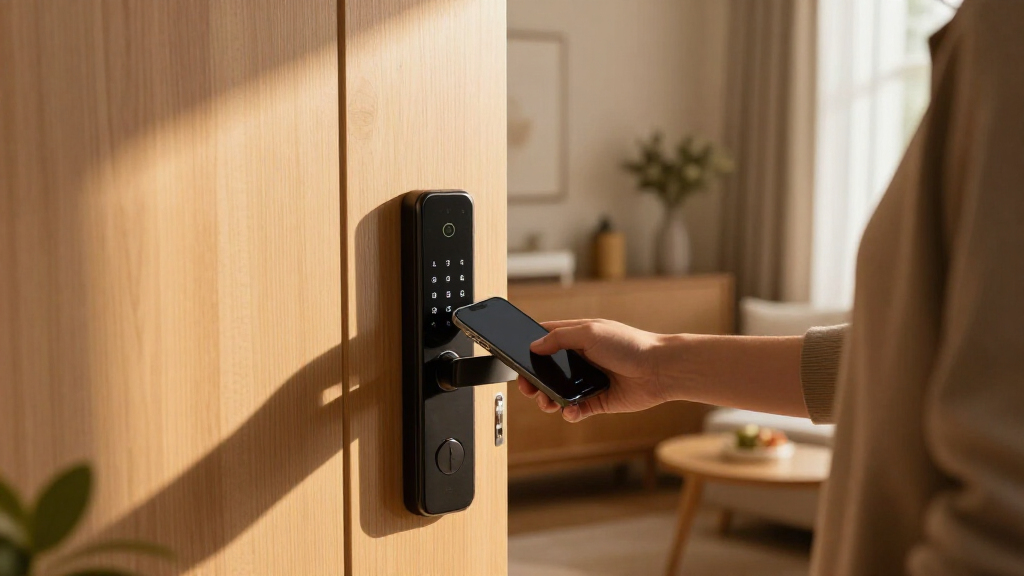
How We Picked
The products in this roundup were evaluated based on a combination of security features, ease of installation, app usability, build quality, and smart home compatibility. We prioritized locks that offer reliable keypad entry with durable construction and straightforward setup. Additional considerations included firmware update support, backup access options, and overall value for price. The ranking reflects a balance between advanced smart features and user-friendly operation, ensuring options are suitable for different budgets and technical comfort levels.| smart deadbolt lock with keypad | Material |
|---|---|
| Schlage Electronic Keypad Dead | — |
| Philips WiFi Keypad Deadbolt w | — |
| TEEHO TE001 Keyless Entry Dead | Aluminum alloy |
| Philips Wi-Fi Smart Deadbolt L | — |
| TEEHO TE002 Fingerprint Deadbo | Aluminum alloy |
| Schlage Encode Smart WiFi Dead | Satin Nickel |
| ULTRALOQ Bolt SE Wi-Fi Smart L | Zinc alloy |
| Kwikset SmartCode 260 Keyless | — |
| Kwikset SmartCode 260 Keyless | Matte Black Finish |
| Kwikset Powerbolt 250 10-Butto | Satin Nickel |
Factors to Consider When Choosing Best Smart Deadbolt Lock With Keypad
Choosing the best smart deadbolt lock with keypad involves weighing several factors to match your specific needs. Beyond basic security, consider how the lock integrates with your existing smart home system, ease of installation, and long-term durability. Making the right choice can improve convenience without sacrificing safety, so understanding these key aspects will help you avoid common pitfalls and select a lock that truly fits your lifestyle.Security and Durability
Look for locks made from sturdy materials like zinc alloy or brass, which resist tampering and weather damage. Features such as anti-drill plates, hardened steel bolts, and encryption protect against physical and digital breaches. A lock with a backup key option ensures you can still access your home if the electronic system fails or the batteries die, which is essential for peace of mind.
Smart Home Compatibility
Ensure the lock integrates smoothly with your existing smart home ecosystem, whether it’s Alexa, Google Assistant, or Apple HomeKit. Compatibility can significantly enhance convenience through voice commands or automation routines. However, be cautious of overly proprietary systems that limit future expandability or require specific hubs, which can add complexity and cost.
Ease of Installation
Many smart locks are designed for DIY installation, but some models might require professional help, especially if they involve wiring or complex mounting. Consider the door specifications and whether the lock fits your door thickness and prep. A straightforward installation process reduces frustration and helps ensure the lock functions correctly from the start.
Battery Life and Power Backup
Battery longevity varies; look for models with low-battery alerts and easy battery replacement. Some locks include power backup options like external batteries or mechanical keys to prevent lockouts during power failures. Considering these factors can avoid inconvenient lockouts and maintain security over time.
Design and Aesthetics
The appearance of the lock matters if you want it to blend with your home’s style. Finishes like satin nickel, matte black, or bronze are common, but check if the design aligns with your door’s look. Remember, a well-designed lock that complements your decor can enhance curb appeal while providing security.
Frequently Asked Questions
Can I install a smart deadbolt lock with keypad myself?
Most smart deadbolt locks with keypads are designed for DIY installation, often fitting standard door preparations. Many models come with detailed instructions and tools needed for setup. However, for complex door setups or if you’re uncomfortable with DIY tasks, hiring a professional can ensure proper installation and optimal security. Proper fit and function are essential, so don’t rush the installation process.
How secure are keypad locks against code guessing or hacking?
Keypad locks incorporate encryption and lockout features after multiple incorrect attempts, significantly reducing the risk of code guessing. Many models also allow for temporary or unique codes, limiting access to trusted individuals. While no lock is completely impervious to hacking, choosing a reputable brand with firmware updates and strong encryption enhances overall security.
Do WiFi-enabled smart deadbolt locks require a hub or bridge?
Some WiFi-enabled locks operate directly over your home WiFi network without additional hubs, providing straightforward remote access. Others may need a hub or bridge for full smart home integration or enhanced security. Check each model’s requirements before purchase, especially if you want to avoid extra devices or complicated setups.
What happens if the batteries die in a smart deadbolt lock?
Most smart locks include a low-battery alert to notify you in advance. Many also feature a mechanical key backup or external power port to manually unlock your door if batteries run out. Regularly replacing batteries and keeping spare keys accessible can prevent lockouts and maintain security.
Are keypad codes safe if I have visitors or temporary users?
Yes, many smart locks allow you to create temporary or unique codes for visitors, service workers, or family members. These codes can be easily changed or revoked remotely, providing flexible control over who has access. Proper management of user codes enhances security while maintaining convenience for different users.
Conclusion
For most homeowners seeking a reliable, easy-to-use option, the Schlage Electronic Keypad Deadbolt offers a balanced mix of durability and security. Those prioritizing smart home integration and remote access will find the Philips WiFi Keypad Deadbolt to be the best choice, despite a higher cost. Budget-conscious buyers should consider the Kwikset SmartCode 260, which provides core features at an affordable price. If you want a premium, feature-rich lock, the Ultraloq Bolt SE with Matter support stands out. Overall, choose based on your need for smart features, ease of installation, and aesthetic preferences, ensuring your home stays secure and connected.
As an affiliate, we earn on qualifying purchases.NFL season / tailgating Picks
team gear