
TL;DR

Get furniture and decor delivered free — and shop member deals
- Fast, free delivery on millions of items
- Access to Prime Big Deal Days deals on October 6–7
- Prime Video, Amazon Music and more included
Building your own AI workstation used to be cheaper, but today, prebuilt systems often match or beat DIY prices due to component shortages and bulk buying. The decision hinges on your control, time, and support needs, not just cost.
Imagine spending hours sourcing parts, assembling, troubleshooting, and finally powering up your custom AI machine — only to find out that a prebuilt system from a trusted vendor costs nearly the same, or even less. The classic debate of build versus buy has shifted, thanks to market upheavals.
Now, in 2026, the decision is less about saving money and more about how much control, speed, and certainty you want. Whether you’re a hobbyist craving maximum control or a professional needing quick deployment, understanding the real tradeoffs can save you time, money, and frustration.
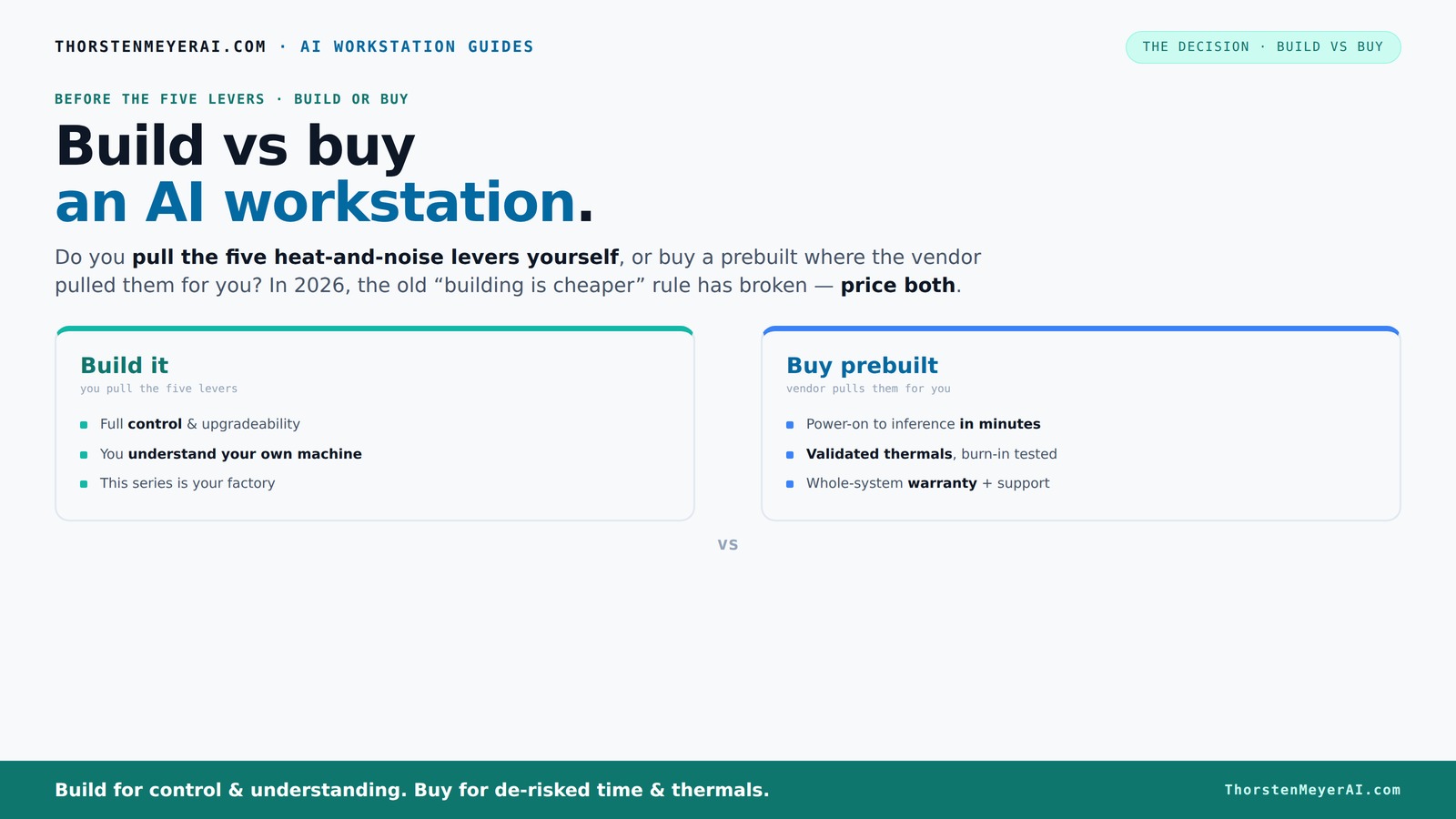
Build vs buy
an AI workstation.
The real question behind this whole series: do you pull the five heat-and-noise levers yourself, or buy a prebuilt where the vendor pulled them for you? And in 2026, the old “building is cheaper” rule has broken. Match your situation in Part 3.
Key Takeaways
- Recent market shifts mean prebuilt AI workstations often match or beat DIY costs due to bulk buying and component shortages.
- Choosing between build and buy hinges more on control, support, and speed than on price alone.
- Vendor-validated prebuilts offer reliable thermals, lower noise, and warranty coverage—ideal for mission-critical AI tasks.
- DIY builds excel in customization and upgradeability, perfect for hobbyists or those with specific cooling or component preferences.
- Focus on GPU VRAM, CPU cores, and cooling solutions for peak AI performance, regardless of build choice.
As an affiliate, we earn on qualifying purchases.
Why 2026 Changes the Build vs Buy Game — It’s Not Just About Cost
For years, building your own AI workstation was the clear winner on price. Parts like GPUs, RAM, and SSDs were cheaper when bought separately, and assembling them was straightforward for tech-savvy users. But recent market shifts tell a different story.
Component shortages, driven by AI chip demand, have pushed prices sky-high. If you’re considering your options, you might want to explore build vs buy a prebuilt AI workstation to see what fits best. DDR5 RAM, high-end GPUs, and SSDs that used to cost a few hundred dollars now often top $1,000. Meanwhile, prebuilt vendors buy in bulk, locking in lower prices that are hard to beat today.
So, the old rule — DIY is cheaper — no longer holds universally. Now, it’s essential to actually compare costs for your specific configuration, considering current prices and availability. The decision becomes a balancing act of cost, time, and control.
The implications are significant: what was once a straightforward cost-saving choice now requires careful analysis. For example, the time spent sourcing, assembling, and troubleshooting a DIY build might offset the marginal cost savings, especially when considering the premium prices for high-demand components. Conversely, prebuilts often include warranties and optimized configurations, reducing risk and setup time. The tradeoff is whether you value total control over every component or prefer reliability and speed of deployment.
Who Pulls the Levers? That’s What Matters in Noise, Heat, and Stability
Building your own AI machine means you control every detail. You pick the GPU, CPU, cooling, case, and fans — then tune each for quiet operation and low heat. It’s like being your own thermal engineer.
Prebuilt systems, on the other hand, come with factory tuning. Vendors like Lambda or Puget run extensive burn-in tests, optimize fan curves, and often include water cooling to keep noise and temperatures down. This validation can save you hours of trial and error.
Think of it like this: if you want a machine perfectly tuned to your environment and workload, you pull the levers yourself. If you prefer a plug-and-play setup with tested thermals and a warranty, you pay the vendor to handle the tuning.
Here’s the key: the choice depends on whether you enjoy thermal engineering or value support and reliability more.
Deeply understanding this tradeoff matters because thermal management directly impacts system stability and lifespan. For more insights, check out build vs buy a prebuilt AI workstation. Poor cooling can lead to thermal throttling, which reduces performance during intense workloads, or worse, hardware failure. DIY enthusiasts might optimize for silence or aesthetics but risk miscalculations that cause instability. Vendors, however, invest in validated thermal solutions that balance noise, heat, and performance—resulting in a more predictable and reliable system. Learn more about this at build vs buy a prebuilt AI workstation. Your decision should consider how much time you’re willing to invest in tuning versus trusting tested solutions, especially when stability is mission-critical.
When Buying Prebuilt Makes Sense — And When It’s a No-Brainer
If you want a system ready to deploy immediately, prebuilt is the way to go. It arrives with the OS, AI frameworks, and drivers all set up. No sourcing parts, no BIOS tweaks, no troubleshooting.
For professionals or teams with tight deadlines, the quick turnaround can be a game-changer. Plus, a reputable vendor tests for thermal stability and offers warranties, reducing risk during critical projects.
Multi-GPU setups? Those are tricky. Vendors like Lambda have validated configurations that prevent throttling and ensure proper cooling — a nightmare to DIY without deep expertise. For tips on choosing the right setup, visit build vs buy a prebuilt AI workstation.
And if your budget aligns, often prebuilt offers a competitive price due to bulk buying, especially with recent shortages. Don’t forget to consider the added value of support and warranty.
The implications here are about reducing downtime and ensuring performance consistency. When your project deadlines are tight, the time saved by buying prebuilt can outweigh the potential cost savings of DIY. Also, prebuilt systems often come with professional validation, which minimizes the risk of hardware incompatibilities or thermal issues that can cause costly failures or delays. It’s a strategic choice for those who prioritize reliability and speed over maximum customization.
When Building Your Own AI Workstation Is Still the Best Move
If you love tinkering or want a machine tailored exactly to your needs, building remains appealing. It’s about maximum control — choosing every component, cooling, and even the aesthetic.
For instance, if you’re working on a tight budget, sourcing used or discounted parts can make a DIY build cheaper than a prebuilt. Plus, you can pick high-quality, tested components like quiet GPUs or custom cooling solutions.
DIY also offers better upgrade paths. You can swap out GPUs, add RAM, or improve cooling over time — something often limited or proprietary in prebuilts.
Beyond cost, the appeal lies in the learning experience and customization. Building your own system allows you to select components that precisely match your workload, noise preferences, and aesthetic tastes. For more guidance, see build vs buy a prebuilt AI workstation. It also provides an opportunity to understand your hardware deeply, which can be invaluable for troubleshooting and future upgrades. However, this approach requires time, patience, and technical skill, making it less suitable for those seeking immediate performance or without the inclination for hands-on assembly. The tradeoff is between owning a highly personalized system and investing effort for long-term control and satisfaction.
Component Must-Haves for a Killer AI Workstation
When building or selecting a prebuilt, focus on a few key components. GPU is king — NVIDIA’s A100 or RTX 4090 power most AI workloads. VRAM? Aim for at least 24GB for large models.
CPU? A strong multi-core processor like AMD Ryzen 9 or Intel Xeon helps manage data throughput. RAM? 64GB is a baseline; 128GB is better for heavy multitasking.
Storage? NVMe SSDs for fast data access. Power supplies? High-quality units that can handle peak loads without noise or throttling.
And cooling? Quiet, efficient solutions matter — whether air or liquid cooling — especially if noise is a concern.
Check out this guide to quiet GPUs for ideas on selecting components that keep your rig silent under load.
The key here is understanding that the hardware choices directly influence your system's ability to handle intensive AI workloads. For example, insufficient VRAM can bottleneck large models, forcing you to upgrade sooner. A high-quality power supply ensures stability during peak loads, preventing system crashes. Efficient cooling not only maintains performance but also extends hardware lifespan, which is crucial for professional environments. Recognizing these tradeoffs helps tailor your build to your specific performance and noise requirements, ensuring your investment is future-proof and reliable.
Market Trends and New Features You Can’t Ignore
AI hardware is evolving fast. NPU-accelerated features are now mainstream, meaning tasks like deepfake detection or background offloading run with minimal setup. Vendors like Dell highlight these innovations, which boost efficiency and reduce power use.
Prebuilts now come with AI-optimized software stacks, making deployment quicker and more reliable. This ecosystem expansion means you get more bang for your buck, especially with power-efficient models that can halve energy costs in some scenarios.
Additionally, the rise of AI-specific hardware like NPU chips means future-proofing your investment. These features can offload AI workloads from the GPU, freeing it for other tasks and lowering heat and noise.
Understanding these trends is crucial because they directly impact your system’s longevity and operational costs. Investing in hardware with these new features can significantly enhance performance and efficiency, especially as AI models grow larger and more complex. It also means that your system can adapt to emerging workloads without requiring complete hardware overhaul, which is a critical consideration for long-term planning.
Who Should Pick What? A Simple Decision Guide
Deciding if you should build or buy boils down to your priorities:
- If you crave control, customization, and upgradeability — build your own.
- If you want a fast, tested system with support, and don’t mind paying a premium — buy prebuilt.
- On a tight budget? Build might still be cheaper, but only if you enjoy the process and troubleshooting.
- Need multi-GPU power and reliability? Vendors like Lambda validate and test these configurations, making prebuilts safer.
Ask yourself: How much time do you have? How much control do you want? How fast do you need it? Your answers will guide your choice.
Understanding these factors ensures you align your decision with your workload demands, technical comfort, and long-term goals. For instance, if your priority is rapid deployment for critical projects, prebuilts minimize delays. Conversely, if you value customization or specific hardware preferences, building allows for tailored configurations that can better match unique workloads or aesthetic preferences.
Frequently Asked Questions
Is it cheaper to build or buy a prebuilt AI workstation?
In 2026, component shortages and bulk buying often make prebuilts cost comparable or even cheaper than DIY builds. Always compare prices for your specific configuration before deciding.
Do prebuilt workstations perform worse than custom builds?
Not necessarily. Many prebuilts are validated for thermals and performance, especially in multi-GPU setups. They can often match or outperform DIY systems tuned by amateurs.
What components matter most for AI workloads?
The GPU (VRAM and CUDA cores), CPU (cores and frequency), and cooling solutions are the most critical. High VRAM GPUs like RTX 4090 or A100 deliver significant AI performance gains.
Is an NPU necessary, or is a strong GPU enough?
A powerful GPU remains the backbone for most AI tasks. NPUs or AI accelerators add efficiency but are usually optional unless your workload specifically benefits from them.
Will a prebuilt workstation be upgradeable later?
Many prebuilts use proprietary parts or limited upgrade paths, so check with the vendor. Custom builds generally offer better future upgradeability.
Conclusion
In 2026, your decision to build or buy an AI workstation isn’t just about saving a few dollars. It’s about matching your workload, control appetite, and support needs.
Remember: a well-chosen prebuilt can save you time and reduce risk, but building offers unmatched control and satisfaction. The key is knowing what matters most to you—and making the choice that aligns with it.
Fall Picks
fall essentials
As an affiliate, we earn on qualifying purchases.