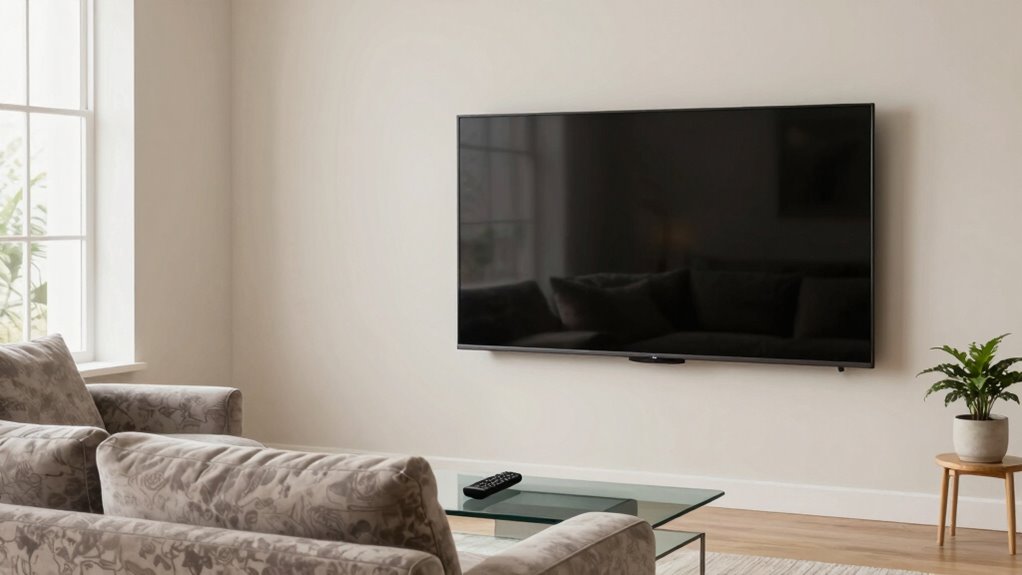

Finding the right TV viewing distance is key for great picture quality and comfort. A good rule is sitting about 1.5 to 2.5 times the screen’s diagonal size away. For example, for a 55-inch TV, aim for roughly 6.9 to 11.5 feet. Factors like resolution and room size matter, too. If you want to get it just right, keep exploring the details that can enhance your viewing experience.
Get ready for Prime Big Deal Days — try Prime free
Exclusive member deals on October 6–7, plus fast free delivery. Cancel anytime.
As an affiliate, we earn on qualifying purchases.
Key Takeaways
- Use 1.5 to 2.5 times the TV’s diagonal size as the ideal viewing distance for comfort and picture clarity.
- Larger screens require sitting farther away to maintain optimal image quality and prevent eye strain.
- Higher resolution TVs (e.g., 4K) allow closer viewing distances without pixelation, enhancing immersion.
- Measure your room space to ensure the chosen TV size and viewing distance fit comfortably.
- Proper calibration of brightness, contrast, and ambient lighting improves viewing comfort at the recommended distance.
As an affiliate, we earn on qualifying purchases.
Why Your TV Viewing Distance Matters for Picture Quality and Comfort

Your TV viewing distance directly impacts both picture quality and your comfort during watching. Sitting too close can cause eye strain, making your eyes work harder to focus on the screen, which can lead to discomfort over time. Conversely, sitting too far away might make details less clear, diminishing your visual comfort and the overall viewing experience. Finding the right distance helps you enjoy sharp images without straining your eyes. Proper placement reduces the risk of eye fatigue, allowing you to watch for longer periods comfortably. Maintaining an ideal viewing distance ensures you see the picture at its best quality and keeps your eyes relaxed. This Optimal positioning is essential for maximizing your TV’s performance and your viewing comfort. Considering your room layout and TV size can help you achieve this balanced setup, making your viewing experience more enjoyable. Being aware of visual acuity can also aid in selecting the best distance for your specific eyesight. Additionally, understanding recommended viewing guidelines can help you determine the most suitable position for your setup. Prioritizing this balance makes your TV time more enjoyable and less tiring.
How Size and Resolution Affect Your Viewing Distance

Choosing the right screen size guarantees you enjoy a comfortable, immersive viewing experience without straining your eyes. Higher resolutions let you sit closer without losing picture clarity, making details sharper and more vibrant. Understanding how size and resolution work together helps you find the perfect balance for your space and preferences. Incorporating smart appliances and connected features can further optimize your viewing setup for a seamless entertainment experience. Additionally, considering display technology can influence how well your screen performs at various sizes and distances. Being aware of heat distribution and other science principles can also guide your choice, especially when selecting the best materials and technology for your needs. Recognizing energy efficiency in display options can help reduce power consumption while maintaining high-quality visuals. For optimal performance, it’s also important to evaluate how viewing angles impact picture quality across different screen sizes.
Optimal Screen Size Selection
Selecting the right screen size and resolution plays a crucial role in guaranteeing an ideal viewing experience. Your goal is to find a screen size that offers comfortable viewing without straining your eyes or neck. Larger screens can enhance immersion but require you to sit farther back to maintain prime viewing comfort. Conversely, smaller screens are suitable for closer distances but may lack impact. Resolution also influences your choice; higher resolutions allow you to sit closer without noticing pixelation. To determine the best fit, consider your room size, seating arrangement, and how far you prefer to sit from the screen. Properly selecting your screen size ensures you enjoy a balanced, comfortable, and immersive viewing experience tailored to your space and preferences. Understanding smart display technology can help optimize your setup further, especially as it integrates seamlessly with connected fitness systems for an enhanced entertainment environment. Additionally, considering screen size guidelines based on your viewing distance can help you select the most appropriate display for your space. Being aware of recommended viewing distances can further refine your choice, ensuring you get the most out of your television without compromising comfort or picture quality. Incorporating Glycolic Acid benefits into skincare routines can also assist in maintaining healthy skin, which is beneficial during long viewing sessions.
Resolution’s Impact on Clarity
Higher resolution screens allow you to sit closer without noticing pixelation, which means you can enjoy a more immersive experience in smaller spaces. This increased resolution clarity results from higher pixel density, making each pixel less visible. This allows for more flexible viewing distances, enabling you to tailor your setup for optimal comfort and quality. This enables you to reduce your viewing distance without sacrificing picture quality. When screens have higher resolution, details appear sharper and more realistic, enhancing your overall viewing experience. Conversely, lower-resolution displays may require you to sit farther away to avoid seeing individual pixels, which diminishes immersion. Understanding how resolution impacts clarity helps you choose the right screen size and ideal distance, ensuring you get the best balance between size and picture quality. Ultimately, higher resolution screens give you more flexibility in how close you can comfortably sit. Additionally, advancements in projector technology continue to improve image quality, making close-up viewing more feasible than ever before. Recognizing the pixel density of a display can further help you optimize your viewing setup for clarity and immersion. As technology advances, display specifications like refresh rate and HDR support also contribute to a better viewing experience at various distances.
Your Quick Guide to the Perfect Viewing Distance

Finding the perfect viewing distance can considerably enhance your TV experience, making images sharper and colors more vibrant. To achieve this, start by calibrating your screen properly; this guarantees colors and contrast are accurate, so you see the TV as intended. Keep in mind, sitting too close can cause eye strain, while sitting too far diminishes detail and immersion. A good rule of thumb is to sit at a distance roughly 1.5 to 2.5 times the diagonal size of your screen. For 55-inch TVs, this means about 6.9 to 11.5 feet away. Adjust your position gradually, and review your screen calibration settings periodically to maintain ideal clarity and comfort. This simple guide helps you find a balance that maximizes picture quality without sacrificing eye comfort. Considering outdoor tech, similar principles apply when setting up viewing areas outdoors for optimal experience and comfort. Additionally, using smart calibration tools can help fine-tune your display settings effortlessly, ensuring the best possible picture quality at your chosen distance. Remember that TV placement also plays a crucial role in achieving the best viewing experience, so experiment with different positions for optimal results. Being aware of visual acuity can also assist in determining the most comfortable viewing distance for your individual eyesight. Moreover, understanding ambient lighting conditions can prevent glare and enhance viewing clarity.
How to Measure Your Room and Set Up Your TV for Best Viewing

To set up your TV for ideal viewing, start by measuring your room carefully. Knowing your room dimensions helps determine the best TV size and position. Consider how furniture placement affects your viewing experience, ensuring your seating is at an optimal distance from the screen. Additionally, selecting handcrafted wooden furniture can enhance your space’s aesthetics and sustainability, creating a more inviting environment for your TV setup. Here’s what to do:
Measuring your room ensures the perfect TV size and optimal viewing comfort.
- Measure the length and width of your room to understand space constraints.
- Decide on the best furniture placement, keeping seating within a comfortable viewing distance.
- Mark the ideal height for your TV based on eye level when seated, considering both room size and furniture layout.
Common Mistakes to Avoid for Better TV Viewing

One common mistake is choosing a TV size that doesn’t match your room’s dimensions, which can lead to a cramped or inadequate viewing experience. To avoid this, ensure your screen size complements your space. Poor screen calibration can also ruin picture quality; always calibrate your TV for maximum contrast, brightness, and color. Additionally, neglecting room lighting impacts your viewing comfort—glare from windows or insufficient ambient light can strain your eyes and diminish image clarity. Proper room lighting is essential to optimize picture quality and reduce eye fatigue. Here’s a quick visualization:
| Room Lighting | Impact on Viewing |
|---|---|
| Bright, with glare | Causes reflections, reduces contrast |
| Dim or uneven | Hard to see details, eye strain |
| Proper ambient light | Enhances picture quality, comfort |
Avoid these mistakes for a better, more immersive TV experience.
How to Adjust Your Viewing Distance for Movies, Gaming, and Sports

To get the best experience, you need to adjust your viewing distance based on what you’re watching. Movies, gaming, and sports each have ideal distances that maximize comfort and picture quality. Let’s explore how to set the right distance for each activity.
Optimal Distance for Movies
Finding the right distance for watching movies can dramatically enhance your viewing experience. Sitting too close can cause screen glare and make details hard to focus, while too far reduces immersion. To optimize your setup, consider these key factors:
- Keep your distance about 1.5 to 2.5 times the diagonal screen size to balance clarity and comfort.
- Position your seating to minimize screen glare, which can distract and strain your eyes.
- Ensure your sound system is properly calibrated, so sound quality remains clear and immersive without needing to sit too close for audio clarity.
Adjusting your distance carefully helps you enjoy crisp visuals and rich sound, turning your movie nights into a true home theater experience. Proper positioning reduces eye strain and maximizes enjoyment.
Gaming and Sports Setup
Wondering how to set your TV at the right distance for gaming and sports? Start by positioning yourself so you can comfortably see all action without straining your eyes. For the best experience, verify your audio calibration is optimized—clear sound enhances immersion, especially during fast-paced sports or gaming. Adjust the viewing distance so that your eyes are level with the center of the screen; typically, sitting about 1.5 to 2.5 times the screen’s diagonal works well. Consider ambient lighting to reduce glare and reflections that can distract you. A dim room with controlled lighting helps you focus on details and reduces eye fatigue. Properly setting your distance, audio, and lighting creates a balanced environment perfect for intense gaming sessions or sports viewing.
When to Consider a Larger or Smaller TV Based on Your Space

Choosing the right TV size depends largely on the space you have available. Your room layout and furniture placement are key factors in deciding whether to go larger or smaller. If you have a spacious living room, a bigger screen can create an immersive experience. Conversely, in a compact space, a smaller TV prevents it from overwhelming the room. Consider these points:
- Measure your viewing distance and compare it to recommended screen sizes.
- Ensure your furniture placement allows comfortable viewing angles without straining your neck or eyes.
- Account for room layout, including nearby furniture and wall space, to prevent clutter or awkward placement.
Tips to Keep Your Eyes Comfortable During Long TV Sessions

To keep your eyes comfortable during long TV sessions, it’s essential to follow proper viewing habits and create an environment that reduces strain. Maintain good viewing posture by sitting upright and at the right distance. Take regular breaks, looking away from the screen for a few seconds every 20 minutes. Adjust the room lighting to minimize glare and reflections, which can cause eye strain. Use the table below to optimize your setup:
| Aspect | Tips | Benefits |
|---|---|---|
| Viewing Distance | Keep 1.5 to 2.5 times the screen size | Reduce eye strain |
| Lighting | Soft, indirect lighting | Minimize glare and reflections |
| Screen Settings | Brightness and contrast adjustment | Prevent eye fatigue |
Following these tips helps maintain comfortable viewing and protects your eyes during extended sessions.
Frequently Asked Questions About TV Viewing Distance

Have you ever questioned whether your TV viewing distance is ideal for your eyes? Many wonder if their setup affects screen glare or sound quality. To help, here are common questions answered:
- How close should I sit for the best picture without straining my eyes?
- Can sitting too close cause eye fatigue or affect screen glare?
- Does distance impact sound quality or just picture clarity?
Choosing the right distance minimizes eye strain, reduces screen glare, and enhances sound quality. Sitting too close may cause discomfort or make glare more noticeable, while sitting too far can diminish audio and visual detail. Adjusting your position ensures an excellent viewing experience tailored to your room, avoiding unnecessary eye or audio issues.
Frequently Asked Questions
Can I Use a Universal Chart for All TV Models?
You can’t rely on a universal chart for all TV models because screen size and viewing angle vary widely. Larger screens require more distance for maximum viewing, while different models have unique specifications that influence your ideal distance. To get the best experience, consider your TV’s specific screen size and viewing angle, and adjust your distance accordingly rather than using a generic chart. This ensures clear visuals and comfortable viewing.
How Does Room Lighting Affect Optimal Viewing Distance?
A little light goes a long way—remember, too much glare can ruin your viewing. Your room’s ambient brightness directly impacts your ideal viewing distance; dimmer rooms allow you to sit closer without eye strain. To reduce glare, control ambient brightness and use curtains or matte screens. When lighting is just right, you’ll enjoy vivid images at a comfortable distance, making your TV experience more immersive and enjoyable.
Does Screen Type Change Ideal Viewing Distance?
Yes, screen type influences your ideal viewing distance. For larger screens, you should sit closer to fully enjoy the immersive experience, while smaller screens allow for a greater distance. High-resolution screens like 4K or OLED can be viewed from a shorter distance without losing picture quality, so you get sharper images. Always consider your screen size and resolution to find the best balance for comfortable, clear viewing.
What’s the Best Way to Test My Viewing Setup?
You can test your viewing setup by first calibrating your TV using calibration techniques to ensure accurate colors and contrast. Then, sit at your typical viewing distance and check the viewing angle, making sure the picture remains clear and vibrant from your usual spot. Don’t rely solely on charts; your comfort and picture quality matter most. Adjust your seating or TV position until you find the ideal, immersive experience.
Are There Health Risks Associated With Improper Viewing Distance?
Yes, improper viewing distance can cause health risks like eye strain and posture issues. Sitting too close strains your eyes, leading to discomfort and headaches, while sitting too far can make you squint and strain your eyes as well. Poor posture from incorrect viewing distance may cause neck and back pain. To protect your health, guarantee your TV is at an ideal distance, maintaining good posture and reducing eye strain.
Conclusion
Think of your TV setup as planting a tree. If you plant it too close, the view is overwhelming; too far, and it feels distant. Finding the right distance is like nurturing a healthy tree—balanced, comfortable, and clear. When you set your viewing spot just right, every show, game, or movie becomes a lush landscape you can enjoy without straining your eyes or losing detail. Make your space a perfect garden for your eyes.
NFL season / tailgating Picks
team gear
As an affiliate, we earn on qualifying purchases.