
Choosing ergonomic furniture like supportive chairs and adjustable desks helps keep your spine healthy and reduces back strain. Proper lighting, especially natural sources, minimizes eye fatigue, while keeping your workspace organized boosts efficiency and reduces stress. Small accessories like footrests and monitor stands enhance comfort further, making your workday smoother. Attention to these setup choices can transform your home office into a space that promotes well-being and productivity, and there’s even more tips to explore for a truly optimized workspace.

Get furniture and decor delivered free with Prime
- Fast, free delivery on millions of items
- Prime Video, Amazon Music and more included
- Member-only deals all year
Key Takeaways
- Ergonomic chairs support proper posture and reduce back strain, enhancing comfort during long work hours.
- Adjustable desks enable seamless switching between sitting and standing, improving circulation and reducing fatigue.
- Optimizing workspace layout with natural light and organization boosts focus and minimizes discomfort.
- Proper lighting, including task lighting, decreases eye strain and creates a more comfortable work environment.
- Incorporating ergonomic accessories and maintaining a clutter-free space promotes health and work efficiency.
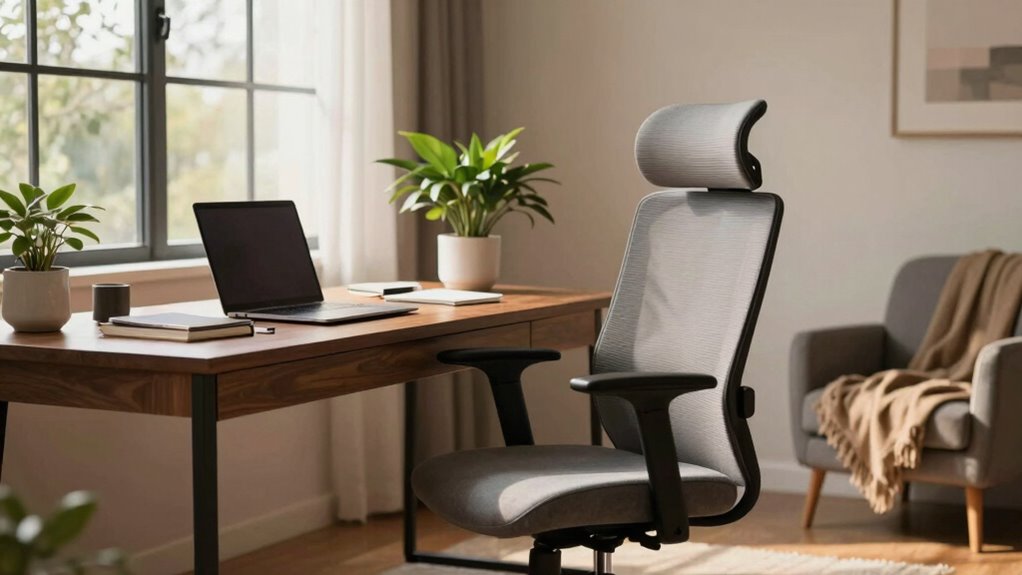
Creating a comfortable home office is essential for productivity and well-being, especially as remote work becomes more common. When you spend hours at your desk each day, the furniture and setup you choose directly influence your focus, comfort, and even your health. Investing in an ergonomic chair is one of the most impactful choices you can make. Unlike standard seating, an ergonomic chair supports your spine’s natural curve, reduces strain on your back, and promotes better posture. Look for one with adjustable features like seat height, lumbar support, and armrests, so you can customize it to fit your body perfectly. Proper support not only keeps you comfortable during long work sessions but also helps prevent aches and repetitive strain injuries that can develop over time.
Invest in an ergonomic chair to support your back, improve posture, and enhance comfort during long work hours.
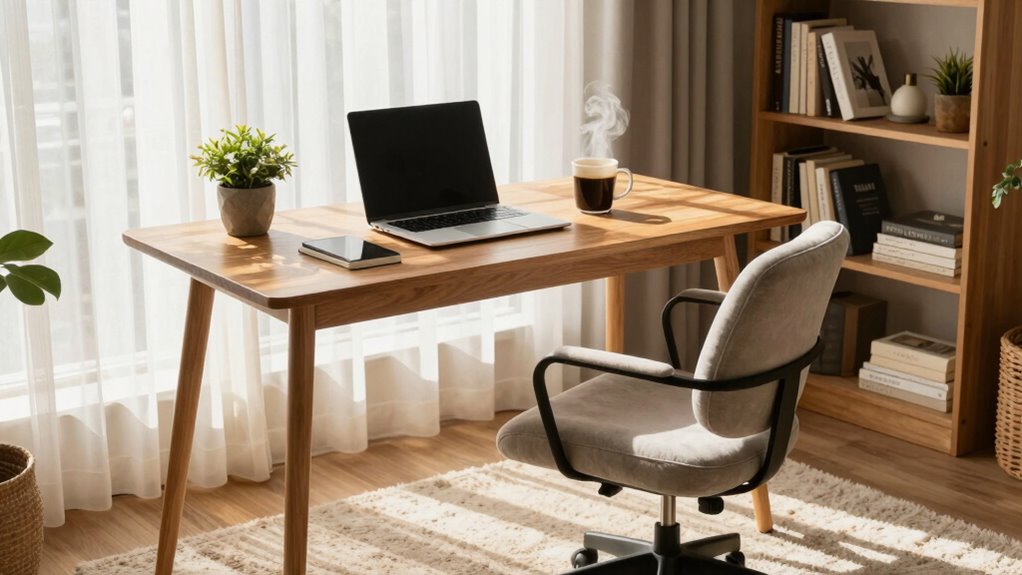
Alongside a good chair, an adjustable desk plays a vital role in creating a flexible workspace. Unlike fixed desks, adjustable desks allow you to easily switch between sitting and standing positions throughout the day. This variation can boost circulation, decrease fatigue, and reduce the risk of musculoskeletal issues. When choosing an adjustable desk, consider one that smoothly transitions between heights, so you can find the most ergonomic position for your tasks. Position your monitor at eye level, and keep your keyboard and mouse within easy reach, to maintain ideal alignment. This setup encourages better posture and minimizes neck and shoulder tension. Additionally, integrating smart home technology like automatic lighting or climate control can further optimize your workspace for comfort and efficiency. By adjusting your workspace to your needs, you create an environment that adapts to your work style rather than forcing you into a static position. Incorporating ergonomic accessories such as footrests or monitor stands can also enhance your overall comfort and support.
The lighting and organization of your home office also influence your comfort and productivity. Natural light is preferable, so position your desk near windows if possible. If natural light isn’t enough, invest in quality task lighting that reduces eye strain. Keeping your workspace tidy— organized workspace —can be distracting and heighten stress. Use organizers and storage solutions to keep essential items within reach, so you’re not constantly searching for supplies. Ensuring proper ergonomic setup in your workspace can significantly decrease the likelihood of developing discomfort or injury over time. Comfortable, supportive furniture combined with a well-organized layout makes your home office a space where you want to spend time.
Ultimately, the choices you make about your home office setup determine how effectively you work and how good you feel during and after your workday. Prioritize ergonomic support, flexibility, and organization to craft a space that promotes health, focus, and efficiency. When your environment is tailored to your needs, working from home becomes less about enduring discomfort and more about thriving in a space that supports your success.
ergonomic office chair with lumbar support
As an affiliate, we earn on qualifying purchases.
As an affiliate, we earn on qualifying purchases.
Frequently Asked Questions
How Can I Improve Lighting for Better Productivity?
To improve lighting for better productivity, you should maximize natural light by positioning your desk near windows and using light, airy curtains. Supplement with artificial lighting like adjustable LED lamps to reduce eye strain during darker hours. Guarantee the light is evenly distributed across your workspace, avoiding harsh shadows. This balanced combination of natural light and artificial lighting creates a bright, comfortable environment that helps you stay focused and energized throughout your workday.
What Are Ergonomic Tips for Small Home Office Spaces?
Coincidentally, optimizing your small home office can be straightforward. Position your desk near natural light to enhance focus and choose a compact, ergonomic chair that supports your back. Make sure your monitor is eye-level and your keyboard and mouse are within easy reach to prevent strain. Keep clutter minimal, and consider multi-functional furniture to maximize space. These ergonomic tips for small spaces boost comfort and productivity effortlessly.
How Often Should I Change My Office Setup?
You should change your office setup every 6 to 12 months to keep it comfortable and efficient. Regularly assess your desk organization to avoid clutter, which can cause discomfort. Also, consider ambient noise levels—adding soundproofing or noise-canceling headphones can improve focus. Adjust your seating, monitor height, or lighting as needed. Changing your setup periodically guarantees your workspace remains ergonomic, promotes productivity, and prevents strain.
What Budget-Friendly Comfort Upgrades Exist for Home Offices?
You can boost your home office comfort with budget accessories like ergonomic cushions, adjustable footrests, and supportive back pillows. DIY modifications, such as adding a homemade monitor stand or customizing your chair with affordable padding, also help. These small, cost-effective upgrades improve posture and reduce fatigue, making your workspace more comfortable without breaking the bank. Just get creative and prioritize comfort to enhance your work-from-home experience.
How Can I Reduce Distractions in My Home Workspace?
You can reduce distractions by implementing noise control measures, like noise-canceling headphones or soundproofing, to block out background noise. Organization strategies also help—keep your workspace tidy to minimize visual clutter and set clear boundaries with family or roommates during work hours. Many believe creating a dedicated, clutter-free zone isn’t necessary, but it considerably boosts focus and productivity, making your home office more effective.
Conclusion
So, go ahead—spend a fortune on that fancy ergonomic chair and the perfectly plush rug. After all, isn’t it worth sacrificing your savings and sanity for that fleeting moment of comfort? Just remember, no matter how stylish your home office looks, you’ll still be answering emails in pajamas and pretending productivity is soaring. But hey, at least your back will thank you—until it doesn’t. Cheers to your relentless pursuit of comfort at the cost of everything else!
Halloween Picks
halloween
As an affiliate, we earn on qualifying purchases.