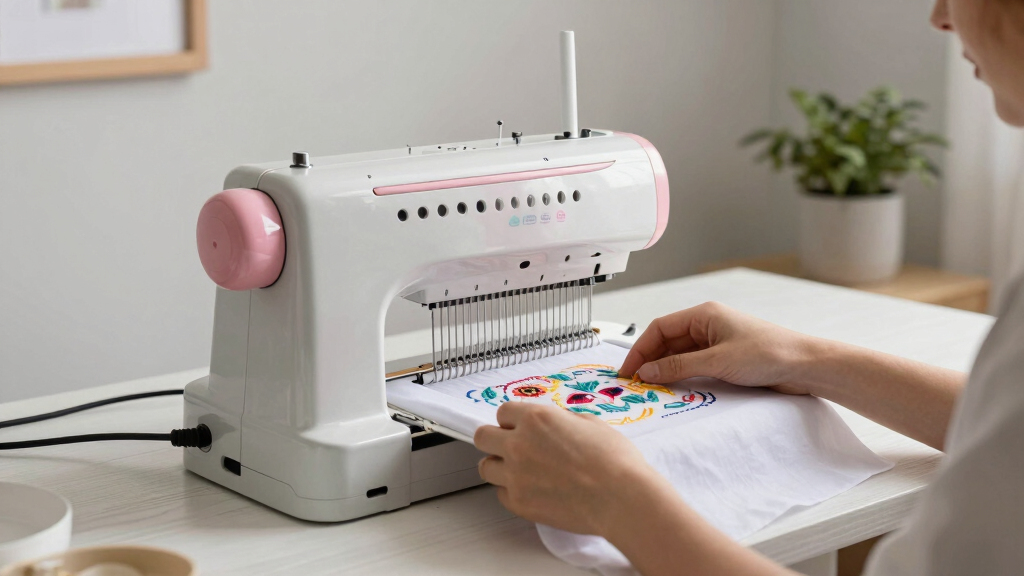
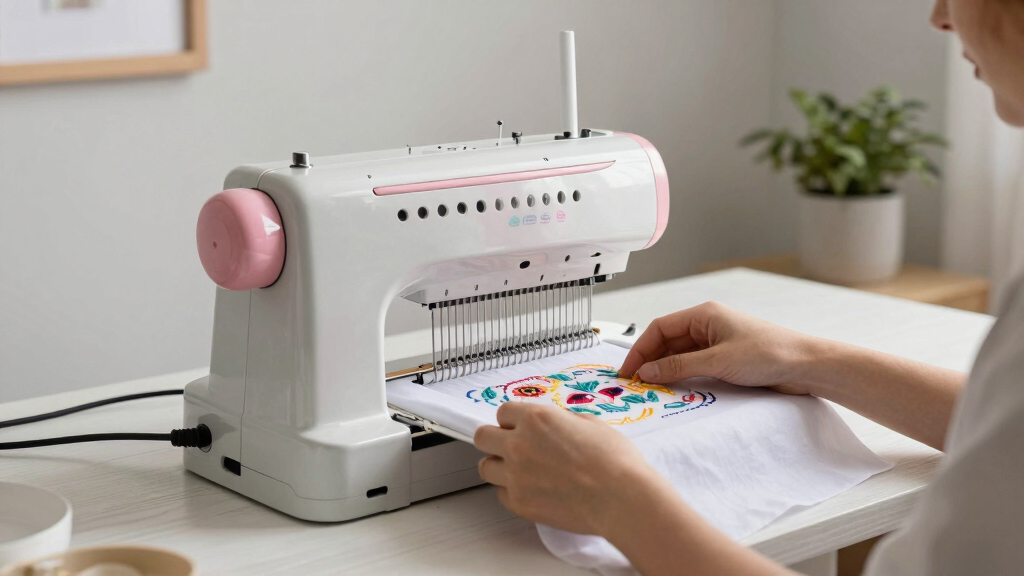
Finding the best embroidery machine for home use involves balancing features, ease of use, and budget. The top pick, Brother SE1900, offers a solid combo of performance and user-friendly features, making it ideal for hobbyists and small projects. For those on a tighter budget, the PooLin EOC05 stands out as a beginner-friendly option with simplified controls. For professional-level home embroiderers, the BAi The Mirror 15 Needle provides expansive design options and larger embroidery areas. The main tradeoffs include deciding whether to prioritize advanced features, ease of use, or affordability. Keep reading for a detailed breakdown of these options and how to choose the best fit for your needs.
Key Takeaways
- The top-ranked machines balance ease of use with versatile design capabilities, making them suitable for both beginners and experienced users.
- Larger embroidery areas are a common feature among the most expensive models, ideal for bigger projects like quilts and apparel.
- Wireless and WiFi connectivity significantly streamline design transfer, a feature worth paying for if you plan to work with complex or frequent designs.
- Entry-level options tend to have fewer built-in designs but focus on straightforward operation, perfect for hobbyists just starting out.
- Price often correlates with features like auto-threading, larger screens, and automatic color changes, but high cost doesn’t always guarantee better usability for home users.


More Details on Our Top Picks
PooLin EOC06 Computerized Embroidery Machine, 11×7.9 inches, 7-Inch Touchscreen, 200 Built-in Designs, Wireless & USB Connectivity
This model stands out for its large 11×7.9 inch embroidery area, making it a top choice for those wanting to tackle a variety of projects without breaking the bank. Compared to the PooLin EOC05, which offers a smaller 4×9.25 inch space suited for personal use, the EOC06 provides more room for creative expansion. Its user-friendly 7-inch color touchscreen simplifies navigation, and wireless connectivity means fewer cables and easier design transfers—an advantage over models without Wi-Fi. However, it’s limited to embroidery functions, so users seeking sewing capabilities should look elsewhere. The setup may be complex for complete novices, but its extensive included accessories support immediate project start. This pick makes the most sense for hobbyists and DIYers seeking a reliable, all-around embroidery machine.
Pros:- Large embroidery area allows for bigger and more detailed projects
- Intuitive 7-inch touchscreen makes design selection straightforward
- Wireless and USB connectivity for flexible file transfer
- Includes a comprehensive set of accessories and built-in designs
Cons:- Limited to embroidery functions, no sewing capabilities
- Setup can be complex for users unfamiliar with embroidery machines
Best for: Beginner to intermediate home embroiderers who want a large workspace and simple operation
Not ideal for: Seamstresses needing combined sewing and embroidery features or advanced digitizing tools
- Embroidery Area:11 x 7.9 inches
- Touchscreen:7-inch color LCD
- Built-in Designs:200
- Connectivity:Wireless LAN, USB
- Included Hoops:2 x 5.5″x5.5″, 1 x 7.9″x7.9″, 1 x 7.9″x11″
- Accessories:Threads, bobbins, stabilizers, needles
Bottom line: This machine suits hobbyists and beginners who prioritize a spacious embroidery area with easy-to-use features.
Poolin EOC07 Embroidery Machine with 7.9″ x 15″ Large Embroidery Area and Touchscreen
The Poolin EOC07 shines with its expansive 7.9″ x 15″ embroidery area, ideal for intricate and larger designs that would be cumbersome on smaller machines like the PooLin EOC06. Its 7-inch color touchscreen offers an intuitive interface, and Wi-Fi design transfer simplifies workflow for busy hobbyists or small business owners. Compared to the EOC06, it emphasizes a bigger workspace at the expense of some compact portability, making it less suitable for tight spaces. The learning curve can be steeper for absolute beginners, especially those unfamiliar with advanced embroidery machines. Still, the included supplies and user-friendly features support quick start. This pick makes the most sense for dedicated hobbyists or small shops aiming to produce large, detailed embroidery pieces efficiently.
Pros:- Generous embroidery area supports large and detailed designs
- Easy-to-navigate touchscreen interface
- Wi-Fi transfer streamlines design workflow
- Includes starter supplies to begin immediately
Cons:- Higher price point may deter casual users
- Requires some technical familiarity for optimal use
Best for: Hobbyists and small business owners working on large or complex embroidery projects
Not ideal for: Casual crafters or those with limited space, due to its size and advanced features
- Embroidery Area:7.9″ x 15″
- Touchscreen:7-inch color touchscreen
- Connectivity:Wi-Fi
- Included Supplies:Embroidery thread, stabilizers, pre-wound bobbins
Bottom line: This machine is best suited for users who need a large workspace for creative or commercial embroidery projects.
Poolin EOM 15-Needle Commercial Embroidery Machine,14.2″x9.5″ Large Embroidery Area for Small Business – Built for Hats, Caps & Daily Orders, Auto Color Change & Trim,WiFi/USB Design Transfer
The Poolin EOM 15-Needle elevates home embroidery to small-scale commercial levels, with 15 color-capable needles that drastically reduce thread changes during high-volume work. Its 14.2″x9.5″ large embroidery area handles caps, jackets, and bulk orders efficiently, making it a step above single-needle models like the PooLin EOC06. The machine features automatic color change, thread trimming, and laser positioning—tools that boost productivity and precision. Compared to the smaller, hobby-focused options, this model is more complex and requires some technical setup, but it pays off with faster turnaround times. Designed for small shops or serious home-based entrepreneurs, it balances advanced features with user-friendly operation. This machine is ideal for those looking to grow from hobbyist to small business scale without investing in industrial equipment.
Pros:- High-speed multi-needle embroidery for efficient production
- Large embroidery area suitable for caps and apparel
- Automatic color change and trimming save time
- Includes comprehensive starter kit and support
Cons:- More expensive and complex than entry-level machines
- Requires some technical knowledge to operate effectively
Best for: Small embroidery businesses or serious hobbyists ready to scale up production
Not ideal for: Casual users or those with space constraints, due to its size and complexity
- Needles:15
- Embroidery Area:14.2″ x 9.5″
- Speed:1200 SPM on flat, 850 SPM on hats
- Control System:Institch OS5 touchscreen
- Connectivity:Wi-Fi and USB
- Included Software:Free design software
Bottom line: This model is perfect for small businesses or experienced hobbyists seeking professional-level productivity at home.
BAi The Mirror 15 Needle 20″x14″ Large Area Commercial Embroidery Machine
The BAi The Mirror offers an expansive 20″x14″ embroidery area, making it stand out for high-volume production of large designs like banners or multiple apparel items. Its dual-speed operation—1200 SPM for flat surfaces and 850 SPM for hats—caters to small businesses needing speed without sacrificing detail. The intuitive Institch OS5 touchscreen simplifies complex operations, and included free software enhances productivity. Compared to the Poolin EOM, which targets a broader hobby-market, the BAi Mirror emphasizes speed and capacity, though it may require more training to utilize fully. Its industrial-grade build provides durability for daily use. This machine is best for small business owners or embroidery shops demanding large-scale production capabilities.
Pros:- Large embroidery area supports big and multiple projects
- High-speed operation enhances production efficiency
- User-friendly touchscreen controls
- Includes free design software and support
Cons:- High initial investment may be prohibitive for hobbyists
- Requires some training to maximize features
Best for: Small commercial shops or embroidery entrepreneurs focused on high-volume output
Not ideal for: Home hobbyists with limited space or those new to embroidery technology
- Needles:15
- Embroidery Area:20″x14″
- Speed:1200 SPM on flat, 850 SPM on hats
- Control System:Institch OS5 touchscreen
- Connectivity:Wi-Fi and USB
- Included Software:Free design software
Bottom line: This machine caters to small businesses needing fast, large-capacity embroidery with reliable performance.
PooLin EOC05 Embroidery Machine for Beginners, 7-Inch Touchscreen, 4×9.25 Inch Embroidery Area, WiFi Design Transfer
The PooLin EOC05 is tailored for newcomers with its straightforward 4×9.25 inch embroidery area, making it ideal for personal projects like gifts or small crafts. Its 7-inch touchscreen simplifies design selection, and Wi-Fi transfer offers a modern, wireless workflow that surpasses older wired-only models like the PooLin EOC06. This machine’s limited embroidery area and absence of sewing functions make it less suitable for larger or commercial projects, but it excels as an entry-level device. The included free software and easy interface lower the barrier for beginners, though advanced digitizing or multi-project production will require additional investment. This is the best choice for hobbyists stepping into embroidery for the first time.
Pros:- Simple, user-friendly interface with a large touchscreen
- Wireless design transfer simplifies setup
- Compact and suitable for small spaces
- Includes free design software for easy customization
Cons:- Limited embroidery area restricts project size
- No sewing or advanced digitizing capabilities
Best for: Beginners and home users starting with small embroidery projects
Not ideal for: Experienced embroiderers or those needing sewing features or larger workspace
- Embroidery Area:4 x 9.25 inches
- Touchscreen:7-inch color touchscreen
- Connectivity:WiFi and USB
- Operation System:Institch OS2
- Design Software:Free embroidery design software
Bottom line: This machine is perfect for beginners focused on small, personal embroidery projects in a home setting.
Brother SE700 Sewing and Embroidery Machine, Wireless LAN Connected, 135 Built-in Designs, 103 Stitches, 4″ x 4″ Embroidery Area, 3.7″ Touchscreen, White
The Brother SE700 stands out for combining sewing and embroidery functions in a compact, user-friendly package, making it ideal for hobbyists who want both capabilities without complexity. Its 135 built-in designs and 103 stitches offer a wide creative palette, while the 3.7-inch touchscreen simplifies editing and previewing designs. Compared to the Brother PE545, it provides a larger screen and better connectivity options, though at a higher price. The wireless LAN feature allows effortless file transfers, but it depends on a stable network and has a somewhat limited embroidery area, which may restrict larger projects. This model suits dedicated hobbyists who want an all-in-one, easy-to-use machine with wireless capabilities.
Pros:- Wide variety of built-in designs and stitches for creative flexibility
- Wireless connectivity for quick file transfer from devices
- Large, intuitive touchscreen for design editing and review
- Combines sewing and embroidery functions in one machine
Cons:- Higher price point due to advanced features
- Limited embroidery size for larger projects
- Requires wireless network for full feature access
Best for: Hobbyists seeking a versatile, easy-to-navigate embroidery and sewing machine with wireless features
Not ideal for: Users planning large, detailed embroidery projects that require bigger hoops or professional volume, as the 4″ x 4″ field is limiting
- Embroidery Designs:135
- Built-in Stitches:103
- Embroidery Area:4″ x 4″
- Touchscreen:3.7-inch LCD color display
- Connectivity:Wireless LAN, USB
- Included Feet:8
Bottom line: This is the best choice for hobbyists who want an easy-to-use, all-in-one machine with wireless connectivity and versatile design options.
Brother SE1900 Sewing and Embroidery Machine, 138 Designs, 240 Stitches, 5″ x 7″ Hoop, LCD Touchscreen
The Brother SE1900 is tailored for those who want bigger embroidery designs combined with a broad range of sewing options. Its 5″ x 7″ embroidery area surpasses many competitors like the Brother PE545, enabling larger projects without frequent repositioning. The color touchscreen simplifies editing, and the 138 built-in designs plus 11 fonts broaden creative possibilities. While its advanced features—like the jam-resistant bobbin and automatic needle threading—make it suitable for more experienced users, it can be complex for absolute beginners. The higher price reflects its expanded capabilities, but it may be overkill for simple projects. This machine is perfect for experienced hobbyists or small studios ready for larger designs and more advanced options.
Pros:- Large 5″ x 7″ embroidery area for sizable projects
- Intuitive color touchscreen for easy editing
- Wide array of built-in designs and stitches
- Advanced features for precise embroidery and sewing
Cons:- Higher cost compared to smaller models
- Complex interface might challenge beginners
- Requires more space and setup time
Best for: Experienced home embroiderers who need a larger workspace and more stitch options
Not ideal for: Beginners or those with limited space, as the machine’s features and size may be overwhelming
- Designs:138
- Built-in Stitches:240
- Embroidery Area:5″ x 7″
- Touchscreen:3.2″ LCD
- Included Feet:8
- Voltage:120V (US only)
Bottom line: This pick makes the most sense for experienced hobbyists who want a larger embroidery area and advanced features for intricate projects.
Brother PE545 Embroidery Machine with Wireless Connectivity and 135 Built-in Designs
The Brother PE545 is a straightforward embroidery-only machine that excels for users focused solely on embroidery projects. Its 4″ x 4″ embroidery field is ideal for smaller, detailed designs, and the 135 built-in patterns plus 10 fonts provide ample variety. The large 3.7-inch color touchscreen makes design selection and editing simple. Compared to combination machines like the Brother SE700, the PE545 offers a streamlined experience without sewing functions, which can reduce complexity and cost. However, its limited embroidery size and the need for compatible software for wireless file transfer may be constraints for users with larger or more complex projects. This machine fits users who prioritize dedicated embroidery performance over sewing capabilities.
Pros:- Wireless connectivity for quick file transfer
- Large, user-friendly touchscreen display
- Decent variety of designs and fonts
- Lightweight and space-efficient
Cons:- Embroidery-only; not suitable for sewing projects
- Limited embroidery area restricts larger designs
- Requires compatible software for wireless transfer
Best for: Home embroiderers who want a dedicated, easy-to-operate machine with wireless transfer and a compact size
Not ideal for: Users seeking combined sewing and embroidery functions or larger embroidery fields
- Embroidery Field:4″ x 4″
- Built-in Designs:135
- Touchscreen:3.7-inch LCD
- Connectivity:Wireless LAN, USB
- Fonts:10
- Weight:Lightweight
Bottom line: Ideal for dedicated embroidery enthusiasts who want a straightforward, wireless-enabled machine for smaller designs.
Brother SE2000 Computerized Sewing and Embroidery Machine
The Brother SE2000 offers a balanced mix for users who want both sewing and embroidery in a single machine, with a 5″ x 7″ embroidery field that surpasses many comparable models like the Brother SE700. Its 190+ built-in embroidery designs and 50 downloadable patterns provide extensive creative options, while the 3.7-inch touchscreen allows for seamless design editing. The machine’s wireless connectivity streamlines pattern transfer, though it requires firmware updates and compatible apps, which can be a hurdle for some. Its wide stitch library and advanced features make it suitable for users who want to grow their skills, but not necessarily for those with very limited space or strictly beginner-level needs. This machine is ideal for hobbyists who want a versatile, large-capacity model that can handle both sewing and embroidery projects.
Pros:- Large 5″ x 7″ embroidery field for bigger projects
- Wide variety of built-in and downloadable designs
- Intuitive color touchscreen for easy editing
- Versatile sewing and embroidery functions
Cons:- Requires firmware updates and compatible software
- USB drive not included, additional accessories needed
- Higher price point reflecting its multifunctionality
Best for: Intermediate to advanced hobbyists seeking a combo machine with a large embroidery area and extensive design options
Not ideal for: Absolute beginners or users with limited workspace, as the machine’s complexity and size may be intimidating
- Embroidery Field:5″ x 7″
- Built-in Designs:190+
- Downloadable Designs:50
- Touchscreen:3.7-inch LCD
- Built-in Stitches:241
- Warranty:25 years
Bottom line: Best suited for experienced hobbyists who want a versatile, large-capacity machine capable of both sewing and embroidery.
Smartstitch S-1001 Upgraded Commercial Embroidery Machine with 10 Needles, 7″ Touch Screen, 1200 SPM, 9.5″x14.2″ Embroidery Area
The Smartstitch S-1001 is designed for serious hobbyists and small-scale professionals who need a large embroidery area and fast processing. Its 9.5″ x 14.2″ embroidery field easily outperforms typical home models like the Brother SE1900, making it suitable for larger and more complex projects. The 10 needles facilitate multi-color designs with minimal thread changes, and features like auto thread trimming and laser positioning boost precision. However, its advanced capabilities come with a steeper learning curve and higher cost, making it less suitable for casual users. Its bulkier size and technical complexity demand a dedicated workspace and some familiarity with embroidery technology. This pick is ideal for those seeking professional results in a compact, user-friendly machine with industrial features.
Pros:- Very large embroidery area for extensive projects
- 10-needle system enables multi-color embroidery without frequent thread changes
- Fast processing speed supports high-volume work
- Advanced features like laser positioning and auto thread trimming
Cons:- Expensive for casual or hobbyist use
- Requires technical knowledge for optimal operation
- Larger and heavier than typical home embroidery machines
Best for: Serious hobbyists or small business owners who need large embroidery capacity and multi-color capabilities
Not ideal for: Casual users or beginners who prefer simple, plug-and-play machines, due to its complexity and expense
- Needles:10
- Max Speed:1200 SPM
- Embroidery Area:9.5″ x 14.2″
- Touch Screen:7 inches
- Features:Auto thread trimming, laser positioning
- Machine Size:Compact and lightweight
Bottom line: This machine suits dedicated hobbyists or small businesses demanding large, multi-color embroidery in a compact, professional package.
Brother PE900 5″ x 7″ Embroidery Machine with Accessories and Thread Set
The Brother PE900 stands out as the best choice for home embroiderers seeking versatility and a large workspace. Its 5″ x 7″ embroidery area allows for bigger, more detailed projects compared to smaller models like the Brother SE2000, making it ideal for enthusiasts who want to push creative boundaries. The extensive accessory bundle, including design cards and threads, offers excellent value, though the setup can be daunting for beginners due to its complexity. Wireless connectivity simplifies pattern transfer, but the machine’s high price and exclusive focus on embroidery mean it may be less appealing for those wanting a multifunctional sewing machine. Compared to the Brother PE900, this model’s large screen and built-in designs provide a more streamlined experience for dedicated embroidery projects.
Pros:- Large 5″ x 7″ embroidery area for bigger projects
- Includes extensive accessory and design bundle
- Wireless connectivity for easy pattern transfer
- User-friendly touch screen interface
Cons:- Complex setup may intimidate beginners
- High price point limits accessibility
Best for: Serious home embroiderers who want a large workspace and extensive design options without needing sewing functions.
Not ideal for: Beginners or crafters with limited space, as the machine is bulky and has a complex setup process.
- Embroidery Area:5″ x 7″
- Display:3.7-inch Touch Screen LCD
- Built-in Designs:190
- Thread Length:500m per spool
- Included Design Cards:190
- Connectivity:Wireless with Artspira Mobile App
Bottom line: This machine is perfect for experienced hobbyists who want a dedicated, large-capacity embroidery device with premium features.
Brother PE900 Embroidery Machine with WLAN
The Brother PE900 with WLAN excels for users who want to import and edit custom embroidery designs effortlessly. Its 5″ x 7″ embroidery area is ideal for larger projects, and with 193 built-in designs plus extensive font options, it offers a broad creative palette. The touchscreen allows for straightforward editing—rotate, resize, mirror—making customization accessible. Unlike the PE900 bundle, which includes many accessories, this model leans heavily on wireless features, but it requires firmware updates and a compatible app, adding some setup complexity. Compared to the SE700, the PE900’s wireless capabilities and larger design area make it a more flexible choice for users focused on design import and editing.
Pros:- Large 5″ x 7″ embroidery area suitable for sizable projects
- Wide variety of built-in designs and fonts
- Wireless LAN and USB for seamless design import
- Intuitive touchscreen with editing features
Cons:- Embroidery-only machine, no sewing functions
- Requires firmware update and compatible app for full functionality
- USB drive needed for updates, which may be inconvenient
Best for: Home embroiderers who want to freely import, customize, and manage their designs wirelessly.
Not ideal for: Beginners seeking a straightforward, plug-and-play device, as firmware updates and app setup can be challenging.
- Embroidery Area:5″ x 7″
- Built-in Designs:193
- Lettering Fonts:13 (9 English, 3 Japanese, 1 Cyrillic)
- Touchscreen:3.7-inch LCD
- Connectivity:Wireless LAN, USB
- Design Editing Features:Rotate, mirror, resize, combine
Bottom line: Ideal for tech-savvy users who prioritize wireless pattern management and larger embroidery projects.
Brother SE700 Combo Embroidery & Sewing Machine with 4 Embroidery Hoops, Thread Set & Accessories
The Brother SE700 offers an appealing combination of sewing and embroidery features, making it a versatile choice for crafters. Its 4″ x 4″ embroidery area is smaller than the PE900 models, but the inclusion of 135 built-in embroidery designs and 103 sewing stitches broadens its creative potential. The color touchscreen simplifies editing, and wireless connectivity streamlines design transfer. However, for users who want larger embroidery designs or extensive customization, the smaller hoop size and limited embroidery area could be restrictive. Compared with the SE2000, the SE700’s combo feature makes it more suitable for hobbyists who want both sewing and embroidery without the need for multiple machines.
Pros:- Combo sewing and embroidery functions in one machine
- Wide range of built-in designs and stitches
- Easy-to-use LCD touchscreen for editing
- Wireless connectivity for seamless design transfer
Cons:- Limited embroidery area size for large projects
- Higher price compared to basic sewing-only models
- May be complex for complete beginners
Best for: DIY enthusiasts who want a versatile machine for both sewing and embroidery, especially if space is limited.
Not ideal for: Professional embroiderers or those needing larger embroidery areas for detailed projects, as the 4″ x 4″ hoop is limiting.
- Embroidery Area:4″ x 4″
- Built-in Embroidery Designs:135
- Built-in Sewing Stitches:103
- LCD Display:3.2 x 1.8 inch color touchscreen
- Wireless LAN:Enabled
- Buttonholes:10 styles of auto-size buttonholes
Bottom line: Best suited for hobbyists seeking a versatile, space-saving combo machine with good design options.
Brother SE2000 5″ x 7″ Combo Embroidery & Sewing Machine with Deluxe Accessories
The Brother SE2000 strikes a balance between ease of use and advanced features, making it an excellent pick for beginners who want to explore both sewing and embroidery. Its 5″ x 7″ embroidery area is generous, matching higher-end models like the PE900, but with a more approachable interface and bundled accessories. The 3.7″ color LCD touchscreen simplifies editing, and the included design cards and threads enhance immediate usability. While setup can be somewhat involved for newcomers, this machine offers room to grow, unlike dedicated embroidery-only models such as the Skitch. Compared with the SE700, the SE2000’s larger embroidery area and additional features make it a better long-term investment for versatile home crafters.
Pros:- Large 5″ x 7″ embroidery area suitable for bigger projects
- Versatile 2-in-1 sewing and embroidery functions
- Easy-to-use color LCD touchscreen for editing
- Includes extensive accessories and design options
Cons:- Setup may be challenging for absolute beginners
- High price compared to entry-level models
- Size requires substantial workspace
Best for: Beginners and hobbyists looking for an all-in-one sewing and embroidery machine with room to expand.
Not ideal for: Advanced users needing ultra-large embroidery areas or industrial-grade features, as it remains consumer-focused.
- Embroidery Area:5″ x 7″
- Built-in Embroidery Designs:193
- Built-in Sewing Stitches:103
- Display:3.7″ LCD color touchscreen
- Wireless LAN:Yes
- Included Threads:80 embroidery, 50 sewing
Bottom line: A versatile, beginner-friendly combo machine that grows with your embroidery skills and creative needs.
Brother Skitch Single-Needle Embroidery Machine with Artspira App, 4×4 Inch Embroidery Area, Bluetooth Enabled
The Brother Skitch offers a compact, Bluetooth-enabled embroidery experience designed for beginners and casual crafters. Its 4″ x 4″ embroidery area is perfect for small projects and personalization, and the Artspira app simplifies design import and customization wirelessly. Compared to larger models like the PE900, the Skitch’s small footprint makes it ideal for limited spaces, but this size also restricts the complexity and size of projects you can undertake. The 100 free designs upon registration add value, though the design storage capacity is limited to 20, making it less suitable for users with a large library of designs. Overall, it’s a straightforward, accessible device for those just starting out or doing occasional embroidery.
Pros:- Wireless Bluetooth connectivity for easy design transfer
- Compact size fits small craft spaces
- Includes 100 free designs with registration
- Simple interface suitable for beginners
Cons:- Limited to embroidery functions only
- Design storage capacity of just 20 designs
- Learning curve for the Artspira app
Best for: Beginners and hobbyists who want an easy-to-use, portable embroidery machine with basic design capabilities.
Not ideal for: Experienced embroiderers or those needing larger design areas, as the 4×4 inch hoop is quite restrictive.
- Embroidery Area:4″ x 4″
- Connectivity:Bluetooth
- Design Import Formats:PES, PHC, PHX, DST
- Included Designs:100 free designs
- Design Storage:Up to 20 designs
- Power Supply:120V US only
Bottom line: Best suited for beginners seeking a compact, wireless embroidery machine for small projects and personalization.
How We Picked
The machines in this roundup were selected based on their suitability for home users, considering factors such as ease of operation, price, build quality, and versatility. We prioritized models that balance functionality with user-friendliness, avoiding overly complex commercial units that are better suited for professional shops. Performance was judged through included features like embroidery area, design options, connectivity, and automation. Our ranking reflects the overall value for different types of home users—beginners, hobbyists, and small business owners—while also considering long-term durability and software support.Factors to Consider When Choosing Best Embroidery Machine For Home
Choosing the right embroidery machine for home use requires balancing several key factors. Beyond features, you should consider your skill level, project size, and budget. A machine that’s too complex could become frustrating, while one that’s too basic might limit your creative potential. Understanding what makes a machine suitable for your needs ensures you get the best value and performance for your investment.Embroidery Area Size
The size of the embroidery area determines what projects you can take on. Larger hoops are ideal for quilts, jackets, or large designs, but they often come with a higher price tag and larger footprint. Smaller embroidery areas, typically 4×4 inches, are sufficient for monograms and small designs, making them more budget-friendly and space-efficient for home use. Consider your typical projects when choosing this feature, and remember that larger areas usually mean more complex machine setups.
Ease of Use and Automation
For home users, especially beginners, intuitive interfaces, touchscreens, and automatic features like thread cutting and color change simplify operation. Machines with beginner-friendly controls reduce frustration and shorten the learning curve. However, more automation often comes with a higher price. If you’re new to embroidery, prioritize models that offer guided tutorials or straightforward menus, while experienced users might prefer more manual control for custom designs.
Connectivity Options
Wireless connectivity and WiFi are increasingly common, enabling easy transfer of designs without cables. For users who frequently design or download new patterns, these features save time and streamline workflow. USB ports are still essential for transferring large design files or using older computers. Consider how often you’ll need to update or add new designs and choose a machine that supports your preferred transfer method.
Build Quality and Longevity
Since embroidery machines are an investment, look for models with durable construction and quality components. Cheaper units may save money upfront but could require more maintenance or replacements over time. Read reviews on reliability and consider brands with strong customer support. Proper maintenance, like regular cleaning and oiling, extends the life of your machine and keeps it performing smoothly.
Price and Overall Value
Price varies widely depending on features, size, and brand reputation. While high-end models offer advanced capabilities, they may be unnecessary for casual hobbyists. Conversely, budget options may lack essential features or have limited design options. Focus on what features will genuinely enhance your creative projects and fit your budget, avoiding paying extra for bells and whistles you won’t use.
Frequently Asked Questions
Is a larger embroidery area worth the extra cost?
Yes, if you plan to work on large projects like quilts, jackets, or custom apparel, a bigger embroidery area can save you time and reduce the need for multiple hoopings. However, larger machines tend to be bulkier and more expensive, so consider your space and project scope. For small-scale projects or monograms, a smaller hoop size is usually sufficient and more budget-friendly.
Should I choose a machine with WiFi connectivity?
WiFi connectivity can significantly improve your workflow by allowing seamless design transfers without cables. If you often download new designs or work with complex patterns, this feature is worth the extra investment. However, for occasional users or those who prefer straightforward USB transfers, a machine without WiFi may suffice and save money.
Are automatic features necessary for beginners?
Automatic features like thread trimming, automatic needle threading, and color changes can make sewing more manageable for newcomers by reducing manual steps. While they enhance ease of use, they also add to the cost. Beginners should weigh whether these features align with their learning curve and budget, as simpler models can still produce great results with some patience.
How important is the number of built-in designs?
Built-in designs offer immediate creative options, especially if you’re just starting out or don’t want to buy many external patterns. However, the quality and variety matter more than quantity. Some machines with fewer designs still support importing custom patterns easily, which can be more valuable for seasoned users. Decide if your focus is on variety or on the ability to add your own designs.
What maintenance does a home embroidery machine require?
Regular cleaning, oiling, and checking for thread jams help keep your machine running smoothly. Many models have self-lubricating parts or require minimal maintenance, but following the manufacturer’s guidelines prevents costly repairs. Proper maintenance not only extends the lifespan but also ensures your embroidery remains precise and consistent over time.