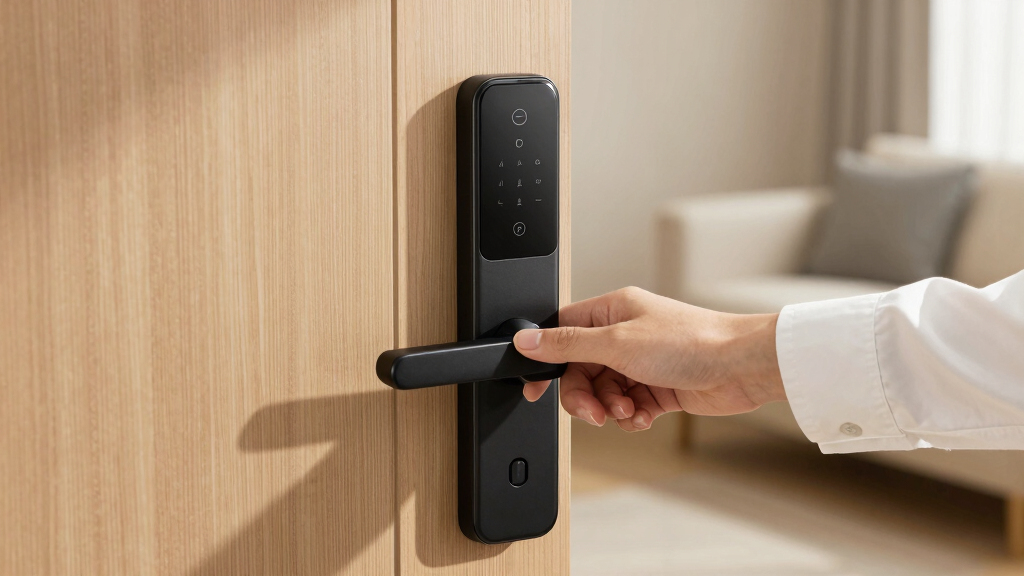
When searching for the best smart door lock, you want a device that combines security, convenience, and smart home integration. The Yale Assure Lock 2 stands out as the overall best pick for its reliable performance and seamless app control. For those seeking advanced security features, the eufy Security FamiLock S3 Max offers palm vein recognition, while the Schlage Encode impresses with its robust Wi-Fi connectivity and touchscreen. However, these options involve tradeoffs—some prioritize security over ease of installation, others favor smart features at a higher price. Continue reading for a detailed breakdown of these top picks and what to consider before buying.
Key Takeaways
- Top locks balance ease of installation with feature richness, but premium models often require professional setup.
- Biometric options like fingerprint or palm vein recognition add convenience but may compromise on durability or cost.
- Wi-Fi connectivity is common but can introduce security concerns; models with local control options reduce reliance on cloud servers.
- Design and build quality vary widely; premium finishes often justify higher prices for aesthetic integration.
- Most top-performing locks offer multiple access methods, but selecting the right combination depends on your security priorities and user needs.



More Details on Our Top Picks
Yale Assure Lock 2 Deadbolt, Black Suede Keyed Smart Entry Door Lock with Wi-Fi, Keypad, and Auto-Unlock
The Yale Assure Lock 2 stands out for its versatile access options, combining keypad, voice commands, auto-unlock, and app control. Its straightforward installation makes it accessible for DIY enthusiasts who want a reliable upgrade without professional help. Compared to the Schlage Encode, this model offers more flexible unlocking methods but is limited to 2.4 GHz Wi-Fi, which could be a drawback for those with advanced home networks. The auto-lock feature adds convenience and security, though it requires a stable Wi-Fi connection and a compatible smartphone for full features. This lock is ideal for users seeking a well-rounded, easy-to-install smart lock with multiple entry options and no hardwiring needed.
Pros:- Multiple unlocking options including keypad, voice, auto-unlock, and app control
- Easy to install without professional help
- Auto-lock feature enhances security
Cons:- Only compatible with 2.4 GHz Wi-Fi networks
- Limited to US and Canada markets
- Requires smartphone app for full functionality
Best for: Homeowners who want a versatile, reliable smart lock with multiple unlocking methods and easy installation.
Not ideal for: Smart home users with mesh networks on 5 GHz Wi-Fi or those needing advanced network integrations beyond 2.4 GHz.
- Brand:Yale Security
- Model Number:YRD410-WF1-BSP
- Recommended Uses:Entry Door, Front Door
- Included Components:Yale Assure Lock 2, Wi-Fi Smart Module, Deadbolt, Latch Plates, Mounting Hardware, One key DoorSense, Install Manual
- Item Type:Smart Lock
- Unit Count:1
Bottom line: This lock offers broad flexibility and ease of use, making it perfect for users seeking a comprehensive smart lock experience.
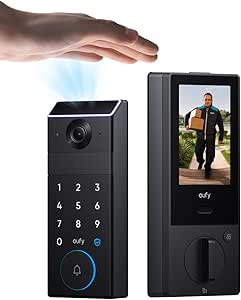
eufy Security FamiLock S3 Max with Palm Vein Recognition, Wi-Fi Keypad Deadbolt & 2K HDR Doorbell Camera
The eufy Security FamiLock S3 Max combines cutting-edge palm vein recognition with a 2K HDR camera and video doorbell, elevating home security for tech-savvy users. Its palm vein system provides high-accuracy, contactless access, which sets it apart from keypad-only locks like the Yale Assure. The integrated 2K HDR camera, night vision, and wide-angle view make it a comprehensive security hub, especially for those who want visual confirmation of visitors. However, the camera streaming isn’t supported via Matter, and frequent charging could be inconvenient for constant use. This model is best suited for homes where security and technology integration are equally prioritized, despite its more complex setup compared to simpler keypad locks.
Pros:- Secure palm vein recognition with high speed and accuracy
- High-quality 2K HDR camera with night vision and wide-angle view
- Supports seamless home automation with Matter and popular platforms
Cons:- Camera streaming not supported via Matter
- Requires regular charging for full functionality
- Complex setup may challenge less tech-savvy users
Best for: Homeowners seeking advanced biometric security combined with integrated video monitoring.
Not ideal for: Users who prefer straightforward installation and minimal maintenance or those without frequent access to power sources for charging.
- Palm Vein Recognition:Yes
- Recognition Speed:0.6 seconds
- Camera Resolution:2K HDR
- Night Vision:Yes
- Storage:16GB built-in
- Power Supply:Rechargeable battery + 4 AAA batteries
Bottom line: Ideal for those looking for biometric security integrated with high-quality video, willing to handle more complex installation and maintenance.
Schlage Encode Smart Wi-Fi Deadbolt Lock with Touchscreen Keypad, Matte Black, BE489WB CEN 622
The Schlage Encode offers robust security features along with remote management via Wi-Fi, making it suitable for users who prioritize control and security. Its high-security grade and built-in alarm system provide reassurance against forced entry, while the touchscreen keypad and app enable flexible access management. Compared to the Yale Assure, it boasts a longer battery life and a more premium feel, but it requires replacing batteries every six months with heavy use. Its straightforward “snap ‘n stay” installation makes it accessible for DIY projects, yet it relies on Wi-Fi for remote features, which could be limiting for those with unstable connections. This lock makes the most sense for busy households needing remote access control combined with high security.
Pros:- Remote access and management via Wi-Fi and app
- Compatible with Alexa and Google Home for voice control
- High security with built-in alarm and robust build
Cons:- Battery life may require frequent replacement with heavy use
- Requires Wi-Fi for remote features
- Touchscreen may accumulate fingerprints
Best for: Families or busy professionals who need remote access management and high-grade security for their front door.
Not ideal for: Users with unstable Wi-Fi or those seeking a lock with biometric or keypad entry only, without remote control features.
- Material:Matte Black
- Connectivity:Wi-Fi
- Control:App, Touchscreen Keypad, Voice
- Battery:4 AA batteries
- Battery Life:Up to 6 months
- Compatibility:Standard doors 1-3/8 to 1-3/4 inch thick
Bottom line: Best suited for users needing high security plus remote management, especially in connected households.
Yale Assure Lock 2 with Wi-Fi – Black Suede Smart Lock for Front Door with Keypad, App Control, Backup Key, and Deadbolt
This Yale Assure Lock 2 excels for users who want seamless integration with Apple Home and Siri, along with multiple entry methods like keypad, app, voice, and Auto-Unlock. Its straightforward installation and activity feed make it a practical choice for those already invested in the Apple ecosystem. While it offers many features similar to the Yale Assure Lock 2, the main difference is its focus on Apple compatibility, which may limit compatibility with other smart home systems. The auto-lock feature boosts security, but the reliance on Wi-Fi and app control means that a stable network is essential. It’s an excellent pick for Apple users prioritizing convenience and ecosystem integration.
Pros:- Multiple secure unlocking options including keypad, app, voice, and Auto-Unlock
- Easy installation with standard deadbolt replacement
- Integration with Apple Home and Siri for hands-free control
Cons:- Limited to 2.4 GHz Wi-Fi networks
- Only compatible with US standard deadbolts
- Requires smartphone app for full features
Best for: Apple Home users seeking a versatile, easy-to-install smart lock with ecosystem compatibility.
Not ideal for: Android or mixed-platform households that don’t use Siri or prefer non-Apple smart home setups.
- Color:Black Suede
- Connectivity:Wi-Fi (2.4 GHz)
- Compatibility:Apple Home, Siri, Alexa, Google Assistant
- Power Source:Battery operated
- Features:Auto-Lock, Auto-Unlock, Keypad, App Control, Backup Key, Activity Feed
- Installation:Replaces most standard US deadbolts
Bottom line: Perfect for Apple-centric homes that want a flexible and easy-to-use smart lock with broad access options.
myQ Secure View™ 3-in-1 Smart Lock with 2K HDR Video Doorbell Camera, Face Access, Fingerprint, PIN & App Control
The myQ Secure View combines a smart deadbolt, a 2K HDR video doorbell, and a camera into a single device, making it ideal for users who want comprehensive security in one package. Its facial recognition, fingerprint, PIN, and app control provide multiple entry options, while the color night vision and two-way audio enhance monitoring capabilities. Compared to the simpler Yale Assure, this device offers a true all-in-one solution that reduces the need for separate doorbell and camera systems. However, the need for a subscription to access advanced AI alerts and the battery life of 4-6 months mean some ongoing maintenance. This lock suits those prioritizing complete, integrated security with video features, willing to handle the setup and occasional recharging.
Pros:- Combines deadbolt, video doorbell, and camera in one device
- High-quality 2K HDR video with color night vision
- Multiple entry options including face recognition and fingerprint
Cons:- Subscription required for advanced AI alerts
- Battery life may necessitate frequent recharging
- Installation may be complex for DIYers
Best for: Homeowners wanting an integrated security device that combines door lock, video, and facial recognition in one manageable system.
Not ideal for: Users seeking a dedicated smart lock without video or those preferring a plug-and-play setup with minimal DIY effort.
- Design:3-in-1 (deadbolt, video doorbell, camera)
- Video Resolution:2K HDR
- Night Vision:Color night vision
- Entry Methods:Face recognition, fingerprint, PIN, app, key
- Battery Life:4-6 months
- Connectivity:Wi-Fi
Bottom line: Best suited for users who want a comprehensive security system with video and multiple entry methods in a single device.
myQ Secure View™ 3-in-1 Smart Lock with 2K HDR Video Doorbell Camera, Face Access, Fingerprint, PIN & App Control + myQ Chime
This model stands out for integrating a lock, camera, and doorbell into a single device, offering a comprehensive security solution. Compared to the eufy Security Video Smart Lock E330, it provides advanced facial recognition and customizable chimes, making it ideal for homeowners seeking a unified system. However, its reliance on Wi-Fi and compatibility only within the myQ ecosystem can limit flexibility and complicate setup for some users. The multiple entry options, including fingerprint and face recognition, translate to convenient access, especially for busy households. Tradeoffs include dependence on Wi-Fi stability and potential installation complexity.
Pros:- All-in-one security device combining lock, camera, and doorbell
- Multiple entry options including facial recognition and fingerprint
- Real-time alerts and customizable chimes
Cons:- Requires Wi-Fi for full functionality
- Setup may be complex for less tech-savvy users
- Limited compatibility outside myQ ecosystem
Best for: Homeowners who want a complete, integrated security device with video and access control in one package
Not ideal for: Users with unstable Wi-Fi or those preferring a modular system that works across different ecosystems
- Product Type:Lock
- Resolution:2K HDR
- Night Vision:Color night vision
- Connectivity:Wi-Fi
- Control:App, face, fingerprint, PIN, key
- Compatible Devices:myQ Video Doorbell, myQ 3-in-1 Video Smart Lock
Bottom line: This pick is best for those seeking a seamless, integrated security system with rich video features.
Philips Wi-Fi Smart Lock Keyless Entry Deadbolt for Front Door
Compared with the Teeho TE001, this Philips lock offers a broad range of unlocking methods, including app, fingerprint, and voice commands, making it highly versatile. Its remote control and real-time notifications add security benefits without requiring complicated installation. However, it operates solely on 2.4GHz Wi-Fi, which can be limiting for some smart homes that have 5GHz networks, and it lacks a door sensor for open/close detection. The customizable access codes are perfect for families or short-term guests, turning this into a practical, cost-effective upgrade. Tradeoffs involve network limitations and the absence of some sensors.
Pros:- Multiple unlocking methods including app, fingerprint, passcode, and voice
- Remote access with real-time notifications
- Customizable access codes for different users
Cons:- Limited to 2.4GHz Wi-Fi networks
- Batteries not included, need replacement over time
- No built-in door open/close sensor
Best for: Families seeking a flexible, easy-to-install smart lock with remote access
Not ideal for: Tech enthusiasts wanting 5GHz Wi-Fi support or integrated sensors for open/close status
- Connectivity:Wi-Fi (2.4GHz only)
- Power:4 or 8 AA alkaline batteries
- Supported Door Thickness:1-3/8″ to 2″
- Auto Lock Timing:10 to 180 seconds
- Compatibility:Most doors with screwdriver installation
- Voice Assistant Compatibility:Alexa, Google Assistant
Bottom line: Ideal for households that want convenient, remote-controlled entry with versatile unlocking options.
eufy Security Video Smart Lock E330, 3-in-1 Camera, Doorbell, Fingerprint Keyless Entry, Wi-Fi Deadbolt
This pick excels at combining a fingerprint lock, 2K HD camera, and doorbell, providing a comprehensive outdoor security solution. Unlike the Philips Wi-Fi Smart Lock with handle, the E330 offers a dedicated camera with night vision and quick fingerprint recognition, making it suitable for users prioritizing outdoor surveillance. Its easy installation—taking roughly 15 minutes without drilling—appeals to DIY enthusiasts. However, it depends on cloud storage for thumbnail previews and has battery life considerations, requiring recharges over time. For those wanting a robust, standalone outdoor system, this offers excellent value but involves some ongoing maintenance.
Pros:- All-in-one device with lock, camera, and doorbell
- Fast fingerprint recognition and multiple unlock options
- Easy installation without drilling
Cons:- Requires cloud storage for feature previews
- Battery capacity may need recharging
- App setup can be complex for some users
Best for: Homeowners needing a durable, all-in-one outdoor security device with easy installation
Not ideal for: Users seeking deep smart home integration or those with limited internet bandwidth
- Product Type:Lock
- Resolution:2K HD
- Night Vision:Color
- Connectivity:Wi-Fi
- Included Components:Battery, Remote
- Item Dimensions:8.7 x 7.08 x 3.13 inches
Bottom line: Great for outdoor security where quick installation and all-in-one features are priorities.
Teeho TE001 Keyless Entry Door Lock with Keypad – Satin Nickel
Compared with the more tech-rich options like the Philips Wi-Fi Smart Lock, the Teeho TE001 focuses on straightforward keypad access, making it suitable for users who prefer simple, reliable keyless entry. Its long battery life—up to a year—and weather-resistant design make it a practical choice for outdoor use. Installation is straightforward with standard tools, and the 20 user codes plus a one-time guest code offer flexible access management. However, it lacks app control, voice commands, and remote management, limiting its functionality to local access only. This makes it ideal for those prioritizing durability and simplicity without the need for complex smart features.
Pros:- Easy installation with standard tools
- Long battery life with low battery indicator
- Weather-resistant and durable construction
Cons:- Requires 4 AA batteries (not included)
- Limited to certain door thicknesses
- No app or remote access
Best for: Homeowners who want a durable, no-frills keypad lock with long battery life
Not ideal for: Tech-savvy users expecting remote control or app integration for access management
- Product Type:Keyless Entry Door Lock
- Material:Aluminum Alloy
- Color:Satin Nickel
- Power Source:4 AA batteries
- Weather Resistance:IP54
- Dimensions:5.12 x 2.95 x 1.3 inches
Bottom line: Perfect for users seeking a simple, reliable keypad lock with minimal fuss.
Philips Wi-Fi Smart Lock with Handle, Keyless Entry, App Control, Fingerprint, PIN Code, Auto Locking
This lock offers multiple unlocking methods, including a fingerprint sensor with 0.3-second recognition, making it highly responsive. Its handle design, unlike the deadbolt-only options, provides a seamless look and easy handling for users. Compared with the myQ Secure View™ 3-in-1, it emphasizes quick access and auto-locking, ideal for busy households. However, it requires a Wi-Fi gateway for remote features and may involve some drilling for installation. Its support for voice commands and auto-lock function make it a practical upgrade for tech-savvy users seeking convenience and security, though it lacks some advanced video or camera features present in higher-end models.
Pros:- Multiple unlocking options including app, fingerprint, PIN, keys, and voice
- Fast fingerprint recognition with high accuracy
- Auto-lock feature enhances security
Cons:- Requires Wi-Fi gateway for remote control
- Installation may involve drilling for some doors
- Limited to standard door thicknesses
Best for: Modern homeowners who prioritize quick, versatile access and sleek design
Not ideal for: Users without Wi-Fi gateways or those preferring simpler, keypad-only locks
- Type:Smart Lock with Handle
- Connectivity:Wi-Fi
- Unlocking Methods:App, Fingerprint, PIN, Keys, Voice
- Fingerprint Speed:0.3 seconds
- Auto Lock Timer:30-180 seconds
- Installation:Requires screwdriver, compatible with most standard doors
Bottom line: Ideal for those wanting a responsive, feature-rich lock with auto-locking and multiple access methods.
Philips WiFi Keypad Door Lock with Handle, Built-in WiFi, APP Remote Control, Voice & Fingerprint Unlock, Digital Front Door Lock Set
This model stands out for its seamless integration of built-in WiFi, allowing remote access without extra hubs, unlike some competitors like the eufy Security Smart Lock C220, which requires a separate hub. Its quick fingerprint recognition at just 0.3 seconds and versatile passcode options make everyday access straightforward, especially for busy households. While installation is generally simple, some users report variability depending on door size, and the need for 8 AA batteries can be a minor inconvenience. Compared to the LOCKSTAR® model, it offers more advanced voice command support with Alexa and Google Assistant, making it ideal for tech-savvy users seeking convenience. The tradeoff is that the app setup might be complex for some, and battery replacement is necessary over time. Overall, it suits those who want reliable remote control and fast biometric access in a complete package.
Pros:- Easy to install with all hardware included
- Remote control and real-time access via app
- Supports voice commands with Alexa and Google Assistant
- Fast fingerprint unlocking in 0.3 seconds
Cons:- Requires 8 AA batteries (not included)
- App setup may be complex for some users
Best for: Homeowners who prioritize easy remote management and quick fingerprint unlocking without extra hubs
Not ideal for: Users with non-standard door sizes or who dislike replacing batteries frequently
- Connectivity:WiFi 2.4GHz, no hub needed
- Control:Smartphone app, voice commands
- Fingerprint Speed:0.3 seconds
- Passcode Options:Permanent, one-time, periodic, recurring PIN codes
- Auto Lock:0-180 seconds
- Power:8 AA alkaline batteries (not included)
- Door Thickness Compatibility:1-3/8″ to 1-3/4″
- Included Components:Door lever x2, latch, mounting hardware, smart lock
Bottom line: This pick makes the most sense for tech-savvy homeowners who want a full-featured, WiFi-enabled smart lock with fast biometric access.
Smart Door Lock with Fingerprint, Keypad & App Control
Compared with the Philips WiFi Lock, this model emphasizes durability and weather resistance, making it a strong choice for outdoor use, with an IP65 rating and reinforced construction. Its six unlocking methods—including fingerprint, passcode, app, IC card, mechanical key, and voice control—offer unmatched flexibility for various users, especially in outdoor or high-traffic environments. The long battery life of up to 200 days and easy installation appeal to those seeking low-maintenance security. However, remote access requires an app and gateway, which can be complex for some users, and frequent use might reduce battery life. Its BHMA Grade 3 security level reflects decent, but not top-tier, protection, making it suitable for outdoor residential settings. This lock is ideal for users who need versatile, weatherproof access options but are comfortable with slightly more involved setup.
Pros:- Supports multiple unlocking methods for convenience and security
- Weather-resistant, suitable for outdoor environments
- Remote app control with temporary access management
- Easy installation on standard doors
Cons:- Requires app and gateway for remote access
- Battery life depends on usage frequency
Best for: Outdoor homeowners and renters seeking a weather-resistant, multi-method smart lock
Not ideal for: Urban apartment dwellers with strict security grade needs or those preferring simple setup
- Supports unlocking methods:Fingerprint, passcode, app, IC card, mechanical key, voice control
- Door thickness compatibility:40–85mm
- Material:Reinforced lock body
- Battery life:Up to 200 days
- Batteries:4 AA batteries
- Waterproof rating:IP65
Bottom line: This model is best for outdoor use where weather resistance and multiple access methods are prioritized over top-tier security grade.
LOCKSTAR® Smart Door Lock – Keyless Entry Deadbolt with Multiple Access Methods
This pick shines for its comprehensive access options, including app control, fingerprint, keypad, card fob, and traditional key, surpassing many single-method locks like the eufy Security Smart Lock C220 in versatility. Its auto-lock feature and real-time event notifications add layers of convenience and security, making it especially appealing for rental properties or shared homes. Installation is straightforward with included tools, and WiFi connectivity through the gateway ensures remote management. On the downside, reliance on WiFi for full app functionality means connectivity issues could hinder access, and some users may find dependency on the app limiting. Overall, this lock offers a flexible, multi-user solution that works well for those needing remote control and multiple access options with minimal setup fuss.
Pros:- Multiple secure access options for convenience
- Real-time notifications for peace of mind
- Easy DIY installation with included tools
- Compatible with various smart home setups
Cons:- Requires WiFi connection for app features
- Potential dependency on app for full functionality
Best for: Rental property owners and multi-user households seeking versatile, remotely controlled access
Not ideal for: People who prefer standalone locks without WiFi dependency or are concerned about connectivity reliability
- Access Methods:APP, Fingerprint Touch ID, Keypad Code, Card Fob, Traditional Key
- Auto Lock:Yes
- Event Notifications:Yes
- Installation:DIY, includes screwdriver and drill bit
- Compatibility:Works on virtually any door
- Connectivity:WiFi Gateway/Bridge included
Bottom line: This lock is ideal for users needing a multi-method, remote-controlled lock that can handle multiple users and locations effortlessly.
eufy Security Smart Lock C220, Fingerprint Keyless Entry Door Lock, Wi-Fi, App Control, Deadbolt, IP53 Waterproof, BHMA Grade 3
Compared with the Philips WiFi Lock, the eufy Security Smart Lock C220 offers an impressive 8-month battery life, reducing maintenance over time. Its multiple unlocking methods—fingerprint, app, keypad, key, and voice—are similar, but its IP53 waterproof rating makes it more suitable for outdoor environments, unlike some indoor-focused models. Easy to install within approximately 15 minutes, it appeals to users who want quick setup without drilling. However, its security level at BHMA Grade 3 is adequate but not the highest, which may concern users needing premium security. Connectivity depends on Wi-Fi, so in areas with weak signals, remote control might be limited. For those prioritizing long-term battery life and outdoor durability at a reasonable price point, this lock fits well.
Pros:- Long-lasting 8-month battery life
- Multiple unlocking methods including fingerprint, app, keypad, key, and voice control
- Easy 15-minute installation without drilling
- IP53 waterproof for outdoor durability
Cons:- Battery life may vary with frequent use
- Limited to BHMA Grade 3 security level
Best for: Outdoor homeowners seeking a long-lasting, weather-resistant smart lock with multiple access options
Not ideal for: Urban apartment dwellers with high security requirements or those needing Grade 1 security
- Battery Life:8 months
- Battery Type:8 AA batteries
- Connectivity:Wi-Fi
- Waterproof Rating:IP53
- Operating Temperature:-22℉ to 158℉
- Grade:BHMA Grade 3
Bottom line: This pick suits outdoor users wanting extended battery life and weatherproof features, with a balance of convenience and security grade.
Fingerprint Door Lock, 6-in-1 Smart Door Knob with App Control, Fingerprints, IC Cards, Passwords, and Keys – Coffee Brown
This lock excels in versatility, offering six unlocking methods including app, fingerprint, IC card, passcode, mechanical key, and voice control when paired with a gateway—more options than the Philips WiFi Keypad Lock. Its simple DIY installation and compatibility with standard doors make it appealing for both homeowners and renters. The inclusion of a low battery warning and emergency charging port adds practicality, especially in scenarios where quick access is needed. Conversely, the need for a separate gateway for voice commands can complicate setup, and frequent use may drain batteries faster. Its low security grade (BHMA Grade 3) makes it suitable for less sensitive applications. Overall, it’s a flexible choice for multi-user households seeking diverse access methods with straightforward installation.
Pros:- Versatile 6-in-1 access options including fingerprint, passcode, IC card, and keys
- Supports remote control and sharing via app
- Easy to install on standard doors
- Includes emergency charging port
Cons:- Requires a separate gateway for voice control features
- Battery life depends on usage, may need frequent replacements
Best for: Multi-user households and renters needing multiple access options with easy DIY setup
Not ideal for: High-security environments or users unwilling to manage additional gateway devices
- Color:Coffee Brown
- Material:Aluminum
- Number of Fingerprints:100
- Number of Passcodes:100
- Number of IC Cards:100
- Keys Included:2
- Compatibility:Smart Life APP, Alexa, Google Assistant
- Emergency Charging:Type-C port
Bottom line: This lock is perfect for users who want diverse access methods combined with simple installation, provided they are comfortable managing additional devices for voice features.
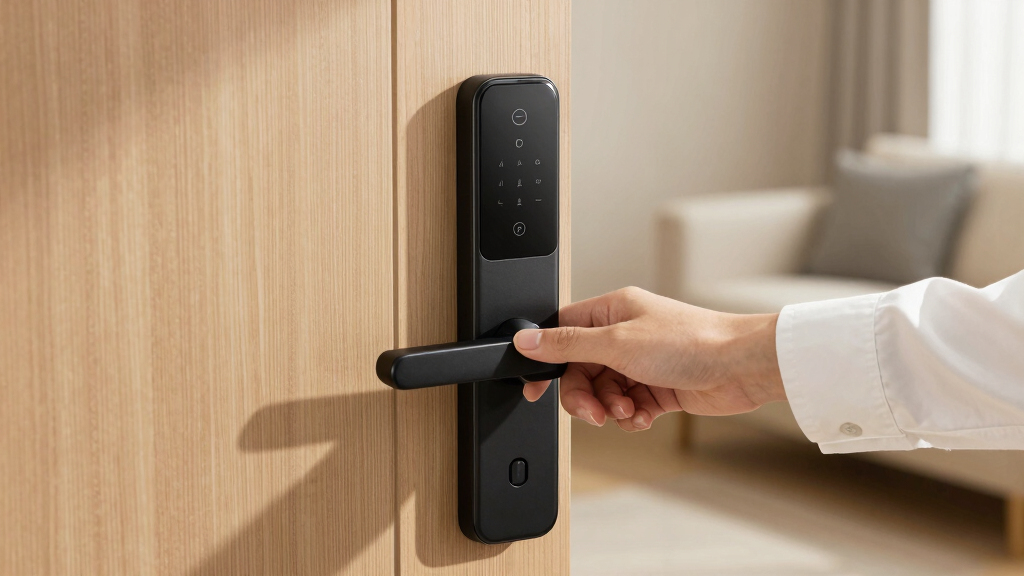
How We Picked
I evaluated each smart door lock based on several critical factors: security features, ease of installation, user interface, connectivity options, build quality, and value for money. Performance reliability and compatibility with popular smart home systems also played key roles. I prioritized products that balance security with user convenience, ensuring they are suitable for a wide range of home setups. The ranking reflects a combination of these factors, emphasizing those that deliver consistent, real-world benefits and avoiding models with known limitations or overly complex setups.Factors to Consider When Choosing Best Smart Door Lock
Choosing the best smart door lock involves understanding several key considerations beyond just features. It’s essential to match a lock’s capabilities with your home security needs, technical comfort, and budget. The following factors will help clarify what to look for and avoid common pitfalls, ensuring you select a lock that offers both peace of mind and practical usability.Security Features and Access Methods
Look for locks that offer multiple access options such as keypad, fingerprint, app control, or traditional keys. The more ways you can unlock your door, the better your flexibility and backup options. Some models include biometric recognition, which adds convenience but may compromise durability or increase cost. Pay attention to the lock’s security certifications and encryption standards to ensure your data and access remain protected from hacking or tampering.
Connectivity and Integration
Wi-Fi connectivity is common but can pose security risks if not properly secured. Consider locks with local control options, like Bluetooth or Z-Wave, which don’t rely solely on cloud services. Compatibility with existing smart home ecosystems such as Alexa, Google Assistant, or Apple HomeKit can significantly enhance usability, allowing voice commands and automation. Always verify whether the lock requires a hub or if it connects directly to your network, influencing installation complexity and cost.
Ease of Installation and Maintenance
Some smart locks are designed for DIY installation, while others may require professional help—especially those with complex wiring or biometric sensors. A straightforward setup saves time and money, but may limit advanced features. Maintenance considerations include battery life, ease of replacing batteries, and software updates. Choosing a model with clear instructions and good customer support can reduce future headaches.
Build Quality and Aesthetics
A durable, high-quality finish prevents wear and ensures longevity, especially for outdoor use. Materials like zinc alloy or stainless steel resist corrosion. Aesthetics matter if you want the lock to blend with your door’s design; premium models often offer more stylish finishes. Keep in mind that cheaper locks might look similar but could compromise on durability or security, making them a false economy over time.
Price and Value
Higher-priced locks often include advanced features, stronger materials, and better integration, but may not be necessary for every home. Conversely, budget options can provide basic security but might lack convenience features or durability. Evaluate whether the added cost translates into meaningful benefits based on your specific needs. It’s worth investing more if you prioritize security and smart home integration, but for simple use, a mid-range model may suffice.
Frequently Asked Questions
Can I install a smart lock myself, or do I need a professional?
Many smart locks are designed for DIY installation, often fitting into existing deadbolt holes with minimal tools. However, more complex models with biometric sensors or integrated wiring might require professional setup to ensure proper security and functionality. Reading the manufacturer’s instructions carefully can help determine if your skills are sufficient or if expert help is advisable, especially for ensuring a secure fit and correct wiring.
Are smart locks safe from hacking?
While no lock is completely immune to hacking, reputable smart locks employ strong encryption and security protocols to protect your access data. Features like local control options, regular firmware updates, and two-factor authentication can significantly reduce risks. Choosing models with good security reviews and avoiding overly inexpensive options helps ensure your lock remains resilient against cyber threats.
What happens if my Wi-Fi goes down? Can I still unlock my door?
This depends on the lock’s design. Many models offer backup methods such as keypad codes, physical keys, or Bluetooth access that work independently of Wi-Fi. Locks relying solely on internet connectivity might become inaccessible during outages, so selecting a lock with multiple access methods provides peace of mind. Check the product details to confirm backup options are available for your chosen model.
How often do smart locks need software updates?
Most smart locks require periodic firmware updates to improve security, fix bugs, and add features. Manufacturers typically notify users when updates are available, which are often quick and straightforward to install via a smartphone app. Regular updates are essential to maintain security, so choosing a lock with automatic or easy update processes minimizes the risk of vulnerabilities over time.
Is a smart lock worth the extra cost compared to traditional locks?
Smart locks offer significant convenience and additional security features that traditional locks can’t match, such as remote access, activity logs, and integration with smart home systems. If you value quick entry, keyless convenience, or enhanced security, investing in a smart lock can be worthwhile. However, for simple needs or budget constraints, a high-quality traditional deadbolt might still provide adequate protection at a lower cost.
Conclusion
For most homeowners, the Yale Assure Lock 2 offers an excellent balance of security, ease of use, and smart features—making it the best overall choice. Those seeking the highest security and biometric convenience might prefer the eufy Security FamiLock S3 Max. Budget-conscious buyers can find value in models like the Schlage Encode or Philips Wi-Fi Lock, which deliver reliable performance without a premium price. Beginners or those installing a lock for the first time will benefit from simple, DIY-friendly options like the Teeho TE001. For users with specific needs such as smart home integration or aesthetic preferences, more advanced or stylish models are available. Tailor your choice based on your security priorities, technical comfort, and budget to find the best smart door lock for your home in 2026.