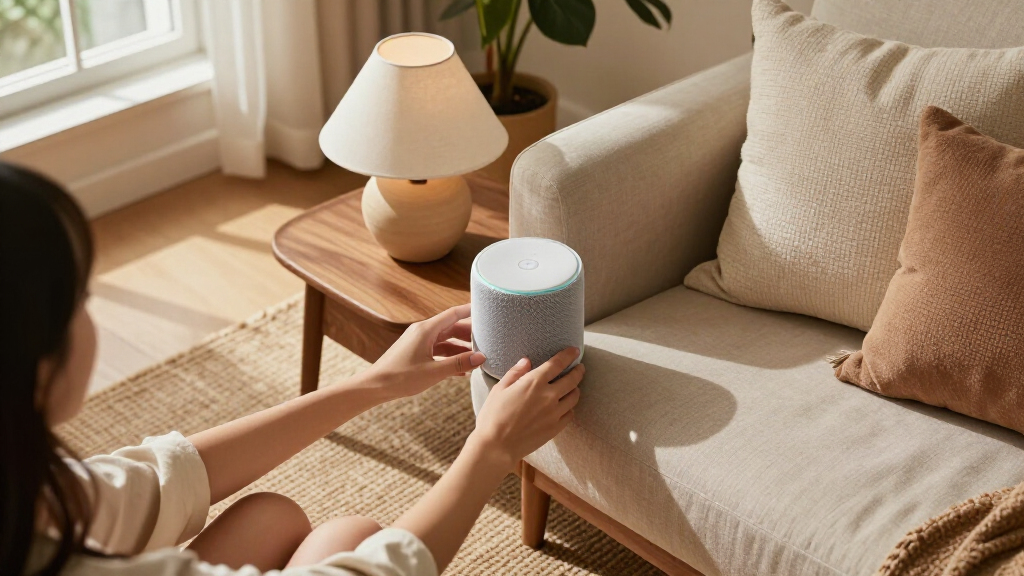

Amazon smart home decor ranges from subtle bedside Alexa devices to large displays and colorful accent lighting, so the right choice depends on whether you want a device to blend in or become part of the room’s look. My best overall pick is the Echo Show 8, which balances a useful screen and speaker in a manageable footprint. The Govee RGBIC Floor Lamp stands out for room-shaping color, while the Echo Dot (5th Gen) is a simpler fit for adding Alexa without a display. The main tradeoffs are screen size, visual presence, lighting control, and how much space you can spare. Read on for the full breakdown and guidance on matching each option to a room and routine.

Get furniture and decor delivered free with Prime
- Fast, free delivery on millions of items
- Prime Video, Amazon Music and more included
- Member-only deals all year
Complete the kit


Key Takeaways
- The Echo Show 8 is the strongest all-rounder for buyers who want a screen and audio without committing to the much larger Echo Show 15.
- The Govee RGBIC Floor Lamp is the most decor-forward choice because it adds color and vertical light rather than serving mainly as an Alexa control point.
- Screen size changes how these devices fit a room: the Echo Spot and Echo Show 5 suit bedside or compact spaces, while the Echo Show 15 is better treated as a wall-mounted household hub.
- The Echo Dot (5th Gen) favors simplicity and low visual impact; the Echo Dot Max is the more speaker-focused alternative for buyers who want audio to matter more.
- The Echo Glow has a specific audience—children’s rooms and colorful bedtime routines—rather than the broad utility of a general-purpose smart speaker or display.
| Amazon Echo Glow Smart Night Light for Kids |  | Best for Kids’ Bedtime Routines | Dimensions: 100 × 100 × 81 mm (3.9 × 3.9 × 3.2 in) | Weight: 245 g (8.6 oz) | Connectivity: 2.4 GHz Wi-Fi, 802.11 b/g/n; no 5 GHz support | VIEW LATEST PRICE | See Our Full Breakdown |
| Amazon Echo Show 8 (Newest Model) Smart Display with 8.7-Inch HD Screen and Spatial Audio, Glacier White |  | Best Overall Smart Home Hub Display | Display: 8.7-inch HD touchscreen, 800 × 1340 resolution | Dimensions: 8.2 × 5 × 5.9 in (208 × 127 × 150 mm) | Weight: 37 oz (1049 g) | VIEW LATEST PRICE | See Our Full Breakdown |
| Amazon Echo Dot Max Alexa Speaker, Graphite |  | Best for Sound-First Smart Home Setups | Color: Graphite | Dimensions: 4.27 × 4.27 × 3.9 in (108.7 × 108.6 × 99.2 mm) | Weight: 17.82 oz (505.3 g; 1.11 lb) | VIEW LATEST PRICE | See Our Full Breakdown |
| Amazon Echo Dot (5th Gen) Smart Speaker, Deep Sea Blue |  | Best Value Smart Speaker for Small Rooms | Generation: 5th Gen | Color: Deep Sea Blue | Dimensions: 3.9 × 3.9 × 3.5 in (100 × 100 × 89 mm) | VIEW LATEST PRICE | See Our Full Breakdown |
| Amazon Echo Show 5 (Newest Model) Smart Display with Alexa, Charcoal |  | Best Compact Display for a Bedside Table | Display: 5.5-inch touchscreen | Camera: 2 MP with built-in shutter | Dimensions: 5.8 × 3.6 × 3.2 in (147 × 91 × 82 mm) | VIEW LATEST PRICE | See Our Full Breakdown |
| Govee RGBIC Floor Lamp – 1000 lm LED Corner Lamp |  | Best for Colorful Accent Lighting | Light output: Up to 1000 lm | Wattage: 24 W | Color technology: RGBIC | VIEW LATEST PRICE | See Our Full Breakdown |
| Amazon Echo Spot Smart Alarm Clock with Alexa, Glacier White |  | Best Bedside Smart Decor | Display: 2.83-inch touchscreen, 240 x 320 pixels | Dimensions: 4.5 x 4.1 x 4.4 in | Weight: 14.3 oz | VIEW LATEST PRICE | See Our Full Breakdown |
| Echo Show 15 – Full HD 15.6″ Kitchen Hub with Built-in Fire TV |  | Best Kitchen Command Center | Display: 15.6-inch Full HD, 1920 x 1080 | Orientation: Landscape or portrait | Dimensions: 16.1 x 10.1 x 1.4 in | VIEW LATEST PRICE | See Our Full Breakdown |
| Amazon smart home decor | Dimensions | Weight | Wi-Fi | Display |
|---|---|---|---|---|
| Amazon Echo Glow Smart Night L | 100 × 100 × 81 mm (3.9 × 3.9 × 3.2 in) | 245 g (8.6 oz) | — | — |
| Amazon Echo Show 8 | 8.2 × 5 × 5.9 in (208 × 127 × 150 mm) | 37 oz (1049 g) | Wi-Fi 6E (IEEE 802.11ax) | 8.7-inch HD touchscreen, 800 × 1340 resolution |
| Amazon Echo Dot Max Alexa Spea | 4.27 × 4.27 × 3.9 in (108.7 × 108.6 × 99.2 mm) | 17.82 oz (505.3 g; 1.11 lb) | Wi-Fi 6E (IEEE 802.11ax) | — |
| Amazon Echo Dot | 3.9 × 3.9 × 3.5 in (100 × 100 × 89 mm) | 10.7 oz (304 g) | Dual-band 802.11a/b/g/n/ac (2.4 and 5 GHz) | — |
| Amazon Echo Show 5 | 5.8 × 3.6 × 3.2 in (147 × 91 × 82 mm) | 16.1 oz (456 g) | Dual-band 802.11a/b/g/n/ac | 5.5-inch touchscreen |
| Govee RGBIC Floor Lamp | — | — | — | — |
| Amazon Echo Spot Smart Alarm C | 4.5 x 4.1 x 4.4 in | 14.3 oz | Dual-band 2.4 and 5 GHz | 2.83-inch touchscreen, 240 x 320 pixels |
| Echo Show 15 | 16.1 x 10.1 x 1.4 in | 4.96 lb | Wi-Fi 6E, tri-band | 15.6-inch Full HD, 1920 x 1080 |
More Details on Our Top Picks
Amazon Echo Glow Smart Night Light for Kids
For a child’s room, the Echo Glow adds smart lighting without putting a microphone or speaker in the lamp itself. With a compatible Alexa device, families can change its color and brightness by voice or set timers, routines, and sunrise or bedtime lighting. Those scheduled changes make it more useful as a nightly cue than a decorative color light alone. Compared with the Echo Dot (5th Gen), Glow is focused on room lighting rather than music and general voice assistance; it also needs that separate Alexa device to respond to commands. Its 100-lumen output suits gentle ambient light, not bright room illumination, and Alexa-only compatibility plus 2.4 GHz Wi-Fi limits flexibility. I’d choose it for an Alexa-equipped child’s room, but not as a standalone smart lamp.
Pros:- Voice control for color and brightness through a compatible Alexa device
- Routines, timers, and sunrise and bedtime lighting support daily schedules
- RGB colors and dynamic modes provide more variety than a basic night light
- No built-in microphone or speaker in the lamp
Cons:- Requires a separate compatible Alexa device for voice control
- Works exclusively with Alexa and does not support 5 GHz Wi-Fi
- 100-lumen output is suited to ambient light, not illuminating an entire room
Best for: Families with children aged three and up who already have a compatible Alexa device and want scheduled bedtime or wake-up lighting.
Not ideal for: Households without Alexa, or anyone who needs a bright primary room light or a lamp that works on 5 GHz Wi-Fi.
- Dimensions:100 × 100 × 81 mm (3.9 × 3.9 × 3.2 in)
- Weight:245 g (8.6 oz)
- Connectivity:2.4 GHz Wi-Fi, 802.11 b/g/n; no 5 GHz support
- Light output:100 lumens
- Light color:2600K warm white and RGB color LEDs
- Compatibility:Alexa-enabled devices and Alexa app
- Microphone and speaker:None
- Included:Echo Glow, 5W power adapter, Quick Start Guide
- Age range:3 years and up
Our verdict“Choose Echo Glow for gentle, scheduled color lighting in an Alexa-equipped child’s room, not as a standalone or high-output lamp.”
Amazon Echo Show 8 (Newest Model) Smart Display with 8.7-Inch HD Screen and Spatial Audio, Glacier White
The Echo Show 8 earns the most versatile role here because it combines a room-friendly screen with a Zigbee, Matter, and Thread hub. That lets it serve as more than decor: it can display useful information and connect compatible smart devices without relying only on Wi-Fi accessories. Its 8.7-inch HD touchscreen and spatial audio make it a stronger shared-room centerpiece than the compact Echo Show 5, while its 13 MP auto-framing camera is better suited to video calls. The larger Echo Show 15 makes more sense when a wall-sized kitchen hub is the goal; this model takes up less space on a counter or shelf. The tradeoff is that it still needs a suitable spot and power, and some Bluetooth speakers requiring PIN codes are unsupported. I’d also check the Sidewalk setting during setup.
Pros:- Built-in Zigbee, Matter, and Thread support broadens smart-home device options
- 8.7-inch HD touchscreen balances glanceable information with a smaller footprint than the Echo Show 15
- 13 MP auto-framing camera supports clearer, more convenient video calls
- Spatial audio with a woofer and two full-range drivers suits shared-room listening
Cons:- Larger and heavier than the Echo Show 5, so it needs more shelf or counter space
- Bluetooth speakers that require PIN codes are not supported
- Amazon Sidewalk is enabled by default unless it was previously turned off
Best for: Households seeking a countertop smart display that can act as a broad-compatibility hub for Zigbee, Matter, and Thread devices.
Not ideal for: Buyers who want a small bedside screen, a wall-mounted large-format display, or Bluetooth speaker pairing that requires a PIN.
- Display:8.7-inch HD touchscreen, 800 × 1340 resolution
- Dimensions:8.2 × 5 × 5.9 in (208 × 127 × 150 mm)
- Weight:37 oz (1049 g)
- Camera:13 MP with auto framing
- Audio:1 × 2.8-inch woofer and 2 full-range drivers
- Wi-Fi:Wi-Fi 6E (IEEE 802.11ax)
- Bluetooth:Version 5.4
- Smart home hub:Zigbee, Matter, Thread Border Router
- Sensors:Ambient temperature, ambient light, presence detection, camera
Our verdict“Pick the Echo Show 8 if you want one visible screen to anchor compatible smart-home devices, calls, and everyday information.”
Amazon Echo Dot Max Alexa Speaker, Graphite
The Echo Dot Max is the sound-led choice in this group: it pairs a compact, rounded form with a larger woofer and automatic room adaptation. That makes it a better fit for someone who wants a speaker to feel like part of the room, rather than a display such as the Echo Show 8 or Echo Show 5. It also has a Zigbee, Matter, and Thread hub, so it can combine audio and smart-device control in one unit. Compared with the Echo Dot (5th Gen), the Max is built for fuller bass and adds broader hub support, but its larger body may be less discreet on a small bedside table. The eero Built-in extension is useful only with a compatible eero router and setup, so I would treat it as an extra rather than the main reason to buy.
Pros:- Larger woofer and nearly three times the bass of the 2022 Echo Dot
- Automatic room adaptation tailors playback to its placement
- Built-in Zigbee, Matter, and Thread hub supports compatible devices
- Can pair with Echo speakers or Fire TV and extend a compatible eero network
Cons:- No screen for visual information or video calls, unlike the Echo Show models
- eero Built-in requires a compatible router, account linking, and app setup
- Bluetooth speakers requiring PIN codes are unsupported
Best for: Music listeners who want a compact Alexa speaker with fuller bass and a built-in hub for compatible smart-home devices.
Not ideal for: Buyers who need a visual display, want the smallest Echo speaker, or expect eero extension to work without a compatible eero router.
- Color:Graphite
- Dimensions:4.27 × 4.27 × 3.9 in (108.7 × 108.6 × 99.2 mm)
- Weight:17.82 oz (505.3 g; 1.11 lb)
- Audio bandwidth:53 Hz–16 kHz (volume 6)
- Drivers:1 × 0.8 in tweeter; 1 × 2.5 in woofer
- Playback channels:Two-way mono
- Wi-Fi:Wi-Fi 6E (IEEE 802.11ax)
- Smart home hub:Zigbee, Matter, and Thread border router
- eero Built-in:Up to 1,000 sq. ft. additional coverage with a compatible eero router
Our verdict“Choose the Echo Dot Max when sound and built-in smart-home connectivity matter more than having a display.”
Amazon Echo Dot (5th Gen) Smart Speaker, Deep Sea Blue
The Echo Dot (5th Gen) is the straightforward pick for adding Alexa and audio to a bedroom, desk, or shelf without making the device the room’s focal point. Its motion and temperature sensors can trigger compatible routines, giving it a practical smart-home role beyond alarms and music. Compared with the Echo Dot Max, it has a smaller full-range driver and lacks the Max’s Zigbee, Matter, and Thread hub, so it is less compelling for stronger bass or broader device connections. Unlike the Echo Show 5, it also has no screen or camera; that keeps the form simple but rules out visual updates and video calls. Its eero extension feature depends on compatible equipment and linked accounts, and some services may require subscriptions. This is a sensible entry point for Alexa routines, not a room-filling audio centerpiece.
Pros:- Compact size and full-range driver suit desks, shelves, and bedside tables
- Alexa supports voice assistance, timers, alarms, and routines
- Motion and temperature sensors can trigger compatible smart-home routines
- Can extend a compatible eero network
Cons:- Mono audio and a 1.6-inch driver offer less bass than the Echo Dot Max
- Lacks the Echo Dot Max’s Zigbee, Matter, and Thread hub
- eero extension needs a compatible router and linked accounts; some services may require subscriptions
Best for: First-time Alexa buyers who want a small speaker for alarms, everyday audio, and sensor-triggered routines in a bedroom or home office.
Not ideal for: People who want a display or camera, richer bass, or a built-in Zigbee, Matter, and Thread hub.
- Generation:5th Gen
- Color:Deep Sea Blue
- Dimensions:3.9 × 3.9 × 3.5 in (100 × 100 × 89 mm)
- Weight:10.7 oz (304 g)
- Audio bandwidth:62 Hz–19 kHz
- Speaker driver:1.6 in full-range driver
- Playback channels:Mono
- Wi-Fi:Dual-band 802.11a/b/g/n/ac (2.4 and 5 GHz)
- Smart home compatibility:Wi-Fi, Bluetooth Low Energy Mesh, Matter
Our verdict“Choose the Echo Dot (5th Gen) for a compact, screen-free Alexa speaker with useful sensors, but step up to the Dot Max for stronger sound and a broader hub.”
Amazon Echo Show 5 (Newest Model) Smart Display with Alexa, Charcoal
The Echo Show 5 brings a touchscreen, Alexa, and a camera to a footprint suited to a nightstand or narrow counter. Its 5.5-inch screen makes weather, photos, and compatible camera feeds easier to check at a glance than on the screen-free Echo Dot (5th Gen). The camera shutter and microphone/camera off button also give privacy-conscious buyers direct controls. Compared with the Echo Show 8, though, this model has a smaller display, a 2 MP camera, and a single 1.75-inch speaker, so it is better for personal spaces than shared-room viewing or calls. It can control compatible smart-home devices, but the listed specs do not include the Echo Show 8’s Zigbee, Matter, and Thread hub. I’d pick it when space matters more than screen size and sound.
Pros:- Compact touchscreen displays news, weather, photos, and video
- 2 MP camera supports video calls and viewing compatible cameras
- Controls compatible smart-home devices through Alexa
- Camera shutter and microphone/camera off button offer direct privacy controls
Cons:- Smaller screen and less substantial speaker than the Echo Show 8
- 2 MP camera is a more basic option for calls than the Echo Show 8’s 13 MP camera
- Does not support ad-hoc or peer-to-peer Wi-Fi networks; some services may require subscriptions
Best for: People furnishing a bedside table or compact counter who want a small screen for weather, photos, compatible camera feeds, and video calls.
Not ideal for: Households seeking a large shared display, stronger room-filling audio, or the Echo Show 8’s listed Zigbee, Matter, and Thread hub.
- Display:5.5-inch touchscreen
- Camera:2 MP with built-in shutter
- Dimensions:5.8 × 3.6 × 3.2 in (147 × 91 × 82 mm)
- Weight:16.1 oz (456 g)
- Wi-Fi:Dual-band 802.11a/b/g/n/ac
- Speaker:Full-range 1.75-inch built-in speaker
- Processor:MediaTek MT 8169
- Bluetooth:A2DP and AVRCP support
- Color:Charcoal
Our verdict“Choose the Echo Show 5 for a privacy-conscious bedside display where compact size matters more than a larger screen or stronger audio.”
Govee RGBIC Floor Lamp – 1000 lm LED Corner Lamp
For a room that needs decorative color rather than another screen, this Govee floor lamp brings more visual range than a standard smart bulb. Its RGBIC segments let different parts of the lamp show different colors, while 85 preset scenes and music sync make it suited to gaming corners, bedrooms, or mood lighting. Alexa, Google Assistant, and the Govee app provide several ways to change the effect. Compared with the Echo Spot, which adds a clock display and speaker to a bedside table, this is a more atmospheric, room-scale accent. The tradeoff is that it is focused on color effects, not an all-purpose smart-home control point; it also needs a 2.4 GHz Wi-Fi network and is for indoor use only. Its slim metal form may suit a corner, though its bold lighting is less subtle than a conventional floor lamp.
Pros:- RGBIC lighting can display multiple colors across the lamp at once
- 85 preset scenes provide quick alternatives to custom color settings
- Alexa, Google Assistant, and app control offer flexible operation
- Music sync adds reactive lighting for entertainment spaces
Cons:- Wi-Fi connectivity is limited to 2.4 GHz
- Indoor-only construction rules it out for patios and other exposed areas
- Color effects make it less suited to buyers who mainly need restrained task lighting
Best for: People furnishing a gaming space or bedroom who want voice-controlled, multicolor corner lighting and music-reactive effects
Not ideal for: Buyers seeking understated white task lighting, outdoor lighting, or a lamp that works on a 5 GHz-only Wi-Fi network
- Light output:Up to 1000 lm
- Wattage:24 W
- Color technology:RGBIC
- Preset scenes:85
- Light sources:84 LEDs
- Controls:Alexa, Google Assistant, and Govee Home app
- Connectivity:Bluetooth, SmartThings, and 2.4 GHz Wi-Fi
- Materials:Aluminum body with metal base and shade
Our verdict“Choose this lamp for expressive, voice-controlled accent lighting; pick the Echo Spot instead if bedside information and audio matter more than room color.”
Amazon Echo Spot Smart Alarm Clock with Alexa, Glacier White
The Echo Spot fits buyers who want a useful bedside display without a camera. Its compact touchscreen shows clock faces and can surface details such as weather or song titles, while Alexa routines can connect a wake-up to compatible smart-home actions. The built-in speaker handles music, podcasts, and audiobooks, giving it more bedside utility than the Govee RGBIC Floor Lamp, which focuses on ambient color. Compared with the larger Echo Show 15, the Spot takes up little surface space and feels more at home on a nightstand than as a household command center. That smaller footprint also means a small display and speaker, so it is not the right pick for watching video or filling a room with sound. Its eero extension feature is only useful with a compatible eero router, and some Alexa services may require subscriptions.
Pros:- Compact 2.83-inch touchscreen supports customizable clock faces
- Alexa routines can link wake-up habits with compatible smart-home controls
- Built-in speaker supports music, podcasts, and audiobooks
- No camera, with a microphone-off button and app privacy controls
Cons:- Small screen is less suitable for video viewing or information at a distance
- Eero network extension requires a compatible eero router and account linking
- Some Alexa skills and services may require a subscription
Best for: Nightstand shoppers who want an Alexa alarm clock, glanceable information, routines, and audio in a compact device without a camera
Not ideal for: Buyers who want a large video display, stronger room-filling audio, or eero coverage without a compatible eero router
- Display:2.83-inch touchscreen, 240 x 320 pixels
- Dimensions:4.5 x 4.1 x 4.4 in
- Weight:14.3 oz
- Camera:None
- Speaker:1.73-inch full-range speaker
- Wi-Fi:Dual-band 2.4 and 5 GHz
- Bluetooth:A2DP audio streaming and AVRCP voice control
- Color:Glacier White
Our verdict“Pick the Echo Spot for a compact, camera-free Alexa bedside clock; choose the Echo Show 15 when a large shared display is the priority.”
Echo Show 15 – Full HD 15.6″ Kitchen Hub with Built-in Fire TV
The Echo Show 15 earns its place as a wall-friendly household hub for buyers who want schedules, smart-home controls, and entertainment visible in one shared spot. Its 15.6-inch Full HD screen can be mounted or oriented in landscape or portrait, while customizable widgets make the display more useful to a household than the Echo Spot’s compact bedside screen. Built-in Fire TV adds streaming without another separate device, and support for Zigbee, Matter, and Thread gives it broader smart-home hub duties than a display focused mainly on Alexa routines. The size is also the central tradeoff: it needs more wall or counter space and weighs nearly five pounds. Its camera has a shutter, but buyers who want no camera at all may prefer the Echo Spot. Bluetooth pairing also has a limitation: PIN-code devices are not supported.
Pros:- Large Full HD screen remains easy to read across a kitchen
- Customizable widgets support shared household information
- Built-in Fire TV provides access to streaming apps
- Zigbee, Matter, and Thread support expands smart-home device compatibility
Cons:- Its 16.1-inch width and 4.96 lb weight call for a suitable mounting or counter location
- The built-in camera may not suit buyers who want a camera-free device, despite its shutter
- Bluetooth pairing does not support PIN-code devices
Best for: Households that want a large kitchen display for shared widgets, video calls, streaming, and control of compatible smart-home devices
Not ideal for: Small kitchens, buyers who need a lightweight portable screen, or people who prefer a device with no camera
- Display:15.6-inch Full HD, 1920 x 1080
- Orientation:Landscape or portrait
- Dimensions:16.1 x 10.1 x 1.4 in
- Weight:4.96 lb
- Camera:13 MP with shutter, 3.3x zoom, and auto-framing
- Audio:Two 2-inch woofers and two 0.6-inch tweeters
- Smart-home hub:Zigbee, Matter, Thread, Border Router, and Amazon Sidewalk
- Wi-Fi:Wi-Fi 6E, tri-band
- Included accessories:Alexa Voice Remote (2024), batteries, 30 W adapter, and 5 ft cord
Our verdict“Choose the Echo Show 15 when a large, shared smart-home and entertainment screen belongs in your kitchen; choose the Echo Spot for a smaller, camera-free bedside setup.”

How We Picked
I compared these eight products as decor-integrated smart home devices, not as interchangeable Alexa gadgets. The main criteria were how naturally each option fits a room, what it contributes beyond voice control, how much space or visual attention it asks for, and whether its format suits a clear use case. I also weighed flexibility, from ambient lighting and bedside clock functions to video, household information, and audio.
The ranking gives priority to versatility and everyday room fit, which puts the Echo Show 8 ahead as a balanced screen-and-speaker choice. More specialized products rank lower overall even when they are a stronger match for a particular need: the Govee lamp leads on decorative lighting, the Echo Show 15 serves larger shared spaces, and the Echo Glow is aimed at kids’ rooms. Compact speakers and displays remain useful picks, but their smaller scope or screen-free format makes them less adaptable as a single smart decor centerpiece.
| Amazon smart home decor | Wi-Fi | Color |
|---|---|---|
| Amazon Echo Glow Smart Night L | — | — |
| Amazon Echo Show 8 | Wi-Fi 6E (IEEE 802.11ax) | — |
| Amazon Echo Dot Max Alexa Spea | Wi-Fi 6E (IEEE 802.11ax) | Graphite |
| Amazon Echo Dot | Dual-band 802.11a/b/g/n/ac (2.4 and 5 GHz) | Deep Sea Blue |
| Amazon Echo Show 5 | Dual-band 802.11a/b/g/n/ac | Charcoal |
| Govee RGBIC Floor Lamp | — | — |
| Amazon Echo Spot Smart Alarm C | Dual-band 2.4 and 5 GHz | Glacier White |
| Echo Show 15 | Wi-Fi 6E, tri-band | — |
Factors to Consider When Choosing Amazon Smart Home Decor
Before choosing a device, decide what role you want it to play in the room. Decor value can mean blending in, adding light, or making information visible, and those goals call for different hardware. These factors help prevent a common mismatch: choosing the biggest or most feature-rich device when a smaller, more focused option would work better.
Choose the room role before the device
Start with the job the device should do: provide ambient light, show a clock, display household information, play audio, or serve as a shared screen. A light-first purchase has different priorities from a kitchen hub, even if both connect to Alexa. Buyers often choose by feature count and then discover the device does not suit the room’s routine. Think about who will use it and when, including whether it needs to be visible from across a room or reachable from bed. One clear primary role makes it easier to judge whether a screen, speaker, or lamp is the right format. If you expect several uses, check that the device’s size and placement still make sense for each one.
Plan placement, sightlines, and power
A smart device only contributes to decor if it has a sensible place to live. Measure shelves, bedside tables, counters, and wall space before choosing a display, and check where cables can reach an outlet without crossing walkways. A larger screen can be useful in a shared room but visually dominate a small one; a compact clock may be easier to position but less readable at a distance. Consider viewing angles as well as the surface area the device occupies. Wall-mounted and freestanding setups are not interchangeable, especially when the room’s layout limits access to outlets or controls. Avoid buying first and relying on an awkward corner to make the device fit.
Treat lighting as part of the room’s atmosphere
Decorative smart lighting can change a room’s mood, but colorful effects are not the same as comfortable everyday illumination. Decide whether you need a lamp for general light, an accent for a corner, or a playful feature for a child’s space. Think about whether the room needs calm, consistent light for reading and tasks or more expressive colors for ambience. A common mistake is expecting a decorative lamp to replace every other light source. Separate task lighting from accent lighting when planning a room, and check that the chosen lamp’s brightness and placement suit its intended purpose. Color modes are most useful when they complement the room rather than compete with it.
Pick screen size around viewing distance
Smart displays work best when their content is readable from where you will actually use them. A small display can suit a bedside table, where the viewer is close, while a kitchen or shared-space screen may need more area to show information clearly. Larger screens ask for more wall or counter space and become a stronger visual feature even when idle. Consider whether you will mainly glance at a clock, follow on-screen content, or use the display for video and household tasks. Buy for your typical viewing distance, not for the most impressive specification. If you only need voice control and audio, a screen may add clutter rather than convenience.
Balance audio needs against visual footprint
Speakers vary in how central audio is to their role, and a decor-friendly setup should fit both sound expectations and available space. If the device is mostly for timers, brief questions, and background music, a compact speaker may be enough. Buyers who care more about music should give speaker-focused options more weight and think about where sound will carry through the room. Do not assume that a screen automatically makes a device a better speaker, or that the smallest speaker will satisfy a room-filling listening goal. Match the audio role to the room—a bedside device and a main living-area speaker have different demands. Placement near walls and furniture can also affect how well a speaker fits the space and its use.
Check household fit, privacy, and ongoing upkeep
A device that looks right can still be a poor household fit if its controls, screen, or lighting are not suited to everyone who will use it. Consider whether children will interact with it, whether a camera or microphone belongs in that room, and how easily you can mute or adjust the device. Screens and lamps can also collect dust or need regular repositioning as a room changes. Before adding another connected product, check that its controls and routines fit the way your household already manages smart devices. Ease of control and comfort with always-on devices matter just as much as appearance. This is especially relevant for bedrooms and shared spaces where light, sound, and privacy preferences differ.
Frequently Asked Questions
Which of these picks works best if I want smart decor without a large screen?
The Echo Dot (5th Gen), Echo Dot Max, Echo Spot, and Echo Glow all avoid the footprint of the Echo Show displays, but they serve different roles. Choose the Echo Dot (5th Gen) for a straightforward speaker with a small presence, or the Echo Dot Max if audio is a larger part of the plan. The Echo Spot adds a compact clock-style display for a bedside setup, while the Echo Glow is better suited to colorful lighting in a child’s room. Choose by the job you need done, not just by screen size. If you want light to shape the room, the Govee lamp is the more decor-led alternative, though it takes floor space.
Should I choose the Echo Show 8 or Echo Show 15 for a kitchen?
The answer depends on whether you want a versatile display on a counter or a larger shared hub with a wall-oriented presence. The Echo Show 8 is the more adaptable choice when counter space is limited or you want a screen that can also work elsewhere in the home. The Echo Show 15 makes more sense when the household wants a prominent screen for shared information and built-in Fire TV. Its larger format needs a deliberate location and can become a dominant visual element. Measure the intended placement and viewing distance before choosing the bigger display.
Can a smart decor lamp replace my main room lighting?
Do not assume an accent lamp can cover the same needs as the room’s main lighting. The Govee RGBIC Floor Lamp is a better fit for adding color and atmosphere to a corner, while a room’s task and overhead lighting may still be needed for reading, cooking, or other detailed activities. Brightness alone does not tell you whether light will reach the right areas or feel comfortable throughout the room. Plan the lamp as one layer in a lighting setup unless its placement and output suit your full room needs. Use accent lighting for ambience and keep task lighting in mind separately.
Which option is the easiest starting point for someone new to Alexa?
The Echo Dot (5th Gen) is the simplest starting point if you mainly want voice control, timers, and speaker functions without managing a screen. The Echo Spot is a better first choice if seeing a clock or compact visual information matters to you. A display can make some interactions more visible, but it also takes more space and adds another surface to manage. The Echo Glow is approachable for a narrow purpose, such as colorful lighting for a child’s room, rather than as a general smart home controller. Begin with the routine you want to add, then pick the device format that supports it.
What should I check before putting an Alexa display in a bedroom?
Check the display’s size, brightness controls, cable route, and whether its microphones and any camera fit your privacy preferences for that room. A compact Echo Spot or Echo Show 5 is easier to place on a bedside table than a larger display, but the right choice still depends on how much visual information you want near the bed. Think about whether notifications or video add value there or could become distracting. Confirm that the screen can be positioned at a comfortable viewing angle without taking over the table. Bedroom comfort and privacy should guide placement, not just the appeal of having more features within reach.
Conclusion
For most buyers, I recommend the Echo Show 8 as the best overall: it offers a useful display and audio without the scale of the Echo Show 15. The best value-style fit for a simple Alexa setup is the Echo Dot (5th Gen), while the best premium, shared-space choice is the Echo Show 15 for households that want a large kitchen hub and built-in Fire TV. Beginners who want a straightforward voice assistant should start with the Echo Dot; anyone who prefers a visible bedside clock can choose the Echo Spot instead. For specific needs, pick the Govee RGBIC Floor Lamp for colorful accent lighting or the Echo Glow for a child’s room. Choose the Echo Dot Max if audio matters more than a screen, and the Echo Show 5 if a compact display suits your space better than the larger models.