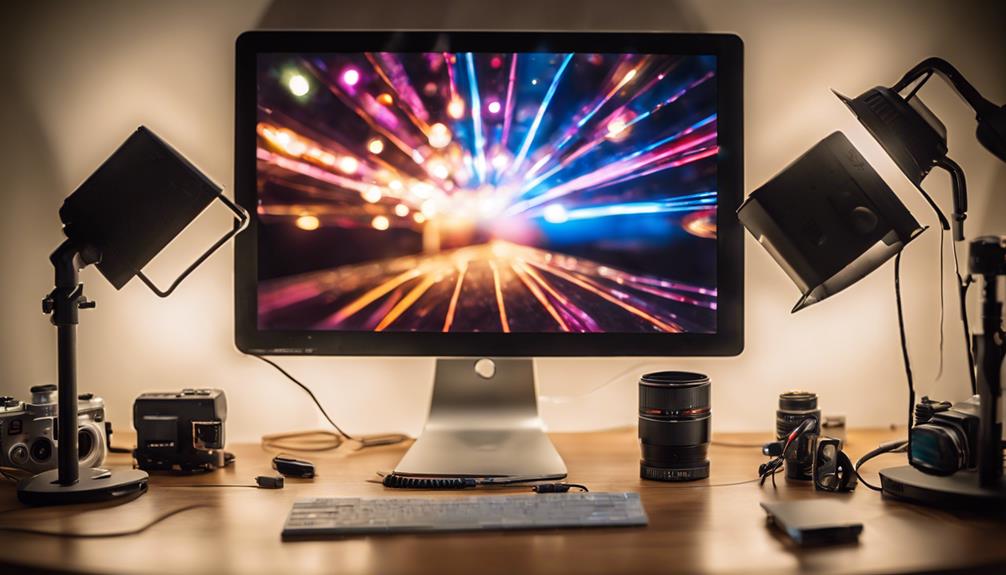
Bias lighting for monitor helps reduce eye strain, improve contrast, and create a more immersive viewing environment. The best options combine ease of setup, adjustable brightness, and compatibility with different screen sizes. The Govee Gaming Light G1 stands out for its RGBIC color options, making it ideal for gamers and streamers. The Quntis Computer Monitor Lamp offers excellent auto-dimming features for eye care, while the Pzloz LED Desk Lamp provides versatile color temperatures for work and leisure. Choosing the right bias lighting involves balancing brightness levels, ease of installation, and color customization. Keep reading for a full breakdown of the top picks and what to consider before buying.
Complete the kit


Key Takeaways
- The best bias lighting balances brightness control with ease of installation, making it suitable for various monitor sizes and setups.
- RGB color options, like those in the Govee G1, appeal to gamers and streamers seeking vibrant, customizable backlighting.
- Auto-dimming features, as seen in the Quntis lamp, significantly reduce eye strain during long work or gaming sessions.
- Battery-powered or USB-powered options offer portability but may require more frequent recharging or power management.
- Price varies widely; high-end models focus on premium features like app control and extensive color customization, while budget options prioritize simplicity and affordability.


| bias lighting for monitor | Brightness Levels | Color Temperature |
|---|---|---|
| Pzloz LED Desk Lamp for Office | 20%-100% | — |
| Quntis Computer Monitor Lamp | — | — |
| Govee Gaming Light for Monitor | — | — |
| Power Practical LED Lights for | 10 | 6500K |
| Luminoodle Color Bias Lighting | 10 | 6500K True White |
| ONEMIX 42-Inch LED Desk Lamp w | 5 | 3200K–6500K |
More Details on Our Top Picks
Pzloz LED Desk Lamp for Office and Home – Eye-Caring Architect Lamp with Clamp, Dual Screen Compatibility, 24W, 5 Color Temperatures, Adjustable Brightness
This desk lamp stands out for its multi-mode lighting and extensive adjustability, making it an excellent choice for users who need flexible lighting for different tasks. Unlike the Govee Gaming Light, which focuses on immersive backlighting, the Pzloz lamp offers direct illumination tailored to work, study, or crafts, reducing eye strain with flicker-free LEDs. Its 25 lighting modes and color temperature options cover a broad range, but the reliance on a remote control introduces a potential point of failure. The adjustable arm and 360° stand ensure precise positioning, making it ideal for dedicated workspaces. However, its larger size and desk clamp may be less suitable for minimalist setups or small desks. The lamp’s versatility makes it perfect for multitaskers seeking customizable, eye-friendly lighting.
Pros:- Multiple lighting modes and color temperatures for tailored use
- Highly adjustable angles for precise light positioning
- Wireless remote for easy control
Cons:- Remote control may malfunction and require replacement
- Larger footprint and clamp may not suit small or minimalist desks
Best for: Individuals who need adaptable task lighting for working, studying, or crafting at a desk.
Not ideal for: Users looking solely for ambient bias lighting or minimal desk clutter, as it is bulkier and more feature-rich than necessary.
- Power:24W
- Color Temperatures:3000K-5500K
- Brightness Levels:20%-100%
- Lighting Modes:25 modes including night light and reading
- Adjustability:360° stand, 180° swing arm, 270° rotatable head
Our verdict“This lamp suits those who value adjustable, eye-friendly lighting with versatile modes for various tasks.”
Quntis Computer Monitor Lamp, Screen Monitor Light Bar for Eye Care, Dimmable USB LED Task Light with Auto-Dimming and Touch Control
The Quntis monitor light bar is designed to sit neatly on your desk, providing flicker-free, blue light hazard-free illumination that effectively reduces eye strain during long sessions. Compared to the Power Practical LED Lights, which serve more as ambient backlights, the Quntis offers auto-dimming and touch control, allowing for quick adjustments to brightness and color temperature. Its clip-on design minimizes desk clutter, making it ideal for compact setups, but the 5W wattage limits its brightness, which may be insufficient for larger or well-lit rooms. The USB power requirement means it’s easy to connect but less portable without a power source nearby. It’s best suited for users who prioritize focused, glare-free task lighting over extensive color effects or immersive backlighting.
Pros:- Reduces eye strain with flicker-free, blue light hazard-free illumination
- Space-saving clip-on design
- Auto-dimming with customizable brightness and color temperature
Cons:- Limited brightness may not suit large or brightly lit spaces
- Requires USB connection, not cordless
Best for: Users with small desks or monitors who want a simple, flicker-free lighting solution for reading or working.
Not ideal for: Gamers or those seeking vibrant, immersive RGB effects, as this light prioritizes task lighting over aesthetic ambiance.
- Bulb Base:Prong
- Switch Type:Touch
- Light Source Type:LED
- Power Source:USB
- Wattage:5 watts
- Effective Voltage:5 Volts
Our verdict“This pick is ideal for those seeking a compact, flicker-free light for focused tasks on smaller monitors.”
Govee Gaming Light for Monitor G1, RGBIC LED Backlight for 27-34 Inch PC
The Govee Gaming Light G1 excels in creating an immersive environment with vivid RGBIC backlighting tailored for 27-34 inch monitors, including curved screens. It offers 123 preset scene modes and music synchronization, making it perfect for gaming or multimedia setups. Compared to bias lighting designed for reducing eye strain, this product emphasizes visual impact, matching colors to on-screen content and syncing with music—features that appeal to gamers. Its easy stick-on installation and compatibility with Razer Chroma** enhance immersive experiences. However, it’s limited to smaller monitor sizes and requires app setup, which could be a hurdle for less tech-savvy users. It’s best for those wanting vibrant, reactive backlighting rather than subtle bias lighting.
Pros:- Vivid RGBIC lighting with color matching
- Multiple scene and music modes for customization
- Compatible with Razer Chroma and other Govee products
Cons:- Limited to 27-34 inch monitors
- Requires app/software setup and internet connection
Best for: Gamers or multimedia enthusiasts seeking vibrant, customizable backlighting for larger monitors.
Not ideal for: Office users or those needing subtle bias lighting for reducing eye strain during extended work sessions.
- Compatibility:27-34 inch monitors, curved screens
- Lighting Technology:RGBIC LED
- Scene Modes:123 preset modes
- Music Modes:11 modes
- Synchronization:Govee DreamView, Razer Chroma
Our verdict“This backlight is perfect for users who want lively, reactive lighting to complement gaming or multimedia use.”
Power Practical LED Lights for TV in Living Room or Bedroom, Luminoodle Backlight, USB Powered Strips with Remote, 15 Ambient Color Options & 10 Brightness Modes, 30-40 inch TV
The Power Practical LED strip lights are tailored for enhancing television viewing with adjustable colors and brightness, helping to reduce eye strain and improve contrast. Unlike bias lighting designed specifically for monitors, these strips are more suited to larger screens like TVs, providing an ambient glow that minimizes glare and flicker. Their 15 color options and 10 brightness modes offer a wide range of customization, but the limited length (78 inches) makes them less suitable for larger or multiple monitors. The USB power source simplifies setup but limits portability. This product makes the most sense for those who want to improve TV viewing comfort rather than detailed bias lighting for computer monitors.
Pros:- Easy to install with adhesive backing
- Multiple color and brightness options
- USB powered for convenience
Cons:- Limited to 78-inch length, unsuitable for larger TVs
- Requires batteries for remote control
Best for: Home entertainment setups where the goal is to reduce eye strain during TV viewing.
Not ideal for: Dedicated computer users seeking bias lighting that directly complements monitor screens for work or gaming.
- Length:6.6 ft (78 inches)
- Color Temperature:6500K
- Light Sources:15
- Colors:15
- Brightness Levels:10
- Remote:Wireless
Our verdict“This strip light is ideal for enhancing TV viewing comfort with customizable ambient lighting.”
Luminoodle Color Bias Lighting for TV and Monitors
The Luminoodle kit offers a straightforward bias lighting setup for monitors and TVs from 24 to 60 inches, emphasizing ease of installation and adjustable colors. It provides a 6500K true white that helps reduce eye strain and headaches during extended viewing sessions, making it a practical choice for many users. Compared with the Power Practical LED Lights, which focus more on ambient TV illumination, the Luminoodle’s wireless remote and fade mode enable smooth, personalized lighting effects. Its 78-inch length can cover large screens, but the remote control’s limited range can be a drawback for some users. Overall, this kit suits users who want simple, effective bias lighting that enhances contrast without overwhelming the screen.
Pros:- Reduces eye strain and headaches during extended use
- Adjustable colors and brightness
- Easy installation with adhesive backing
Cons:- Limited remote range which may affect usability
- Only suitable for USB power sources
Best for: Users seeking an easy-to-install bias light for monitors and TVs up to 60 inches.
Not ideal for: Those wanting vibrant, scene-changing RGB effects or more dynamic lighting setups.
- Length:6.6 ft (78 inches)
- Color Temperature:6500K True White
- Light Sources:15
- Colors:15
- Brightness Levels:10
- Fade Mode:Yes
Our verdict“This bias lighting kit is well-suited for users wanting simple, effective contrast enhancement for larger screens.”
ONEMIX 42-Inch LED Desk Lamp with Clamp, Adjustable Architect Light with Remote
This 42-inch LED desk lamp excels in providing adjustable, flicker-free illumination tailored for work, reading, or creative projects. Compared to the Pzloz LED Desk Lamp, it offers a larger, more flexible light bar, making it ideal for broader desk setups. Its four-segment adjustable design allows precise positioning, which is a significant advantage over simpler single-arm lamps. The inclusion of a remote control enhances ease of use, especially when adjusting multiple brightness and color temperature settings during long work sessions. However, the remote’s line-of-sight operation can be limiting, and the setup process may feel complex for some users. Its 1-year warranty is standard, but a longer coverage might be preferable for intensive use. This lamp is best suited for professionals or hobbyists who want highly customizable lighting and a sturdy clamp for large desks.
Pros:- Large, 42-inch light bar provides wide coverage
- Highly adjustable segments for precise positioning
- Remote control offers convenient, wireless operation
- Adjustable color temperature (3200K–6500K) for customized ambiance
Cons:- Remote requires line-of-sight, limiting placement flexibility
- Complex setup process might deter users seeking quick installation
- Limited to a 1-year warranty, which may be short for some users
Best for: Creative professionals or home office workers needing flexible, broad-area lighting with remote control convenience
Not ideal for: Users seeking a simple, plug-and-play lamp or those with desk edges thicker than 2.75 inches, as the clamp may not fit.
- Light Bar Length:42 inches
- Lumens:1800LM
- Color Temperature:3200K–6500K
- Brightness Levels:5
- Remote Control:Yes
- Clamp Thickness:up to 2.75 inches
- Power:24W
- Adjustable Arm Length:27.7 inches
- Warranty:1 year
Our verdict“This lamp makes the most sense for users who need broad, customizable lighting with remote control and don’t mind a more involved setup process.”

How We Picked
My evaluation focused on how well each bias lighting option enhances the monitor viewing experience, considering factors like brightness adjustability, ease of setup, compatibility with various screen sizes, and color options. I prioritized models with intuitive controls and reliable build quality, ensuring they are practical for daily use. Cost-effectiveness was also key—products had to deliver good value without unnecessary complexity. The ranking reflects a combination of performance, versatility, and user convenience, with top picks excelling in these areas while balancing affordability and advanced features.Factors to Consider When Choosing Bias Lighting For Monitor
When choosing bias lighting for your monitor, it’s important to consider several factors that influence comfort, usability, and compatibility. The right lighting can reduce eye fatigue and enhance your viewing experience, but a poor choice might cause glare or be difficult to adjust. Understanding these key considerations helps ensure you select a model that suits your needs perfectly.Brightness Control and Customization
Adjustable brightness levels and color options are vital for tailoring the lighting to your environment. Look for products with dimming features or multiple color temperatures, especially if you use your monitor in different lighting conditions. Overly bright bias lighting can cause glare, while too dim might not provide enough contrast. The ability to fine-tune these settings ensures a comfortable viewing experience that reduces eye strain.
Compatibility and Mounting Options
Ensure the bias lighting fits your monitor size and type. Some products come with clamps, adhesive strips, or magnetic mounts, offering different installation methods. A flexible mounting option makes setup easier and prevents damage to your monitor. Larger or curved screens may require longer light strips or more adjustable units, so check dimensions and mounting compatibility beforehand.
Color Features and Ambience
Beyond functional lighting, many models offer RGB or multicolor options to enhance ambiance. Gamers and streamers often seek vibrant, customizable lighting, while others prefer subtle warm tones for a calmer workspace. Consider whether the lighting supports app control or remote adjustments for easier customization. Keep in mind that complex color features often come at a higher price and may require additional setup time.
Power Source and Portability
Bias lighting can be powered via USB, AC adapters, or batteries. USB-powered options are convenient, especially if they can connect directly to your monitor or PC, reducing cable clutter. Battery-powered models offer portability but may require frequent recharging, which could be inconvenient for long-term use. Think about your setup and whether a wired or wireless design fits your workflow better.
Price and Value
Prices across bias lighting options vary based on features like color customization, auto-dimming, and app control. While premium models often provide better control and build quality, budget options can still deliver meaningful eye-care benefits. Consider your usage patterns and how much you’re willing to invest in long-term comfort. Sometimes, spending a bit more results in a more durable and versatile product that remains useful over time.
Frequently Asked Questions
Will bias lighting reduce eye strain during long gaming or work sessions?
Yes. Bias lighting helps reduce the contrast between your bright monitor and the darker surroundings, which can lessen eye fatigue over extended periods. Properly calibrated bias lighting creates a more comfortable viewing environment by softening glare and preventing your eyes from constantly adjusting to stark contrasts. However, the lighting should be adjustable so it doesn’t become a distraction or cause glare itself.
Can bias lighting improve my monitor’s picture quality?
While bias lighting doesn’t directly enhance your monitor’s resolution or color accuracy, it improves perceived contrast and reduces eye strain, making visuals appear more vibrant and easier to view comfortably. This effect is especially noticeable on larger or curved screens where ambient light helps balance the overall picture. For professional color work, look for bias lighting with true color temperature calibration to avoid distorting your view.
Are RGB backlit bias lights worth the extra cost?
RGB bias lighting offers the ability to customize colors for immersive effects, making it popular among gamers and streamers. If your primary goal is eye comfort and basic ambient lighting, simpler, single-color lights might suffice. The added expense for RGB features can be justified if you value personalization, dynamic lighting effects, or want to match your setup’s theme. Otherwise, a straightforward, adjustable white light often provides sufficient benefits.
How easy is it to install bias lighting on a curved monitor?
Installing bias lighting on curved screens can be straightforward if the product includes flexible, longer strips or adjustable mounts. Many light bars or strips are designed to conform to curved edges, but check the product specifications for length and flexibility. Clamp or adhesive mounting options also vary in ease—clamps are usually more secure but may be harder to position precisely, while adhesive strips require careful placement but are simpler to install.
What should I prioritize if I want a bias light for a multi-monitor setup?
For multi-monitor setups, look for bias lighting with extendable, multi-section strips or multiple units that can be synchronized. Consistency in brightness and color across all screens is key to creating a seamless environment. Power sources and control options should support easy adjustment of each segment. Investing in a system with app control or remote adjustment makes managing multiple zones more convenient and helps maintain a cohesive look.
Conclusion
For general office use or casual gaming, the Quntis Computer Monitor Lamp offers excellent auto-dimming features and easy setup, making it a great choice for most users. If you want vibrant, customizable lighting, the Govee Gaming Light G1 stands out with its RGBIC technology, perfect for gamers and streamers. The Pzloz LED Desk Lamp provides versatile color temperatures for work or relaxation, ideal for those who need a multi-purpose setup. Budget-conscious buyers should consider simpler, USB-powered options, while enthusiasts seeking premium features might prefer models with app control and extensive color options. Ultimately, your choice depends on your specific needs—whether comfort, aesthetics, or versatility takes priority.