
For most homes, I’d start with the eero 6+ three-pack: it balances Wi-Fi 6 performance with a useful mesh bundle, while the eero 7 two-pack is a stronger fit if you want Wi-Fi 7 and fewer nodes. The eero Pro 7 three-pack is the premium choice for larger homes and demanding networks, though its capabilities can exceed what many households need. Across these eero Wi-Fi mesh systems, the main tradeoffs are Wi-Fi generation, the number of included units, and how much capacity your devices and internet plan can use. A larger pack can help with coverage, but placement and home layout matter as much as the node count. Read on for the full breakdown and guidance on which setup suits your home.

Get furniture and decor delivered free with Prime
- Fast, free delivery on millions of items
- Prime Video, Amazon Music and more included
- Member-only deals all year
Complete the kit


Key Takeaways
- eero 6+ three-pack is my balanced starting point because it pairs Wi-Fi 6 with a multi-node setup; the two-pack is a better fit when you need fewer units.
- eero 7 two-pack offers a practical route to Wi-Fi 7 without automatically committing to three nodes; the single router suits buyers adding coverage to an existing amazon.com/dp/B08ZK3D89L?tag=perfectfitliving-20&ascsubtag=dc-685465″ target=”_blank” rel=”nofollow sponsored noopener”>amazon.com/dp/B09HK6WYMC?tag=perfectfitliving-20&ascsubtag=dc-685465″ target=”_blank” rel=”nofollow sponsored noopener”>amazon.com/dp/B08ZK39NSL?tag=perfectfitliving-20&ascsubtag=dc-685465″ target=”_blank” rel=”nofollow sponsored noopener”>amazon.com/dp/B0D955ZMSR?tag=perfectfitliving-20&ascsubtag=dc-685465″ target=”_blank” rel=”nofollow sponsored noopener”>amazon.com/dp/B08ZK2BHP2?tag=perfectfitliving-20&ascsubtag=dc-685465″ target=”_blank” rel=”nofollow sponsored noopener”>amazon.com/dp/B0GS4KF147?tag=perfectfitliving-20&ascsubtag=dc-685465″ target=”_blank” rel=”nofollow sponsored noopener”>amazon.com/dp/B085VM9ZDD?tag=perfectfitliving-20&ascsubtag=dc-685465″ target=”_blank” rel=”nofollow sponsored noopener”>eero network.
- eero Pro 7 three-pack and eero Max 7 three-pack target premium needs, but their higher capabilities make the most sense when the home, internet service, and client devices can use them.
- The eero 6 three-pack prioritizes broader coverage with older Wi-Fi 6 hardware, while the 6+ models give buyers a step-up within the same generation.
- Pack size is a separate decision from Wi-Fi generation: a two-pack may cover a smaller or simpler layout, while a three-pack gives more placement options in a larger or more obstructed home.
| eero 6 Mesh Wi‑Fi Router (1‑Pack) |  | Best for a Small Home Starter Network | Wi‑Fi standard: Wi‑Fi 6 (802.11ax) | Coverage area: Up to 1,500 sq. ft. | Maximum speed: Up to 900 Mbps | VIEW ON AMAZON | See Our Full Breakdown |
| Amazon eero 6 Mesh Wi-Fi System (3-Pack) |  | Best for Broad, Straightforward Coverage | Model: eero 6 | Pack size: 3-pack (1 router + 2 extenders) | Wi‑Fi standard: Wi‑Fi 6 | VIEW ON AMAZON | See Our Full Breakdown |
| Amazon eero 6+ Wi-Fi 6 Mesh System, 3-Pack |  | Best Value for Gigabit-Capable Coverage | Model: eero 6+ | System type: Mesh Wi‑Fi system | Wi‑Fi standard: Wi‑Fi 6 | VIEW ON AMAZON | See Our Full Breakdown |
| eero 7 Dual-Band Mesh Wi‑Fi 7 Router (1‑Pack) |  | Best Single-Node Wi‑Fi 7 Upgrade | Wi‑Fi standard: Wi‑Fi 7, dual-band | Maximum internet speed support: Up to 2.5 Gbps | Wireless speed: Up to 1.8 Gbps | VIEW ON AMAZON | See Our Full Breakdown |
| eero Pro 7 Tri-Band Mesh Wi‑Fi 7 Router (3‑Pack) |  | Best for Large, High-Demand Homes | Wi‑Fi standard: Wi‑Fi 7, tri-band | Coverage: Up to 6,000 sq. ft. (3-pack) | Maximum internet speed support: Up to 5 Gbps | VIEW ON AMAZON | See Our Full Breakdown |
| Amazon eero 7 Dual-Band Wi-Fi 7 Mesh Router, 3-Pack |  | Best Wi-Fi 7 Value for Large Homes | Wi-Fi: Wi-Fi 7, dual-band | Pack size: 3 routers | Internet plan support: Up to 2.5 Gbps | VIEW ON AMAZON | See Our Full Breakdown |
| Amazon eero 6+ Wi-Fi 6 Mesh Router, 1-Pack |  | Best for Beginners | Wi-Fi standard: Wi-Fi 6 | Internet plan support: Up to 1 Gbps | Coverage: Up to 1,500 sq. ft. | VIEW ON AMAZON | See Our Full Breakdown |
| Amazon eero Max 7 Wi-Fi 7 Mesh System, 3-Pack |  | Best Premium | Wi-Fi standard: Wi-Fi 7 | Radios: 3, tri-band | Pack size: 3-pack | VIEW ON AMAZON | See Our Full Breakdown |
| Amazon eero 6+ Wi-Fi 6 Mesh System, 2-Pack |  | Best Value for Whole-Home Coverage | Wi-Fi standard: Wi-Fi 6 | Internet plan support: Up to 1 Gbps | Coverage: Up to 3,000 sq. ft. | VIEW ON AMAZON | See Our Full Breakdown |
| eero Pro 6E Mesh Wi-Fi System (3-Pack) |  | Best for Wi-Fi 6E Homes | Wi-Fi standard: Wi-Fi 6E | Pack size: 3-pack | Maximum internet speed: 2.5 Gbps | VIEW ON AMAZON | See Our Full Breakdown |
| Amazon eero 7 Dual-Band Mesh Wi-Fi 7 Router, 2-Pack |  | Best for Multi-Gig Home Coverage | Wi-Fi standard: Wi-Fi 7 | Bands: Dual-band | Pack size: 2 routers | VIEW ON AMAZON | See Our Full Breakdown |
| eero wifi mesh system | Coverage | Device capacity |
|---|---|---|
| eero 6 Mesh Wi‑Fi Router | — | — |
| Amazon eero 6 Mesh Wi-Fi Syste | — | 75+ devices |
| Amazon eero 6+ Wi-Fi 6 Mesh Sy | Up to 4,500 sq. ft. | 75+ devices |
| eero 7 Dual-Band Mesh Wi‑Fi 7 | — | — |
| eero Pro 7 Tri-Band Mesh Wi‑Fi | Up to 6,000 sq. ft. (3-pack) | 600+ devices |
| Amazon eero 7 Dual-Band Wi-Fi | Up to 6,000 sq. ft. | — |
| Amazon eero 6+ Wi-Fi 6 Mesh Ro | Up to 1,500 sq. ft. | 75+ devices |
| Amazon eero Max 7 Wi-Fi 7 Mesh | Up to 7,500 sq. ft. | — |
| Amazon eero 6+ Wi-Fi 6 Mesh Sy | Up to 3,000 sq. ft. | 75+ devices |
| eero Pro 6E Mesh Wi-Fi System | Up to 6,000 sq. ft. | 100+ devices |
| Amazon eero 7 Dual-Band Mesh W | Up to 4,000 sq. ft. | 120+ devices |
More Details on Our Top Picks
eero 6 Mesh Wi‑Fi Router (1‑Pack)
The eero 6 single router suits an apartment or smaller home where one well-placed node can cover the main living area. Its stated coverage is up to 1,500 sq. ft., and Wi‑Fi 6 plus TrueMesh routing give it more room for busy households than a basic single-band router. The built-in Zigbee hub can also simplify connecting compatible Alexa smart-home devices. Compared with the eero 6 3-Pack, this is easier to place and expand gradually, but it cannot provide the same multi-node coverage out of the box. Its 900 Mbps speed support is higher than the 3-Pack listing’s 500 Mbps, though larger homes will need additional eero units to fill coverage gaps.
Pros:- Wi‑Fi 6 support with stated speeds up to 900 Mbps
- Covers up to 1,500 sq. ft. as a single unit
- Built-in Zigbee hub for compatible Alexa smart-home devices
- Can expand with additional eero units
Cons:- A single node may not cover larger or multi-floor homes
- Does not provide the broad multi-node coverage included with the eero 6 3-Pack
Best for: Apartment dwellers or small-home owners who want Wi‑Fi 6 and a Zigbee hub in one starter unit.
Not ideal for: People covering several floors or a large home immediately; one router may leave distant rooms without reliable coverage.
- Wi‑Fi standard:Wi‑Fi 6 (802.11ax)
- Coverage area:Up to 1,500 sq. ft.
- Maximum speed:Up to 900 Mbps
- Supported devices:75+
- Smart-home hub:Built-in Zigbee
- Package quantity:1 router
Our verdict“Choose this single router for a smaller home that needs Wi‑Fi 6 and smart-home control, with room to add nodes later.”
Amazon eero 6 Mesh Wi-Fi System (3-Pack)
For homes where coverage across multiple rooms matters more than gigabit-class service, the eero 6 3-Pack is the straightforward pick. Three units are listed to cover up to 4,500 sq. ft., giving you placement options that a single eero 6 router cannot offer. It also supports 75+ devices and includes a Zigbee-compatible hub for Alexa smart-home setups. The tradeoff is its 500 Mbps internet-plan limit: the eero 6+ 3-Pack supports plans up to 1 Gbps across the same stated coverage, making it a better fit for faster service. This system also relies on the eero app for setup and primary management, which keeps the process accessible but offers less appeal to buyers who want hands-on network controls.
Pros:- Three units provide coverage up to 4,500 sq. ft.
- Supports more than 75 connected devices
- Zigbee compatibility supports Alexa smart-home devices
- App-based setup and management
Cons:- Maximum supported internet plan speed is 500 Mbps
- Primary management through the eero app may limit appeal for advanced users
Best for: Households with a plan up to 500 Mbps that need multi-room or multi-floor coverage and app-guided setup.
Not ideal for: Fiber subscribers with plans above 500 Mbps, or network enthusiasts who want more direct management controls.
- Model:eero 6
- Pack size:3-pack (1 router + 2 extenders)
- Wi‑Fi standard:Wi‑Fi 6
- Maximum internet plan speed:Up to 500 Mbps
- Coverage area:Up to 4,500 sq. ft.
- Device capacity:75+ devices
- Smart-home hub:Zigbee compatible
- Setup method:eero app
Our verdict“Pick this three-pack for broad home coverage on a service plan up to 500 Mbps, especially if app-led setup suits you.”
Amazon eero 6+ Wi-Fi 6 Mesh System, 3-Pack
The eero 6+ 3-Pack earns its place by pairing broad, three-node coverage with support for internet plans up to 1 Gbps. It covers the same stated 4,500 sq. ft. as the eero 6 3-Pack, but the higher plan-speed ceiling makes it a stronger match for gigabit service. Its 160 MHz channel and TrueMesh routing are intended to help compatible devices move data efficiently and reduce dead spots around the home. The built-in Thread and Zigbee hub adds a useful smart-home role, too. The compromise is that online security and extra network-management features require a separate subscription. Port details are not specified in the supplied product data, so buyers who need particular wired connections should check those before choosing it.
Pros:- Supports internet plans up to 1 Gbps
- Three-pack covers up to 4,500 sq. ft.
- 160 MHz channel and TrueMesh routing
- Built-in Thread and Zigbee hub
Cons:- Online security and additional management features require a separate subscription
- Supplied product data does not specify Ethernet port count or type
Best for: Households with gigabit internet that want three-node coverage and a built-in hub for compatible Thread or Zigbee devices.
Not ideal for: Buyers who want included subscription security features or need confirmed Ethernet port details before purchase.
- Model:eero 6+
- System type:Mesh Wi‑Fi system
- Wi‑Fi standard:Wi‑Fi 6
- Maximum internet plan speed:Up to 1 Gbps
- Coverage:Up to 4,500 sq. ft.
- Device capacity:75+ devices
- Package quantity:3-pack
- Smart-home hub:Built-in Thread and Zigbee
Our verdict“Choose the eero 6+ 3-Pack over the eero 6 3-Pack when gigabit plan support matters across a similarly sized home.”
eero 7 Dual-Band Mesh Wi‑Fi 7 Router (1‑Pack)
The eero 7 single router is the lineup’s focused upgrade for buyers who want Wi‑Fi 7 and faster wired connections without starting with a multi-unit system. It supports internet plans up to 2.5 Gbps, has two auto-sensing 2.5 GbE ports, and covers up to 2,000 sq. ft. That makes it more capable on paper than the single eero 6 for fast service and a dense collection of devices, with support listed for 120+. Multi-Link Operation and TrueMesh are designed to support reliable connections, while backward compatibility helps it fit alongside earlier eero gear. Its limitation is physical reach: unlike the eero 7 3-Pack, this one unit cannot blanket a larger home with multiple nodes.
Pros:- Supports internet plans up to 2.5 Gbps
- Two auto-sensing 2.5 GbE ports
- Wi‑Fi 7 with Multi-Link Operation
- Listed support for 120+ devices and coverage up to 2,000 sq. ft.
Cons:- Single unit may not cover larger or multi-floor homes
- Coverage is less than the 6,000 sq. ft. listed for the eero Pro 7 3-Pack
Best for: Owners of a compact or mid-size home with a fast internet plan, Wi‑Fi 7 devices, and a need for 2.5 GbE ports.
Not ideal for: People who need multi-node coverage immediately or have a large home with distant rooms to reach.
- Wi‑Fi standard:Wi‑Fi 7, dual-band
- Maximum internet speed support:Up to 2.5 Gbps
- Wireless speed:Up to 1.8 Gbps
- Coverage area:Up to 2,000 sq. ft.
- Supported devices:120+
- Ethernet ports:2 × auto-sensing 2.5 GbE
- Compatibility:Earlier eero generations and select Amazon Echo devices
Our verdict“Choose this eero 7 if you want Wi‑Fi 7 and 2.5 GbE in one unit for a home that fits its 2,000 sq. ft. coverage.”
eero Pro 7 Tri-Band Mesh Wi‑Fi 7 Router (3‑Pack)
When a home combines broad coverage, a fast connection, and many connected devices, the eero Pro 7 3-Pack is the most capable fit in this group. Its three units are listed to cover up to 6,000 sq. ft., while tri-band Wi‑Fi 7 supports wireless speeds up to 3.9 Gbps and internet plans up to 5 Gbps. That is a substantial step beyond the dual-band, single-unit eero 7, particularly for larger layouts where several nodes can help carry the network farther. Each unit has two auto-sensing 5 GbE ports, and the stated device capacity is 600+. The tradeoffs are its more demanding feature set and the optional eero Plus subscription for added security features.
Pros:- Three units cover up to 6,000 sq. ft.
- Tri-band Wi‑Fi 7 with wireless speeds up to 3.9 Gbps
- Supports internet plans up to 5 Gbps
- Two auto-sensing 5 GbE ports per unit
Cons:- Optional eero Plus security features require a subscription
- Its coverage and multi-gigabit capacity can exceed the needs of smaller homes
Best for: Large households with multi-gigabit service, many connected devices, and enough space to benefit from three mesh units.
Not ideal for: Small homes, modest internet plans, or buyers who do not need tri-band Wi‑Fi 7 and multi-gigabit wired ports.
- Wi‑Fi standard:Wi‑Fi 7, tri-band
- Coverage:Up to 6,000 sq. ft. (3-pack)
- Maximum internet speed support:Up to 5 Gbps
- Wireless speed:Up to 3.9 Gbps
- Device capacity:600+ devices
- Ethernet ports per unit:2 auto-sensing 5 GbE
- Warranty:3 years
Our verdict“Choose the Pro 7 3-Pack for a large, device-heavy home that can use its tri-band Wi‑Fi 7 and 5 Gbps plan support.”
Amazon eero 7 Dual-Band Wi-Fi 7 Mesh Router, 3-Pack
The eero 7 three-pack brings Wi-Fi 7 and multi-gigabit plan support to a whole-home system without the Max 7’s more expansive hardware. Its three routers cover up to 6,000 square feet, and two 2.5 GbE ports on each unit give wired devices and a multi-gigabit connection room to grow. Compared with the eero Max 7, it has dual-band radios, lower stated wireless speed, and less coverage, so it suits households that want newer Wi-Fi and broad coverage without needing the Max model’s 10 GbE ports or very high device capacity.
The tradeoff is that this is not the pick for the most demanding multi-gigabit wired network, and advanced security features require an optional eero Plus subscription. I’d choose it for a large home with a fast plan and a mix of wireless and wired devices; buyers with ordinary gigabit service may find an eero 6+ two-pack a closer fit.
Pros:- Three routers cover up to 6,000 square feet
- Supports internet plans up to 2.5 Gbps
- Two auto-sensing 2.5 GbE ports on each router
- Compatible with previous eero generations
Cons:- Dual-band design has less radio capacity than the tri-band eero Max 7
- Advanced security features require an optional eero Plus subscription
Best for: Households with a multi-gigabit internet plan that need Wi-Fi 7 coverage across a large home and several wired connection points
Not ideal for: Buyers with a small home or a gigabit plan who do not need Wi-Fi 7 or multi-gigabit Ethernet
- Wi-Fi:Wi-Fi 7, dual-band
- Pack size:3 routers
- Internet plan support:Up to 2.5 Gbps
- Wireless speed:Up to 1.8 Gbps
- Coverage:Up to 6,000 sq. ft.
- Ethernet:Two auto-sensing 2.5 GbE ports per router
- Device support:120+ devices
- Warranty:3 years
Our verdict“Choose the eero 7 three-pack for Wi-Fi 7 across a large home when 2.5 GbE connections matter more than the Max 7’s tri-band design and 10 GbE ports.”
Amazon eero 6+ Wi-Fi 6 Mesh Router, 1-Pack
For a first mesh router or a straightforward replacement for a single access point, the eero 6+ one-pack keeps the setup simple while supporting gigabit internet. Its app-guided management and TrueMesh routing help reduce dead spots, while the built-in Thread and Zigbee hub can connect compatible smart home devices without a separate hub. Unlike the eero 6+ two-pack, this unit covers up to 1,500 square feet rather than 3,000, making it the more sensible starting point for a smaller home or an existing eero system that needs one more node.
Its limits are clear: one router will not solve coverage problems across a large or multi-floor home, and the hub only works with compatible devices. Some security and network management features also require a separate subscription. I’d skip it if you need whole-home coverage in one purchase or expect to use Wi-Fi 6E or Wi-Fi 7 devices at their newer standards.
Pros:- Supports internet plans up to 1 Gbps
- TrueMesh helps reduce dead spots and connection drop-offs
- Built-in Thread and Zigbee hub for compatible smart home devices
- App-guided setup and network management
Cons:- One unit covers up to 1,500 square feet, less than the eero 6+ two-pack
- Online security and some network management features require a separate subscription
- Smart home hub support is limited to compatible devices
Best for: First-time mesh buyers in apartments or smaller homes who want app-guided setup and a compatible smart home hub
Not ideal for: Households needing coverage beyond 1,500 square feet or buyers seeking Wi-Fi 6E or Wi-Fi 7
- Wi-Fi standard:Wi-Fi 6
- Internet plan support:Up to 1 Gbps
- Coverage:Up to 1,500 sq. ft.
- Device capacity:75+ devices
- Mesh technology:TrueMesh
- Smart home hub:Thread and Zigbee
- Package quantity:1
Our verdict“Pick the eero 6+ one-pack for an easy gigabit-ready starting point in a smaller home, and choose the two-pack if you need broader coverage.”
Amazon eero Max 7 Wi-Fi 7 Mesh System, 3-Pack
The eero Max 7 three-pack is the high-capacity option in this group: tri-band Wi-Fi 7, coverage up to 7,500 square feet, and support for more than 750 connected devices. Its mix of 10 GbE and 2.5 GbE ports makes it better suited than the dual-band eero 7 to a home with multi-gigabit wired equipment, a fast broadband plan, or unusually heavy device use. Built-in Thread, Matter, and Zigbee hub features add smart home control alongside the mesh network.
That breadth is useful only when a household can make use of it. Compared with the eero Pro 6E three-pack, the Max 7 offers Wi-Fi 7 and faster wired ports, but buyers with mostly Wi-Fi 6E or older devices may see less reason to choose it. The system also needs an iOS or Android device and internet service for setup, while advanced eero Plus security features cost extra. I’d pass if standard gigabit service and a modest device count are all you need.
Pros:- Tri-band Wi-Fi 7 system covers up to 7,500 square feet
- Supports more than 750 connected devices
- Two 10 GbE and two 2.5 GbE ports per unit
- Built-in Thread, Matter, and Zigbee hub features
Cons:- Advanced eero Plus security features require an optional subscription
- Setup requires a supported iOS or Android device and internet service
- Its capacity and port speeds exceed the needs of many standard gigabit homes
Best for: Large, device-dense homes with multi-gigabit networking, wired equipment, and Thread, Matter, or Zigbee smart home devices
Not ideal for: Smaller households with gigabit service and mostly older Wi-Fi devices that will not use its tri-band Wi-Fi 7 or 10 GbE ports
- Wi-Fi standard:Wi-Fi 7
- Radios:3, tri-band
- Pack size:3-pack
- Coverage:Up to 7,500 sq. ft.
- Connected devices:750+
- Wired speed:Up to 9.4 Gbps
- Ethernet ports:Two 10 GbE and two 2.5 GbE
- Smart home compatibility:Thread, Matter controller, Zigbee controller, Alexa
- Warranty:3-year limited warranty
Our verdict“Choose the Max 7 three-pack when your home can use its tri-band Wi-Fi 7, 10 GbE ports, and unusually high device capacity.”
Amazon eero 6+ Wi-Fi 6 Mesh System, 2-Pack
The eero 6+ two-pack is a practical step up from the single-unit eero 6+ when one router cannot reach the far rooms. The pair covers up to 3,000 square feet, supports gigabit plans, and uses TrueMesh to help reduce dead spots. Both units belong to the Wi-Fi 6 generation, so this system makes more sense for a home with everyday phones, laptops, and smart devices than for buyers looking specifically for Wi-Fi 7, such as the eero 7 three-pack.
A Thread and Zigbee hub adds value if you already own compatible smart home devices, but the feature is not a replacement for universal device support. The main tradeoff is its ceiling: 75+ devices and gigabit plan support are plenty for many households, though they fall short of the eero Max 7’s capacity and multi-gigabit wired options. Some online security and network management features require a separate subscription. I’d choose this pair for reliable coverage over a moderate footprint without paying for newer Wi-Fi hardware you may not use.
Pros:- Two units cover up to 3,000 square feet
- Supports internet plans up to 1 Gbps
- TrueMesh helps reduce dead spots
- Built-in Thread and Zigbee hub for compatible devices
Cons:- Wi-Fi 6 and gigabit support do not match the eero 7 three-pack’s newer standard and 2.5 Gbps plan support
- Online security and additional network management features require a separate subscription
- Smart home hub works only with compatible devices
Best for: Families in homes up to 3,000 square feet with gigabit service who need two mesh points and use compatible Thread or Zigbee devices
Not ideal for: Large, device-dense homes or households with Wi-Fi 7 gear and multi-gigabit internet plans
- Wi-Fi standard:Wi-Fi 6
- Internet plan support:Up to 1 Gbps
- Coverage:Up to 3,000 sq. ft.
- Package quantity:2-pack
- Device capacity:75+ devices
- Mesh technology:TrueMesh
- Smart home hub:Thread and Zigbee
Our verdict“Choose the eero 6+ two-pack for gigabit Wi-Fi 6 coverage across a moderate-size home when you do not need Wi-Fi 7.”
eero Pro 6E Mesh Wi-Fi System (3-Pack)
The eero Pro 6E three-pack targets homes with compatible Wi-Fi 6E devices: its tri-band system adds the 6 GHz band, which can give those devices another band for lower-latency connections. With coverage up to 6,000 square feet and support for 100+ devices, it offers more room than the eero 6+ pair for a larger household. A 2.5 Gb Ethernet port also supports plans above gigabit, though stated wired speed is up to 1 Gbps.
Compared with the newer eero 7 three-pack, this model is a better fit when the 6 GHz band matches the devices you own; the eero 7 instead brings Wi-Fi 7 and higher stated wireless speed. Wi-Fi 6E benefits depend on compatible client devices, so older phones and laptops will not gain access to that band. Advanced security and network management features need a separate subscription. I’d choose it for an established Wi-Fi 6E household, but skip it if your devices are mostly older or already Wi-Fi 7.
Pros:- Tri-band Wi-Fi 6E adds a 6 GHz band for compatible devices
- Covers up to 6,000 square feet
- Supports 100+ connected devices
- 2.5 Gb Ethernet port supports gigabit-plus internet plans
Cons:- Only compatible Wi-Fi 6E devices can use the 6 GHz band
- Stated wired speed is up to 1 Gbps despite the 2.5 Gb Ethernet port
- Advanced security and network management features require a separate subscription
Best for: Households with several Wi-Fi 6E devices that need tri-band mesh coverage across a larger home
Not ideal for: Buyers whose devices do not support Wi-Fi 6E, or who want Wi-Fi 7 and the eero 7’s higher stated wireless speed
- Wi-Fi standard:Wi-Fi 6E
- Pack size:3-pack
- Maximum internet speed:2.5 Gbps
- Coverage:Up to 6,000 sq. ft.
- Device capacity:100+ devices
- Wireless speed:Up to 1.6 Gbps
- Wired speed:Up to 1 Gbps
- Ethernet port:2.5 Gb
- Mesh technology:TrueMesh
Our verdict“Pick the Pro 6E three-pack if your household has Wi-Fi 6E devices and needs broad tri-band coverage, but choose the eero 7 for Wi-Fi 7.”
Amazon eero 7 Dual-Band Mesh Wi-Fi 7 Router, 2-Pack
The two-router eero 7 suits homes that need broad coverage and wired connections for newer multi-gig internet plans. It supports plans up to 2.5 Gbps and covers up to 4,000 square feet, while two 2.5 GbE ports on each router give you room to connect a modem and wired devices. Compared with the eero 7 1-Pack, this bundle is better suited to spreading coverage across a larger home; the eero 7 3-Pack adds another node for more demanding layouts.
Its dual-band design keeps the setup simpler than the eero Pro 7, which adds a third band, but it may be a less capable fit when many devices compete for wireless capacity. Earlier eero compatibility can help extend an existing setup. One ongoing tradeoff: advanced security features require an optional eero Plus subscription.
Pros:- Coverage up to 4,000 square feet from two routers
- Supports internet plans up to 2.5 Gbps
- Two auto-sensing 2.5 GbE ports on each router
- Compatible with earlier eero generations
Cons:- Dual-band design has less wireless band capacity than the tri-band eero Pro 7
- Advanced security features require an optional eero Plus subscription
- Coverage and performance depend on home layout and placement
Best for: Households with a multi-gig internet plan, a larger home, and wired devices that can benefit from 2.5 GbE ports
Not ideal for: Owners of very large or unusually shaped homes who need the extra node of a 3-Pack, or buyers seeking tri-band Wi-Fi
- Wi-Fi standard:Wi-Fi 7
- Bands:Dual-band
- Pack size:2 routers
- Maximum internet plan support:Up to 2.5 Gbps
- Wireless speed:Up to 1.8 Gbps
- Ethernet ports:Two auto-sensing 2.5 GbE ports per router
- Coverage:Up to 4,000 sq. ft.
- Device capacity:120+ devices
- Warranty:Three years
Our verdict“Choose this two-pack for multi-gig service and wide home coverage with wired flexibility, but look to the eero Pro 7 if tri-band capacity is your priority.”
How We Picked
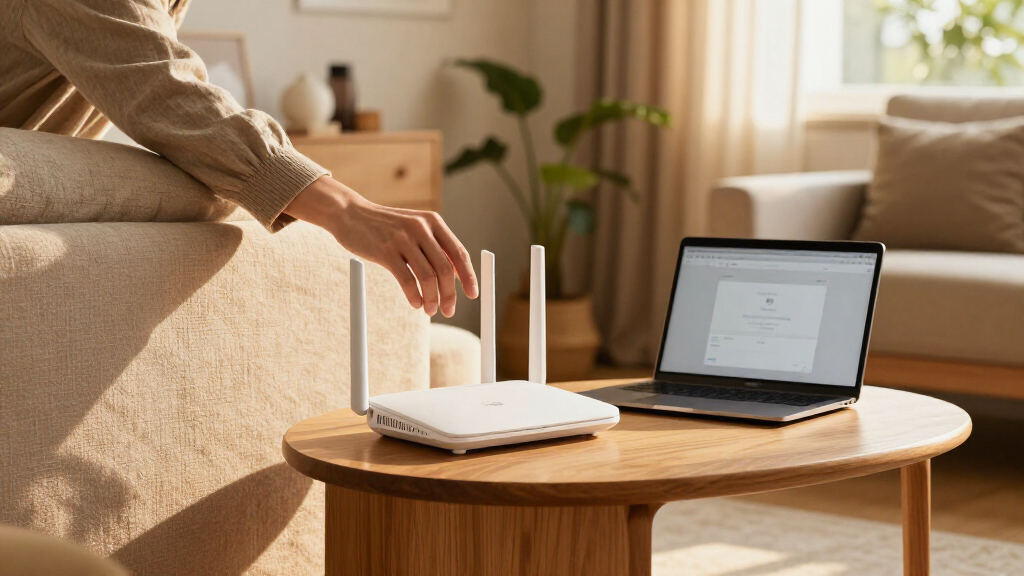
I compared these systems on the factors that shape everyday mesh use: Wi-Fi generation and band configuration, number of included units, flexibility to expand an existing eero setup, and fit for different home sizes and device loads. I also weighed setup simplicity against headroom, since the most capable hardware is not automatically the best choice for a household whose internet plan and devices cannot make use of it.
The ranking favors balanced choices first, then options aimed at narrower needs. The eero 6+ three-pack leads for its blend of newer Wi-Fi 6 capability and multi-node coverage; the eero 7 two-pack stands out for buyers seeking Wi-Fi 7 with fewer units. Premium tri-band and Max models rank for specific high-demand homes rather than as default recommendations, while single routers and older-generation bundles suit targeted upgrades or tighter needs. Pack variants remain distinct because coverage requirements can change the decision even when the underlying router generation is similar.
Factors to Consider When Choosing Eero Wifi Mesh Systems
I’d choose an eero system by matching the network to the home and the devices already in it. These broader decisions help avoid buying too few nodes, paying for capacity you cannot use, or expecting a mesh kit to fix every wireless dead zone.
Choose Wi-Fi Generation Around Your Devices
A newer Wi-Fi label matters most when several devices can use it and your internet connection can feed the network. If most of your phones, laptops, and smart home products use Wi-Fi 6 or older, a Wi-Fi 7 system may add less day-to-day benefit than better node placement. Check the ages and wireless standards of the devices that matter most, rather than counting every connected bulb or plug equally. A mixed household can still use a newer router, but older clients will connect using the standards they support. I’d pay for a newer generation when it matches an upgrade plan or a demanding current workload. Otherwise, a well-sized Wi-Fi 6 kit can be the more sensible choice.
Estimate Node Count From Layout, Not Square Footage Alone
Walls, floors, building materials, and the position of your internet connection all affect how far a mesh signal travels. A long, narrow home may need nodes placed along its length, while a compact multi-floor home may need one node per level despite modest floor area. Start with the router location and the rooms where connections are unreliable; then consider whether a two-pack can bridge those points. More nodes are not always better, since units placed too close can add complexity without solving the weak link. Avoid hiding nodes in cabinets or placing them beside large appliances. Leave room to reposition them after setup if a distant room still struggles.
Understand What Mesh Can and Cannot Fix
Mesh helps spread wireless coverage from multiple access points, but it cannot raise the speed delivered by your internet provider. If every device is slow, check the modem connection and service plan before adding nodes. If only a far room has trouble, a better node location or an additional unit may help. Thick masonry, metal framing, and interference can weaken the connection between mesh units, so a larger bundle alone does not guarantee a strong backhaul. Where the system and home wiring allow it, wired links between units can reduce reliance on that wireless path. Think of mesh as a coverage tool, not a cure for every network bottleneck.
Decide Whether Premium Capacity Will Be Used
Tri-band and higher-end systems can offer more room for busy networks, but the benefit depends on both internet service and client hardware. Homes with frequent large transfers, many simultaneous high-bandwidth users, or newer multi-gigabit equipment have a clearer case for premium models. For a household mostly streaming, browsing, and making video calls, the router is unlikely to be the only limit. Compare the capabilities you can use today with what you expect to add over the system’s useful life. Also check whether your modem, switch, and cabling support the speeds you want to distribute. Spending on capacity that another part of the network cannot pass along may not improve the experience.
Plan an Upgrade Without Replacing Everything
If you already have eero equipment, consider whether you are expanding coverage or replacing the whole network. A single router can serve as a targeted addition, while a multi-unit kit makes more sense when you need a coordinated refresh. Before mixing generations, confirm current compatibility and feature behavior through eero’s documentation, since support details can change. Keep the existing units only if they still meet your coverage and performance needs. Replacing every node at once may simplify the setup, but it can be wasteful when one new unit would address the actual gap. Write down where coverage fails before deciding what to buy.
Frequently Asked Questions
Should I buy a two-pack or a three-pack for my home?
Use the number and placement of coverage points you need as your guide, rather than choosing the larger pack by default. A two-pack is a reasonable starting point for a smaller home or a layout with one main dead zone beyond the router. A three-pack gives more options when rooms are spread across floors or the internet connection enters at one end of a long home. Building materials can matter more than the floor area, so a smaller home with dense walls may still need extra coverage. If you are unsure, identify the weakest rooms and check whether a node can sit between them and the main router.
Is Wi-Fi 7 worth choosing if most of my devices use Wi-Fi 6?
Wi-Fi 7 can make sense if you expect to replace key phones, computers, or other high-use devices during the system’s lifetime, or if you want more capacity headroom. Your existing Wi-Fi 6 devices will continue to connect, but they will not gain Wi-Fi 7 features just because the router supports them. If your current network problem is a coverage gap, adding or repositioning mesh nodes may matter more than moving to a newer standard. Compare the eero 7 options with the eero 6+ bundles by the coverage each pack provides as well as the generation. I’d choose Wi-Fi 7 for a clear upgrade path, not for the label alone.
Can an eero mesh system make my internet plan faster?
A mesh system distributes the connection available from your modem; it does not change the speed your provider delivers. It can improve speeds in rooms where the old router’s signal was weak, which may make the plan feel more consistent around the home. If a wired device beside the modem is already slow, contact your provider or check the modem and service before upgrading the mesh. If wired speed is healthy but distant rooms lag, node placement or coverage is the more likely issue. Compare results near the modem and in the problem rooms to tell these cases apart.
Should I replace my current eero units or add a single newer router?
Add a single unit when your existing network works well overall and one area needs better coverage, after checking that the model fits your current setup. A full kit makes more sense when several areas are unreliable or the old hardware is limiting the network throughout the home. Mixing generations may be possible, but confirm compatibility and feature support before buying. Also consider whether an additional node can be placed where it receives a solid signal from the current network; a node in the dead zone may not help. The right choice depends on where the problem occurs, not simply on which router is newest.
When does a premium tri-band or Max system make sense?
Premium models are easier to justify in a larger home with many demanding users, newer high-capability devices, or internet service that can take advantage of greater network headroom. They may also suit buyers who want a higher-end system for a planned upgrade, provided the modem and other network hardware can support it. For a smaller household with ordinary streaming and browsing, the extra capability may go unused. First identify whether congestion, coverage, or the internet connection itself is the current limit. If coverage is the main issue, spending on the right node count and placement may be the more useful upgrade.
Conclusion
For most buyers, I recommend the eero 6+ three-pack as the best overall balance of Wi-Fi 6 capability and multi-node coverage. The eero 6 three-pack is my value-oriented pick for buyers who want a straightforward mesh bundle and do not need the 6+ step-up. Choose the eero Max 7 three-pack for premium capacity, or the eero Pro 7 three-pack when a tri-band Wi-Fi 7 setup better matches a demanding home. Beginners can start with an eero 7 two-pack for a manageable Wi-Fi 7 setup, or a single eero router to extend an existing network. For a targeted addition, compare the one-pack models; for larger or more obstructed homes, prioritize enough well-placed units over the newest generation alone.
Halloween Picks
halloween
As an affiliate, we earn on qualifying purchases.