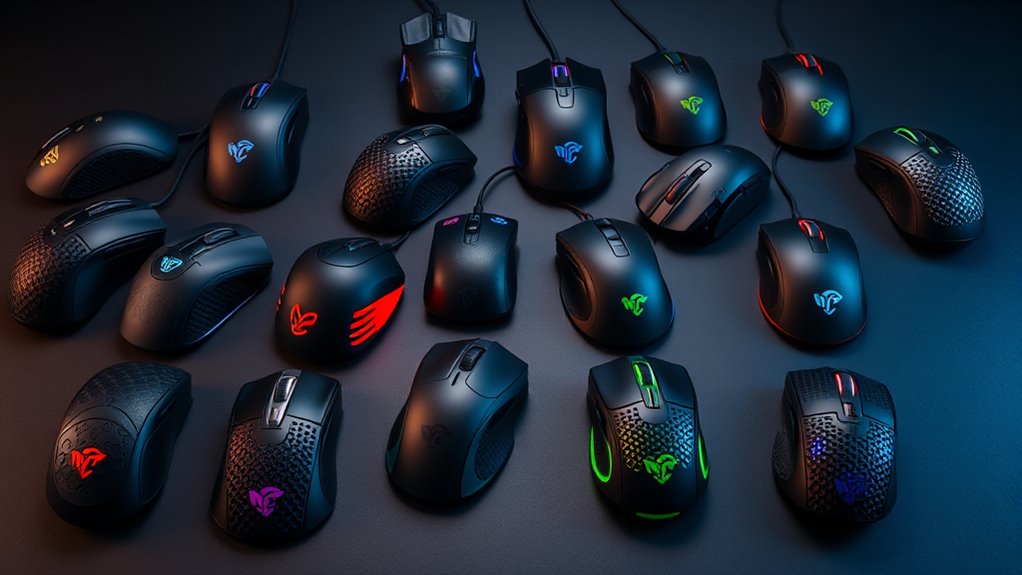

Finding the right gaming mouse with customizable buttons can significantly enhance your gameplay, whether you’re into MMOs, FPS, or MOBA titles. The Logitech G502 HERO stands out as the overall best due to its precision and highly programmable buttons. For wireless flexibility, the Razer Naga V3 Pro offers swappable side plates for different game styles, though it comes at a higher price. Meanwhile, budget-conscious gamers might prefer the Redragon M908, which packs a lot of programmable buttons at an accessible price. The main challenge is balancing button customization, comfort, and price—each model makes tradeoffs in these areas. Keep reading for a detailed breakdown of these options and more to find your perfect match.

Get furniture and decor delivered free — and shop member deals
- Fast, free delivery on millions of items
- Access to Prime Big Deal Days deals on October 6–7
- Prime Video, Amazon Music and more included
Complete the kit


Key Takeaways
- Top-tier mice like the Logitech G502 HERO and Razer Naga V3 Pro lead in button customization and build quality, but come with higher price tags.
- Wireless models such as the Razer Naga V3 Pro and Basilisk V3 X offer freedom of movement at a slight cost to battery life or additional weight.
- Budget picks like the Redragon M908 deliver a surprising number of programmable buttons, though they may lack some premium features or refined ergonomics.
- Wired mice tend to offer more consistent performance and lower latency, which is crucial for competitive gaming, but sacrifice convenience.
- Choosing the right mouse depends heavily on your game genre—MMO players need more buttons, while FPS gamers prioritize precision and comfort.
| Logitech G305 Lightspeed Wireless Gaming Mouse – Black |  | Best Overall Wireless with Customizable Buttons | Sensor: HERO optical (12K) | DPI Range: 200 – 12,000 | Precision: 400 IPS | VIEW ON AMAZON | See Our Full Breakdown |
| Redragon M908 Wired MMO RGB Gaming Mouse, 12400 DPI, Programmable Buttons |  | Best for Extensive Button Customization and Fine-Tuning | Sensor: Pixart PAW3327 | Max DPI: 12400 | DPI Levels: 5 adjustable | VIEW ON AMAZON | See Our Full Breakdown |
| Razer Naga V3 Pro Wireless MMO Gaming Mouse with Swappable Side Plates |  | Best for Versatile Button Layouts and High-End Performance | Side Plates: 3 swappable magnetic plates | Max DPI: 50,000 | Tracking Speed: 930 IPS | VIEW ON AMAZON | See Our Full Breakdown |
| Acer Wired Gaming Mouse with 12,800 DPI Sensor, 8 Programmable Buttons, and RGB Lighting |  | Best for Budget-Friendly Comfort and Customization | Max DPI: 12800 | DPI Levels: 1200/2400/3200/6400 | Buttons: 8 | VIEW ON AMAZON | See Our Full Breakdown |
| Razer Basilisk V3 Customizable RGB Wired Ergonomic Gaming Mouse, Black |  | Best for High-Precision and Ergonomic Comfort | Sensor: Focus Pro 26K DPI | Switch Actuation Speed: 0.2ms | Programmable Buttons: 11 | VIEW ON AMAZON | See Our Full Breakdown |
| Redragon M901K MMO Gaming Mouse, 12400 DPI, 19 Programmable Buttons, RGB, Weight Tuning, Black |  | Best Overall for MMO and MOBA players seeking customizable controls | Max DPI: 12400 | Adjustable DPI Range: 100-12400 | Polling Rate: 125Hz-1000Hz | VIEW ON AMAZON | See Our Full Breakdown |
| Razer Naga V2 HyperSpeed Wireless MMO Gaming Mouse (Black) |  | Best for wireless convenience with macro-heavy gameplay | Programmable Buttons: 19 | Connectivity: Wireless (2.4GHz, Bluetooth) | Battery Life: Up to 400 hours (Bluetooth) | VIEW ON AMAZON | See Our Full Breakdown |
| Logitech G502 HERO Wired Gaming Mouse – Black |  | Best for precision and simplicity with customizable controls | Sensor: HERO optical, up to 25,600 DPI | Buttons: 11 programmable | Scroll Wheel: Dual-mode hyper-fast | VIEW ON AMAZON | See Our Full Breakdown |
| Razer Basilisk V3 X HyperSpeed Wireless Gaming Mouse, Black |  | Best for ergonomic design with reliable wireless macro controls | Connectivity: Wireless (HyperSpeed, Bluetooth) | Battery Life: Up to 535 hours (Bluetooth) | Sensor: 18K DPI Optical | VIEW ON AMAZON | See Our Full Breakdown |
| Redragon M810 PRO Wireless RGB Gaming Mouse, 10000 DPI, 8 Programmable Buttons |  | Best for budget-conscious gamers wanting decent wireless macro controls | Max DPI: 10000 | DPI Levels: 5 (500/1000/2000/3000/10000) | Programmable Buttons: 8 | VIEW ON AMAZON | See Our Full Breakdown |
| Turtle Beach Command Series MC3 Wired RGB Gaming Mouse |  | Best Overall for Precision and Customization | Programmable Functions: Up to 29 | Sensor: 30K DPI Owl-Eye optical sensor (tracks on glass) | Switches: Titan Optical, 150M click lifespan | VIEW ON AMAZON | See Our Full Breakdown |
| Razer Basilisk V3 Ergonomic Wired Gaming Mouse | | Best for Ergonomic Comfort and Versatility | Connectivity: Wired | Programmable Buttons: 11 (10+1 with multi-function trigger) | Scroll Wheel: HyperScroll tilt wheel (free-spin / tactile modes) | VIEW ON AMAZON | See Our Full Breakdown |
| Corsair Scimitar RGB Elite Wired MMO/MOBA Gaming Mouse – Black |  | Best for MMO/MOBA Macro-Heavy Play | Connectivity: Wired | Button Quantity: 17 | Sensor: PixArt PMW3391, 18000 DPI | VIEW ON AMAZON | See Our Full Breakdown |
| gaming mice with customizable button | Connectivity | Sensor | Programmable Buttons |
|---|---|---|---|
| Logitech G305 Lightspeed Wirel | LIGHTSPEED wireless with USB nano receiver | HERO optical (12K) | 6 |
| Redragon M908 Wired MMO RGB Ga | — | Pixart PAW3327 | 18 |
| Razer Naga V3 Pro Wireless MMO | HyperSpeed Wireless, Bluetooth, USB-C wired | — | — |
| Acer Wired Gaming Mouse with 1 | Wired USB-A | — | — |
| Razer Basilisk V3 Customizable | Wired USB | Focus Pro 26K DPI | 11 |
| Redragon M901K MMO Gaming Mous | — | — | 19 |
| Razer Naga V2 HyperSpeed Wirel | Wireless (2.4GHz, Bluetooth) | Focus Pro 30K Optical | 19 |
| Logitech G502 HERO Wired Gamin | Wired | HERO optical, up to 25,600 DPI | — |
| Razer Basilisk V3 X HyperSpeed | Wireless (HyperSpeed, Bluetooth) | 18K DPI Optical | — |
| Redragon M810 PRO Wireless RGB | 2.4GHz wireless | — | 8 |
| Turtle Beach Command Series MC | — | 30K DPI Owl-Eye optical sensor (tracks on glass) | — |
| Razer Basilisk V3 Ergonomic Wi | Wired | — | 11 (10+1 with multi-function trigger) |
| Corsair Scimitar RGB Elite Wir | Wired | PixArt PMW3391, 18000 DPI | — |
More Details on Our Top Picks
Logitech G305 Lightspeed Wireless Gaming Mouse – Black
The Logitech G305 Lightspeed stands out as the best wireless option for gamers who prioritize high performance and portability. Its HERO optical sensor offers up to 12,000 DPI with remarkable accuracy, and the 1 ms report rate ensures responsiveness comparable to wired mice like the Razer Basilisk V3. Weighing only 99 grams, it remains lightweight for quick movements, while the 6 programmable buttons provide essential customization. The standout feature is its extraordinary battery life of up to 250 hours on a single AA battery—far surpassing many wired competitors, making it ideal for extended gaming sessions. However, reliance on G HUB software for full customization and the use of an AA battery instead of rechargeable options are notable tradeoffs. This mouse makes the most sense for competitive gamers who need wireless convenience without sacrificing speed or precision.
Pros:- Exceptional battery life of up to 250 hours on a single AA battery
- Lightweight design at 99 grams perfect for rapid movements
- Lag-free 1 ms wireless performance comparable to wired mice
- Highly accurate HERO sensor with up to 12,000 DPI
Cons:- Requires G HUB software for full customization and Endurance mode
- Single AA battery adds weight compared to rechargeable options
Best for: Gamers seeking a lightweight, wireless mouse with long-lasting battery life for competitive play
Not ideal for: Players who prefer rechargeable batteries or need extensive macro customization without software dependencies
- Sensor:HERO optical (12K)
- DPI Range:200 – 12,000
- Precision:400 IPS
- Report Rate:1 ms
- Battery Life:Up to 250 hours
- Weight:99 g
- Programmable Buttons:6
- Connectivity:LIGHTSPEED wireless with USB nano receiver
Our verdict“This pick is ideal for wireless gamers who need long-lasting battery life without compromising speed or precision.”
Redragon M908 Wired MMO RGB Gaming Mouse, 12400 DPI, Programmable Buttons
Compared with the Razer Naga V3 Pro, which offers wireless versatility, the Redragon M908 excels in providing an abundance of programmable buttons—totaling 18—making it a top choice for MMO players who need quick macro access. Its 12400 DPI sensor and five adjustable levels allow precise control, while the included 8-piece weight tuning set lets users customize the feel for comfort and performance. The wired connection guarantees zero latency, but it limits mobility, especially compared with wireless options like the Naga V3. Mac users may find some features limited due to software support. This mouse suits gamers who want maximum button capacity and fine control at the expense of wireless freedom.
Pros:- 18 fully programmable buttons for complex macros
- High 12400 DPI sensor with 5 adjustable levels for precision
- Includes 8-piece weight tuning set for personalized feel
- Durable braided cable with gold-plated USB connector
Cons:- Wired only, limiting mobility during intense gameplay
- Full macro customization limited on Mac OS
Best for: MMO and MOBA gamers who need a high number of programmable buttons and custom weight options
Not ideal for: Players who prefer wireless mice or minimalistic setups, as the wired connection restricts movement
- Sensor:Pixart PAW3327
- Max DPI:12400
- DPI Levels:5 adjustable
- Polling Rate:1000 Hz
- Programmable Buttons:18
- Weight Tuning:8-piece set
- Cable:6ft braided-fiber
- Compatibility:Windows, Mac (basic)
Our verdict“This mouse is best suited for gamers who prioritize macro capacity and customization over wireless convenience.”
Razer Naga V3 Pro Wireless MMO Gaming Mouse with Swappable Side Plates
The Razer Naga V3 Pro brings unmatched versatility through its three swappable magnetic side plates—offering 12, 6, or 2-button layouts—catering to different game types from MMO to FPS. Its Focus Pro 50K DPI sensor and 930 IPS tracking ensure pixel-perfect precision, outperforming many competitors in sensor accuracy. The long battery life of up to 280 hours in Bluetooth mode and multiple connectivity options, including HyperSpeed Wireless, make it suitable for both casual and competitive players. However, the need for separate wireless charging accessories and the full customization features limited to Windows users might be hurdles for some. This mouse is perfect for gamers who value adaptability and high-end sensor performance.
Pros:- Three swappable magnetic side plates for diverse button layouts
- Excellent sensor with up to 50,000 DPI and 930 IPS tracking
- Long battery life of up to 280 hours in Bluetooth mode
- Multiple connectivity options including HyperSpeed Wireless
Cons:- Wireless charging accessories sold separately
- Full software customization only on Windows
Best for: Players who switch between game genres and need customizable button layouts with long battery life
Not ideal for: Gamers who prefer wired mice or are on macOS, due to limited software support
- Side Plates:3 swappable magnetic plates
- Max DPI:50,000
- Tracking Speed:930 IPS
- Battery Life:up to 280 hours
- Connectivity:HyperSpeed Wireless, Bluetooth, USB-C wired
- Additional Buttons:2 quick-access edge buttons
Our verdict“This mouse excels for gamers who need adaptable button layouts combined with high-end sensor accuracy and long battery life.”
Compared to higher-end options like the Razer Basilisk V3, the Acer wired mouse offers a solid balance of performance and affordability with its 12,800 DPI sensor and 8 programmable buttons. Its ergonomic right-handed design provides comfort for long gaming sessions, and the RGB lighting with music sync adds visual flair. While it misses wireless convenience and some advanced macro features, it compensates with plug-and-play reliability and broad compatibility across operating systems, including Linux. The main tradeoff is its weight at 190 grams, which might feel less nimble for fast-paced games. This model makes sense for budget-conscious gamers who want decent customization without sacrificing comfort.
Pros:- High maximum DPI of 12,800 for precise control
- 8 programmable buttons for macros and gaming commands
- Comfortable ergonomic design for long sessions
- RGB lighting with music sync adds aesthetic appeal
Cons:- Wired only, limiting mobility
- Heavier weight at 190 grams may reduce agility
Best for: Budget gamers seeking a reliable wired mouse with customizable buttons and RGB lighting
Not ideal for: Players who prefer wireless mice or need very lightweight gear for rapid flicks
- Max DPI:12800
- DPI Levels:1200/2400/3200/6400
- Buttons:8
- Polling Rate:1000Hz
- Weight:190 g
- RGB Lighting:Yes
- Connectivity:Wired USB-A
Our verdict“This budget-friendly wired mouse is ideal for gamers who want decent customization and comfort without extra cost.”
Razer Basilisk V3 Customizable RGB Wired Ergonomic Gaming Mouse, Black
While the Razer Basilisk V3 is wired and lacks the wireless flexibility of the Naga V3 Pro, it compensates with a focus on precision and comfort. Its 26K DPI Focus Pro sensor delivers pixel-perfect tracking, ideal for FPS players who need accuracy and speed, and the 11 programmable buttons make macro setup straightforward. The dual-mode HyperScroll wheel offers both high-speed scrolling and tactile feedback, enhancing usability. The full RGB lighting with 11 zones adds a vibrant look, but the need for Razer Synapse software for full customization might be a barrier for some. This mouse suits gamers who prioritize high-end sensor performance combined with ergonomic design for long sessions.
Pros:- Ergonomic design with thumb rest for extended play
- High-precision 26K DPI sensor with zero smoothing
- 11 programmable buttons for macros and quick commands
- Dual-mode HyperScroll wheel for speed or tactile control
Cons:- Wired only, no wireless option
- Requires Razer Synapse for full customization
Best for: FPS or MOBA players who want a wired mouse with high DPI precision and comfortable grip
Not ideal for: Players seeking wireless flexibility or macro-heavy MMO setups, as it has fewer programmable buttons
- Sensor:Focus Pro 26K DPI
- Switch Actuation Speed:0.2ms
- Programmable Buttons:11
- RGB Lighting Zones:11
- Scroll Wheel:HyperScroll dual-mode
- Connectivity:Wired USB
Our verdict“This mouse is best for gamers needing a wired, ergonomic device with ultra-high DPI and macro capability for precision games.”
Redragon M901K MMO Gaming Mouse, 12400 DPI, 19 Programmable Buttons, RGB, Weight Tuning, Black
The Redragon M901K stands out for its extensive array of 19 programmable buttons, making it ideal for MMO and MOBA players who need quick macro access. Its adjustable weight system with 8 removable 2.4g weights allows for personalized balance, giving it an edge over less customizable options like the Redragon M810 PRO. While its DPI range reaches an impressive 12400 and the polling rate is highly adjustable, the need to download software from Redragon’s website for full customization can feel inconvenient. The 12 side buttons may overwhelm users with smaller hands, but for those who master its layout, it offers exceptional control and comfort for long gaming sessions. The ergonomic design reduces fatigue, and the RGB lighting adds a vibrant aesthetic. However, the high button count might be daunting for casual gamers not focused on macro-heavy gameplay.
Pros:- 19 programmable buttons with macro editing for complex commands
- Adjustable weight system with 8 removable 2.4g weights
- High DPI range (100-12400) and adjustable polling rate
Cons:- Software download required for full customization
- 12 side buttons may feel overwhelming for smaller hands
Best for: High-level MMO and MOBA players who want maximum button customization and adjustable weight for extended sessions
Not ideal for: Casual gamers or those with smaller hands who prefer simpler, less cluttered mice
- Max DPI:12400
- Adjustable DPI Range:100-12400
- Polling Rate:125Hz-1000Hz
- Programmable Buttons:19
- Side Buttons:12
- Memory Profiles:5
- Weight Tuning:8 x 2.4g removable weights
- RGB Colors:16.8 million
Our verdict“This mouse is perfect for dedicated MMO/MOBA players who need extensive macro control and customizable weight but may be too complex for casual users.”
Razer Naga V2 HyperSpeed Wireless MMO Gaming Mouse (Black)
The Razer Naga V2 HyperSpeed excels as a wireless MMO mouse with 19 programmable buttons, offering flexibility for gamers who prefer a clutter-free setup. Its wireless connectivity via HyperSpeed 2.4GHz and Bluetooth provides long-lasting battery life—up to 400 hours on Bluetooth—making it ideal for extended gaming or work sessions. Compared to the wired Logitech G502 HERO, it sacrifices a wired connection for cordless freedom, which can be a significant advantage or a drawback depending on your preferences. The Focus Pro 30K optical sensor ensures precise tracking on various surfaces, including glass, while the durable mechanical switches promise longevity. The button-heavy layout suits MMO players but might feel excessive for casual or FPS gamers. The necessity of managing batteries and software can add complexity for some users.
Pros:- 19 programmable buttons for macros and commands
- Long battery life—up to 400 hours on Bluetooth
- High-precision Focus Pro 30K optical sensor
Cons:- Requires AA batteries, not rechargeable
- Performance tuning needs Razer Synapse software
Best for: Gamers who prioritize wireless freedom and extensive macro controls for MMO or multitasking scenarios
Not ideal for: Players who prefer wired mice for zero-latency gaming or those uncomfortable managing batteries
- Programmable Buttons:19
- Connectivity:Wireless (2.4GHz, Bluetooth)
- Battery Life:Up to 400 hours (Bluetooth)
- Sensor:Focus Pro 30K Optical
- Switches:Mechanical, 60 million clicks
- Color:Black
Our verdict“This mouse suits MMO enthusiasts seeking wireless convenience and macro depth, though managing batteries may be a minor hassle.”
Logitech G502 HERO Wired Gaming Mouse – Black
The Logitech G502 HERO offers a balanced approach with 11 programmable buttons and a top-tier HERO sensor delivering up to 25,600 DPI—perfect for gamers who want high accuracy without overwhelming macro options. Compared to the Redragon M901K, it provides fewer buttons but with more refined control, making it suitable for FPS or mixed genres. Its adjustable weight system allows for a tailored feel, though it lacks the extensive macro options of some MMO mice. The RGB lighting enhances aesthetics, customizable via Logitech’s software, which might be a hassle for users who dislike extra downloads. Its wired connection ensures zero latency but limits mobility, so it’s better suited for players who prioritize precision over wireless freedom.
Pros:- HERO sensor with 25,600 DPI for precise tracking
- 11 programmable buttons for versatile control
- Adjustable weight system for personalized feel
Cons:- Wired-only design limits movement
- RGB customization requires Logitech software
Best for: Players seeking a highly precise, customizable wired mouse for FPS or general gaming without needing excessive macro buttons
Not ideal for: Gamers who prefer wireless mice or require dozens of programmable buttons for MMO gameplay
- Sensor:HERO optical, up to 25,600 DPI
- Buttons:11 programmable
- Scroll Wheel:Dual-mode hyper-fast
- Weights:Up to five 3.6g weights
- Lighting:LIGHTSYNC RGB
- Connectivity:Wired
Our verdict“Ideal for gamers who want top-notch accuracy and customization in a wired mouse without excessive macro options.”
Razer Basilisk V3 X HyperSpeed Wireless Gaming Mouse, Black
The Razer Basilisk V3 X combines ergonomic comfort with 9 programmable buttons, making it a solid choice for players who value long-term comfort alongside macro flexibility. Its HyperSpeed wireless connection and Bluetooth provide versatile connectivity options, with exceptional battery life—up to 535 hours on Bluetooth—outperforming many competitors like the Razer Naga V2 in longevity. While it offers fewer macro buttons, the ergonomics support multiple grip styles, and the durable switches rated for 60 million clicks ensure longevity. The RGB lighting adds flair but can drain battery life when active. This mouse excels for those who want a comfortable, wireless experience with enough programmable controls for most gaming needs, but it lacks the extensive macro options of dedicated MMO mice.
Pros:- Ergonomic design suitable for multiple grip styles
- Up to 535 hours of battery life on Bluetooth
- 9 programmable buttons for macros and commands
Cons:- Fewer macro buttons compared to MMO mice
- RGB lighting and HyperSpeed modes impact battery life
Best for: Gamers seeking ergonomic, wireless mouse with enough programmable buttons for multitasking and long gaming sessions
Not ideal for: Players who need extensive macro controls or prefer wired mice for zero-latency input
- Connectivity:Wireless (HyperSpeed, Bluetooth)
- Battery Life:Up to 535 hours (Bluetooth)
- Sensor:18K DPI Optical
- Programmable Controls:9
- Switches:Gen-2 mechanical, 60 million clicks
- Lighting:Razer Chroma RGB
Our verdict“This mouse is perfect for ergonomic-conscious gamers who want wireless convenience and enough controls for most gameplay styles.”
Redragon M810 PRO Wireless RGB Gaming Mouse, 10000 DPI, 8 Programmable Buttons
The Redragon M810 PRO offers a respectable set of features for gamers on a budget, with 8 programmable buttons and a DPI of 10000 suitable for most gaming scenarios. Its wireless connection via 2.4GHz nano receiver provides freedom of movement, although it’s not as feature-rich as the Redragon M901K or the Razer Naga V2. The DPI levels are customizable, and the battery life of up to 45 hours in eco-mode makes it a practical choice for extended use. However, full macro customization requires software, and the necessity to switch to wired mode during recharging could interrupt gameplay. It’s an appealing option for those who want basic macro capabilities without a high price tag, but it may lack the depth needed for complex MMO macros.
Pros:- 8 programmable buttons including macro side buttons
- Up to 45 hours of battery life in eco-mode
- DPI adjustable across five levels up to 10,000
Cons:- Software required for full macro customization
- Wireless mode requires wired connection while recharging
Best for: Budget-conscious gamers who want a wireless mouse with essential programmable buttons for casual gaming
Not ideal for: Power users or MMO players needing extensive macro options and advanced customization
- Max DPI:10000
- DPI Levels:5 (500/1000/2000/3000/10000)
- Programmable Buttons:8
- Battery Life:Up to 45 hours
- Connectivity:2.4GHz wireless
- Lighting:RGB
Our verdict“Suitable for casual gamers seeking a budget-friendly wireless mouse with basic macro controls and decent battery life.”
Turtle Beach Command Series MC3 Wired RGB Gaming Mouse
The Turtle Beach Command Series MC3 stands out for its exceptional tracking accuracy, thanks to a 30K DPI Owl-Eye sensor that performs reliably even on glass surfaces. Its extensive programmability—up to 29 functions—and five onboard profiles make it a versatile choice for gamers who need complex setups. Compared with the Corsair Scimitar RGB Elite, this mouse offers higher DPI and more programmable functions, making it ideal for players who crave granular control. However, being wired-only might limit freedom, especially for those who prefer wireless setups. The high durability of Titan Optical switches rated for 150 million clicks complements its professional-grade features, but the need for software (Swarm II) for full customization could be a hurdle for some. Overall, this mouse is perfect for competitive gamers who prioritize precision and customization without sacrificing build quality.
Pros:- Exceptional 30K DPI sensor tracks reliably on glass surfaces
- Up to 29 programmable functions and five onboard profiles
- Titan Optical switches rated for 150 million clicks ensure long-term durability
- Zero-latency PhantomFlex cable provides smooth, lag-free movement
Cons:- Wired-only design restricts movement and flexibility
- Advanced customization requires Swarm II software, which could be complex for some users
Best for: Competitive gamers who need precise tracking and extensive button programming for complex macros
Not ideal for: Casual players or those who prefer wireless mice, as the wired design limits mobility and convenience
- Programmable Functions:Up to 29
- Sensor:30K DPI Owl-Eye optical sensor (tracks on glass)
- Switches:Titan Optical, 150M click lifespan
- Scroll Wheel:4D with left-right clicks
- Cable:PhantomFlex (zero-latency, plug-and-play)
- Onboard Profiles:5
Our verdict“This mouse is best suited for serious gamers seeking top-tier precision and extensive customization, despite its wired limitations.”
Razer Basilisk V3 Ergonomic Wired Gaming Mouse
The Razer Basilisk V3 offers a compelling balance of customization, comfort, and speed, featuring 11 programmable buttons—including a multi-function trigger—and a versatile HyperScroll tilt wheel that toggles between free-spin and tactile modes. Compared with the Corsair Scimitar RGB Elite, it provides a more ergonomic design suited for long gaming sessions, especially for FPS or MOBA players who value comfort. Its 0.2ms actuation speed and 70 million rated switches make it a fast, durable choice, but the wired-only setup might deter those seeking wireless convenience. The 11 Chroma RGB zones enable vibrant lighting effects synchronized with other Razer gear, though customizing via Razer Synapse adds an extra step. This mouse is ideal for gamers who want a blend of speed, comfort, and moderate programmability, particularly in fast-paced gaming environments.
Pros:- Ergonomic design with thumb rest for extended comfort
- Versatile HyperScroll tilt wheel with free-spin and tactile modes
- Fast 0.2ms actuation speed with durable Gen-2 optical switches
- Customizable 11 RGB zones for personalized lighting effects
Cons:- Wired-only connection limits mobility
- Requires Razer Synapse software for full customization, which can be complex
Best for: Gamers who prioritize comfort and speed, especially in FPS or MOBA games, and want quick access to multiple functions
Not ideal for: Players seeking a wireless mouse or those who prefer a larger, more customizable button array for MMO gameplay
- Connectivity:Wired
- Programmable Buttons:11 (10+1 with multi-function trigger)
- Scroll Wheel:HyperScroll tilt wheel (free-spin / tactile modes)
- RGB Lighting:11 Chroma zones, 16.8 million colors
- Switches:Razer Optical Mouse Switches Gen-2
- Actuation Speed:0.2ms
- Switch Durability:Up to 70 million clicks
Our verdict“This mouse is well-suited for gamers who want a comfortable, fast device with solid customization options, but it may not appeal to those seeking wireless freedom.”
Corsair Scimitar RGB Elite Wired MMO/MOBA Gaming Mouse – Black
The Corsair Scimitar RGB Elite excels for MMO and MOBA players with its 17 fully programmable buttons, including 12 mechanical side buttons on a Key Slider system that adjusts to your grip. Its high-precision 18,000 DPI PixArt sensor with 1 DPI steps ensures detailed tracking, surpassing the DPI range of the Razer Basilisk V3. While its right-handed design might not suit left-handed players, the surface calibration and onboard profile storage support complex macro setups. The braided cable and durable Omron switches rated for 50 million clicks add longevity, but the large side-button cluster may feel bulky for gamers who prefer simpler layouts or less button clutter. This mouse makes sense for dedicated MMO or MOBA players who need extensive macro capacity and adjustable comfort, even if it sacrifices some versatility for non-MMO gaming styles.
Pros:- 17 programmable buttons, ideal for complex macros
- Patented Key Slider system adjusts side-button position for comfort
- High-precision 18,000 DPI sensor with 1 DPI step adjustment
- Durable Omron switches rated for 50 million clicks with onboard profile storage
Cons:- Wired-only connection limits mobility
- Large side-button cluster may feel bulky or awkward for some users
- Right-handed design excludes left-handed gamers
Best for: MMO or MOBA players who require extensive macro capability and adjustable side-button placement
Not ideal for: Casual gamers or those who prefer minimalist mice for FPS or general gaming, as the large button cluster can be overwhelming
- Connectivity:Wired
- Button Quantity:17
- Sensor:PixArt PMW3391, 18000 DPI
- Switches:Omron, 50 million click-rated
- Weight:4.32 ounces
- Color:Black
- Software:Corsair iCUE
Our verdict“This mouse is perfect for MMO or MOBA players who crave macro-heavy customization and adjustable comfort, but less suited for casual or FPS gamers.”

How We Picked
The products in this roundup were selected based on a combination of performance, build quality, button programmability, and value. We prioritized mice that offer extensive customization options, whether through software or hardware features, to suit different gaming styles. Durability and comfort were also key factors, especially for long gaming sessions. Price range was considered to include options for various budgets, but we favored models that deliver solid performance at their price point. The ranking reflects a balance between feature set and overall usability, with higher-ranked products excelling across multiple categories while considering common tradeoffs like weight, price, and wireless versus wired connectivity.Factors to Consider When Choosing Gaming Mice With Customizable Buttons
When selecting a gaming mouse with customizable buttons, it’s essential to consider several factors that influence your overall experience. Beyond just the number of programmable buttons, how the mouse feels in your hand, its software flexibility, and connection type can make a big difference. Understanding these elements helps avoid common pitfalls, like overpaying for features you won’t use or choosing a mouse that isn’t comfortable during extended play.Number of Buttons and Customization Options
Many gaming mice boast a large number of programmable buttons, especially for MMO and MOBA players. However, more isn’t always better if the software is clunky or the buttons are hard to reach. Consider whether the buttons are easily accessible and customizable through intuitive software. Some models offer hardware modifications, like swappable side plates, which provide flexibility for different game genres. Balance your need for numerous options with ease of use and reliability.
Ergonomics and Comfort
A mouse with customizable buttons needs to fit well in your hand for prolonged use. Ergonomic design reduces fatigue and improves precision. Some models are designed for right-handed gamers, while others are ambidextrous. Pay attention to shape, weight, and grip style—claw, palm, or fingertip. Remember that added buttons can sometimes make the mouse bulkier or unbalanced, so consider how the design complements your preferred grip.
Connectivity: Wired vs Wireless
Wireless mice offer greater freedom of movement and fewer cable clutter, but may introduce slight latency or require battery management. Wired models tend to provide more consistent responsiveness, which is critical in competitive settings. Some wireless mice use advanced technologies to minimize latency, but they often come at a higher cost. Think about your gaming environment and whether the convenience of wireless outweighs the potential tradeoffs in responsiveness.
Build Quality and Durability
Customizable gaming mice should withstand frequent button presses and intense gaming sessions. Look for high-quality switches rated for millions of clicks and sturdy construction materials. Some mice feature reinforced side plates or reinforced scroll wheels, reducing wear over time. Cheaper models may use lower-quality switches or plastics that degrade faster, so investing in a well-built model can save money in the long run.
Price and Value
The market offers a wide range of prices, from budget-friendly options to premium picks. A higher price often correlates with more durable build, advanced customization, and better ergonomics, but isn’t always necessary for casual gamers. Evaluate whether the extra features justify the cost based on your gaming habits. Sometimes, a mid-range mouse offers the best balance of features and affordability, especially for those new to customizable mice.
Frequently Asked Questions
Can I customize buttons on any gaming mouse?
Not all gaming mice allow extensive customization. Most high-end models include dedicated software that enables reprogramming buttons, creating macros, and saving profiles. Cheaper or older models might have limited or no customization options. Always check the software support and whether the buttons can be remapped to suit your gaming style before purchasing.
Are wireless gaming mice with customizable buttons reliable for competitive gaming?
Modern wireless gaming mice have made significant strides in reducing latency, making them suitable for competitive play. Look for models that use advanced wireless tech, such as Logitech Lightspeed or Razer HyperSpeed, which offer near-wireless responsiveness. Keep in mind that battery life and potential interference can be concerns, so choose a model with good reviews on stability and longevity to ensure consistent performance.
How many customizable buttons do I really need?
This depends on your game genre and personal preference. MMO players often prefer 12 or more buttons for complex macros, while FPS gamers might prioritize just a few programmable options for quick access to abilities. Overloading your mouse with buttons can make it cluttered or harder to use comfortably. Aim for a balance: enough buttons to enhance your gameplay without sacrificing ease of access or ergonomics.
Is it worth paying extra for swappable side plates or modular designs?
Definitely, if you play multiple game genres or want to customize your setup. Swappable side plates allow you to switch between different button configurations tailored for MMOs, FPS, or MOBAs. This flexibility can improve comfort and efficiency, but it also adds to the cost and complexity. Consider whether this feature aligns with your gaming style and whether the added convenience justifies the investment.
What should I prioritize: more buttons or better ergonomics?
While having many customizable buttons can be advantageous, comfort should never be sacrificed. A mouse with excellent ergonomics ensures you can play longer sessions without fatigue, which is vital for serious gaming. Ideally, look for a model that balances both—ample programmable buttons in a design that fits your grip comfortably. Prioritize your main gaming needs first, then consider additional features as a bonus.
Conclusion
For gamers seeking the best overall experience, the Logitech G502 HERO offers a versatile combination of precision, button customization, and durability. Those on a budget or new to customizable mice will find the Redragon M908 provides impressive features at an accessible price point. If premium features and wireless capability are your priorities, the Razer Naga V3 Pro makes a compelling choice, especially for MMO enthusiasts. Casual players or newcomers should consider more ergonomic or simpler models, while competitive gamers may prefer wired options for minimal latency. Ultimately, your choice should reflect your gaming style, comfort needs, and budget constraints.
Fall Picks
fall essentials
As an affiliate, we earn on qualifying purchases.