
A home all-in-one printer can print, scan, and copy, but the right choice depends on how often you print and whether you value low ink costs, office features, or a simple setup. I rank the HP OfficeJet Pro 9125 as the best overall for households that need versatile everyday printing and stronger document-handling features. For frequent printing, the Canon PIXMA MegaTank G3270 and HP Smart Tank 5003 stand out for their refillable ink systems, while the HP DeskJet 2955 suits lighter-duty needs. The main tradeoff is paying more for features or ink efficiency you may not use, versus choosing a basic model that can feel limiting as your needs grow. Read on for the full comparison, buying advice, and picks by household type.

Get furniture and decor delivered free with Prime
- Fast, free delivery on millions of items
- Prime Video, Amazon Music and more included
- Member-only deals all year
Complete the kit


Key Takeaways
- The HP OfficeJet Pro 9125 leads for all-around home-office use because this lineup includes several simpler printers, but fewer that prioritize office-oriented features and versatile everyday document work.
- Refillable-tank models make the most sense for regular printing: the Canon PIXMA MegaTank G3270 and G3290, HP Smart Tank 5003 and Plus 651, and Epson EcoTank ET-2800 stand apart from cartridge-based options.
- The lineup splits between office capability and basic household use: OfficeJet Pro and Brother Work Smart models suit heavier document routines better, while DeskJet and entry-level PIXMA choices fit lighter needs.
- Canon offers several distinct household options: MegaTank models prioritize ink capacity, while PIXMA TR models are more compelling when document features matter more than refillable tanks.
- Low purchase complexity and low ink use are not the same goal: basic cartridge printers can suit occasional printing, but frequent users should compare tank models before choosing on simplicity alone.
| HP OfficeJet Pro 9125 Wireless All-in-One Color Inkjet Printer |  | Best for Busy Home Offices | Printer type: Thermal inkjet | Functions: Print, scan, copy, fax | Print speed: Up to 22 ppm black; 18 ppm color | VIEW ON AMAZON | See Our Full Breakdown |
| HP OfficeJet Pro 8125 Wireless All-in-One Color Inkjet Printer | 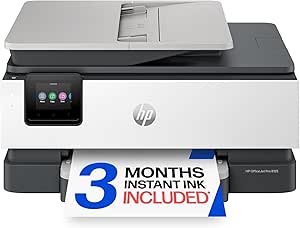 | Best Value for Everyday Office Tasks | Printer type: Thermal inkjet | Functions: Print, scan, copy | Print speed: Up to 20 ppm black; 10 ppm color | VIEW ON AMAZON | See Our Full Breakdown |
| Canon PIXMA TR7120 Wireless Color Inkjet All-in-One Printer |  | Best Compact Pick with an ADF | Printer type: Inkjet | Functions: Print, scan, copy | Maximum sheet capacity: 100 sheets | VIEW ON AMAZON | See Our Full Breakdown |
| Canon PIXMA MegaTank G3270 Wireless All-in-One Color Printer |  | Best for High-Volume, Lower-Interruption Printing | Printer type: Inkjet | Functions: Print, copy, scan | Print speed: Up to 11 ppm black and white; 6 ppm color | VIEW ON AMAZON | See Our Full Breakdown |
| HP DeskJet 2955 Wireless All-in-One Color Inkjet Printer |  | Best for Small Homes and Occasional Printing | Printer type: HP thermal inkjet | Functions: Print, scan, copy | Scanner type: Flatbed | VIEW ON AMAZON | See Our Full Breakdown |
| Canon PIXMA TR8620a Wireless All-in-One Inkjet Printer |  | Best for a Busy Home Office | Functions: Print, copy, scan, fax | Print speed: 15 ipm black; 10 ipm color | Paper capacity: 200 sheets (100-sheet cassette and 100-sheet rear feed) | VIEW ON AMAZON | See Our Full Breakdown |
| Brother Work Smart 1360 Wireless Color Inkjet All-in-One Printer |  | Best for a Simple Home Office | Functions: Print, copy, scan | Print speed: Up to 16 ppm black; up to 9 ppm color | Paper tray capacity: 150 sheets | VIEW ON AMAZON | See Our Full Breakdown |
| Canon PIXMA MegaTank G3290 Wireless All-in-One Inkjet Printer |  | Best for High-Volume Printing | Printer type: Inkjet supertank | Functions: Print, copy, scan | Ink yield: Up to 6,000 black-and-white or 7,700 color pages per ink set | VIEW ON AMAZON | See Our Full Breakdown |
| HP Smart Tank 5003 Wireless All-in-One Ink Tank Printer |  | Best for Included Ink | Printer type: HP Thermal Inkjet | Functions: Print, copy, scan | Ink system: Refillable cartridge-free ink tank | VIEW ON AMAZON | See Our Full Breakdown |
| HP DeskJet 2923 Wireless All-in-One Color Inkjet Printer |  | Best Compact Pick for Light Use | Printer type: Thermal inkjet | Functions: Print, scan, copy | Connectivity: Wireless | VIEW ON AMAZON | See Our Full Breakdown |
| HP Envy 6155 Wireless All-in-One Color Inkjet Printer, AI-Capable (C2WR7A), Portobello |  | Best for Guided Home Printing | Printer type: Inkjet all-in-one | Functions: Print, scan, copy | Print speed: 10 ppm black; 7 ppm color | VIEW ON AMAZON | See Our Full Breakdown |
| HP Smart Tank Plus 651 Wireless All-in-One Ink Tank Printer |  | Best for High-Volume Home Printing | Printer type: Thermal inkjet | Functions: Print, copy, scan, fax | Included ink yield: Up to 8,000 color or 6,000 black pages | VIEW ON AMAZON | See Our Full Breakdown |
| Epson EcoTank ET-2800 Wireless All-in-One Color Printer |  | Best Cartridge-Free Pick | Printer type: Inkjet | Functions: Print, scan, copy | Ink system: Refillable tanks; black, cyan, magenta, yellow | VIEW ON AMAZON | See Our Full Breakdown |
| Canon PIXMA TS6520 Wireless Color Inkjet All-in-One Printer |  | Best for Borderless Home Photos | Printer type: Inkjet all-in-one | Functions: Print, scan, copy | Duplex printing: Automatic | VIEW ON AMAZON | See Our Full Breakdown |
| Canon PIXMA TS3720 Wireless All-in-One Inkjet Printer |  | Best Simple Compact Pick | Printer type: Inkjet | Functions: Print, copy, scan | Print speed: Approximately 7.7 black / 4 color images per minute | VIEW ON AMAZON | See Our Full Breakdown |
| home all in one printer | Functions | Printer type | Connectivity | Dimensions |
|---|---|---|---|---|
| HP OfficeJet Pro 9125 Wireless | Print, scan, copy, fax | Thermal inkjet | Dual-band Wi-Fi | 13.48 x 17.3 x 10.94 in (D x W x H) |
| HP OfficeJet Pro 8125 Wireless | Print, scan, copy | Thermal inkjet | — | — |
| Canon PIXMA TR7120 Wireless Co | Print, scan, copy | Inkjet | USB, dual-band Wi-Fi | 14.8 x 14 x 8.2 in (D x W x H) |
| Canon PIXMA MegaTank G3270 Wir | Print, copy, scan | Inkjet | USB, Wi-Fi | — |
| HP DeskJet 2955 Wireless All-i | Print, scan, copy | HP thermal inkjet | — | 11.97 x 16.73 x 6.06 in |
| Canon PIXMA TR8620a Wireless A | Print, copy, scan, fax | — | Wireless, USB | 13.8 x 17.3 x 7.5 inches |
| Brother Work Smart 1360 Wirele | Print, copy, scan | — | Wireless, Wi-Fi Direct, USB | 13.5 x 15.4 x 7.2 inches |
| Canon PIXMA MegaTank G3290 Wir | Print, copy, scan | Inkjet supertank | Wi-Fi, USB 2.0 | — |
| HP Smart Tank 5003 Wireless Al | Print, copy, scan | HP Thermal Inkjet | — | 14.23 x 17.11 x 6.19 inches |
| HP DeskJet 2923 Wireless All-i | Print, scan, copy | Thermal inkjet | Wireless | 11.97 x 16.73 x 6.06 inches |
| HP Envy 6155 Wireless All-in-O | Print, scan, copy | Inkjet all-in-one | Dual-band Wi-Fi | 17.05 x 5.35 x 14.21 inches |
| HP Smart Tank Plus 651 Wireles | Print, copy, scan, fax | Thermal inkjet | Wireless, USB 2.0 | 14.7 x 17.7 x 7.8 inches |
| Epson EcoTank ET-2800 Wireless | Print, scan, copy | Inkjet | Wireless, mobile printing, voice-activated printing | 14.8 x 22.8 x 10 inches |
| Canon PIXMA TS6520 Wireless Co | Print, scan, copy | Inkjet all-in-one | Dual-band Wi-Fi, USB | — |
| Canon PIXMA TS3720 Wireless Al | Print, copy, scan | Inkjet | Dual-band Wi-Fi, USB | — |
More Details on Our Top Picks
HP OfficeJet Pro 9125 Wireless All-in-One Color Inkjet Printer
The HP OfficeJet Pro 9125 is the strongest fit here for a home office that handles mixed paperwork, not just occasional school forms. It prints, scans, copies, and faxes, while its automatic two-sided scanning, ADF, and 250-sheet tray reduce hands-on work when processing longer documents. Compared with the HP OfficeJet Pro 8125, it adds faxing, faster listed color printing, and duplex scanning, making it the more capable choice for frequent office tasks. That extra functionality comes with a larger, heavier footprint than the compact Canon PIXMA TR7120. It also uses cartridges that require original HP chips or circuitry, and the Instant Ink trial becomes a paid subscription unless cancelled. I’d pick it when workflow features matter more than a small footprint or cartridge flexibility.
Pros:- Combines printing, scanning, copying, and faxing
- Automatically prints and scans both sides of a document
- 250-sheet input tray and ADF support larger document workloads
- Dual-band Wi-Fi, touchscreen, and HP app support
Cons:- Requires cartridges with original HP chips or circuitry
- Instant Ink becomes a paid subscription after the trial unless cancelled
- Heavier and larger than the Canon PIXMA TR7120
Best for: Home-office workers who regularly handle multi-page documents, need faxing, and want automatic two-sided scanning
Not ideal for: Occasional users with limited desk space or buyers who want to choose third-party cartridges freely
- Printer type:Thermal inkjet
- Functions:Print, scan, copy, fax
- Print speed:Up to 22 ppm black; 18 ppm color
- Paper capacity:250 sheets
- Automatic document feeder:Yes
- Two-sided operation:Automatic printing and scanning
- Connectivity:Dual-band Wi-Fi
- Dimensions:13.48 x 17.3 x 10.94 in (D x W x H)
Our verdict“Choose the OfficeJet Pro 9125 for a busy home office that needs faxing and hands-off duplex document handling.”
HP OfficeJet Pro 8125 Wireless All-in-One Color Inkjet Printer
The HP OfficeJet Pro 8125 gives a home office the useful basics—print, scan, and copy, plus an ADF and automatic duplex printing—without the fax and automatic duplex scanning found on the OfficeJet Pro 9125. Its 225-sheet tray is also a step up from the Canon PIXMA TR7120’s 100-sheet capacity, which means fewer interruptions for households printing work documents and school materials. Black printing is rated up to 20 ppm, though its 10 ppm color speed is more modest than the 9125’s listed color pace. Dual-band Wi-Fi, a touchscreen, and phone-app support simplify routine jobs, but proprietary HP cartridge circuitry limits cartridge choice. I’d favor it over the 9125 when faxing and duplex scanning are unnecessary; skip it if either is part of your regular workflow.
Pros:- Prints, scans, and copies with an automatic document feeder
- Automatic duplex printing reduces manual page handling
- 225-sheet input capacity exceeds the Canon PIXMA TR7120’s 100-sheet capacity
- Dual-band Wi-Fi and HP app support enable mobile printing
Cons:- Does not include faxing or automatic duplex scanning
- Color print speed is listed at up to 10 ppm
- Requires cartridges with original HP chips or circuitry
Best for: Households with regular document and school printing that want an ADF, automatic duplex printing, and a roomy paper tray
Not ideal for: Home offices that need faxing or automatic two-sided scanning, or buyers seeking cartridge-brand flexibility
- Printer type:Thermal inkjet
- Functions:Print, scan, copy
- Print speed:Up to 20 ppm black; 10 ppm color
- Paper capacity:225 sheets
- Automatic document feeder:Yes
- Duplex printing:Automatic
- Display:2.7-inch color touchscreen
- Weight:17.6 lb
Our verdict“Pick the OfficeJet Pro 8125 for everyday home-office documents if you can do without faxing and duplex scanning.”
Canon PIXMA TR7120 Wireless Color Inkjet All-in-One Printer
The Canon PIXMA TR7120 suits homes that want an ADF and automatic duplex printing without stepping up to an office-oriented machine. Its listed dimensions make it a smaller-footprint alternative to the HP OfficeJet Pro 9125, though the trade is a much smaller 100-sheet paper capacity and no fax function. The ADF helps with multi-page scanning and copying, while automatic two-sided printing saves manual page flipping on longer jobs. Dual-band Wi-Fi and mobile printing cover everyday wireless use, but the 1.42-inch monochrome OLED is more basic than the HP models’ color touchscreen. I’d choose this Canon when counter space matters and document batches stay modest; the OfficeJet Pro 9125 is better for heavier workloads and duplex scanning.
Pros:- Compact listed dimensions compared with the HP OfficeJet Pro 9125
- ADF handles multi-page scanning and copying
- Automatic duplex printing can reduce paper use and manual work
- Dual-band Wi-Fi, USB, and mobile printing support
Cons:- 100-sheet maximum capacity requires more frequent refills than the HP OfficeJet Pro 8125
- Does not include faxing or automatic duplex scanning
- Small monochrome OLED offers less at-a-glance information than a color touchscreen
Best for: Space-conscious households that scan or copy multi-page documents occasionally and want automatic duplex printing
Not ideal for: High-volume home offices that need a large paper supply, faxing, or automatic two-sided scanning
- Printer type:Inkjet
- Functions:Print, scan, copy
- Maximum sheet capacity:100 sheets
- Document feeder:Automatic document feeder
- Duplex printing:Automatic
- Connectivity:USB, dual-band Wi-Fi
- Display:1.42-inch monochrome OLED
- Dimensions:14.8 x 14 x 8.2 in (D x W x H)
Our verdict“Choose the PIXMA TR7120 if you need an ADF and duplex printing in a smaller setup and can live with frequent paper refills.”
Canon PIXMA MegaTank G3270 Wireless All-in-One Color Printer
The Canon PIXMA MegaTank G3270 takes a different approach from the cartridge-based HP OfficeJet Pro 8125: it uses refillable ink tanks and includes ink rated for up to 6,000 black-and-white or 7,700 color pages per set. That makes it a sensible match for households printing often and wanting fewer ink changes, though the yield is not a promise of identical results for every job. Its 100-sheet tray is much smaller than the HP’s 225-sheet capacity, and the listed color speed of 6 ppm is slow for large batches. It prints, copies, and scans, but lacks an ADF and automatic duplex printing, so two-sided jobs require manual handling. I’d choose it for sustained print volume, not for fast office workflows.
Pros:- Refillable MegaTank system includes ink rated for thousands of pages
- Prints, copies, and scans in one device
- Wi-Fi and USB connectivity support wireless or wired use
- Supports plain paper, envelopes, card stock, and photo paper
Cons:- Prints on one side only, unlike the duplex-capable HP OfficeJet Pro 8125
- Listed color speed is up to 6 ppm
- 100-sheet capacity and no ADF limit convenience for larger jobs
Best for: Families, students, or home businesses that print frequently and prefer refillable tanks over cartridge replacement
Not ideal for: Users who often scan multi-page originals, need automatic two-sided printing, or prioritize fast color output
- Printer type:Inkjet
- Functions:Print, copy, scan
- Print speed:Up to 11 ppm black and white; 6 ppm color
- Included ink yield:Up to 6,000 black-and-white or 7,700 color pages per ink set
- Paper capacity:100 sheets
- Duplex printing:One-sided printing
- Connectivity:USB, Wi-Fi
- Display:1.35-inch LCD
Our verdict“Choose the MegaTank G3270 for frequent home printing and high included ink yield, provided slow output and manual duplexing suit your routine.”
HP DeskJet 2955 Wireless All-in-One Color Inkjet Printer
For a household that prints a few pages at a time, the HP DeskJet 2955 keeps the setup light: it prints, scans, and copies, connects wirelessly to phones and tablets, and weighs 7.6 lb. Its flatbed scanner suits single pages or small originals, but unlike the Canon PIXMA TR7120, it has no ADF for feeding a multi-page stack. The 60-sheet tray is also the smallest in this group, so regular school or home-office printing will mean frequent refills. Duplex printing is manual, requiring you to handle and reload pages yourself. This is a simpler choice than the HP OfficeJet Pro 8125, not a substitute for its larger capacity and automatic document handling. I’d reserve it for occasional, straightforward home jobs.
Pros:- Prints, scans, and copies in a compact, lightweight design
- Wireless printing from phones and tablets
- Flatbed scanner handles individual pages and small originals
- Includes a three-month Instant Ink trial
Cons:- 60-sheet tray needs frequent refills compared with the Canon PIXMA TR7120
- Manual duplex printing requires page handling
- No ADF for scanning or copying multi-page document stacks
Best for: Apartment dwellers, students, and households that print occasional forms, recipes, or school pages from a phone
Not ideal for: Families with frequent print jobs, multi-page scanning needs, or a preference for automatic duplex printing
- Printer type:HP thermal inkjet
- Functions:Print, scan, copy
- Scanner type:Flatbed
- Paper capacity:60 sheets
- Duplex printing:Manual
- Maximum media size:8.5 x 11.69 in
- Weight:7.6 lb
- Dimensions:11.97 x 16.73 x 6.06 in
Our verdict“Choose the DeskJet 2955 for light, phone-based home printing when compact size matters more than capacity and automation.”
Canon PIXMA TR8620a Wireless All-in-One Inkjet Printer
The PIXMA TR8620a is the most versatile fit here for a home office that needs more than basic print, copy, and scan functions: it also faxes and has a 20-sheet automatic document feeder. Its 200-sheet capacity, split between a cassette and rear feed, gives it more room for different paper types than the Brother Work Smart 1360 or either 100-sheet tank model. Automatic duplex printing also saves manual page handling. The five individual ink tanks and support for borderless photos suit households mixing documents with occasional photo printing. The tradeoff is that its feeder is modest, and it is a more feature-packed choice than a light-duty household may need. Choose it over the TR7120 when faxing and the larger paper setup matter; skip it if refillable high-yield ink is the priority.
Pros:- Prints, copies, scans, and faxes in one device
- 200-sheet capacity split between a cassette and rear feed
- Automatic duplex printing and a 20-sheet document feeder
- Five individual ink tanks and wireless, mobile, and voice printing support
Cons:- The 20-sheet feeder requires frequent reloading for larger document batches
- Does not offer the high stated ink yields of the MegaTank G3290 or Smart Tank 5003
Best for: Home-office users who need faxing, automatic two-sided printing, and room for both everyday paper and specialty media
Not ideal for: Households printing large batches of multipage documents or seeking a refillable tank system with high page yields
- Functions:Print, copy, scan, fax
- Print speed:15 ipm black; 10 ipm color
- Paper capacity:200 sheets (100-sheet cassette and 100-sheet rear feed)
- Automatic document feeder:20 sheets
- Duplex printing:Automatic
- Ink system:Five individual ink tanks
- Connectivity:Wireless, USB
- Dimensions:13.8 x 17.3 x 7.5 inches
Our verdict“Choose the TR8620a if your home office needs faxing and flexible paper handling more than refillable high-yield ink.”
Brother Work Smart 1360 Wireless Color Inkjet All-in-One Printer
The Brother Work Smart 1360 keeps the home-office basics together without adding faxing or a separate specialty-paper feed. It prints, copies, and scans, while automatic duplex printing handles two-sided jobs without asking you to turn pages by hand. Its 150-sheet tray holds more than the HP DeskJet 2923’s 60-sheet capacity and the 100-sheet tanks, making it a practical middle ground for regular household paperwork. Wi-Fi Direct, USB, and cloud and mobile printing give it flexible ways to receive jobs. The 20-sheet feeder is useful for short stacks, but it scans one side at a time, unlike a duplex-feeding office machine. Color printing is slower than black, too. This is a better fit than the TR8620a for buyers who do not need faxing and want a simpler, compact setup.
Pros:- Automatic duplex printing reduces manual page handling
- 150-sheet tray exceeds the capacity of the DeskJet 2923 and the 100-sheet tank models
- Includes print, copy, scan, and a 20-sheet document feeder
- Wireless, Wi-Fi Direct, USB, cloud, and mobile printing support
Cons:- The automatic document feeder is single-sided
- Color print speed is slower than black-and-white output
- Does not include fax functionality
Best for: Households and home-office users who print regular paperwork and want automatic duplexing with a moderate paper supply
Not ideal for: Users who fax, scan both sides of multipage documents automatically, or need fast color output
- Functions:Print, copy, scan
- Print speed:Up to 16 ppm black; up to 9 ppm color
- Paper tray capacity:150 sheets
- Automatic document feeder:20 sheets, single-sided
- Automatic duplex printing:Yes
- Display:1.8-inch color display
- Connectivity:Wireless, Wi-Fi Direct, USB
- Dimensions:13.5 x 15.4 x 7.2 inches
Our verdict“Pick the Work Smart 1360 for everyday home-office documents if automatic two-sided printing matters more than faxing or double-sided scanning.”
Canon PIXMA MegaTank G3290 Wireless All-in-One Inkjet Printer
For a household that prints steadily, the MegaTank G3290’s refillable ink system is its defining advantage: the stated yield is up to 6,000 black-and-white or 7,700 color pages per ink set. That makes it a stronger high-volume choice than the cartridge-based PIXMA TR8620a, though the TR8620a adds faxing and a larger 200-sheet paper setup. The G3290 still covers print, copy, and scan tasks, with automatic duplex printing, mobile printing, and borderless-photo support. Its 2.7-inch touchscreen provides a more direct control panel than the simpler 1.8-inch display on the Brother Work Smart 1360. The main compromise is a 100-sheet capacity, so frequent printing can mean more paper reloading. It also lacks both faxing and an automatic document feeder, making it less convenient for document-heavy office routines.
Pros:- Refillable tanks have stated yields of up to 6,000 black-and-white or 7,700 color pages per ink set
- Automatic duplex printing
- Prints, copies, and scans, with mobile and wireless support
- Supports borderless photos and media up to 8.5 x 47.2 inches
Cons:- 100-sheet capacity requires more frequent paper refills than the TR8620a
- No automatic document feeder for multipage originals
- Does not include fax functionality
Best for: Families and home businesses that print color and black-and-white pages frequently and want refillable tanks rather than standard cartridges
Not ideal for: Users who need faxing, automatic multipage scanning, or a larger paper tray for uninterrupted jobs
- Printer type:Inkjet supertank
- Functions:Print, copy, scan
- Ink yield:Up to 6,000 black-and-white or 7,700 color pages per ink set
- Paper capacity:Up to 100 sheets
- Automatic duplex printing:Yes
- Display:2.7-inch LCD color touchscreen
- Connectivity:Wi-Fi, USB 2.0
- Maximum media size:8.5 x 47.2 inches
Our verdict“Choose the G3290 for frequent printing and long stated ink yields, provided you can live without faxing and an automatic document feeder.”
HP Smart Tank 5003 Wireless All-in-One Ink Tank Printer
The Smart Tank 5003 is aimed at households that want a refillable system and a substantial ink supply included from the start: its stated included capacity reaches up to 6,000 color or black pages. Like the Canon MegaTank G3290, it prints, copies, and scans, but the Canon offers automatic duplex printing; the HP requires manual page turning. That difference matters if two-sided handouts or schoolwork are a regular task. The HP’s 100-sheet limit also matches the G3290’s smaller tray rather than the TR8620a’s 200-sheet capacity. Wireless and mobile printing keep it convenient for shared household use, while the flatbed scanner suits occasional originals. Its appeal is the tank setup and included ink, not office automation: there is no listed automatic document feeder or fax function.
Pros:- Refillable cartridge-free tank system
- Included ink capacity is stated at up to 6,000 color or black pages
- Wireless and mobile printing support
- Prints, copies, and scans, with legal-size media support
Cons:- Duplex printing is manual, unlike the automatic duplexing on the MegaTank G3290
- 100-sheet maximum capacity means regular paper reloading
- No automatic document feeder or fax function is listed
Best for: Households that expect regular printing and value a refillable tank with a large included ink supply over automatic two-sided printing
Not ideal for: Users who frequently print duplex documents, scan multipage stacks, or need faxing and higher paper capacity
- Printer type:HP Thermal Inkjet
- Functions:Print, copy, scan
- Ink system:Refillable cartridge-free ink tank
- Included ink capacity:Up to 6,000 color or black pages
- Maximum sheet capacity:100 sheets
- Duplex printing:Manual
- Scanner type:Flatbed
- Dimensions:14.23 x 17.11 x 6.19 inches
Our verdict“The Smart Tank 5003 suits frequent home printing when included tank ink matters more than automatic duplexing or document-feeder convenience.”
HP DeskJet 2923 Wireless All-in-One Color Inkjet Printer
The DeskJet 2923 is the simplest fit in this group for a home that prints occasionally and wants basic wireless printing, scanning, and copying in a lightweight unit. At 7.6 pounds, it is easier to move or tuck away than the 14.2-pound MegaTank G3290, though it gives up the Canon’s refillable tanks and automatic duplex printing. Its 60-sheet tray is the smallest here, and two-sided jobs require manual page turning, so it is better for short personal tasks than family workloads. The listed black-and-white copy speed of six pages per minute also makes repeated copy jobs slower than an office-oriented model such as the TR8620a. A flatbed scanner and phone, tablet, laptop, and PC printing cover everyday basics, but the limited capacity and setup cartridges make it a less natural choice for frequent printing.
Pros:- Lightweight at 7.6 pounds and relatively easy to move
- Combines wireless printing, scanning, and copying
- Flatbed scanner handles occasional single-page originals
- Includes a one-year limited warranty
Cons:- 60-sheet capacity is the smallest among these five models
- Duplex printing is manual
- Black-and-white copying is limited to 6 pages per minute
Best for: Students, occasional home users, and people with limited space who mainly print short documents from phones or computers
Not ideal for: Families with frequent printing, large multipage jobs, or regular two-sided output who need more capacity or automatic duplexing
- Printer type:Thermal inkjet
- Functions:Print, scan, copy
- Connectivity:Wireless
- Maximum sheet capacity:60 sheets
- Duplex printing:Manual
- Scanner type:Flatbed
- Weight:7.6 pounds
- Dimensions:11.97 x 16.73 x 6.06 inches
Our verdict“Choose the DeskJet 2923 for light, occasional home tasks in a compact setup, not for frequent or high-volume printing.”
HP Envy 6155 Wireless All-in-One Color Inkjet Printer, AI-Capable (C2WR7A), Portobello
I’d choose the HP Envy 6155 for a household that wants everyday printing to feel straightforward, with useful guidance built into the workflow. Its 2.4-inch color touchscreen, dual-band Wi-Fi, and mobile printing make common print, scan, and copy tasks accessible, while AI page optimization can help arrange content cleanly and limit wasted pages. Automatic duplex printing is a practical advantage over the Canon PIXMA TS3720, which prints single-sided only. The Envy is also a more feature-led pick than that basic Canon, but it remains a modest-speed home printer at 10 black and 7 color pages per minute. The 100-sheet tray calls for refills during busier weeks, and its reliance on original HP cartridges narrows ink choices. I’d favor it for convenience, not high-volume output.
Pros:- Automatic duplex printing reduces paper use compared with the Canon PIXMA TS3720.
- Touchscreen and dual-band Wi-Fi make routine home tasks easier to manage.
- AI-enabled page formatting can help prevent awkward layouts and unnecessary pages.
- Prints, scans, and copies in a compact home-oriented design.
Cons:- The 100-sheet input tray needs regular refilling for larger print jobs.
- Works only with original HP ink cartridges, limiting cartridge alternatives.
- Print speeds of 10 black and 7 color pages per minute are modest for busy households.
Best for: Households that print schoolwork, forms, and occasional color pages and want a touchscreen, wireless setup, and automatic two-sided printing.
Not ideal for: Frequent high-volume printers or buyers who want broad third-party ink choices; the 100-sheet tray and original-HP-ink restriction may frustrate them.
- Printer type:Inkjet all-in-one
- Functions:Print, scan, copy
- Print speed:10 ppm black; 7 ppm color
- Print resolution:4800 x 1200 dpi
- Input tray capacity:100 sheets
- Display:2.4-inch color touchscreen
- Connectivity:Dual-band Wi-Fi
- Dimensions:17.05 x 5.35 x 14.21 inches
Our verdict“Choose the Envy 6155 if you value guided setup and automatic duplex printing more than high-volume speed or flexible ink sourcing.”
HP Smart Tank Plus 651 Wireless All-in-One Ink Tank Printer
For a home that prints often, the HP Smart Tank Plus 651 makes a stronger case than cartridge-based models such as the HP Envy 6155: its refillable tanks arrive with ink for up to 8,000 color or 6,000 black pages. That included supply suits families, home offices, and learners who print regularly and want fewer cartridge changes. It also covers more jobs than the Epson EcoTank ET-2800 by adding faxing alongside printing, scanning, and copying. The tradeoff is an ordinary 100-sheet paper capacity, so high ink capacity does not mean fewer paper reloads. Its listed black-and-white copy speed reaches 10 pages per minute, which is adequate for routine documents but not a fast office workflow. I’d rank it above cartridge models for sustained household use, not for speed or a large paper reserve.
Pros:- Included ink yield is up to 8,000 color or 6,000 black pages.
- Refillable tank system uses mess-free refill bottles rather than frequent cartridge replacement.
- Includes faxing in addition to print, scan, and copy functions.
- Supports wireless and mobile printing as well as USB 2.0.
Cons:- The maximum sheet capacity is 100, so frequent printing still means paper reloads.
- Black-and-white copy speed is limited to 10 pages per minute.
- The 30-sheet output capacity may require attention during longer print runs.
Best for: Families and home-office users who print documents regularly, want long included ink supply, and need fax capability at home.
Not ideal for: Buyers with occasional print needs, or those who need a large paper tray or faster copying for shared office workloads.
- Printer type:Thermal inkjet
- Functions:Print, copy, scan, fax
- Included ink yield:Up to 8,000 color or 6,000 black pages
- Black print resolution:1200 x 1200 rendered dpi
- Color print resolution:Up to 4800 x 1200 optimized dpi
- Connectivity:Wireless, USB 2.0
- Maximum sheet capacity:100 sheets
- Dimensions:14.7 x 17.7 x 7.8 inches
Our verdict“Pick the Smart Tank Plus 651 if your household prints enough to benefit from high-yield refillable ink and needs an all-in-one with fax.”
Epson EcoTank ET-2800 Wireless All-in-One Color Printer
The Epson EcoTank ET-2800 suits buyers who want refillable ink tanks without stepping up to the fax-equipped HP Smart Tank Plus 651. Its stated yield of up to 4,500 black or 7,500 color pages per replacement ink set supports regular home printing with fewer ink replenishments than cartridge-based choices such as the Canon PIXMA TS6520. It handles printing, scanning, and copying, with a flatbed scanner and wireless, mobile, and voice-activated printing for flexible everyday use. Its 10-page-per-minute ISO speed is a useful reference for document work, though this is not a rapid office machine. The 100-sheet capacity remains a limit, and Epson recommends genuine ink; non-genuine ink may cause damage not covered by the limited warranty. I’d pick it for ink-tank value, not for unrestricted ink sourcing.
Pros:- Refillable tanks avoid the routine cartridge changes required by the Canon PIXMA TS6520.
- Replacement ink set yields up to 4,500 black or 7,500 color pages.
- Combines print, scan, and copy functions with a flatbed scanner.
- Supports wireless, mobile, and voice-activated printing.
Cons:- Paper capacity is limited to 100 sheets.
- Epson recommends genuine ink, and damage from non-genuine ink may not be covered by the limited warranty.
- Does not include faxing, unlike the HP Smart Tank Plus 651.
Best for: Home users who print color and black documents regularly and prefer refillable tanks to replacing standard cartridges.
Not ideal for: Occasional printers who may not benefit from tank yields, or buyers who want faxing, a larger paper supply, or freedom to use non-genuine ink.
- Printer type:Inkjet
- Functions:Print, scan, copy
- Ink system:Refillable tanks; black, cyan, magenta, yellow
- Ink yield:Up to 4,500 black or 7,500 color pages per replacement ink set
- Print speed:Up to 10 ISO pages per minute
- Print resolution:Up to 5760 x 1440 dpi
- Connectivity:Wireless, mobile printing, voice-activated printing
- Dimensions:14.8 x 22.8 x 10 inches
Our verdict“Choose the ET-2800 if you want refillable ink and useful home scanning and copying without paying for fax functions you do not need.”
Canon PIXMA TS6520 Wireless Color Inkjet All-in-One Printer
The Canon PIXMA TS6520 is the clearest fit here for households that want document printing and occasional larger photo projects from one machine. Its borderless printing up to letter size gives it a creative edge over the HP Envy 6155, while automatic two-sided printing keeps routine documents more paper-efficient than the Canon PIXMA TS3720. Dual-band Wi-Fi and USB provide flexible connections, and the flatbed scanner covers standard home copying and scanning. The compact footprint is useful for a shared desk, though its 15.4-pound weight makes it less appealing if you often move the printer. There is no automatic document feeder, so multi-page copying or scanning means placing pages on the glass one at a time. I’d choose it for occasional photo and document use, not for heavy paperwork or advanced office tasks.
Pros:- Supports borderless photo printing up to letter size.
- Automatic two-sided printing helps reduce paper use.
- Dual-band Wi-Fi, USB, and mobile printing offer flexible connections.
- Print, scan, and copy functions fit common home needs.
Cons:- No automatic document feeder, making multi-page scanning and copying manual.
- Designed for occasional use and lacks advanced office features.
- At 15.4 pounds, it is heavier than the Canon PIXMA TS3720.
Best for: Home users who print borderless letter-size photos alongside occasional documents and want automatic duplex printing.
Not ideal for: People who routinely scan or copy multi-page documents, need an automatic document feeder, or expect frequent high-volume office use.
- Printer type:Inkjet all-in-one
- Functions:Print, scan, copy
- Duplex printing:Automatic
- Maximum media size:Letter, 8.5 x 11 inches
- Display:1.42-inch monochrome OLED
- Connectivity:Dual-band Wi-Fi, USB
- Scanner type:Flatbed
- Weight:15.4 pounds
Our verdict“Choose the TS6520 if borderless letter-size photos and automatic duplex matter more than fast multi-page scanning.”
Canon PIXMA TS3720 Wireless All-in-One Inkjet Printer
The Canon PIXMA TS3720 is a straightforward choice for a smaller home setup where printing, copying, and scanning matter more than automation. At 8.7 pounds, it is the lightest option in this group, and dual-band Wi-Fi plus USB make it easy to connect from a phone or computer. It handles envelopes, banners, and borderless photos, giving it more media flexibility than a basic document-only printer. The tradeoff is a limited 60-sheet capacity and single-sided printing. Compared with the Canon PIXMA TS6520, it gives up automatic duplex and borderless printing up to letter size; compared with the HP Envy 6155, it has a smaller display and no listed automatic duplex feature. I’d reserve it for lighter, occasional home jobs rather than a household that prints stacks of school or work documents.
Pros:- Lightweight 8.7-pound design is easier to place or move than the Canon PIXMA TS6520.
- Supports dual-band Wi-Fi, USB, and mobile-device printing.
- Handles envelopes, banners, and borderless photos.
- Prints, copies, and scans in one compact home device.
Cons:- Single-sided printing lacks the paper-saving convenience of the HP Envy 6155 and Canon PIXMA TS6520.
- The 60-sheet paper capacity is the smallest among these five options.
- Uses black and color cartridges rather than a refillable tank system.
Best for: Apartment dwellers, students, and occasional home printers who want a light, simple machine for basic documents and varied media.
Not ideal for: Busy households that print frequent multi-page jobs, need automatic two-sided printing, or want a larger paper tray.
- Printer type:Inkjet
- Functions:Print, copy, scan
- Print speed:Approximately 7.7 black / 4 color images per minute
- Maximum print resolution:4800 x 1200 dpi
- Paper capacity:Up to 60 sheets
- Connectivity:Dual-band Wi-Fi, USB
- Scanner type:Flatbed
- Weight:8.7 pounds
Our verdict“Pick the TS3720 for lightweight, occasional home printing if you can do without automatic duplex and a larger paper supply.”

How We Picked
I ranked these 15 models by how well they solve the everyday needs behind the search for a home all-in-one printer: dependable printing, useful scanning and copying, straightforward wireless setup, and a feature set that fits the likely workload. I gave higher placement to printers with broader usefulness for mixed household and home-office tasks, then weighed tank-based ink systems more heavily for readers who print often and want to reduce the need for frequent cartridge replacement. I also considered whether each printer’s role is clear, from basic occasional use to more demanding document work.
The ranking reflects tradeoffs, not a single spec sheet winner. The OfficeJet Pro 9125 takes the overall spot for its more office-oriented balance, while MegaTank and Smart Tank models rise for frequent printing. Simpler DeskJet and entry-level PIXMA models rank lower because their appeal is narrower, not because every household needs more features. I also considered maintenance and usability: a printer that is easy to live with matters more at home than a long feature list that goes unused.
| home all in one printer | Printer type | Functions | Duplex printing |
|---|---|---|---|
| HP OfficeJet Pro 9125 Wireless | Thermal inkjet | Print, scan, copy, fax | — |
| HP OfficeJet Pro 8125 Wireless | Thermal inkjet | Print, scan, copy | Automatic |
| Canon PIXMA TR7120 Wireless Co | Inkjet | Print, scan, copy | Automatic |
| Canon PIXMA MegaTank G3270 Wir | Inkjet | Print, copy, scan | One-sided printing |
| HP DeskJet 2955 Wireless All-i | HP thermal inkjet | Print, scan, copy | Manual |
| Canon PIXMA TR8620a Wireless A | — | Print, copy, scan, fax | Automatic |
| Brother Work Smart 1360 Wirele | — | Print, copy, scan | — |
| Canon PIXMA MegaTank G3290 Wir | Inkjet supertank | Print, copy, scan | — |
| HP Smart Tank 5003 Wireless Al | HP Thermal Inkjet | Print, copy, scan | Manual |
| HP DeskJet 2923 Wireless All-i | Thermal inkjet | Print, scan, copy | Manual |
| HP Envy 6155 Wireless All-in-O | Inkjet all-in-one | Print, scan, copy | — |
| HP Smart Tank Plus 651 Wireles | Thermal inkjet | Print, copy, scan, fax | — |
| Epson EcoTank ET-2800 Wireless | Inkjet | Print, scan, copy | — |
| Canon PIXMA TS6520 Wireless Co | Inkjet all-in-one | Print, scan, copy | Automatic |
| Canon PIXMA TS3720 Wireless Al | Inkjet | Print, copy, scan | — |
Factors to Consider When Choosing Home All In One Printer
Before choosing a model, I would match the printer to your routine rather than buying for the longest feature list. A household that prints a few forms a month has different needs from one producing schoolwork, work documents, photos, and copies every week.
Estimate Your Real Print Volume
Start by tracking what your household prints over a typical month, including school pages, shipping labels, forms, and occasional photos. Occasional users may find a basic cartridge printer sufficient, while regular printing makes refillable tanks more attractive. A common mistake is choosing a tank printer solely because ink costs less over time, then leaving it idle for long stretches. Inkjet printers can need upkeep when used infrequently, so consider whether you will print often enough to benefit from a tank system. If multiple people share the printer, count their pages too. The best fit is the one that matches your actual rhythm, not an optimistic guess about future use.
Choose Between Cartridges and Refillable Tanks
Cartridge models tend to keep the initial setup familiar, while tank printers ask you to refill ink reservoirs instead of replacing cartridges as often. The payoff from tanks depends on sustained use: high-volume households can benefit more than someone printing a few pages every month. Compare the ink system’s convenience with the space and care needed during refills, including keeping ink bottles stored safely. Do not judge running costs by the printer body alone; check the availability and type of replacement supplies before buying. A tank printer is not automatically the better choice if your usage is sporadic. The household’s print habits should decide which system makes sense.
Decide Which Office Features You Will Actually Use
All-in-one describes printing, scanning, and copying, but it does not mean every printer handles documents in the same way. If you regularly scan or copy multi-page paperwork, look closely at the scanning workflow and paper handling rather than focusing only on color printing. A model built for office routines can save effort for a household that handles forms, invoices, or school packets every week. For a few single-page scans a month, those extra capabilities may add complexity without improving daily use. Think through the tasks you repeat, not just the features you might use once. This helps avoid paying for office-style functions that sit unused.
Plan for the Printer’s Physical Footprint
Measure the desk or shelf where the printer will live, including room for paper trays, open lids, and access to the scanner glass. A printer that technically fits may still be inconvenient if you cannot reach its controls or load paper comfortably. Tank systems can also change how you handle refills and store supplies, so allow space for more than the printer itself. Check where the wireless printer will sit relative to the household’s network and the devices that need to print. A tucked-away location can reduce clutter but make paper jams and routine tasks harder. Choose a spot that supports everyday use, not just a neat product photo.
Match Connectivity and Controls to Your Household
Think about who will print and from which devices: a single computer, several phones, or a mix of laptops and tablets. Wireless printing is helpful when the printer is shared, but the setup experience and control method still matter to less technical users. If different family members will operate it, a clear control panel and simple app workflow can matter more than a long list of mobile features. Check that the printer supports the devices and operating systems you rely on before making a choice. A printer that connects easily once may still be frustrating if routine tasks require repeated app troubleshooting. Keep the everyday users in mind, not just the person making the purchase.
Think About Photos, Color, and Paper Types
Households that mainly print forms and homework should prioritize clear text and convenient paper handling over photo-focused extras. If you print family pictures or colorful school projects, consider how often you need color and whether the printer’s paper options match those jobs. Photo printing can use ink differently from ordinary documents, so frequent color work may change which ink system is most practical. Do not assume that every color all-in-one is equally suited to photos just because it can print in color. Also check whether the paper sizes you use fit the printer’s supported workflow. Prioritizing your common output keeps you from paying for capabilities that rarely matter.
Frequently Asked Questions
Should I choose a refillable-tank printer if I only print occasionally?
Not automatically. Tank models in this lineup, such as the Canon MegaTank, HP Smart Tank, and Epson EcoTank options, are aimed more naturally at households that print regularly and want to refill less often. If you print only a few pages now and then, a simpler cartridge printer may be easier to justify and manage. Long periods without use can also make inkjet maintenance more relevant, so consider how often you expect to print. Choose a tank model when its capacity fits a real, recurring workload rather than a possible future one.
Is an office-oriented printer too much for a typical family?
It depends on whether the household regularly handles paperwork beyond occasional homework and forms. The HP OfficeJet Pro 9125 and 8125, along with the Brother Work Smart 1360, are worth a closer look when printing and document tasks are frequent. If your main needs are a few copies and simple school pages, an entry-level DeskJet or PIXMA may be more straightforward. A bigger feature set only helps when it solves repeated tasks. List the jobs you expect the printer to handle each week before paying for office-oriented capability.
Which type is better for a household that prints lots of schoolwork?
For sustained school printing, compare the refillable-tank models first, since frequent pages make ink capacity more relevant than it is for occasional users. The Canon MegaTank G3270 and G3290, HP Smart Tank models, and Epson EcoTank ET-2800 represent the tank-based choices in this group. If the household also scans or copies paperwork regularly, weigh those workflows alongside ink supply. A larger ink reservoir does not by itself guarantee the easiest experience, so consider setup, shared-device access, and where the printer will sit. The right pick depends on both page volume and how many people will use it.
Do I need a more advanced all-in-one if I scan documents often?
Frequent scanning can make document handling more important than simple print capability. Before buying, decide whether you mostly scan single pages or regularly work through longer paperwork, since those are different household routines. The OfficeJet Pro, Brother Work Smart, and Canon PIXMA TR models are the more natural places in this lineup to compare when scanning and copying are central. For occasional single-page scans, a basic all-in-one may be enough. Match the scanner workflow to the documents you handle instead of assuming every multifunction printer saves the same amount of effort.
How can I choose between the Canon MegaTank models and HP Smart Tank printers?
Both families put refillable ink at the center, so start by comparing the specific model’s features and workflow rather than choosing by brand alone. The Canon G3270 and G3290 offer two MegaTank choices, while HP’s Smart Tank 5003 and Plus 651 give you alternatives within its tank range. Consider the tasks beyond printing that matter in your home, how you prefer to connect devices, and which control setup seems easiest for everyone who will use it. Also check replacement ink availability where you live. Your print routine and preferred day-to-day workflow should settle the choice.
Conclusion
For most households that want one printer for mixed home and home-office tasks, I recommend the HP OfficeJet Pro 9125 as the best overall. Frequent printers should compare the Canon PIXMA MegaTank G3270 as the best value-style tank pick with the HP Smart Tank 5003 and Epson EcoTank ET-2800, choosing based on the features and workflow that fit their home. For a more capable office setup, the HP OfficeJet Pro 8125 or Canon PIXMA TR8620a are better premium-style options to compare. Beginners or occasional printers can start with the HP DeskJet 2955 or Canon PIXMA TS3720, while households that want refillable ink should focus on the MegaTank, Smart Tank, and EcoTank models. Choose by how often you print and which tasks you repeat; the best home all-in-one is the one whose strengths match your routine.