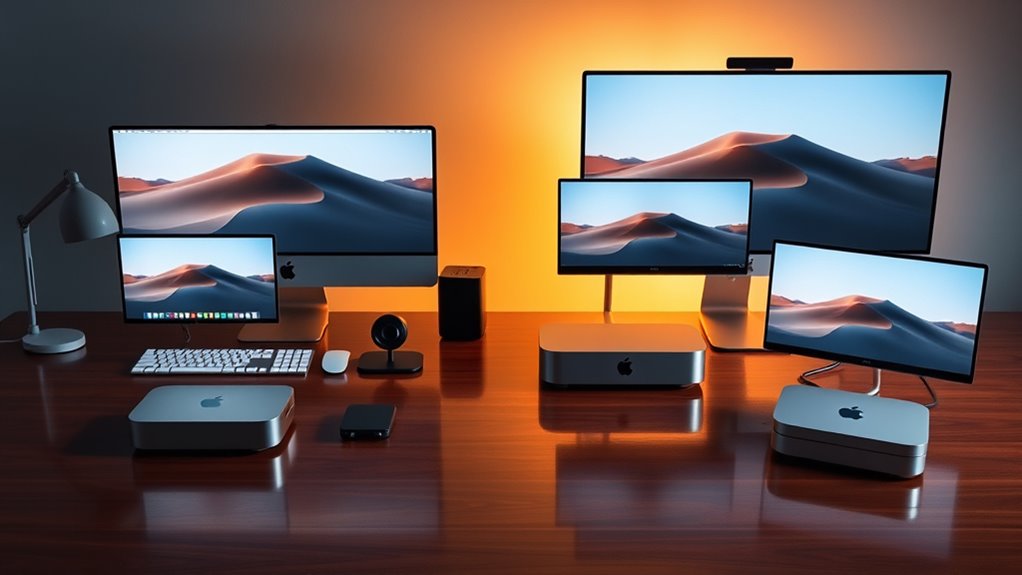

For most creators, the Mac mini with M4, 24GB memory, and a 1TB SSD is the strongest all-round configuration here: it pairs current Apple silicon with room for demanding apps and active projects. The M5 Pro Mac mini is the premium choice for heavier production, while the base M4 with 16GB memory suits lighter work and tighter budgets. The main tradeoffs are processing headroom, memory, built-in storage, and the age and support outlook of refurbished Intel models. I compare all six configurations by the creative work they can reasonably support and the compromises buyers should expect. Read on for the full breakdown and recommendations by creator type.

Get furniture and decor delivered free with Prime
- Fast, free delivery on millions of items
- Prime Video, Amazon Music and more included
- Member-only deals all year
Complete the kit


Key Takeaways
- The M4 with 24GB memory and 1TB SSD is the most balanced pick for creators who want current Apple silicon, more working memory, and usable internal project space in one configuration.
- The M5 Pro is the premium performance choice for demanding creative workloads, though its specific memory and storage configuration is not provided here, so buyers should check those details before choosing.
- The 16GB M4 is a better entry point than the older Intel options for many current creative workflows, but its 256GB SSD can fill quickly with media and project files.
- The refurbished M1 with 8GB memory can suit basic creative tasks, but limited memory and storage leave less room for multitasking and growing projects.
- The 2018 Intel i5 and Intel i3 models are specialist legacy picks; their older platforms and 8GB or 16GB memory configurations make them harder to recommend as primary machines for new creative setups.
| Apple Mac mini (2024) with M4 Chip, 10-Core CPU, 16GB RAM, 256GB SSD, Silver (Renewed) |  | Best Compact Starter for Creators | Model: Mac mini (2024) | Chip: Apple M4 | CPU: 10-core | VIEW ON AMAZON | See Our Full Breakdown |
| Apple Mac mini with M4, 10-core CPU and GPU, 24GB Memory, 1TB SSD |  | Best Overall for Most Creators | Processor: Apple M4, 10-core CPU | Graphics: 10-core GPU | Memory: 24GB | VIEW ON AMAZON | See Our Full Breakdown |
| Apple Mac mini Desktop Computer with M5 Pro |  | Best for Demanding Creative Work | Processor: Apple M5 Pro | Dimensions: 5 × 5 inches | Thunderbolt ports: Three Thunderbolt 5 | VIEW ON AMAZON | See Our Full Breakdown |
| Apple Mac mini (Late 2018), 3.0 GHz Intel Core i5, 16 GB RAM, 512 GB SSD, Space Gray (Renewed) |  | Best for Legacy Mac Workflows | Model: Mac mini (Late 2018) | Processor: 3.0 GHz Intel Core i5 | Memory: 16GB RAM | VIEW ON AMAZON | See Our Full Breakdown |
| Apple Mac mini (2020) with M1 Chip, 8GB RAM, 256GB SSD, Silver (Renewed) |  | Best for Lightweight Creative Setups | Model year: 2020 | Processor: Apple M1 | CPU: 8-core | VIEW ON AMAZON | See Our Full Breakdown |
| Apple Mac mini Desktop, Intel Core i3, 8GB RAM, 256GB SSD (Renewed) |  | Best for Legacy Workflows | Processor: Eighth-generation quad-core Intel Core i3, 3.6 GHz | Graphics: Intel UHD Graphics 630 | Memory: 8GB 2666MHz DDR4; expandable to 64GB | VIEW ON AMAZON | See Our Full Breakdown |
| mac mini configurations for creator | Memory | Storage | Processor | Condition |
|---|---|---|---|---|
| Apple Mac mini | 16GB RAM | 256GB SSD | — | Renewed |
| Apple Mac mini with M4 | 24GB | 1TB SSD | Apple M4, 10-core CPU | — |
| Apple Mac mini Desktop Compute | — | — | Apple M5 Pro | — |
| Apple Mac mini | 16GB RAM | 512GB SSD | 3.0 GHz Intel Core i5 | Renewed; pre-owned and not Apple certified |
| Apple Mac mini | 8GB unified memory | 256GB SSD | Apple M1 | Renewed |
| Apple Mac mini Desktop | 8GB 2666MHz DDR4; expandable to 64GB | 256GB SSD | Eighth-generation quad-core Intel Core i3, 3.6 GHz | Renewed; professionally inspected and tested |
More Details on Our Top Picks
Apple Mac mini (2024) with M4 Chip, 10-Core CPU, 16GB RAM, 256GB SSD, Silver (Renewed)
This renewed 2024 Mac mini gives a creator a current-generation M4 chip and 16GB of memory in a compact desktop, making it a stronger starting point for editing and design than the older M1 or Intel models here. That memory headroom can help when several creative apps are open, while the 256GB SSD keeps the setup lean. Compared with the M4 configuration with 24GB memory and 1TB storage, this one asks the buyer to manage projects on external storage and keep larger libraries elsewhere. Its main appeal is the small footprint and newer processor, but renewed condition adds uncertainty about cosmetic wear and included accessories. I’d choose it for a modest creative setup where portability of the desktop footprint matters more than local storage capacity.
Pros:- M4 chip provides a newer platform than the M1 and Intel options in this roundup
- 16GB RAM suits light creative multitasking better than the 8GB M1 model
- Compact desktop design fits easily into a small workspace
Cons:- 256GB SSD leaves limited room for media libraries and active projects
- Renewed condition may mean cosmetic wear or non-original accessories
- Memory and storage are modest beside the 24GB, 1TB M4 configuration
Best for: New creators editing occasional photos or short videos who want a compact M4 desktop and already use external or cloud storage.
Not ideal for: Video editors or designers with large project libraries who need ample internal storage and prefer a new, fully specified configuration.
- Model:Mac mini (2024)
- Chip:Apple M4
- CPU:10-core
- Memory:16GB RAM
- Storage:256GB SSD
- Color:Silver
- Condition:Renewed
Our verdict“Choose this renewed M4 Mac mini for light creative work in a small workspace if you can keep most project files off its 256GB drive.”
Apple Mac mini with M4, 10-core CPU and GPU, 24GB Memory, 1TB SSD
Among these configurations, this M4 Mac mini is the most balanced choice for creators who want room to work without stepping up to the demanding-workflow focus of the M5 Pro. Its 24GB of memory gives multitasking and creative applications more breathing room than the 16GB renewed M4, while the 1TB SSD can hold a useful working set of photos, audio, or video projects. Front and rear connections, including Thunderbolt, HDMI, USB-C, and Gigabit Ethernet, make it easier to build a desk setup around drives and displays. It still has finite local storage, and the listed intended uses emphasize everyday and business work rather than a specific pro workflow. I’d rank it ahead of the smaller-storage M4 for creators who want fewer immediate compromises, while reserving the M5 Pro for heavier workloads.
Pros:- 24GB memory offers more multitasking headroom than the 16GB M4 configuration
- 1TB SSD provides considerably more room for active creative projects than 256GB models
- Thunderbolt, HDMI, USB-C, and Gigabit Ethernet support a flexible desk setup
- Compact 5-by-5-inch desktop design
Cons:- The listing does not specify display support or detailed creative-workflow performance
- 1TB may still be restrictive for creators keeping large video libraries locally
- Less targeted at demanding workloads than the M5 Pro configuration
Best for: Photographers, podcasters, and independent video creators who multitask and want substantial built-in storage for active projects.
Not ideal for: Creators whose demanding render, AI, or multi-display work calls for the M5 Pro configuration, or those who need more than 1TB of local storage.
- Processor:Apple M4, 10-core CPU
- Graphics:10-core GPU
- Memory:24GB
- Storage:1TB SSD
- Operating system:macOS
- Dimensions:5 × 5 inches
- Connectivity:Thunderbolt, HDMI, USB-C, Gigabit Ethernet, headphone jack
Our verdict“Pick this M4 configuration for a well-rounded creative desktop with useful memory and storage headroom before moving to the M5 Pro.”
Apple Mac mini Desktop Computer with M5 Pro
This M5 Pro Mac mini is the lineup’s specialist for creators whose work puts sustained pressure on processing, graphics, or connected displays. Its M5 Pro chip and stated 307 GB/s memory bandwidth are aimed at demanding creative and on-device AI workflows, while support for up to three external displays can suit a multi-screen editing or production desk. Compared with the M4 model with 24GB memory and 1TB SSD, this listing points toward more demanding work but leaves memory and storage capacity unspecified. That makes configuration details a real buying constraint: creators need to confirm those capacities before choosing it for large projects. It also lacks an included display, and its three Thunderbolt 5 ports may be more capability than a beginner needs. I’d put it above the standard M4 for workload ambition, not as the default choice for every creator.
Pros:- M5 Pro is positioned for demanding creative and on-device AI workflows
- 307 GB/s memory bandwidth is specified
- Supports up to three external displays
- Three Thunderbolt 5 ports plus HDMI and 2.5Gb Ethernet
Cons:- Memory and storage capacity are not specified in the provided product data
- A display must be supplied separately
- Its capabilities may be unnecessary for lighter creative work compared with the 24GB M4
Best for: Experienced video editors, 3D creators, and technical artists building a multi-display workstation around demanding workflows.
Not ideal for: Beginning creators or buyers who need stated memory and SSD capacity before deciding, especially those seeking an all-in-one setup with a display.
- Processor:Apple M5 Pro
- Dimensions:5 × 5 inches
- Thunderbolt ports:Three Thunderbolt 5
- Other ports:HDMI, 2.5Gb Ethernet, two USB-C ports, headphone jack
- External display support:Up to three displays
- Wireless:Wi-Fi 7, Bluetooth 6
- Memory bandwidth:307 GB/s
Our verdict“Consider the M5 Pro for demanding, multi-display creative work only after confirming the memory and storage configuration you need.”
Apple Mac mini (Late 2018), 3.0 GHz Intel Core i5, 16 GB RAM, 512 GB SSD, Space Gray (Renewed)
This renewed 2018 Mac mini has a narrower role than the Apple silicon models: it may suit a creator who needs an older Intel Mac environment for existing software or project compatibility. Its 16GB RAM and 512GB SSD exceed the listed capacities of the renewed M1 and 2024 M4 starter, but those numbers do not make it the stronger choice for current creative workloads. Compared with the M4 models, it uses an older Intel Core i5 platform, so buyers should weigh software requirements and workload needs rather than storage alone. The unit is pre-owned, not Apple certified, and accessories may not be original. A stated replacement or refund window offers some recourse, though it does not remove the age and renewal tradeoffs. I’d select it for compatibility first, not as a general-purpose creator upgrade.
Pros:- 16GB RAM and 512GB SSD exceed the listed memory and storage of the renewed M1 model
- Professionally inspected, tested, and cleaned by qualified suppliers
- Includes functional compatible accessories
- Eligible for replacement or refund within 90 days of receipt
Cons:- Older Intel platform is less suited to new creative workflows than the M4 and M5 Pro options
- Pre-owned and not Apple certified
- Accessories may not be original and packaging may be generic
Best for: Creators maintaining older Intel Mac software or workflows who need a renewed desktop with 16GB RAM and 512GB SSD.
Not ideal for: Buyers starting a new editing, design, or AI workflow who want a current Apple silicon platform like the M4 or M5 Pro.
- Model:Mac mini (Late 2018)
- Processor:3.0 GHz Intel Core i5
- Memory:16GB RAM
- Storage:512GB SSD
- Color:Space Gray
- Condition:Renewed; pre-owned and not Apple certified
- Return policy:Replacement or refund within 90 days of receipt
Our verdict“Choose this renewed Intel Mac mini only when legacy software compatibility matters more than getting a newer creative-work platform.”
Apple Mac mini (2020) with M1 Chip, 8GB RAM, 256GB SSD, Silver (Renewed)
The renewed M1 Mac mini can handle a basic creative setup, but its 8GB unified memory places a clear ceiling on multitasking and larger projects. The M1’s 8-core CPU and GPU, plus a 16-core Neural Engine, give it a more modern Apple silicon foundation than the 2018 Intel Mac mini; for creators beginning with light photo work or simple design tasks, that distinction matters. Compared with the 2024 M4 with 16GB RAM, however, it offers half the memory and an older chip, so it is harder to recommend for growing workloads. Its 256GB SSD also leaves little room for media collections. Renewed condition adds another compromise. I’d treat this as a basic entry point for a tightly scoped workflow, rather than a machine to buy with ambitious editing plans.
Pros:- M1 chip includes an 8-core CPU and 8-core GPU
- 16-core Neural Engine supports machine learning tasks
- Compact Mac mini desktop form factor
Cons:- 8GB unified memory limits demanding apps and multitasking
- 256GB SSD is restrictive for creative media and project files
- Renewed condition may involve wear or non-original accessories
Best for: Beginners doing occasional photo edits, simple graphics, or audio projects who keep files externally and work in a small number of apps.
Not ideal for: Creators editing high-resolution video, running several demanding apps at once, or planning to build a large local project library.
- Model year:2020
- Processor:Apple M1
- CPU:8-core
- GPU:8-core
- Neural Engine:16-core
- Memory:8GB unified memory
- Storage:256GB SSD
- Condition:Renewed
Our verdict“Choose the renewed M1 for light, carefully scoped creative work, but move to the 16GB M4 if you expect your workload to grow.”
Apple Mac mini Desktop, Intel Core i3, 8GB RAM, 256GB SSD (Renewed)
This renewed Intel Mac mini suits creators whose work already depends on older macOS software or Intel-specific tools. Its 3.6 GHz quad-core processor and SSD can handle everyday editing, audio projects, and file organization, while four Thunderbolt 3 ports give room for fast external drives and displays. Compared with the 2020 Mac mini with M1, though, this model uses an older Intel platform and has less memory, making it a weaker fit for demanding creative apps and longer-term performance needs. Its memory can be expanded, which gives it more upgrade flexibility than many compact desktops, but upgrades take extra effort. The renewed condition and 8GB starting RAM also call for a tighter workload: choose it for established, modest workflows, not as a forward-looking workstation.
Pros:- Four Thunderbolt 3 ports support fast external storage and compatible displays
- 256GB SSD provides responsive startup and file access
- Memory is expandable up to 64GB
- Compact chassis fits easily into a small desk setup
Cons:- 8GB of memory can constrain multitasking and demanding creative software until upgraded
- Older Intel processor and integrated graphics trail the M1 and M4 options in the roundup
- Renewed, pre-owned condition may show wear and has less predictable longevity than a new system
Best for: Creators who need an inexpensive-to-run Intel Mac for legacy applications, basic photo work, or modest audio projects and are comfortable upgrading memory.
Not ideal for: Video editors working with high-resolution footage, large creative projects, or buyers who want current-generation performance and a longer upgrade runway.
- Processor:Eighth-generation quad-core Intel Core i3, 3.6 GHz
- Graphics:Intel UHD Graphics 630
- Memory:8GB 2666MHz DDR4; expandable to 64GB
- Storage:256GB SSD
- Operating system:macOS
- Ports:Four Thunderbolt 3 (USB-C), one HDMI 2.0, two USB 3
- Networking:Gigabit Ethernet and 802.11ac Wi-Fi
- Condition:Renewed; professionally inspected and tested
Our verdict“Choose this renewed Mac mini for a compact Intel machine serving modest or legacy creative workflows, and skip it if your projects need current-generation speed.”

How We Picked
I ranked these configurations by how well their stated chips, memory, and storage match common creator workloads, including photo editing, design, audio work, and video production. Current Apple silicon configurations rank higher because they offer a stronger starting point for modern creative apps than the older Intel systems listed here. Memory and internal storage also matter: a machine can feel constrained when large projects, multiple apps, and media files compete for limited capacity.
The order reflects the information provided for each model, not hands-on testing or unlisted specifications. That puts the M4 with 24GB memory and 1TB SSD first for its balanced configuration, with the M5 Pro next as the performance-focused option whose full configuration needs checking. The 16GB M4 follows as a capable lighter-work choice; the refurbished M1 and Intel models rank lower because their listed memory, age, or platform make them narrower fits for creators buying a main workstation.
| mac mini configurations for creator | Condition |
|---|---|
| Apple Mac mini | Renewed |
| Apple Mac mini with M4 | — |
| Apple Mac mini Desktop Compute | — |
| Apple Mac mini | Renewed; pre-owned and not Apple certified |
| Apple Mac mini | Renewed |
| Apple Mac mini Desktop | Renewed; professionally inspected and tested |
Factors to Consider When Choosing Mac Mini Configurations For Creators
Choose around the work you do most often and the limits you can accommodate. The chip gets attention, but memory, project storage, external devices, and software needs can shape day-to-day use just as much.
Match Processing Power to Your Heaviest Regular Task
Start with the most demanding job you expect to do every week, not an occasional task you may never adopt. Photo editing, illustration, and audio production can place different demands on a computer than effects-heavy video work or complex timelines. The M4 configurations are the practical center of this lineup, while the M5 Pro is aimed at buyers who need more performance headroom. An older Intel model may still handle a narrow, established workflow, but its age makes it a less flexible foundation for new creative demands. If your work is mostly light design or editing, paying for a higher tier may not improve your day-to-day experience as much as adding memory or storage. Check the requirements of your specific apps before choosing by chip name alone.
Treat Memory as Working Space, Not a Future Upgrade
Memory affects how comfortably apps can keep large files and tasks active at the same time. Creators who move between editing software, a browser, reference material, and communication tools may feel the difference more than someone working in a single lightweight app. This roundup spans 8GB, 16GB, and 24GB configurations, making it clear that these options do not offer equal multitasking room. Do not assume you can add memory later; confirm whether the exact model supports upgrades before buying. A newer chip paired with less memory may be a less comfortable choice for sustained multitasking than its headline processor suggests. Pick capacity based on the largest projects and app combinations you regularly handle.
Plan Storage Around Active Projects and Media
A 256GB internal SSD can work if you keep active projects small and manage files on external drives or network storage. Video footage, sample libraries, raw photos, and caches can consume that space faster than a new buyer expects. The 1TB M4 configuration gives creators more breathing room for active work, but a larger internal drive still does not replace a backup plan. Before buying, estimate the space needed for your current project, source media, exports, and app files together. External storage can stretch a smaller configuration, but it adds another device to carry, connect, and protect. Keep a separate copy of important work so a single drive failure does not take your only project copy with it.
Check the Exact Configuration of the Premium Model
A product name alone does not tell you the memory and storage capacity of the M5 Pro listing in this roundup. Those details can change how well the computer fits a creator’s workload and how much external storage they may need. Verify the exact chip, memory, SSD capacity, ports, and included accessories before comparing it with a fully specified M4. Consider the premium model when demanding tasks are central to your work and the configuration meets those needs. If the machine will mostly handle lighter creative tasks, a well-specified M4 may provide a more balanced setup. Avoid paying for a higher-tier label without confirming the details that affect your projects.
Weigh Refurbished Age Against Your Software Needs
Refurbished hardware can appeal to buyers with a defined budget or a workflow tied to older software and devices. The 2018 Intel i5 and Intel i3 models, along with the 2020 M1, differ substantially in age and listed memory, so they should not be treated as one interchangeable group. Check current operating-system support and compatibility with every essential creative app, plugin, interface, and peripheral. Confirm the seller’s return terms and the condition of the specific unit, especially when reliability matters for paid work. Older systems can make sense as secondary machines or for basic tasks, but a creator buying one primary computer should account for how long it can meet future app requirements. A newer M4 may be the simpler long-term choice even if an older refurbished model meets today’s minimum needs.
Include the Rest of the Desk in Your Decision
The Mac mini is a desktop computer, so the complete setup also depends on a display, keyboard, mouse or tablet, and any storage or audio equipment you need. If you already own compatible accessories, a compact computer may fit neatly into your workspace. If you are starting from scratch, account for the cost and desk space of the full system rather than judging the computer alone. Creators should check that the ports and connections on the exact model support their monitors, storage, audio interfaces, and other devices. Older Intel models may be a better match for a legacy setup, while a new configuration can suit someone building around current equipment and apps. List your must-connect devices before you choose, so adapters do not become a surprise part of the setup.
Frequently Asked Questions
Is the M4 with 16GB memory enough for video editing?
It can suit lighter editing and projects with manageable footage, especially when you keep other demanding apps closed. The 256GB SSD is a separate constraint because media and cache files can occupy space quickly. If you edit complex timelines, work with large source files, or multitask heavily, the 24GB M4 gives more working room and its 1TB SSD can hold more active material. Your editing app’s requirements and the video formats you use should guide the choice. Plan for external storage if you select the smaller drive.
Should I choose the M5 Pro or the M4 with 24GB memory and 1TB SSD?
Choose based on workload and the exact M5 Pro configuration. Its product listing identifies it as an M5 Pro model but does not state memory or SSD capacity here, so verify those before comparing it with the fully specified M4. The M5 Pro is the performance-focused choice for creators with demanding regular tasks, while the 24GB M4 offers a clearly defined balance of memory and internal storage. If the M5 Pro’s capacity does not fit your projects, the M4 may be the more practical complete configuration. Compare the full specifications for the specific unit you intend to buy.
Can I use a 256GB Mac mini if I store projects externally?
Yes, external storage can hold media and archived projects while the internal drive handles apps and active files. That setup is more manageable for photo, design, and audio work when project sizes are under control. Video creators may need to pay closer attention to cache files, source footage, and free internal space. An external drive adds another device and connection to your desk, and it should be backed up like any other storage. If you prefer to keep more active work on the computer, the 1TB M4 is a more convenient fit.
Is a refurbished Intel Mac mini a sensible primary computer for creative work?
It can be sensible when your workflow depends on compatible legacy software or peripherals and the computer meets those apps’ current requirements. The 2018 i5 has 16GB memory and a 512GB SSD, while the Intel i3 has 8GB and a 256GB SSD, so the i5 has more listed capacity for creative tasks. Both are older platforms than the Apple silicon models in this roundup, which limits their appeal for buyers who want a flexible new setup. Check operating-system and app support, condition, and seller return terms before relying on one for paid projects. For most new creator workstations, the M4 configurations are stronger starting points.
Which Mac mini is the easiest choice for a beginner creator?
The base M4 with 16GB memory is the most straightforward entry into current Apple silicon among the fully specified options here. It can support a range of lighter creative tasks without the older platform limitations of the refurbished Intel models. Its 256GB SSD calls for deliberate file management or an external drive, so beginners should plan storage early. If your budget allows and your work will grow into larger projects, the M4 with 24GB memory and 1TB SSD leaves more room to develop. The right pick depends on whether you value a lower-complexity starting setup or more capacity from the outset.
Conclusion
For most creators, I recommend the M4 with 24GB memory and 1TB SSD as the best overall choice because it balances modern Apple silicon with room for apps and active projects. The base M4 with 16GB memory is the best value for beginners and lighter creative work, provided its 256GB drive fits your file habits. Choose the M5 Pro as the premium option when demanding workloads justify it, after confirming its full configuration. The refurbished M1 is a narrower fit for basic work, while the Intel i5 may suit a legacy workflow that benefits from its listed 16GB memory and 512GB SSD. I would reserve the Intel i3 for simple tasks or a secondary computer; creators building a primary workstation should favor one of the M4 configurations.
Halloween Picks

Vexalify 11-Inch Halloween Pumpkin Fog Machine with 12-Color Lights

10ft Halloween Inflatable Archway – Pumpkin Skeleton Yard Décor

12-Foot Inflatable Pumpkin Halloween Archway with LED Lights
As an affiliate, we earn on qualifying purchases.