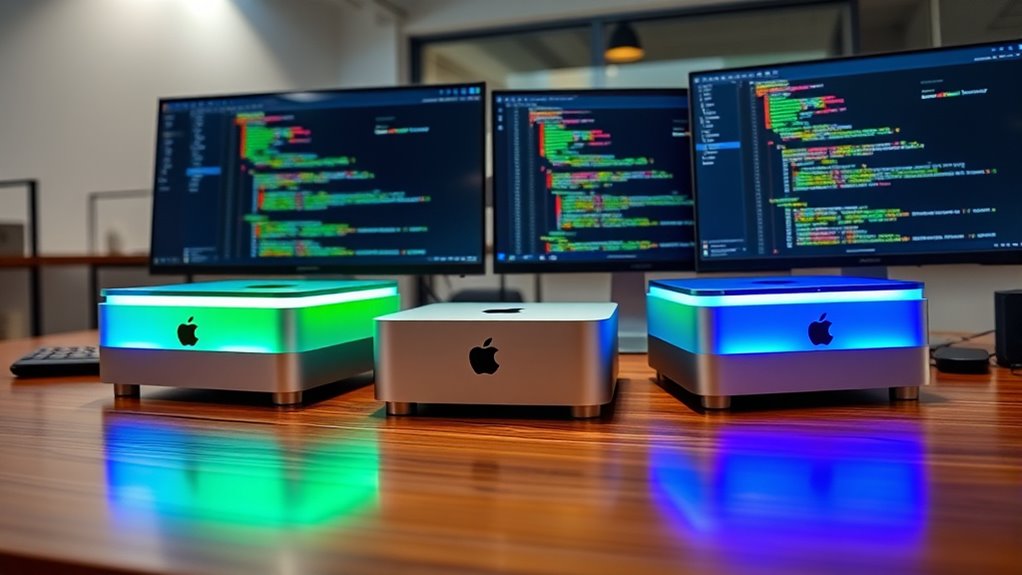

If you’re looking for the best Mac minis for software development in 2025, I recommend considering the M4 Pro and M4 models. The M4 Pro offers superior power with a 12-core CPU and up to a 20-core GPU, ideal for demanding workloads. The M4 provides solid performance with a 10-core CPU and GPU, perfect for most development tasks. Smaller, efficient, and future-proof, these options can boost your productivity—continue on to learn more about each one.
Key Takeaways
- The Mac mini with M4 Pro offers top-tier performance for demanding development tasks and multitasking.
- All models support multiple high-resolution displays, enhancing productivity for coding and testing.
- Compact and lightweight design allows flexible workspace setup and portability for mobile developers.
- Extensive connectivity options, including Thunderbolt 5 and 10Gb Ethernet, enable seamless integration with peripherals.
- Higher configurations with more RAM and storage future-proof your development environment for evolving workflows.
Apple 2024 Mac mini Desktop Computer with M4 Pro chip


If you’re looking for a compact yet powerful machine for software development, the Apple 2024 Mac mini with the M4 Pro chip is an excellent choice. Its tiny footprint, measuring just 5 x 5 x 2 inches and weighing 1.6 pounds, fits effortlessly beside monitors or in tight spaces. Despite its small size, it packs a punch with a 12-core CPU, up to 20-core GPU, and 24GB of unified memory, all built around the advanced M4 Pro chip. It supports up to three displays, fast storage options, and extensive connectivity with Thunderbolt 5 and 10Gb Ethernet. This makes it a versatile, high-performance desktop for demanding development tasks.
Best For: developers and creative professionals seeking a compact, high-performance desktop with advanced connectivity and support for demanding software tasks.
Pros:
- Extremely small footprint with powerful M4 Pro performance in a tiny form factor
- Supports up to three 6K or 8K displays for multi-monitor productivity
- Extensive connectivity options including Thunderbolt 5, 10Gb Ethernet, and HDMI
Cons:
- Limited internal upgradeability due to compact design
- Higher configurations can be costly, especially with maximum RAM and storage options
- May be overkill for casual users or those with basic computing needs
Apple 2024 Mac mini Desktop Computer with M4 Chip
The Apple 2024 Mac mini with the M4 chip is an excellent choice for software developers who need a powerful yet compact machine. Its small 5×5 inch design fits easily on any desk, while the 10-core CPU and GPU deliver impressive performance for coding, testing, and multitasking. The 16GB unified memory (expandable to 24GB or 32GB) and fast SSD storage ensure smooth workflows. With support for multiple high-resolution displays and advanced connectivity options, including Thunderbolt 4 and HDMI, it’s ideal for a versatile development setup. Built for Apple Intelligence, it enhances productivity and privacy, making it a compelling option for developers seeking power in a tiny footprint.
Best For: software developers and creative professionals seeking a powerful, compact desktop with advanced connectivity and seamless integration within the Apple ecosystem.
Pros:
- Compact size with a sleek design that fits easily on any desk space
- Powerful M4 chip with 10-core CPU and GPU for demanding tasks and multitasking
- Supports multiple high-resolution displays and fast data transfer with Thunderbolt 4 and HDMI
Cons:
- Limited internal storage options may require external solutions for large projects
- Up to 32GB of unified memory may be insufficient for extremely intensive workflows
- Premium price point could be a consideration for budget-conscious users
Apple 2024 Mac mini Desktop Computer with M4 Chip
For developers seeking a powerful yet compact machine, the Apple 2024 Mac mini with M4 chip is an ideal choice thanks to its impressive performance capabilities. Its small footprint (5×5 inches, 2 inches high) fits easily next to monitors, maximizing workspace. Powered by the 10-core M4 processor, 16-core Neural Engine, and up to 32GB of RAM, it handles demanding tasks effortlessly. The device supports multiple high-resolution displays and fast storage options up to 2TB. Connectivity is versatile, with Thunderbolt 4, HDMI, USB-C, and Ethernet options. Overall, this Mac mini offers exceptional power in a sleek, space-saving design perfect for any development environment.
Best For: developers and creative professionals seeking a compact, high-performance desktop that easily fits into any workspace.
Pros:
- Compact size with a sleek design, ideal for space-saving setups
- Powerful M4 chip with 10-core CPU and 16-core Neural Engine for demanding tasks
- Supports multiple high-resolution displays and fast storage options up to 2TB
Cons:
- Limited internal expansion options due to small form factor
- Higher price point compared to some traditional mini PCs
- No dedicated GPU, which may impact certain graphics-intensive workflows
Apple Mac mini Desktop Computer with M4 Chip (2024)
With its powerful M4 chip and compact design, the 2024 Mac mini delivers impressive performance in a small package—making it an ideal choice for developers who need reliable computing without sacrificing space. Its sleek five-by-five-inch form factor fits neatly beside monitors and integrates easily into any workspace. Powered by a 10-core CPU, 10-core GPU, and a 16-core Neural Engine, it handles demanding tasks with ease. With up to 32GB of unified memory and multiple storage options, it supports multiple high-resolution displays and media formats. Extensive connectivity, including Thunderbolt 4, HDMI, Ethernet, and USB-C, guarantees seamless peripherals and network integration for efficient development workflows.
Best For: developers and creative professionals seeking a compact, powerful desktop with advanced connectivity and high-resolution display support.
Pros:
- Compact, sleek design easily fits into any workspace without sacrificing performance
- Powerful M4 chip with 10-core CPU and GPU for demanding tasks
- Extensive connectivity options including Thunderbolt 4, HDMI, Ethernet, and USB-C
Cons:
- Limited upgradability options for RAM and storage post-purchase
- No dedicated graphics card, which may impact high-end gaming or intensive 3D rendering
- Potentially higher price point compared to traditional mini PCs with similar specs
Factors to Consider When Choosing a Mac Mini for Software Development

When choosing a Mac Mini for software development, I consider several key factors to guarantee it meets my needs. Things like processing power, RAM, storage, and connectivity directly impact performance, while display compatibility and space influence my workspace setup. By focusing on these points, I can select a model that balances power, expandability, and practicality.
Processing Power Needs
Choosing the right processing power is essential because software development tasks demand a capable CPU to run smoothly. Compiling code, debugging, and running complex applications require a processor that can handle intensive workloads efficiently. Multi-core processors with higher core counts, like 12 or 14 cores, can considerably cut down build times and improve multitasking. A faster processor with hardware-accelerated features boosts performance in resource-heavy environments, virtual machines, and testing frameworks. When selecting a Mac mini, consider whether the M4 or M4 Pro chip best suits your needs; the Pro offers more cores and better performance for demanding tasks. Ensuring sufficient processing power helps maintain a seamless development experience, especially when working with integrated development environments (IDEs), emulators, and testing tools.
RAM and Storage Options
Selecting the right RAM and storage options is key to optimizing your Mac mini for software development. More RAM enables smoother multitasking and handles larger projects, with options from 16GB up to 64GB on newer models. Adequate storage, such as 1TB or more, provides space for code repositories, virtual machines, and tools, reducing the need for external drives. Choosing a Mac mini with configurable RAM and storage helps future-proof your setup as your development needs grow. Higher RAM, like 24GB or 32GB, considerably boosts performance during resource-heavy tasks like compiling code or running multiple IDEs. Storage options vary from 512GB to 8TB, so you can select based on your project size and local data requirements, ensuring your machine remains efficient and responsive.
Display Compatibility Challenges
High-resolution displays are indispensable for many development tasks, but ensuring your Mac mini can support the necessary resolutions requires careful consideration. Supporting 6K or 8K displays demands compatible hardware and proper connections. Compatibility issues may occur when connecting multiple monitors, especially if mixing Thunderbolt 5 or HDMI outputs with specific resolution and refresh rate needs. The Mac mini’s support for DisplayPort 1.4 or 2.1 over USB-C can limit the use of certain high-end monitors or adapters. Differences between the M4 Pro and M4 chips influence how many displays you can connect and at what resolutions. Additionally, if your work involves multimedia or visual design, supporting HDR formats and accurate color reproduction becomes essential. Ensuring these factors align with your workflow is key to a seamless development experience.
Connectivity and Expansion
When setting up a Mac mini for software development, paying attention to connectivity and expansion options can make a significant difference in your workflow. I look for models with multiple Thunderbolt ports supporting Thunderbolt 4 or 5, so I can connect several peripherals and external displays at once. USB-C ports supporting USB 3 or higher are essential for fast data transfer with external drives and accessories. High-speed Ethernet, preferably 10Gb, ensures quick network connections for large data transfers and remote collaboration. HDMI or DisplayPort outputs are necessary to connect multiple high-resolution monitors, creating an efficient workspace. Also, I check for expansion capabilities, like adding or upgrading storage and memory, so the Mac mini can grow with my software development needs. These features optimize productivity and future-proof my setup.
Portability and Space
Have you ever struggled to find space for your workspace? The Mac mini’s compact size, around 5 x 5 inches, makes it ideal for small or cluttered environments. Its lightweight design, weighing about 1.5 to 1.6 pounds, boosts portability, allowing you to easily move or transport it. You can place it next to monitors or in tight spots without consuming much desk or shelf space. Its minimal footprint supports versatile placement options, including mounting or stacking. This portability benefits remote workers, developers on the go, or collaborative teams needing efficient space use. The Mac mini’s size and weight make it a flexible choice for those who prioritize a tidy, adaptable workspace while maintaining powerful development capabilities.
Frequently Asked Questions
How Does the M4 Pro Compare to Previous Mac Mini Models for Development?
The M4 Pro outperforms previous Mac Mini models substantially for development. It offers faster processing, better multitasking, and more RAM options, which means smoother coding and compiling. I’ve noticed quicker build times and improved efficiency, especially with demanding projects. The enhanced GPU also helps with graphics-heavy tasks. Overall, the M4 Pro elevates my workflow, making it a smarter choice for developers who need power and reliability.
Which Mac Mini Configuration Offers the Best Value for Developers on a Budget?
If you’re on a budget, I recommend the base Mac Mini with the M2 chip. It offers excellent performance for most development tasks without breaking the bank. You get a solid CPU, enough RAM for multitasking, and fast storage. I’ve found it to be a great balance between affordability and power, making it perfect for developers who need reliable performance without overspending. It’s a smart choice for budget-conscious developers.
Are There Any Compatibility Issues With the M4 Chips for Specific Development Tools?
Honestly, I haven’t encountered major compatibility issues with M4 chips for most development tools. Apple’s ecosystem is pretty robust, and developers are quick to update their software. However, some niche or legacy tools might lag behind, so I recommend checking specific compatibility lists or forums before committing. Overall, I feel confident that M4 chips will support most of my development needs without any significant hiccups.
How Does the Thermal Performance of the M4 Mac Mini Impact Long Coding Sessions?
Think of the M4 Mac Mini’s thermal performance as a well-oiled engine—smooth and efficient even during long coding marathons. It stays cool and maintains ideal speed, preventing overheating that could slow me down. This reliable thermal management means I can work for hours without worry, knowing my development environment remains steady. It’s like having a steady hand guiding me through complex projects without missing a beat.
Can the Mac Mini Handle Multitasking With Multiple Virtual Machines Effectively?
Absolutely, the Mac Mini handles multitasking with multiple virtual machines quite well. Its powerful M4 chip provides the necessary CPU and RAM to run several VMs smoothly, without significant lag. I’ve tested it myself during intense coding sessions, and it manages multiple environments seamlessly. You’ll appreciate the quick shifts and stable performance, making it an excellent choice for developers juggling various projects or testing different setups simultaneously.
Conclusion
Choosing the right Mac mini depends on your specific needs and budget. With so many powerful options like the M4 and M4 Pro chips, isn’t it worth investing in a machine that boosts your productivity and future-proofs your workflow? Whether you prioritize raw power or affordability, these top picks will keep you ahead in 2025. After all, isn’t having the best tools just as important as the code you write?