
For those seeking a truly integrated smart home experience, premium smart home hubs offer robust compatibility, advanced automation, and seamless control. The Amazon Echo Hub stands out as the best overall due to its intuitive interface and broad device support, while the Aeotec Smart Home Hub impresses with its Z-Wave and Zigbee versatility. Still, choosing the right hub involves balancing cost, compatibility, ease of use, and automation complexity. Read on to explore the top options and find the perfect fit for your smart home ambitions.

Get furniture and decor delivered free with Prime
- Fast, free delivery on millions of items
- Prime Video, Amazon Music and more included
- Member-only deals all year
Complete the kit


Key Takeaways
- Compatibility across multiple protocols like Z-Wave, Zigbee, and Matter is essential for future-proofing your smart home.
- High build quality and user interface matter more than just raw device support for daily convenience.
- The ability to integrate popular voice assistants is a key differentiator among premium hubs.
- Local control capabilities can reduce latency and improve reliability, especially for complex automations.
- Price differences often reflect added features like advanced automation, multi-protocol support, or built-in displays.
| Amazon Echo Hub, 8” Smart Home Control Panel with Alexa, Compatible with Thousands of Devices |  | Best Overall Smart Home Hub | Display: 8-inch touch screen with 1280 x 800 resolution | Power requirements: Compatible with USB-C PD power accessories; supports PoE with converter | Connectivity: Dual-band WiFi, Bluetooth, Zigbee, Thread, Matter | VIEW ON AMAZON | See Our Full Breakdown |
| Aqara Smart Home Hub M3 with Matter Support, IR Blaster, and Multi-Protocol Compatibility |  | Best for Advanced Local Automation | Protocols Supported: Zigbee, Thread, Matter | Device Capacity: 127 Zigbee, 127 Thread devices | Connectivity: Wi-Fi 2.4/5 GHz, PoE, USB-C | VIEW ON AMAZON | See Our Full Breakdown |
| Aeotec Smart Home Hub – Works as a SmartThings Hub with Z-Wave, Zigbee, Matter, Wi-Fi, and Voice Assistant Compatibility |  | Best for Broad Protocol Compatibility & Voice Control | Weight: 1.1 pounds | Connectivity Technology: Ethernet, Wi-Fi, Z-Wave, ZigBee, Matter | Supported Protocols: Matter, SmartThings, Z-Wave, ZigBee | VIEW ON AMAZON | See Our Full Breakdown |
| SmartThings Hub 3rd Generation – Home Automation Hub Compatible with Alexa, Google Home, Zigbee, Z-Wave |  | Best for Samsung Ecosystem Users | Manufacturer: Samsung | Part Number: GP-U999SJVLGDA | Item Weight: 8 ounces | VIEW ON AMAZON | See Our Full Breakdown |
| Homey Pro mini | Smart Home Hub for Home Automation with Zigbee, Ethernet, Matter & Thread |  | Best for Custom Routines & Privacy-Conscious Automation | Protocols Supported: Zigbee, Matter, Thread | Connectivity: Ethernet, Zigbee, Thread | Additional Compatibility: Supports Z-Wave, Bluetooth, Infrared (via Homey Bridge) | VIEW ON AMAZON | See Our Full Breakdown |
| SONOFF Bridge Max Smart Home Hub |  | Best for Cross-Platform Compatibility and Local Control | Compatible Devices: Smart Home Hub | Antenna Location: Home | Connectivity Technology: Wi-Fi, Ethernet, Zigbee | VIEW ON AMAZON | See Our Full Breakdown |
| Amazon Echo Hub (newest model), 8″ Smart Home Control Panel with Alexa+ |  | Best for User-Friendly Smart Home Management with Visual Interface | Display Size: 8 inches | Compatibility: WiFi, Bluetooth, Zigbee, Matter, Sidewalk, Thread | Control: Smart devices, cameras, routines, media | VIEW ON AMAZON | See Our Full Breakdown |
| Home Assistant Green | Smart Home Hub with Advanced Automation |  | Best for Power Users Focused on Local Processing | RAM: 4 GB | Storage Capacity: 32 GB | Connectivity Technology: Ethernet, USB | VIEW ON AMAZON | See Our Full Breakdown |
| MOES Smart Home Control Panel with Alexa Built-in and Zigbee Hub |  | Best for All-in-One Voice and Zigbee Control | Compatibility: Smart Life devices, switches, bulbs, sockets, cameras, locks | Display: 5-inch full touch screen | Voice Assistant: Alexa built-in | VIEW ON AMAZON | See Our Full Breakdown |
| Hubitat Elevation C-8 Pro Smart Home Hub, Local Control and Automations |  | Best for Advanced Local Automation and Protocol Support | Processor: 2.0 GHz | RAM: 2 GB | Connectivity: Wi-Fi, Ethernet | VIEW ON AMAZON | See Our Full Breakdown |
| premium smart home hub | Connectivity |
|---|---|
| Amazon Echo Hub | Dual-band WiFi, Bluetooth, Zigbee, Thread, Matter |
| Aqara Smart Home Hub M3 with M | Wi-Fi 2.4/5 GHz, PoE, USB-C |
| Aeotec Smart Home Hub | — |
| SmartThings Hub 3rd Generation | — |
| Homey Pro mini | Smart Home Hu | Ethernet, Zigbee, Thread |
| SONOFF Bridge Max Smart Home H | — |
| Amazon Echo Hub | — |
| Home Assistant Green | Smart H | — |
| MOES Smart Home Control Panel | Zigbee, wired and wireless |
| Hubitat Elevation C-8 Pro Smar | Wi-Fi, Ethernet |
More Details on Our Top Picks
Amazon Echo Hub, 8” Smart Home Control Panel with Alexa, Compatible with Thousands of Devices
The Amazon Echo Hub stands out for its large 8-inch touch screen combined with Alexa voice control, making it an intuitive centerpiece for managing a broad array of smart devices. Compared with the Aeotec Smart Home Hub, it offers a more user-friendly interface and integrated voice assistant, but at the cost of requiring separate purchase for a stand or Ethernet adapter. Its support for multiple protocols, including Zigbee, Thread, and Matter, broadens device compatibility, yet advanced features may demand additional accessories or device integrations. Its wall-mount capability and eco-friendly materials make it suitable for permanent installation in shared spaces, while the mic-off button addresses privacy concerns. However, it isn’t portable or handheld, limiting flexibility.
Pros:- Large, high-resolution 8-inch touch screen for easy device management
- Supports a wide range of protocols including Zigbee, Thread, and Matter
- Built-in Alexa voice control adds convenience and hands-free operation
- Made from environmentally friendly recycled materials
Cons:- Requires additional purchase for a stand or Ethernet adapter to optimize placement
- Not designed for portable or handheld use, limiting versatility
- Some advanced features might need extra compatible devices
Best for: Homeowners seeking a comprehensive, easy-to-use control panel with Alexa integration for a connected smart home.
Not ideal for: renters or users needing a portable hub, as it requires wall-mounting or a dedicated stand and isn’t designed for mobility.
- Display:8-inch touch screen with 1280 x 800 resolution
- Power requirements:Compatible with USB-C PD power accessories; supports PoE with converter
- Connectivity:Dual-band WiFi, Bluetooth, Zigbee, Thread, Matter
- Sensors:Passive infrared, ambient light sensor
- Materials:Made from 27% recycled materials
- Included in the box:Echo Hub, power adapter, 6 ft. cord, wall mount, screws, mounting template, quick start guide
Our verdict“Ideal for users who want a stylish, all-in-one smart home control panel with voice assistance and broad device support.”
Aqara Smart Home Hub M3 with Matter Support, IR Blaster, and Multi-Protocol Compatibility
The Aqara M3 Hub excels in supporting multiple protocols—Zigbee, Thread, and Matter—making it a flexible choice for tech-savvy users who prioritize local automation over cloud reliance. Unlike the SmartThings Hub 3rd Generation, which focuses on broad protocol support but is somewhat limited in compatibility outside of Samsung’s ecosystem, the Aqara M3 emphasizes privacy with encrypted local storage and flexible installation options, including mounting hardware. Its IR blaster adds a layer of control for non-smart devices, but its functionality depends heavily on app integration, and third-party Zigbee devices are unsupported. Power over Ethernet and USB-C adapters are sold separately, adding to setup complexity.
Pros:- Supports Zigbee, Thread, and Matter for extensive device compatibility
- Local automation with encrypted storage enhances privacy
- Flexible mounting options for seamless integration into various environments
- Includes a 360° IR blaster for controlling non-smart devices
Cons:- Third-party Zigbee devices are not supported, limiting expansion
- Power over Ethernet and USB-C power supplies are sold separately
- IR blaster functionality may vary based on app updates
Best for: Home automation enthusiasts who want a multi-protocol hub with strong local control and IR capabilities.
Not ideal for: Casual users or those needing plug-and-play simplicity, as setup and configuration can be complex and IR features depend on app support.
- Protocols Supported:Zigbee, Thread, Matter
- Device Capacity:127 Zigbee, 127 Thread devices
- Connectivity:Wi-Fi 2.4/5 GHz, PoE, USB-C
- Storage:8GB encrypted local storage
- IR Blaster:360° with feedback and learning
- Power:PoE, USB-C (adapter not included)
Our verdict“Perfect for tech enthusiasts seeking a multi-protocol, privacy-focused hub with IR control capabilities.”
Aeotec Smart Home Hub – Works as a SmartThings Hub with Z-Wave, Zigbee, Matter, Wi-Fi, and Voice Assistant Compatibility
The Aeotec Smart Home Hub offers extensive protocol support, including Z-Wave, Zigbee, and Matter, making it a versatile choice for integrating a wide array of smart devices. Compared to the SmartThings Hub 3rd Generation, it provides seamless voice control via Alexa and Google Assistant, with straightforward setup through Wi-Fi or Ethernet. However, its primary focus on North American markets and the need for a compatible smartphone app for setup could limit its appeal elsewhere. While it excels in protocol support, some users report connectivity issues that can hinder reliability. Its compatibility with popular voice assistants makes it ideal for those seeking a centralized voice-activated hub.
Pros:- Supports Z-Wave, Zigbee, and Matter for extensive device integration
- Works with Alexa and Google Assistant for voice control
- Easy setup via Wi-Fi or Ethernet with the SmartThings app
- Supports multiple protocols, reducing the need for multiple hubs
Cons:- Primarily designed for North America, limiting compatibility elsewhere
- Requires a smartphone app for initial setup and ongoing control
- Some users experience connectivity reliability issues
Best for: Tech-savvy homeowners who want a highly compatible hub with voice control and flexible automation options.
Not ideal for: International users or those without a strong Wi-Fi setup, due to regional limitations and possible connectivity issues.
- Weight:1.1 pounds
- Connectivity Technology:Ethernet, Wi-Fi, Z-Wave, ZigBee, Matter
- Supported Protocols:Matter, SmartThings, Z-Wave, ZigBee
- Control Method:App, Voice
- Frequency:908.42 MHz
- Color:White
Our verdict“Best suited for users who want multi-protocol support combined with voice control in a reliable, integrated hub.”
SmartThings Hub 3rd Generation – Home Automation Hub Compatible with Alexa, Google Home, Zigbee, Z-Wave
The SmartThings Hub 3rd Generation delivers reliable automation for Samsung ecosystem fans, supporting Zigbee and Z-Wave for broad device compatibility. Its simple wall-mount design and straightforward app control make it accessible, especially for those already invested in Samsung products. However, its limited protocol support outside of Samsung’s ecosystem and reports of connectivity hiccups mean it isn’t the best fit for complex or multi-brand setups. The need for compatible devices for full functionality and occasional connection issues can be a frustration, especially for users seeking a more seamless experience across brands.
Pros:- Supports Zigbee and Z-Wave for broad device compatibility
- Easy to mount and set up via the app
- Enables automation and remote control within the Samsung ecosystem
- Includes motion sensor for automation triggers
Cons:- Limited to Samsung-compatible devices and protocols
- Some users report connectivity issues affecting reliability
- Requires compatible devices for full functionality
Best for: Samsung ecosystem users who want a straightforward, reliable hub with integrated automation and device control.
Not ideal for: Users with devices from multiple brands seeking a more universal or advanced automation platform, due to its ecosystem restrictions.
- Manufacturer:Samsung
- Part Number:GP-U999SJVLGDA
- Item Weight:8 ounces
- Product Dimensions:5 x 5 x 1.2 inches
- Color:White
- Special Features:Motion sensor included
Our verdict“Great for Samsung users who want a simple, integrated hub for reliable automation within the ecosystem.”
Homey Pro mini | Smart Home Hub for Home Automation with Zigbee, Ethernet, Matter & Thread
The Homey Pro mini distinguishes itself through its support for numerous protocols—Zigbee, Matter, and Thread—making it ideal for users who desire extensive device compatibility and local control. Unlike the Amazon Echo Hub, which emphasizes a touchscreen interface and Alexa integration, the Homey Pro mini emphasizes personalized routines and privacy, as it operates independently of cloud services. The ability to create custom routines with Homey Flow provides a flexible automation experience, but the need to purchase a separate Homey Bridge for Z-Wave, Bluetooth, or Infrared support adds complexity and cost. Its learning curve may be steep for newcomers, but it rewards experienced users with strong privacy and flexibility.
Pros:- Supports Zigbee, Matter, and Thread for wide device compatibility
- Local control preserves privacy and maintains operation during internet outages
- Custom routines with Homey Flow enable advanced automation
- No subscription fees for full feature access
Cons:- Requires separate purchase of Homey Bridge for Z-Wave, Bluetooth, and Infrared
- Learning curve for creating complex automation routines
- Additional hardware cost can increase overall expense
Best for: Advanced users seeking broad protocol support, local automation, and no subscription fees for customization.
Not ideal for: Beginners or those seeking a plug-and-play hub, since setup and automation design require familiarity with the platform.
- Protocols Supported:Zigbee, Matter, Thread
- Connectivity:Ethernet, Zigbee, Thread
- Additional Compatibility:Supports Z-Wave, Bluetooth, Infrared (via Homey Bridge)
- Local Control:Yes
- Subscription Required:No
Our verdict“Best suited for tech-savvy users who want a versatile, privacy-focused hub with extensive protocol support and custom automation capabilities.”
SONOFF Bridge Max Smart Home Hub
The SONOFF Bridge Max stands out for supporting multiple ecosystems like Zigbee, BTHome, and eWeLink, making it highly versatile for users who want flexibility across platforms. Unlike the Home Assistant Green, which is more oriented toward advanced automation and local processing, this hub emphasizes broad compatibility and cloud integration. Its local web console offers a layer of security, but setup can be complex for those unfamiliar with network configurations. The lack of advanced automation features compared to dedicated hubs means it’s less ideal for power users seeking deep customization. However, its support for Zigbee sensors makes it a solid choice for basic security integrations. Compared to the Hubitat Elevation C-8 Pro, it’s easier to connect with popular voice assistants but less robust for complex automations.
Pros:- Supports Zigbee, BTHome, and eWeLink ecosystems for broad device compatibility
- Local web console enhances privacy and security
- Compatible with Zigbee sensors for home security
Cons:- Requires network setup and configuration, which can be complex
- Limited user reviews make reliability hard to gauge
Best for: Homeowners wanting seamless integration across multiple smart platforms with a focus on security sensors.
Not ideal for: Advanced automation enthusiasts seeking local processing and extensive customization options.
- Compatible Devices:Smart Home Hub
- Antenna Location:Home
- Connectivity Technology:Wi-Fi, Ethernet, Zigbee
- Voltage:5 volts
- Network Type:hybrid
- Connectivity Protocol:IEEE 802.11a/b/g/n/ac/ax (Wi-Fi), IEEE 802.15.4 (Zigbee)
Our verdict“This hub is best suited for users prioritizing cross-platform support and basic local control over advanced automation.”
Amazon Echo Hub (newest model), 8″ Smart Home Control Panel with Alexa+
The Amazon Echo Hub offers a straightforward, visually oriented control experience with its 8-inch display, making it accessible for users who prefer a touch-based interface over purely app-driven control like the Home Assistant Green. Unlike the Hubitat Elevation C-8 Pro, which emphasizes local automation processing, the Echo Hub leans toward simplicity and ease of use, with a focus on customizable dashboards and device control. Its support for multiple protocols including Zigbee and Matter broadens compatibility, but some features require additional purchases or subscriptions, which could add to the overall cost. The device’s privacy features and eco-friendly materials are notable, but the setup might feel overwhelming for less tech-savvy users. Compared to the MOES Control Panel, it offers more extensive device support and a larger screen but may lack some automation depth.
Pros:- Large, customizable 8-inch display for easy device management
- Supports a wide range of protocols including Zigbee and Matter
- Built-in privacy controls and eco-conscious materials
Cons:- Some accessories like stands require additional purchase
- Full functionality may depend on paid subscriptions and compatible devices
- Setup can be complex for first-time users
Best for: Families and individuals wanting an easy-to-use, visually engaging smart home interface with integrated voice control.
Not ideal for: Tech-savvy users seeking deep automation customization and local processing capabilities.
- Display Size:8 inches
- Compatibility:WiFi, Bluetooth, Zigbee, Matter, Sidewalk, Thread
- Control:Smart devices, cameras, routines, media
- Privacy Features:Mic off button, multiple privacy controls
- Materials:27% recycled materials
- Packaging:97% recycled or responsibly sourced
Our verdict“Ideal for users seeking an intuitive, visually appealing smart home hub with voice assistant integration.”
Home Assistant Green | Smart Home Hub with Advanced Automation
The Home Assistant Green excels for those who prioritize privacy and powerful automation, thanks to its fanless, energy-efficient design and pre-installed Home Assistant OS. Compared to the Hubitat Elevation C-8 Pro, which offers extensive protocol support and local control, Green emphasizes simplicity of setup with a clean interface and USB expandability. Its support for Z-Wave, Zigbee, and Thread via USB makes it flexible, but the limited internal storage and reliance on Ethernet for optimal performance might be restrictive for larger smart homes. This hub is ideal for tech-savvy users comfortable with configuration and seeking a dedicated, customizable automation platform, though it’s less suitable for those wanting plug-and-play solutions. Its power efficiency is a notable advantage over more processor-heavy options.
Pros:- Pre-installed Home Assistant OS simplifies setup
- Supports multiple protocols with USB expandability
- Fanless, power-efficient design reduces energy use
Cons:- Limited internal storage for large data needs
- Requires Ethernet for best performance
- USB-only expansion may limit hardware options
Best for: Advanced users and automation enthusiasts wanting a secure, locally controlled hub with room to expand via USB.
Not ideal for: Casual users or those seeking a plug-and-play experience without technical setup.
- RAM:4 GB
- Storage Capacity:32 GB
- Connectivity Technology:Ethernet, USB
- Operating System:Home Assistant OS
- Wireless Compatibility:Bluetooth
- Compatible Devices:Smart Home Devices
Our verdict“Best suited for users who value local control, privacy, and customization in a compact, energy-efficient package.”
MOES Smart Home Control Panel with Alexa Built-in and Zigbee Hub
The MOES Control Panel combines a 5-inch touchscreen with built-in Alexa, creating a compact, integrated solution for controlling smart devices. Its Zigbee gateway functionality reduces the need for multiple hubs, making it a practical choice for those with a variety of Zigbee-compatible devices. Compared to the larger Amazon Echo Hub, it offers a smaller form factor but still supports a broad device range. However, the limited screen size might not suit users who prefer more visual information or complex automation interfaces. Connectivity issues reported by some users highlight the importance of compatible devices and network stability. This device works best in smaller homes or setups where space efficiency is key, but it may fall short for larger, more complex configurations.
Pros:- Built-in Alexa voice assistant for hands-free control
- Supports wide range of smart home devices via Zigbee
- Easy wired or wireless installation
Cons:- Small 5-inch touchscreen may be limiting for detailed control
- Some connectivity issues reported by users
- Requires compatible smart devices for full features
Best for: Users seeking a compact control panel with integrated voice and Zigbee hub functions for small to medium smart homes.
Not ideal for: Homeowners needing a large display or extensive automation customization.
- Compatibility:Smart Life devices, switches, bulbs, sockets, cameras, locks
- Display:5-inch full touch screen
- Voice Assistant:Alexa built-in
- Connectivity:Zigbee, wired and wireless
- Power Supply:Type-C and circuit connection
- Color:Black
Our verdict“Ideal for users who want an all-in-one Zigbee gateway with voice control in a small, unobtrusive form factor.”
Hubitat Elevation C-8 Pro Smart Home Hub, Local Control and Automations
The Hubitat Elevation C-8 Pro is designed for users who prioritize privacy and fast response times through local processing. Its support for Z-Wave, Zigbee, Matter, and Bluetooth makes it highly versatile, especially compared to the SONOFF Bridge Max, which focuses on broad ecosystem support but relies more on cloud services. Its robust automation capabilities are suitable for tech-savvy users comfortable with configuration, and ongoing free updates expand device compatibility over time. The setup process can be complex, and some features demand user customization, which might deter less experienced users. Nonetheless, its combination of protocol support and local processing makes it a compelling choice for serious automation fans.
Pros:- Processes automations locally for speed and privacy
- Supports a wide range of protocols including Z-Wave, Zigbee, Matter, and Bluetooth
- Continuous free updates improve device support and features
Cons:- Setup can be technically challenging
- Some advanced features require user customization
Best for: Power users needing extensive protocol support and local processing for highly customized automations.
Not ideal for: Casual homeowners or those seeking plug-and-play solutions without technical setup.
- Processor:2.0 GHz
- RAM:2 GB
- Connectivity:Wi-Fi, Ethernet
- Protocols:Z-Wave 800 Series, Zigbee 3.0, Matter 1.5, Bluetooth
- External Antennas:Yes
- Compatibility:Alexa, Google Home, Apple HomeKit, Ring
Our verdict“Ideal for experienced users who want robust protocol compatibility and local automation processing with ongoing updates.”
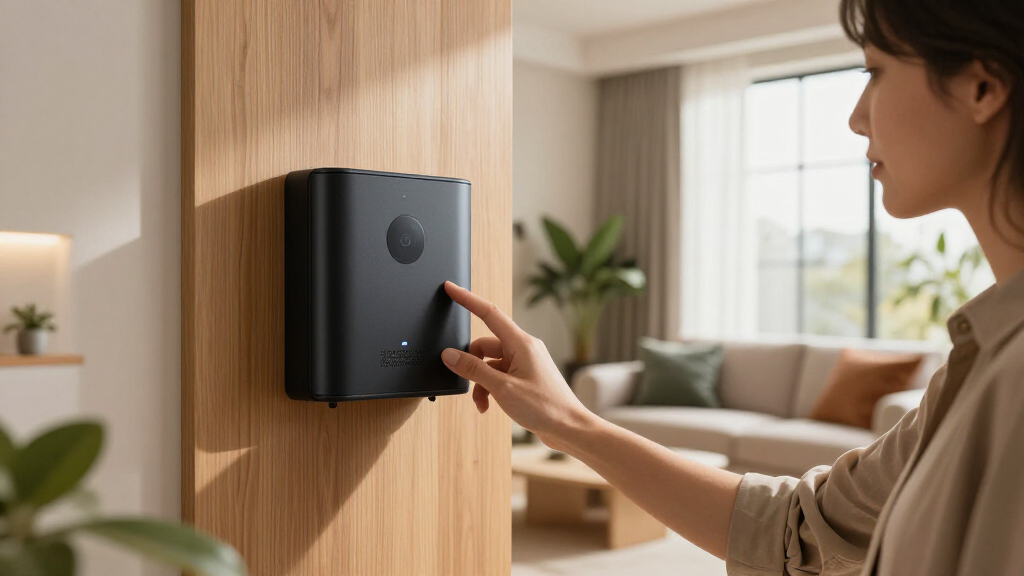
How We Picked
Our evaluation focused on performance, compatibility, ease of setup, automation capabilities, and build quality. We prioritized hubs that support multiple protocols like Z-Wave, Zigbee, and Matter, ensuring versatility for various devices. User interface and app stability were also critical, as these impact daily usability. We considered manufacturers’ support for future standards and the ability to handle complex automations without lag. Ranking was driven by a balance of these factors, with a premium price tag justifiable only if the hub offers significant added value or superior reliability.| premium smart home hub | Connectivity |
|---|---|
| Amazon Echo Hub | Dual-band WiFi, Bluetooth, Zigbee, Thread, Matter |
| Aqara Smart Home Hub M3 with M | Wi-Fi 2.4/5 GHz, PoE, USB-C |
| Aeotec Smart Home Hub | — |
| SmartThings Hub 3rd Generation | — |
| Homey Pro mini | Smart Home Hu | Ethernet, Zigbee, Thread |
| SONOFF Bridge Max Smart Home H | — |
| Amazon Echo Hub | — |
| Home Assistant Green | Smart H | — |
| MOES Smart Home Control Panel | Zigbee, wired and wireless |
| Hubitat Elevation C-8 Pro Smar | Wi-Fi, Ethernet |
Factors to Consider When Choosing Premium Smart Home Hubs
Choosing the right premium smart home hub involves more than just device support. It requires understanding your automation needs, compatibility requirements, and future-proofing considerations. These factors can greatly influence your long-term satisfaction and the overall smart home experience.Compatibility and Protocol Support
Look for hubs that support multiple protocols such as Z-Wave, Zigbee, and Matter. This ensures you can connect a wide variety of devices and avoid vendor lock-in. Investing in a hub with multi-protocol support might cost more initially but can save money and hassle by accommodating future device upgrades and expansions.
Ease of Use and User Interface
An intuitive interface, both on the device and via app, makes managing automations and troubleshooting much simpler. Avoid overly complex setups unless you are comfortable with technical configurations. A well-designed app should provide clear automation tools and reliable device management, reducing frustration over time.
Automation and Smart Features
Evaluate a hub’s automation capabilities—can it handle complex routines, multi-device triggers, and custom scripts? Some hubs offer advanced features like AI-powered automation or scene creation that can significantly enhance your smart home experience. Be cautious of hubs with limited automation options if you plan to create a sophisticated setup.
Local Control vs Cloud Dependency
Local control ensures automations run without internet reliance, reducing lag and increasing reliability. Consider whether the hub supports local execution of routines or depends heavily on cloud services. For privacy-conscious users, local control is often a priority, but it may come with a steeper learning curve or fewer integrations.
Price and Future Scalability
Premium hubs come at various price points, often reflecting additional features like displays or AI integration. Think about your long-term plans—will your device ecosystem grow? Investing in a slightly more expensive hub might be worthwhile if it offers better scalability, more robust protocols, or future standards support, preventing the need for quick replacements.
Frequently Asked Questions
Can I use multiple smart home hubs together?
While technically possible, using multiple hubs often complicates device management and automation routines. Some hubs support bridging or integration with others, but it’s generally more efficient to choose a single, versatile hub that covers your current and future needs. Consider your ecosystem’s complexity when deciding—if you have many protocols or advanced automation needs, a more capable hub might reduce the need for multiple devices.
Is local control really that important for a smart home hub?
Local control reduces reliance on cloud services, resulting in faster automations and enhanced privacy. For critical automations like security or energy management, local execution ensures they run even if internet connectivity drops. However, some hubs with local control can be less user-friendly or limited in remote management features, so weigh your priority for reliability versus convenience.
How do I know if a hub supports my existing smart devices?
The key is compatibility with protocols used by your devices—Z-Wave, Zigbee, or Wi-Fi. Check the hub’s supported protocols and verify device compatibility lists before purchasing. Many hubs also support standards like Matter, which aim to unify device communication, making future expansion easier. Reading user reviews and manufacturer documentation can help confirm compatibility.
Should I prioritize a hub with a built-in display?
A built-in display can offer quick access to controls, status updates, and automations without needing to open an app. However, it often comes with a higher price and potential interface limitations. If you prefer a sleek, minimal setup, a hub without a display might suffice, relying instead on mobile apps for management. Think about how often you want direct access versus remote control capabilities.
Is supporting the latest standards more important than device support?
Supporting the latest standards like Matter can future-proof your setup, ensuring compatibility with new devices and protocols. However, it’s equally important that the hub supports your current ecosystem. If your existing devices are Z-Wave or Zigbee only, prioritize compatibility first, then consider future support for newer standards as a bonus. Balancing current needs with future-proofing is key.
Conclusion
For general users seeking reliable, all-around performance, the Amazon Echo Hub offers an excellent balance of compatibility and ease of use. If you want the best in automation flexibility and protocol support, the Aeotec Smart Home Hub is a solid choice, especially for tech-savvy enthusiasts. For those prioritizing security and local control, the Hubitat Elevation C-8 Pro shines. Beginners should consider hubs with intuitive interfaces like the Amazon Echo Hub, while advanced users aiming for future-proof setups might lean toward hubs supporting Matter and multiple protocols. Your ideal choice depends on your existing device ecosystem, automation needs, and technical comfort level.
Halloween Picks
halloween
As an affiliate, we earn on qualifying purchases.