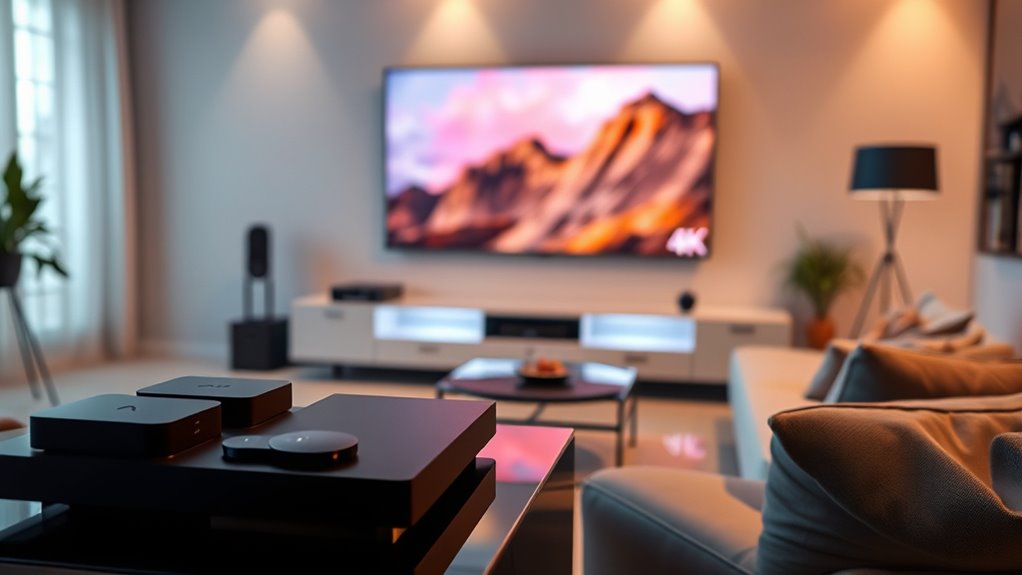

For most people choosing streaming devices for 4K viewing, I’d start with the Amazon Fire TV Stick 4K Max (2nd Gen) for its mix of 4K support, responsive features, and Alexa controls. The Roku Ultra is a strong alternative if you want a set-top player and Roku’s straightforward interface, while the onn Google TV 4K Plus suits viewers who prefer Google TV. The main tradeoffs are stick versus box design, interface preferences, and whether premium connectivity or hands-free controls matter to you. A 4K label alone does not guarantee a better experience; your TV, Wi-Fi, and streaming services also shape what you see. Read on for the full breakdown and help matching each device to your setup.

Get furniture and decor delivered free with Prime
- Fast, free delivery on millions of items
- Prime Video, Amazon Music and more included
- Member-only deals all year
Complete the kit



Key Takeaways
- Fire TV Stick 4K Max (2nd Gen) leads the roundup as a well-rounded stick, while the Roku Ultra stands apart as the dedicated player for buyers who want a box-style device.
- onn Google TV 4K Plus brings Google TV to a budget-oriented pick; buyers should choose it for its interface fit rather than assume every 4K device offers the same experience.
- Fire TV Cube (3rd Gen) is the premium choice for people who value Alexa integration and hands-free control, though those features may be unnecessary for a basic TV setup.
- The lineup offers several compact sticks, including the Roku Streaming Stick 4K and multiple Fire TV models; choosing among them comes down to ecosystem, remote, and feature needs.
- onn 4K Pro and Fire TV Stick 4K Select serve distinct preferences within Google TV and Fire TV, so buyers should check app availability and device features before choosing by name alone.
| Amazon Fire TV Stick 4K Max (2nd Gen) Streaming Device with Alexa Voice Remote Enhanced |  | Best Overall | Processor: Quad-core 2.0GHz | Storage: 16GB | Wi-Fi: Wi-Fi 6E tri-band (2.4GHz, 5GHz and 6GHz) | VIEW ON AMAZON | See Our Full Breakdown |
| onn Google TV 4K Plus Streaming Device with Voice Remote |  | Best for Google TV Fans | Resolution: 4K Ultra HD | Storage: 16GB | RAM: 2GB | VIEW ON AMAZON | See Our Full Breakdown |
| Roku Ultra 4K Streaming Player |  | Best for Wired Connections | Resolution: 4K | HDR formats: HDR10+ and Dolby Vision | Audio: Dolby Atmos | VIEW ON AMAZON | See Our Full Breakdown |
| Amazon Fire TV Stick 4K Plus |  | Best Value | Processor: Quad-core 1.7GHz | Storage: 8GB | Wi-Fi: Wi-Fi 6 dual-band (2.4GHz and 5GHz) | VIEW ON AMAZON | See Our Full Breakdown |
| Amazon Fire TV Cube (3rd Gen) 4K Streaming Media Player with Alexa |  | Best for Hands-Free Control | Processor: Octa-core: 4 x 2.2GHz and 4 x 2.0GHz | Storage and memory: 16GB storage; 2GB memory | Wi-Fi: Wi-Fi 6E tri-band | VIEW ON AMAZON | See Our Full Breakdown |
| TiVo Stream 4K Streaming Device |  | Best for Cross-App Discovery | Resolution: 4K | HDR: Dolby Vision | Audio: Dolby Atmos | VIEW ON AMAZON | See Our Full Breakdown |
| Roku Streaming Stick 4K with Voice Remote |  | Best Compact Pick | Resolution: 4K | HDR formats: Dolby Vision, HDR10+ | Connectivity: Wi-Fi with long-range receiver | VIEW ON AMAZON | See Our Full Breakdown |
| onn 4K Pro Streaming Device with Google TV and Gemini |  | Best for App Storage and Connectivity | Resolution: 4K Ultra HD | HDR: Dolby Vision | Audio: Dolby Atmos | VIEW ON AMAZON | See Our Full Breakdown |
| Amazon Fire TV Stick 4K Select (Newest Model) with Alexa Voice Remote |  | Best for Alexa and Cloud Gaming | Output resolution: 2160p, 1080p, 720p up to 60 fps | Video formats: HDR10, HDR10+, HLG, H.265, H.264, VP9, AV1 | Processor: Quad-core 1.7 GHz | VIEW ON AMAZON | See Our Full Breakdown |
| streaming devices for 4k viewing | Storage | Audio | Wi-Fi | Resolution |
|---|---|---|---|---|
| Amazon Fire TV Stick 4K Max | 16GB | Dolby Atmos, 7.1 surround sound, stereo and HDMI pass-through up to 5.1 | Wi-Fi 6E tri-band (2.4GHz, 5GHz and 6GHz) | — |
| onn Google TV 4K Plus Streamin | 16GB | — | Wi-Fi 6 (2.4GHz and 5GHz, 802.11ax) | 4K Ultra HD |
| Roku Ultra 4K Streaming Player | — | Dolby Atmos | — | 4K |
| Amazon Fire TV Stick 4K Plus | 8GB | Dolby Atmos, 7.1 surround sound, stereo and HDMI pass-through up to 5.1 | Wi-Fi 6 dual-band (2.4GHz and 5GHz) | — |
| Amazon Fire TV Cube | — | Dolby Atmos, 7.1 surround sound, stereo and HDMI audio passthrough | Wi-Fi 6E tri-band | — |
| TiVo Stream 4K Streaming Devic | 8 GB | Dolby Atmos | — | 4K |
| Roku Streaming Stick 4K with V | — | — | — | 4K |
| onn 4K Pro Streaming Device wi | 32 GB | Dolby Atmos | — | 4K Ultra HD |
| Amazon Fire TV Stick 4K Select | 8 GB internal | — | Dual-band, dual-antenna (MIMO); 802.11a/b/g/n/ac | — |
More Details on Our Top Picks
Amazon Fire TV Stick 4K Max (2nd Gen) Streaming Device with Alexa Voice Remote Enhanced
The Fire TV Stick 4K Max is my strongest all-around pick for a 4K setup, combining Dolby Vision, HDR10+ and Dolby Atmos with 16GB of storage for apps and games. Its Wi-Fi 6E support can help keep streams steady on a compatible router, while the included Alexa remote makes voice search and smart-home control easy to reach. Compared with the Fire TV Stick 4K Plus, it has a faster processor, more storage and access to the 6GHz Wi-Fi band; those advantages matter most to households with many apps or interest in Xbox cloud gaming. The tradeoff is that 6E needs a compatible router, and gaming requires a separate Game Pass subscription. Buyers who want a simpler Roku interface may prefer the Roku Ultra, which also adds Ethernet and Bluetooth headphone support.
Pros:- Dolby Vision, HDR10+, HLG and Dolby Atmos support
- 16GB storage provides more room for apps and games than the Fire TV Stick 4K Plus
- Wi-Fi 6E tri-band connectivity
- Alexa remote supports voice search and compatible smart-home controls
Cons:- Wi-Fi 6E benefits require a compatible router
- Xbox cloud gaming requires a separate Game Pass subscription
- 4K and HDR playback depend on compatible equipment and supported content
Best for: 4K households that want broad HDR and audio support, room for many apps, and Alexa voice control
Not ideal for: Viewers with a basic 4K setup who will not use extra storage, cloud gaming or Wi-Fi 6E
- Processor:Quad-core 2.0GHz
- Storage:16GB
- Wi-Fi:Wi-Fi 6E tri-band (2.4GHz, 5GHz and 6GHz)
- Bluetooth:Bluetooth 5.2 + BLE
- Maximum resolution:2160p up to 60 fps
- Video formats:Dolby Vision, HDR10, HDR10+, HLG, H.265, H.264, VP9 and AV1
- Audio:Dolby Atmos, 7.1 surround sound, stereo and HDMI pass-through up to 5.1
- Ports:HDMI 2.1 output with ARC support; micro USB
Our verdict“Choose the 4K Max if you want a feature-rich Fire TV stick with extra app space and Wi-Fi 6E headroom.”
onn Google TV 4K Plus Streaming Device with Voice Remote
The onn Google TV 4K Plus makes sense for viewers who want 4K streaming through Google TV and a voice remote, with 16GB of storage for apps. Wi-Fi 6 offers a modern wireless connection, and an optional USB-C hub can add Ethernet for homes where a wired link is preferable. Compared with the Fire TV Stick 4K Plus, this device lists more storage, but its supplied details do not specify HDR formats, Dolby Atmos or processor performance. That makes it harder to recommend for buyers choosing specifically by picture and sound format support. The optional hub also means Ethernet is an add-on rather than built-in, unlike the Roku Ultra. I would pick it for a straightforward Google TV setup, while format-focused home theater shoppers have clearer documentation from other options in this roundup.
Pros:- Supports 4K Ultra HD streaming
- 16GB storage for apps and games
- Wi-Fi 6 connectivity
- Optional USB-C hub connection can add Ethernet
Cons:- Provided product details do not specify HDR formats or Dolby Atmos support
- Ethernet requires an optional USB-C hub
- The listed specifications do not identify processor performance
Best for: Viewers who prefer the Google TV interface and want a 4K streaming device with voice search
Not ideal for: Home theater buyers who need confirmed Dolby Vision, HDR10+ or Dolby Atmos support before choosing
- Resolution:4K Ultra HD
- Storage:16GB
- RAM:2GB
- Wi-Fi:Wi-Fi 6 (2.4GHz and 5GHz, 802.11ax)
- Connectivity:USB-C hub connection with optional Ethernet
- Remote:Voice control
- Dimensions:6 x 3.95 x 1.9 inches
- Weight:14.4 ounces
Our verdict“Choose this onn device if Google TV is your priority and the available format details meet your 4K setup needs.”
Roku Ultra 4K Streaming Player
The Roku Ultra is the clearest choice here for a living room where a wired network connection and easy remote access matter as much as 4K playback. It supports Dolby Vision, HDR10+ and Dolby Atmos, and its Ethernet port gives viewers an alternative to Wi-Fi when a router is nearby. The rechargeable remote adds backlit buttons, hands-free voice control and a lost-remote finder, useful when the player is tucked beside a TV or sound system. Compared with the Fire TV Stick 4K Max, Roku includes Ethernet and Bluetooth headphone support, while the Fire TV stick offers Wi-Fi 6E and Xbox cloud gaming support. The Roku’s player format is less discreet than an HDMI stick, and its listed specifications do not state storage or processor details. Choose it for connectivity and remote convenience; skip it if you want a compact plug-in device.
Pros:- 4K playback with Dolby Vision and HDR10+
- Dolby Atmos audio support
- Ethernet, Wi-Fi 6 and Bluetooth headphone support
- Rechargeable remote has backlit buttons, hands-free voice control and a finder
Cons:- Player form is less compact than the Fire TV streaming sticks
- Provided specifications do not state storage or processor details
- A wired connection requires a nearby Ethernet cable and router
Best for: Viewers with a nearby router who want Ethernet, broad HDR support and a feature-rich remote
Not ideal for: Travelers or minimalist setups that need a small stick tucked directly behind the TV
- Resolution:4K
- HDR formats:HDR10+ and Dolby Vision
- Audio:Dolby Atmos
- Connectivity:Wi-Fi 6, Ethernet and Bluetooth
- Remote:Rechargeable Roku Voice Remote Pro with USB-C charging, backlit buttons, hands-free voice control and lost-remote finder
- Live TV:Access to free live TV
Our verdict“Pick the Roku Ultra if you want Ethernet and a remote designed to make everyday 4K viewing easier.”
Amazon Fire TV Stick 4K Plus
The Fire TV Stick 4K Plus covers the core requirements for 4K viewing without the 4K Max’s extra storage and Wi-Fi 6E. It supports Dolby Vision, HDR10+, HLG and Dolby Atmos, and Wi-Fi 6 can help maintain streaming when other devices share the network. The included Alexa remote handles voice search and compatible TV power and volume controls, keeping setup simple. Compared with the Fire TV Stick 4K Max, its 8GB of storage and 1.7GHz processor give it less headroom for app collections and cloud games; the Max is the better fit if those matter. Against the Roku Ultra, this stick is more compact but lacks listed Ethernet and Bluetooth headphone support. It is a sensible pick for a standard 4K TV, though 4K and HDR still depend on compatible services and equipment.
Pros:- 4K at up to 60 fps with Dolby Vision, HDR10+ and HLG
- Dolby Atmos and HDMI audio pass-through support
- Wi-Fi 6 connectivity
- Alexa remote supports voice search and compatible TV controls
Cons:- 8GB storage is less than the 16GB in the Fire TV Stick 4K Max
- Wi-Fi 6 support requires a compatible router
- 4K and HDR content requires compatible equipment and supported services
Best for: Streamers who want Dolby Vision and Atmos on a compact Fire TV stick without needing 16GB storage
Not ideal for: App-heavy users or cloud gaming fans who would benefit from the 4K Max’s extra storage and faster processor
- Processor:Quad-core 1.7GHz
- Storage:8GB
- Wi-Fi:Wi-Fi 6 dual-band (2.4GHz and 5GHz)
- Bluetooth:Bluetooth 5.2 + BLE
- Maximum resolution:2160p up to 60 fps
- Video formats:Dolby Vision, HDR10, HDR10+, HLG, H.265, H.264, VP9 and AV1
- Audio:Dolby Atmos, 7.1 surround sound, stereo and HDMI pass-through up to 5.1
- Ports:HDMI 2.1 output with ARC input support; micro USB
Our verdict“Choose the 4K Plus for a compact Fire TV setup with modern HDR support and no need for the 4K Max’s added capacity.”
Amazon Fire TV Cube (3rd Gen) 4K Streaming Media Player with Alexa
The Fire TV Cube suits a 4K living room where voice control and managing several home theater devices are part of the brief. Its built-in Alexa microphones and speaker allow hands-free commands, while HDMI input and output, Ethernet and an IR extender support a broader AV setup than the Fire TV Stick 4K Max. It also delivers 4K at 60 fps, Dolby Vision, HDR10+ and Dolby Atmos, with Wi-Fi 6E for wireless networks that support it. Compared with the stick, the Cube adds ports and device control, but it is a larger, heavier box and does not list a newer Bluetooth version. The Roku Ultra also has Ethernet and Dolby Vision, though the Cube’s built-in Alexa makes it a better fit for users who want voice control without holding a remote.
Pros:- Built-in microphones and speaker enable hands-free Alexa commands
- HDMI input and output, Ethernet and IR extender support home theater connections
- 4K at 60 fps with Dolby Vision and HDR10+
- Wi-Fi 6E and Dolby Atmos support
Cons:- Larger and heavier than the Fire TV streaming sticks
- Hands-free voice and device controls offer little benefit if a basic remote is all you need
- 4K and HDR playback depends on compatible equipment and supported services
Best for: Home theater owners who want hands-free Alexa and control over compatible TVs, soundbars or receivers
Not ideal for: Viewers seeking a small, simple streaming stick or who do not need built-in microphones and AV connections
- Processor:Octa-core: 4 x 2.2GHz and 4 x 2.0GHz
- Storage and memory:16GB storage; 2GB memory
- Wi-Fi:Wi-Fi 6E tri-band
- Bluetooth:Bluetooth 5.0 + LE
- Ports:HDMI 2.1 input and output, USB-A 2.0, Ethernet, IR extender and power
- Video:Up to 4K (2160p) at 60 fps; Dolby Vision, HDR10, HDR10+ and HLG
- Audio:Dolby Atmos, 7.1 surround sound, stereo and HDMI audio passthrough
- Dimensions and weight:3.38 x 3.38 x 2.99 inches; 513g
Our verdict“Choose the Fire TV Cube if you want a 4K streamer that can also act as a hands-free Alexa and home theater control hub.”
TiVo Stream 4K Streaming Device
The TiVo Stream 4K suits viewers who want help finding something to watch across streaming apps and live TV. Its recommendations and watch lists bring those sources into one interface, while 4K UHD, Dolby Vision HDR, and Dolby Atmos support a capable picture-and-sound setup. Compared with the Roku Streaming Stick 4K, TiVo puts more emphasis on combining viewing sources and personalized discovery than on a hidden, port-friendly stick design. The Android TV platform and Google Assistant add familiar voice search, though the experience depends on a reliable Wi-Fi connection. Its 8 GB of storage leaves less room for apps than the onn 4K Pro’s 32 GB, so this is a better match for a focused set of services than a large app collection.
Pros:- Combines supported streaming apps and live TV in one interface
- Supports 4K UHD, Dolby Vision HDR, and Dolby Atmos
- Google Assistant voice control
- Cross-app recommendations and watch lists
Cons:- Requires Wi-Fi and an available HDMI port
- 8 GB of storage limits how many apps can be installed
Best for: Viewers who split their time between live TV and streaming apps and want cross-app recommendations in one interface
Not ideal for: People with unreliable Wi-Fi or large app libraries who need more than 8 GB of built-in storage
- Resolution:4K
- HDR:Dolby Vision
- Audio:Dolby Atmos
- Platform:Android TV
- RAM:2 GB
- Storage:8 GB
- Connectivity:Wi-Fi
- Form factor:TV stick
Our verdict“Choose the TiVo Stream 4K if unified live TV and streaming discovery matter more to you than extra storage.”
Roku Streaming Stick 4K with Voice Remote
The Roku Streaming Stick 4K is a strong fit when a neat installation matters as much as 4K playback. Its small body stays behind the television and is designed to leave adjacent HDMI ports accessible, a practical advantage over bulkier gear such as the onn 4K Pro. It supports Dolby Vision and HDR10+, giving compatible TVs more ways to display high dynamic range content, and its long-range Wi-Fi receiver may help when the router is farther away. Voice control and TV controls are included with the remote. The tradeoff is a leaner hardware profile: the listed 1 GB of RAM offers less headroom than the onn’s 3 GB, and 4K output only helps if the television supports 4K. Pick Roku for a tidy setup; choose the TiVo Stream 4K if cross-app and live-TV discovery is the priority.
Pros:- Compact design stays hidden and leaves neighboring HDMI ports accessible
- Supports Dolby Vision and HDR10+
- Long-range Wi-Fi receiver
- Voice control and TV controls on the included remote
Cons:- A 4K-compatible TV is required to use 4K resolution
- Listed 1 GB of RAM is less than the onn 4K Pro’s 3 GB
Best for: People with crowded TV cabinets or occupied HDMI ports who want a discreet 4K stick and voice remote
Not ideal for: Owners of non-4K televisions seeking 4K output, or buyers prioritizing higher listed RAM for navigation headroom
- Resolution:4K
- HDR formats:Dolby Vision, HDR10+
- Connectivity:Wi-Fi with long-range receiver
- Connector:HDMI
- RAM:1 GB
- Voice control:Yes
- Remote:Included
- Compatible services:Hulu, Netflix, Pandora, Prime Video, Vudu
Our verdict“Choose this Roku if you want a discreet 4K device that preserves nearby HDMI access.”
onn 4K Pro Streaming Device with Google TV and Gemini
For viewers who keep many apps installed or want flexible network options, the onn 4K Pro offers the strongest listed hardware in this group: 3 GB of RAM and 32 GB of storage. That gives it substantially more app space than the TiVo Stream 4K and Amazon Fire TV Stick 4K Select, each listed with 8 GB, and the added RAM may suit viewers who value responsive menus. Wi-Fi 6 and optional Ethernet provide a choice of wireless or wired streaming, though Ethernet requires an added connection. Dolby Vision and Dolby Atmos cover compatible home theater setups. Unlike the compact Roku stick, this device is listed at 10 × 4 × 4 inches and weighs 1.49 pounds, so check your setup for space. It makes most sense for a stationary TV and a larger app collection.
Pros:- 32 GB of storage provides more app space than the 8 GB TiVo and Fire TV Stick 4K Select
- 3 GB of RAM
- Supports 4K Ultra HD, Dolby Vision, and Dolby Atmos
- Wi-Fi 6 with optional Ethernet connectivity
Cons:- Large listed dimensions and 1.49-pound weight make it less suited to compact installations
- Ethernet is optional rather than included as a ready-to-use connection
Best for: Viewers building a large app library who have space for a full-size device and want Wi-Fi 6 or wired networking
Not ideal for: People who need a tiny stick behind the TV or expect Ethernet to be included as a built-in connection
- Resolution:4K Ultra HD
- HDR:Dolby Vision
- Audio:Dolby Atmos
- RAM:3 GB
- Storage:32 GB
- Connectivity:Wi-Fi 6; optional Ethernet
- Dimensions:10 × 4 × 4 inches
- Weight:1.49 pounds
Our verdict“Choose the onn 4K Pro if storage and flexible networking matter more than a compact stick form.”
Amazon Fire TV Stick 4K Select (Newest Model) with Alexa Voice Remote
The Fire TV Stick 4K Select pairs 4K output and HDR10+ with Alexa voice search, smart home control, and access to Xbox cloud gaming. That gives it a broader entertainment role than the Roku Streaming Stick 4K, whose listed strengths center on compact installation, Wi-Fi reach, and HDR formats. Setup is straightforward: plug it into HDMI, connect to Wi-Fi, and use the included Alexa remote. Cloud gaming can make the stick more appealing to Xbox subscribers, but it requires a separate Game Pass subscription and controller. For 4K viewing, the HDR10+ support is useful with a compatible display, while this model does not list Dolby Vision, unlike the Roku and onn 4K Pro. Its 8 GB storage and 90-day limited warranty are notable constraints for buyers seeking room to grow or longer coverage.
Pros:- 4K Ultra HD output with HDR10+, HDR10, and HLG support
- Alexa Voice Remote with IR device control
- Access to major streaming apps and Xbox cloud gaming
- Compact stick with Bluetooth 5.0
Cons:- Xbox cloud gaming requires a separate Game Pass subscription and controller
- 8 GB of internal storage limits app capacity
- 90-day limited warranty
Best for: Alexa households with an HDR10+ television who want streaming, voice smart-home control, and optional Xbox cloud gaming
Not ideal for: Buyers who need Dolby Vision, more than 8 GB of app storage, or a longer listed warranty
- Output resolution:2160p, 1080p, 720p up to 60 fps
- Video formats:HDR10, HDR10+, HLG, H.265, H.264, VP9, AV1
- Processor:Quad-core 1.7 GHz
- Storage:8 GB internal
- Wi-Fi:Dual-band, dual-antenna (MIMO); 802.11a/b/g/n/ac
- Bluetooth:Bluetooth 5.0 and Bluetooth Low Energy
- Remote:Alexa Voice Remote with IR device control
- Warranty:90-day limited warranty
Our verdict“Choose the Fire TV Stick 4K Select if Alexa features and optional cloud gaming matter more than Dolby Vision support.”

How We Picked
I compared these devices around the factors that shape everyday 4K viewing: support for 4K content, the streaming interface, voice and remote controls, device form, and how well each suits different home setups. A streaming device can only show the formats and services supported by both the device and the TV, so a 4K badge alone was not enough to make a product a leading pick.
The ranking gives the top spot to the Fire TV Stick 4K Max (2nd Gen) for its broad appeal as a compact, feature-rich option. I placed the Roku Ultra and onn Google TV 4K Plus among the notable alternatives because they serve different interface and device-format preferences. The Fire TV Cube ranks for premium control features, while the remaining sticks and players are better matches for particular ecosystems or needs. Each recommendation has a drawback: a higher feature count may go unused, and an unfamiliar interface can matter more than a spec-sheet advantage.
| streaming devices for 4k viewing | Wi-Fi | Audio | Connectivity |
|---|---|---|---|
| Amazon Fire TV Stick 4K Max | Wi-Fi 6E tri-band (2.4GHz, 5GHz and 6GHz) | Dolby Atmos, 7.1 surround sound, stereo and HDMI pass-through up to 5.1 | — |
| onn Google TV 4K Plus Streamin | Wi-Fi 6 (2.4GHz and 5GHz, 802.11ax) | — | USB-C hub connection with optional Ethernet |
| Roku Ultra 4K Streaming Player | — | Dolby Atmos | Wi-Fi 6, Ethernet and Bluetooth |
| Amazon Fire TV Stick 4K Plus | Wi-Fi 6 dual-band (2.4GHz and 5GHz) | Dolby Atmos, 7.1 surround sound, stereo and HDMI pass-through up to 5.1 | — |
| Amazon Fire TV Cube | Wi-Fi 6E tri-band | Dolby Atmos, 7.1 surround sound, stereo and HDMI audio passthrough | — |
| TiVo Stream 4K Streaming Devic | — | Dolby Atmos | Wi-Fi |
| Roku Streaming Stick 4K with V | — | — | Wi-Fi with long-range receiver |
| onn 4K Pro Streaming Device wi | — | Dolby Atmos | Wi-Fi 6; optional Ethernet |
| Amazon Fire TV Stick 4K Select | Dual-band, dual-antenna (MIMO); 802.11a/b/g/n/ac | — | — |
Factors to Consider When Choosing Streaming Devices For 4k Viewing
Before picking a device, I’d match its capabilities to the TV and viewing habits you already have. These broader checks can help prevent paying for features your setup cannot use or choosing a device that makes everyday viewing less convenient.
Check the Whole 4K Signal Path
A device cannot deliver 4K viewing on its own: the TV, HDMI connection, streaming service, and selected content all play a part. Check the TV’s supported resolution and HDR formats before choosing based on a device’s advertised capabilities. Some TVs also have different abilities across HDMI ports, so use the port recommended in the TV manual. If you mostly watch older HD programs, a newer streamer may improve navigation without changing the source video into native 4K. I’d treat 4K support as compatibility first, then weigh other features that affect daily use.
Choose an Interface You’ll Want to Use
The home screen determines how you find apps and shows, and it can shape the experience more than small hardware differences. Think about whether you prefer Roku, Fire TV, or Google TV and whether your household already uses Alexa or Google services. Check that the streaming apps you rely on are available in the device’s app store. A familiar interface can save time for a household with several viewers, while an unfamiliar one may add friction every day. I’d choose based on the people using the TV, not only the person setting it up.
Decide Between a Stick and a Set-Top Player
Sticks plug into an HDMI port and keep the device tucked behind the TV, which suits a simple, tidy setup. A player such as the Roku Ultra or Fire TV Cube sits near the TV and may fit a room where you want a more prominent device or extra control options. Before buying a stick, check whether its body will fit around the TV’s HDMI ports and wall mount. Also consider whether the device will be difficult to reach if you need to unplug it. Choose the form that works with your furniture and access needs, rather than assuming one format is always better.
Match Network Features to Your Home Wi-Fi
Stable network delivery matters for high-resolution streams, especially when the router is far from the TV or several people use the connection at once. Check whether the device’s Wi-Fi support matches your router and where you plan to place it. A more capable streamer cannot fix weak broadband or a poor signal through walls. If your room has unreliable Wi-Fi, consider whether a wired connection is available on the device you are considering. I’d address router placement and connection quality before paying extra for a streamer in hopes of solving buffering.
Pay for Controls You Will Use
Voice search can help when you know a title but do not want to type it, while hands-free control can be useful if the device is designed for that use. Those features matter less if you already use the TV remote or prefer browsing apps manually. Check what the included remote can control, such as TV power and volume, and whether it supports the voice assistant you use. Premium control features can add convenience across a living room, but they do not improve the source video itself. I’d spend more on them only when they simplify a routine you actually have.
Check Service and Format Compatibility Before Upgrading
Not every subscription includes the same picture quality, and a show may be available in 4K on one service but HD on another. Verify both your service plan and the titles you watch before expecting a device upgrade to change picture quality. HDR formats can also differ between the TV, streamer, and content, so check compatibility across all three. If you are replacing a working device, compare its app support and remote behavior with the new model before making the switch. This check helps separate a genuine compatibility need from an upgrade that would mainly change the home screen.
Frequently Asked Questions
Will a 4K streaming device make my HD TV show 4K?
No. A 4K streamer can send a 4K signal only when the TV supports 4K, and the program and service must offer it in that format. Some devices may scale lower-resolution video, but scaling does not add the detail of native 4K content. If your TV is HD, choose a device for its apps, interface, and controls instead. I’d put money toward a 4K TV before replacing a working streamer solely for 4K output.
Should I choose Fire TV, Roku, or Google TV if I care most about 4K?
All three platforms have devices in this roundup aimed at 4K viewing, so the interface and supported features often make the more useful distinction. Check that your essential apps are available and that the platform suits your household’s voice assistant preferences. Fire TV gives you Alexa-oriented options, including a premium Cube; Roku offers a dedicated player and compact stick, while Google TV appears on the onn devices. Your TV and streaming plan still need to support the formats you want. I’d pick the platform you’ll find easiest to use each day.
Is a set-top box worth choosing over a streaming stick?
A set-top player can make sense when you prefer a device that sits beside the TV or want features tied to a specific box-style model. A stick is a better fit when keeping the setup compact and hidden matters most. Check HDMI clearance, access to power, and whether the remote meets your needs before deciding. The box form alone does not guarantee a better 4K picture. I’d pay for a larger device only when its controls or connections solve a real issue in your room.
Do I need a premium streaming device for reliable 4K?
Not necessarily. A premium model can add convenience features or a different device design, but your TV, content source, subscription, and network still determine the viewing experience. If your current connection is unstable, improving Wi-Fi or router placement may help more than changing streamers. A simpler stick may be enough when you mainly need app access and a remote. I’d pay extra for premium features such as hands-free control only if you expect to use them regularly.
What should I check if a new streamer still plays shows in HD?
Start by checking that the title is available in 4K on the service you use and that your subscription includes that resolution. Confirm that the TV supports 4K and that the streamer is connected to a compatible HDMI port. Look at the service’s playback settings and the device’s display settings, since either may limit output quality. Network speed and stability can also affect playback. I’d check these parts of the setup before assuming the streamer itself is faulty.
What are the best 4k streaming media players?
The best 4k streaming media players depend on how you watch, which services you use, and how well a device fits into your home setup. The picks above offer a range of options to consider, so compare their supported streaming formats, ease of navigation, connectivity, and compatibility with your television and other devices. If you already use a particular smart home or streaming platform, check how smoothly each option works with it. The right choice is the one that covers your everyday needs without adding unnecessary complexity to watching movies, shows, or live content.
Conclusion
For an all-around 4K stick, I recommend the Amazon Fire TV Stick 4K Max (2nd Gen); it earns the lead by pairing compact design with a strong set of features. The onn Google TV 4K Plus is my value pick for shoppers who want Google TV in a straightforward streaming device, while the Amazon Fire TV Cube (3rd Gen) is the premium choice for Alexa users who want more hands-free control. For beginners who value a simple interface, I’d look at the Roku Streaming Stick 4K or Roku Ultra, depending on whether a compact stick or a set-top player better suits the room. Choose the onn 4K Pro if its Google TV setup and features match your needs, or compare the Fire TV Stick 4K Plus and 4K Select when you want a Fire TV stick with a different feature mix. The best fit is the one that works with your TV, services, and preferred controls.
Fall Picks
fall essentials
As an affiliate, we earn on qualifying purchases.