If you’re looking for the best ultrawide monitors for video editing and multitasking in 2025, I recommend checking out options like the ASUS ProArt 34” for color accuracy, Samsung’s ViewFinity S50GC for versatility, and LG’s 34-inch QHD Smart Monitor for smart features. Budget-friendly gaming models like Sceptre, along with high-end options like the INNOCN 40C1U, offer great performance. Stick around, and I’ll guide you through all the key features to help you choose the perfect one.
Key Takeaways
- The top ultrawide monitors in 2025 feature high resolutions like 3440×1440 and 5K for sharp visuals and ample workspace.
- Color accuracy with factory calibration, wide gamuts (sRGB, DCI-P3), and HDR support are essential for professional video editing.
- Connectivity options such as USB-C, HDMI 2.1, and VESA compatibility ensure seamless integration with multiple devices.
- Premium models offer ergonomic adjustments and flicker-free technology for long, comfortable editing sessions.
- Budget-friendly and gaming-focused options provide high refresh rates and decent color reproduction for multitasking and media consumption.
ASUS ProArt 34” Ultrawide Curved HDR Monitor (PA34VCNV)


If you’re looking for a top-tier ultrawide monitor designed for professional video editing and multitasking, the ASUS ProArt 34” Ultrawide Curved HDR Monitor (PA34VCNV) is an excellent choice. Its 34.1-inch curved IPS display with a 3440 x 1440 resolution provides sharp, vibrant visuals, perfect for detailed editing. The frameless design enhances immersion, while HDR support delivers rich colors. Factory calibrated with Calman verification guarantees accurate color reproduction, meeting 100% sRGB and Rec. 709 standards. With versatile connectivity—including USB-C with 96W power delivery, HDMI, and daisy-chaining—and ergonomic adjustments, this monitor offers both precision and comfort for professional workflows.
Best For: professionals engaged in video editing, creative work, and multitasking who require accurate color reproduction and immersive ultrawide viewing.
Pros:
- Excellent color accuracy with 100% sRGB and Rec. 709 coverage, factory calibrated with Calman verification
- Immersive 34.1-inch curved IPS display with high resolution and HDR support for vibrant visuals
- Versatile connectivity options including USB-C with 96W Power Delivery, HDMI, and daisy-chaining
Cons:
- Higher price point may be a consideration for budget-conscious users
- Larger size requires ample desk space and ergonomic setup
- Limited to specific professional use cases, potentially overpowered for casual users
Sceptre 34-Inch Curved Ultrawide WQHD Monitor (C345B-QUT168)

The Sceptre 34-Inch Curved Ultrawide WQHD Monitor (C345B-QUT168) stands out as an excellent choice for professionals who need expansive screen real estate for multitasking and detailed video editing. Its 3440 x 1440 resolution and 1500R curved design deliver immersive, sharp visuals, with 99% sRGB color coverage for vibrant accuracy. The high refresh rate, up to 165Hz, and 1ms response time ensure smooth performance during fast-paced editing or gaming. Features like built-in speakers, RGB backlighting, and multiple input options add versatility. While some compatibility issues with certain games exist, its size, clarity, and modern aesthetic make it a compelling, budget-friendly option.
Best For: multitasking professionals, gamers, and video editors seeking a large, immersive ultrawide display with vibrant visuals and fast performance.
Pros:
- Immersive 34-inch curved WQHD display with vibrant color accuracy covering 99% sRGB
- High refresh rate of up to 165Hz and 1ms response time for smooth gaming and editing performance
- Modern design with built-in speakers, RGB backlighting, and versatile connectivity options
Cons:
- Some compatibility issues with certain games due to 21:9 aspect ratio not universally supported
- Stand stability concerns like wobbliness reported by some users
- Limited volume from built-in speakers may require external audio for higher sound levels
SAMSUNG 34 ViewFinity S50GC Series Ultra-WQHD Monitor

For anyone seeking a spacious, high-resolution display that balances vibrant visuals with multitasking efficiency, the Samsung 34 ViewFinity S50GC Series Ultra-WQHD Monitor stands out. Its 34-inch ultra-wide screen with a 21:9 aspect ratio and 3440 x 1440 resolution offers plenty of workspace, perfect for multitasking and content creation. With HDR10 support, over a billion colors, and a 3000:1 contrast ratio, it delivers crisp, vibrant images. The borderless design maximizes screen real estate, while features like PBP and PiP modes enhance productivity. Its sleek look, adjustable brightness, and eye-care tech make it both a stylish and comfortable choice for long hours.
Best For: professionals and content creators who need a spacious, high-resolution monitor for multitasking, content editing, and immersive viewing experiences.
Pros:
- Large 34-inch ultra-wide display with vibrant Ultra-WQHD resolution and HDR10 support for crisp, colorful visuals
- Versatile multitasking features including PBP and PiP modes, with automatic resolution recognition and seamless scaling
- Eye care technologies like Flicker-Free, Eye Saver Mode, and ambient light sensor for comfortable long-term use
Cons:
- The stand can be cumbersome, potentially requiring a monitor arm for better stability and positioning
- Lacks HDR support in some content, limiting HDR performance
- Limited aspect ratio adjustments in PiP mode, which may restrict flexibility for certain workflows
LG 34-inch QHD Curved Smart Monitor

Looking for a monitor that seamlessly combines professional-grade visuals with smart features? The LG 34-inch QHD Curved Smart Monitor is perfect. Its 3440×1440 ultra-wide, 21:9 curved display offers immersive viewing and 99% sRGB color accuracy, ideal for editing and multitasking. The built-in webOS platform provides quick access to streaming services like Netflix and Disney+ and supports AirPlay2, Screen Share, and Bluetooth for easy device connection. With multiple ports, a 100Hz refresh rate, and integrated speakers, it handles work, entertainment, and gaming effortlessly. Designed for versatility, this monitor is a smart choice for those who want performance and convenience in one package.
Best For: professionals and multitaskers seeking a large, immersive display with smart streaming features for work and entertainment.
Pros:
- Ultra-wide 34-inch QHD curved display with immersive 1800R curvature ideal for multitasking and gaming.
- Built-in webOS platform supports popular streaming services and smart device connectivity like AirPlay2 and Bluetooth.
- Versatile connectivity options including multiple HDMI and USB ports, plus integrated speakers for all-in-one multimedia use.
Cons:
- Larger footprint may require significant desk space.
- Curved monitor may not be suitable for all workspace setups or preferences.
- Premium features and smart capabilities can lead to a higher price point compared to standard monitors.
CRUA 34-Inch Curved Gaming Monitor (3440x1440P, 120Hz, 21:9, AMD FreeSync)
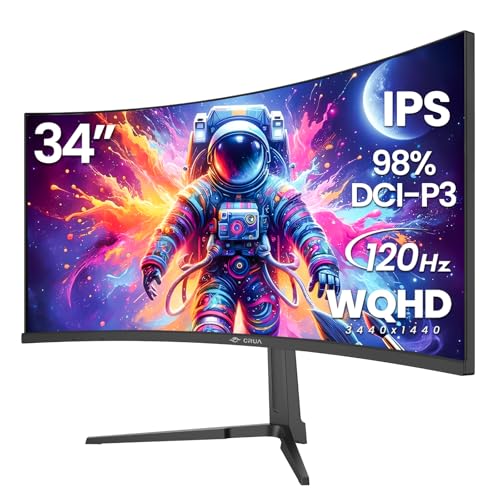
If you’re seeking an affordable ultrawide monitor that excels in both gaming and multitasking, the CRUA 34-Inch Curved Gaming Monitor stands out. Its 3440×1440 resolution and 1900R curvature create an immersive experience, perfect for multitasking and media consumption. The vibrant colors, wide viewing angles, and high contrast make it ideal for color-critical work. With a smooth 120Hz refresh rate and AMD FreeSync, gameplay remains fluid and tear-free. Connectivity options like HDMI and DisplayPort are versatile, and VESA mounting allows flexible setup. Overall, it offers excellent value, blending performance and visual quality at a budget-friendly price.
Best For: gamers and multitaskers seeking an affordable, immersive ultrawide monitor with vibrant visuals and smooth gameplay.
Pros:
- Large 34-inch curved IPS display with high-resolution WQHD for immersive viewing experiences
- 120Hz refresh rate combined with AMD FreeSync for smooth, tear-free gaming
- Versatile connectivity options including HDMI, DisplayPort, and VESA mounting support
Cons:
- Built-in speakers are often underwhelming, prompting users to upgrade audio separately
- Minor issues with quality control, such as damaged screens or non-functional components reported by some users
- The monitor’s curved design may require some adjustment for new users and might not suit all workspace setups
SANSUI 34-Inch Curved Gaming Monitor UWQHD 3440×1440 165Hz

The SANSUI 34-inch Curved Gaming Monitor stands out as an excellent choice for those seeking a wide, immersive display that balances gaming performance with productivity. Its 3440×1440 UWQHD resolution, combined with a 1500R curvature, offers sharp, vibrant images ideal for video editing and multitasking. The 165Hz refresh rate and 1ms response time ensure smooth visuals during fast-paced work or gaming. With HDR support and wide color coverage, it delivers rich colors, though calibration may be necessary. Connectivity options are solid, including HDMI and DisplayPort, but it lacks USB-C. Its ergonomic tilt and VESA compatibility make it a versatile, budget-friendly option for demanding users.
Best For: gamers and content creators seeking an immersive ultrawide display with high refresh rates and vibrant visuals on a budget.
Pros:
- 165Hz refresh rate and 1ms response time for smooth, responsive gameplay and editing.
- Ultrawide 3440×1440 resolution with vibrant color coverage (sRGB 125%, DCI-P3 95%) and HDR support.
- Ergonomic tilt, VESA mounting, and a sleek curved design enhance comfort and aesthetics.
Cons:
- Limited HDMI bandwidth (up to 60Hz at 1440p), restricting high-refresh performance via HDMI.
- No built-in speakers and lack of USB-C connectivity, reducing versatility.
- Color accuracy, especially in HDR mode, may be subpar or require manual calibration, with some users experiencing washed-out images.
34 Inch Ultrawide Curved Gaming Monitor with FreeSync

For gamers and multimedia enthusiasts seeking an immersive experience, the 34-inch ultrawide curved monitor with FreeSync delivers exceptional performance. Its 21:9 aspect ratio and 3440 x 1440 resolution provide vivid, sharp visuals with 8-bit color depth and 120% sRGB coverage. The curved design with a 1500R radius enhances immersion, while HDR support boosts color vibrancy and detail. The high 165Hz refresh rate and quick response time ensure smooth gameplay with minimal motion blur. Multiple connectivity options, including HDMI and DisplayPort, make it versatile for various devices. Overall, this monitor combines immersive visuals, fluid performance, and flexible setup, making it ideal for gaming and multitasking.
Best For: gamers and multimedia enthusiasts seeking an immersive, high-performance ultrawide curved monitor with vibrant visuals and smooth gameplay.
Pros:
- Exceptional 34-inch ultrawide curved display with a 1500R radius for immersive experience
- High 165Hz refresh rate and AMD FreeSync support for smooth, tear-free gaming
- Versatile connectivity options including HDMI and DisplayPort for multiple devices
Cons:
- Some users have reported minor issues like pixel damage or power button malfunctions
- Requires high-quality cables to prevent display issues such as RGBWBL color cycling
- Slightly larger footprint that may need dedicated space for optimal setup
Dell 34 Plus USB-C Curved Monitor (S3425DW)

Designed for professionals who demand both vibrant visuals and seamless multitasking, the Dell 34 Plus USB-C Curved Monitor (S3425DW) stands out as an excellent choice in 2025. Its 34-inch curved VA panel delivers sharp 3440×1440 resolution with an ultra-wide 21:9 aspect ratio, supporting up to 120Hz refresh rates and AMD FreeSync Premium for smooth visuals. Covering 99% sRGB and 95% DCI-P3, it offers vivid, true-to-life colors with deep contrast and HDR support. The flexible ergonomic adjustments and blue light reduction promote comfort, while a single USB-C port provides 65W power and easy device connectivity. This monitor balances quality, performance, and affordability for video editing and multitasking.
Best For: professionals and gamers seeking a versatile, high-quality ultra-wide monitor with vibrant colors, smooth performance, and ergonomic comfort.
Pros:
- Vibrant color accuracy with 99% sRGB and 95% DCI-P3 coverage for true-to-life visuals
- Smooth gaming experience with up to 120Hz refresh rate and AMD FreeSync Premium support
- Ergonomic design with height and tilt adjustments for all-day comfort
Cons:
- Slight pixel burn risk at very high brightness levels, though it resolves quickly
- Limited to one USB-C port, which may require additional hubs for multiple devices
- Built-in speakers, while improved, may not satisfy audiophiles seeking premium sound quality
CRUA 30-Inch Ultrawide Curved Monitor (2560x1080P, 120Hz, 1500R, FreeSync, HDMI/DP)

If you’re seeking an affordable ultrawide monitor that enhances multitasking and gaming, the CRUA 30-inch curved display stands out with its immersive 21:9 aspect ratio and 2560x1080P resolution. Its 1500R curvature and wide 178° viewing angle boost immersion and visibility. The VA panel delivers vibrant colors, 120% sRGB gamut, and high contrast, making visuals smooth and realistic. Supporting a 100Hz refresh rate and FreeSync, it minimizes tearing during gaming. Multiple connection options, including HDMI and DisplayPort, add versatility. Plus, its solid build, ergonomic stand, and wall-mount support make it a practical choice for budget-conscious users seeking performance and immersive experience.
Best For: budget-conscious gamers and multitaskers seeking an immersive ultrawide display with versatile connectivity and solid performance.
Pros:
- Immersive 21:9 aspect ratio with curved design enhances gaming and multitasking experience.
- Supports 120Hz refresh rate and FreeSync for smooth visuals and reduced tearing.
- Multiple connectivity options, including HDMI and DisplayPort, for versatile device use.
Cons:
- Some users report minor flaws like misalignment or dead pixels out of the box.
- Limited to a maximum of 144Hz via HDMI, with DisplayPort reaching up to 200Hz.
- Compact stand adjustments may be limited, requiring additional monitor arms for ergonomic customization.
INNOCN 40C1R Ultrawide Monitor (40 WQHD 3440×1440, 144Hz, HDR400)

Looking for a monitor that seamlessly combines stunning visuals with multitasking power? The INNOCN 40C1R ultrawide offers a 40-inch IPS panel with a 3440×1440 resolution and a 144Hz refresh rate, perfect for smooth visuals and detailed workflows. Its HDR400 support and 95% DCI-P3 color gamut guarantee vibrant, professional-grade colors, while AMD FreeSync ensures tear-free gaming and video playback. The adjustable stand, multiple connectivity options—including USB-C—and split-screen features make multitasking effortless. Whether for video editing, gaming, or productivity, this monitor balances high performance with comfort, making it an excellent choice in 2025’s ultrawide market.
Best For: professionals and gamers seeking a large, vibrant ultrawide display for multitasking, gaming, and content creation with high color accuracy and smooth visuals.
Pros:
- Stunning 40-inch IPS ultrawide screen with high resolution and 144Hz refresh rate for smooth, detailed visuals.
- Supports HDR400 and 95% DCI-P3 color gamut for vibrant, professional-grade color accuracy.
- Versatile connectivity including USB-C, HDMI, DisplayPort, and adjustable stand for personalized setup.
Cons:
- Larger size may require significant desk space and ergonomic adjustments.
- Premium features could come at a higher price point compared to standard monitors.
- Some users might find the wide aspect ratio less suitable for certain applications or workspace configurations.
INNOCN 40 Inch 5K Ultrawide Monitor (40C1U)

The INNOCN 40 Inch 5K Ultrawide Monitor (40C1U) stands out as an excellent choice for creative professionals and video editors who need expansive screen real estate combined with precise color accuracy. Its 5120x2160p resolution, 21:9 aspect ratio, and IPS panel deliver vibrant, accurate images with DeltaE<2 calibration, covering 135% sRGB and 106% DCI-P3. With HDR400 support, multiple ports, VESA compatibility, and adjustable stand, it’s versatile for editing, gaming, and multitasking. The bright 350-nit display, flicker-free technology, and blue light reduction ensure comfort during long sessions. While HDR effectiveness varies, its overall build quality, color fidelity, and large display make it a compelling option.
Best For: creative professionals, video editors, and multitaskers who need expansive, color-accurate, high-resolution displays for design, editing, and gaming.
Pros:
- Exceptional 5K ultrawide resolution with accurate color calibration (DeltaE<2, 135% sRGB, 106% DCI-P3)
- Versatile connectivity options including HDMI 2.1, DisplayPort 1.4, USB-C with 65W power delivery, and VESA compatibility
- Bright, flicker-free display with HDR400 support and adjustable stand for comfortable long-term use
Cons:
- Mixed reviews on HDR effectiveness, with some users experiencing limited HDR impact or blooming artifacts
- Occasional issues with aspect ratio stretching and limited resolution options for certain devices or signals
- Build concerns such as packaging quality, loose components, and initial setup challenges reported by some users
LG 34-inch UltraWide Curved Computer Monitor (34WR55QK-B)

For professionals seeking an immersive, ultra-wide display, the LG 34-inch UltraWide Curved Monitor (34WR55QK-B) is an excellent choice. Its 3440 x 1440 resolution and 21:9 aspect ratio deliver sharp, vibrant images with HDR10 support, enhancing picture quality. The curved screen creates a more natural viewing experience, while adjustable tilt and height ensure ergonomic comfort. With a 100Hz refresh rate and 5ms response time, it handles fast-paced visuals smoothly. Multiple ports, including USB Type-C with 65W charging, make connectivity seamless. Features like Blue Light Reduction and OnScreen Control help optimize your workspace, making it perfect for multitasking and extended work sessions.
Best For: professionals and multitaskers seeking an immersive, high-resolution ultra-wide curved monitor for work, gaming, and streaming.
Pros:
- Wide 34-inch curved display with a sharp 3440 x 1440 resolution for immersive viewing
- Multiple connectivity options including USB Type-C with 65W power delivery for easy device charging and connection
- Features HDR10 support and up to 99% sRGB color gamut for vibrant, accurate visuals
Cons:
- The large size may require ample desk space and ergonomic adjustments
- Limited built-in speakers, requiring external audio devices for sound
- Higher price point compared to smaller or less feature-rich monitors
Samsung 34-Inch Odyssey G5 Ultra-Wide Gaming Monitor

If you’re seeking an ultra-wide monitor that combines immersive visuals with smooth performance, the Samsung 34-Inch Odyssey G5 is an excellent choice. Its 34-inch curved display with a 1000R radius matches the human eye’s natural field of view, reducing eye strain and boosting comfort during long sessions. With a WQHD resolution, 165Hz refresh rate, and a 1ms response time, it delivers sharp images and fluid motion perfect for gaming and multitasking. HDR10 support enhances color accuracy, while VA panel technology provides deep contrast and rich hues. Multiple ports and eye comfort features make it versatile and user-friendly, ideal for extended use.
Best For: gamers and multitaskers seeking an immersive, ultra-wide display with smooth performance and vibrant visuals.
Pros:
- Curved 34-inch ultra-wide screen offers immersive viewing experience.
- High 165Hz refresh rate and 1ms response time provide smooth, fluid gameplay.
- HDR10 support and VA panel technology deliver vivid colors and deep contrast.
Cons:
- Large size may require significant desk space and setup considerations.
- Fixed curvature might not suit users preferring flat monitors.
- Limited ergonomic adjustments could affect long-term comfort for some users.
Philips 34E1C5600HE 34 UltraWide QHD Monitor

Professional multitaskers and remote workers will appreciate the Philips 34E1C5600HE 34 UltraWide QHD Monitor’s expansive 34-inch curved display, which markedly boosts productivity. Its 3440×1440 resolution and 21:9 aspect ratio make side-by-side comparisons and multitasking seamless. The high-performance VA panel offers wide viewing angles, vibrant colors through Ultra Wide-Color technology, and excellent contrast. The curved 1500R design enhances immersion and reduces eye strain. With a USB-C port supporting 90W charging and data transfer, plus integrated webcam, microphone, and speakers, this monitor simplifies setup. It balances great visual quality with versatile connectivity for work and casual use, making it a compelling choice.
Best For: remote workers, professionals, and multitaskers seeking a large, immersive display with integrated webcam and versatile connectivity for enhanced productivity and remote collaboration.
Pros:
- Expansive 34-inch curved UltraWide QHD display enhances multitasking and side-by-side comparisons
- USB-C port supports high-speed data transfer, 90W charging, and simplifies cable management
- Built-in webcam, microphone, and speakers eliminate the need for external accessories
Cons:
- Lower resolution compared to 4K may affect close-up detail and graphics work
- Some users report pixel size and resolution limitations for professional photo editing
- Delivery delays and unclear dead pixel policy noted by a few customers
Factors to Consider When Choosing Ultrawide Monitors for Video Editing and Multitasking
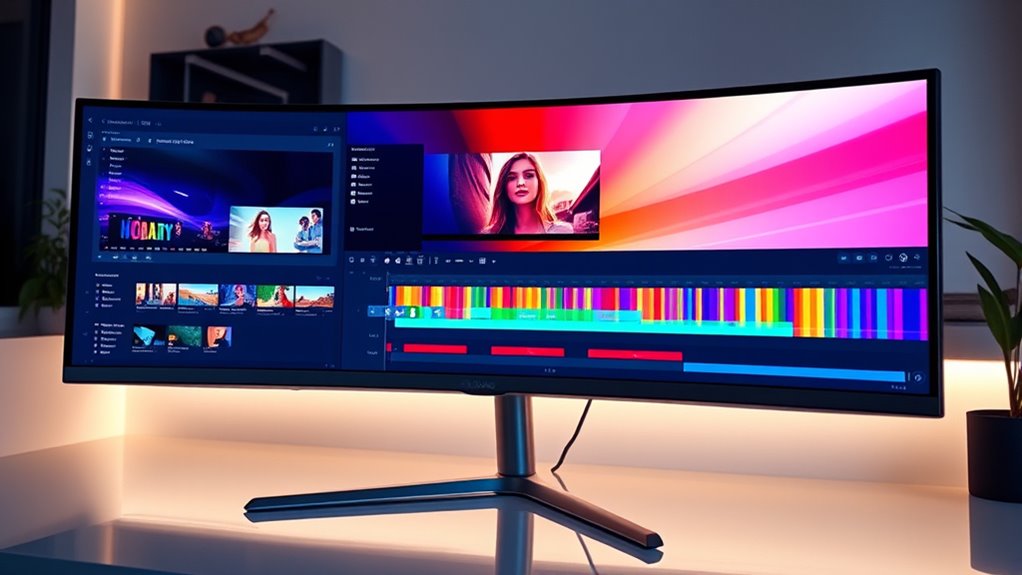
When selecting an ultrawide monitor for video editing and multitasking, I focus on key factors like screen size, resolution, and color accuracy to guarantee sharp images and true-to-life colors. Connectivity options and ergonomic adjustments matter too, helping me work comfortably and efficiently. Don’t forget to take into account HDR support and brightness levels, which can greatly enhance your viewing experience.
Screen Size and Resolution
Choosing the right ultrawide monitor hinges heavily on its screen size and resolution, as these factors directly impact your workspace and image clarity. Larger screens, like 34 inches or more, give you plenty of room for multitasking and detailed editing, making it easier to manage multiple windows or timelines. Higher resolutions, such as 3440×1440 (WQHD) or 5120×2160 (5K), deliver sharp visuals that help with precise color grading and editing tasks. Ultrawide aspect ratios expand your field of view, allowing everything to be displayed without overlap. Increasing screen size and resolution boosts pixel density, which sharpens images and reduces eye strain during long editing sessions. Together, these elements create an immersive environment that boosts productivity and accuracy.
Color Accuracy Standards
Ensuring color accuracy is essential for delivering precise and consistent visuals in video editing, especially when working with ultrawide monitors. Look for monitors that meet color accuracy standards like 100% sRGB and Rec. 709, guaranteeing that colors are reproduced exactly as intended. Factory calibration with verification tools like Calman and a Delta E below 2 guarantees minimal color deviations, which is critical for color-sensitive tasks. Wide color gamuts, including DCI-P3 and AdobeRGB, provide a broader spectrum of colors, resulting in more vibrant and accurate images. Additionally, support for HDR10 or HDR400 enhances contrast and color depth, indispensable for editing high dynamic range content. Maintaining consistent calibration and adhering to industry standards ensures color fidelity across devices and workflows, fundamental for professional video editing.
Connectivity Options
Selecting an ultrawide monitor with versatile connectivity options is essential for smooth workflow and seamless device integration. I recommend looking for multiple input ports like HDMI, DisplayPort, and USB-C, so you can easily switch between devices without hassle. High refresh rates (120Hz or higher) and fast response times enhance video editing and multitasking, ensuring smooth visuals. A built-in USB hub or extra USB ports are also valuable for connecting peripherals such as external drives, keyboards, or audio gear directly to the monitor. Additionally, consider monitors with VESA mounting compatibility for flexible positioning or ergonomic setups. Advanced features like Thunderbolt or high-wattage USB-C Power Delivery simplify your workspace by enabling charging and data transfer through a single cable, reducing clutter and improving efficiency.
Ergonomic Adjustments
Since you’ll be spending long hours working on your ultrawide monitor, ergonomic adjustments like tilt, swivel, and height control are essential for comfort. These features help you find the perfect viewing angle, reducing neck and eye strain during extended use. Monitors with VESA compatibility allow flexible mounting options, letting you customize your workspace for ideal ergonomic positioning. Adjustable stands are especially helpful—they enable quick, easy adjustments without interrupting your workflow. Proper ergonomic setup not only prevents discomfort but also boosts productivity and focus, especially when multitasking across large screens. Look for monitors with intuitive controls for adjustments, so you can fine-tune your setup effortlessly. Prioritizing ergonomic features ensures long-term comfort and helps you work efficiently without fatigue.
HDR and Brightness
HDR and brightness are crucial factors to contemplate when choosing an ultrawide monitor for video editing and multitasking because they directly impact the accuracy and vibrancy of your visuals. HDR enhances contrast and color accuracy, making details pop in both dark and bright areas of your footage. Look for monitors supporting HDR10 or Dolby Vision to ensure compatibility and quality. A brightness level of 400 nits or higher is recommended for HDR content, providing vivid and impactful images. Additionally, a high contrast ratio—ideally over 1000:1—helps produce deeper blacks and richer images. These features are essential for color grading and precise editing, as they allow you to see how your content will appear across different screens and lighting conditions. Prioritizing HDR and brightness ensures more accurate, lively visuals for your creative work.
Software Compatibility
When selecting an ultrawide monitor for video editing and multitasking, it’s vital to make certain that your software fully supports the monitor’s aspect ratio and resolution. This prevents display issues like cropping or misalignment, guaranteeing a smooth workflow. You should also verify if your editing programs can utilize the monitor’s color gamut and calibration features for accurate color grading. Compatibility with ultrawide aspect ratios, such as 21:9, is essential so your workspace isn’t cropped or letterboxed. Additionally, check if your software supports monitor features like PBP or PIP modes, which can enhance multitasking. Finally, confirm your operating system and graphics drivers can handle advanced display configurations necessary for seamless integration, avoiding any performance or compatibility hiccups during demanding editing tasks.
Price and Budget
Choosing the right ultrawide monitor for video editing and multitasking depends heavily on your budget, as prices can range from around $200 for basic models to over $1,000 for premium options. Budget monitors often lack key features like factory calibration or HDR support, which can impact editing accuracy and visual quality. Higher-priced models generally offer better color accuracy, higher resolution, and advanced connectivity—crucial for professional work. Comparing costs versus features helps you find the best value within your budget constraints. Keep an eye out for sales, discounts, and bundle deals, as these can substantially reduce overall costs. Ultimately, balancing your needs with your budget ensures you choose a monitor that delivers the performance required for efficient video editing and multitasking.
Build Quality and Durability
Build quality and durability play a significant role in ensuring your ultrawide monitor withstands the demands of daily use. I look for sturdy builds with high-quality materials like metal stands and reinforced frames, which help prevent damage from bumps or accidental knocks. Durable components, such as tested VESA mounts and reliable adjustable mechanisms, are essential for long-term use. Factory-calibrated panels and robust construction tend to maintain color accuracy and performance over time, saving me headaches later. Features like anti-glare coatings and reinforced bezels protect the screen from damage and minimize reflections, improving editing precision. Additionally, a detailed warranty and strong support reflect confidence in the monitor’s longevity, giving me peace of mind that my investment will last through intensive work sessions.
Frequently Asked Questions
How Do Ultrawide Monitors Impact Color Accuracy for Professional Editing?
Ultrawide monitors can impact color accuracy, but it depends on the model. High-quality ultrawides with factory-calibrated panels and wide color gamuts like DCI-P3 or Adobe RGB offer excellent color precision for professional editing. I recommend checking for features like hardware calibration support and consistent color uniformity. When chosen carefully, ultrawides can provide immersive, accurate visuals that enhance workflow without compromising color fidelity.
What Ergonomic Features Are Available for Extended Ultrawide Monitor Use?
When I use an ultrawide monitor for long hours, I look for ergonomic features like adjustable height, tilt, and swivel to keep my neck and back comfortable. Some models even offer curved screens for better viewing angles, reducing eye strain. I also appreciate monitors with VESA mounts and flicker-free technology, which help me customize my setup and minimize fatigue during extended editing or multitasking sessions.
Are Ultrawide Monitors Compatible With Multiple Operating Systems Seamlessly?
Ultrawide monitors are incredibly versatile and generally work seamlessly across multiple operating systems like Windows, macOS, and Linux. I’ve personally used them with different setups, and they usually require minimal configuration. Most modern ultrawide monitors support standard connections and protocols, making switching between OSes effortless. Of course, some features like adaptive sync or specific drivers might need extra tweaks, but overall, compatibility isn’t a major hurdle for these impressive displays.
How Does Screen Curvature Affect Multitasking and Workflow Efficiency?
Screen curvature really enhances multitasking by making it easier to view multiple windows comfortably without moving your head. It creates a more immersive experience, reducing eye strain and helping me stay focused. I find that curved screens better follow my natural line of sight, which boosts workflow efficiency. Overall, a gentle curve helps me work longer and more comfortably, especially when juggling several tasks or editing videos.
What Are the Best Calibration Tools for Maintaining Color Consistency on Ultrawide Monitors?
I recommend using calibration tools like the X-Rite i1Display Pro or Datacolor SpyderX Elite to keep your ultrawide monitor’s colors consistent. These devices precisely measure and adjust your display’s color output, ensuring accuracy over time. I’ve found that they’re user-friendly and reliable, making it easy to maintain professional-quality color fidelity, especially important for video editing. Regular calibration helps me stay confident in my work’s color accuracy.
Conclusion
Choosing the right ultrawide monitor is like finding the perfect canvas for your creative masterpiece. It’s where your ideas come to life, seamless and expansive. Whether you’re editing videos or juggling multiple tasks, the right screen becomes your trusted partner—broad, clear, and ready to capture every detail. So, pick the one that feels like an extension of your vision, and watch your productivity and creativity soar across the horizon.