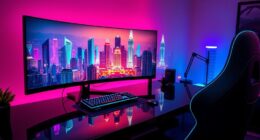
Ultrawide monitors have become essential for video editors and multitaskers who need expansive, seamless screens to boost productivity and creativity. The best choices balance high-resolution visuals, accurate color, and smooth performance, but often involve tradeoffs like price or connectivity options. The INNOCN 40C1R stands out as the overall top pick for its size and feature set, while the LG 34WR55QK-B offers excellent value for most users. For high-end professionals, the LG 40U990A-W provides premium WUHD clarity, but with a hefty price tag. Continue reading for a detailed breakdown of these options and how to find the right fit for your workflow.

Get furniture and decor delivered free — and shop member deals
- Fast, free delivery on millions of items
- Access to Prime Big Deal Days deals on October 6–7
- Prime Video, Amazon Music and more included
Complete the kit


Key Takeaways
- Top-performing models combine high resolution with accurate, wide color coverage for precise video editing.
- Size and curvature significantly impact usability; larger, curved screens improve immersion but may require more desk space.
- Connectivity options like USB-C and Thunderbolt are vital for seamless integration with modern laptops and workstations.
- Higher refresh rates (120Hz or more) benefit multitasking fluidity but are less critical for static video editing tasks.
- Price varies widely, with premium models offering better color accuracy and build quality, but value options still deliver solid performance.
| INNOCN 40C1R 40″ Ultrawide Monitor, WQHD 3440×1440, 144Hz, FreeSync Premium, HDR400, USB-C, HDMI |  | Best Overall for Creative Professionals and Power Users | Screen Size: 40 inches | Resolution: 3440 x 1440 (WQHD) | Aspect Ratio: 21:9 | VIEW ON AMAZON | See Our Full Breakdown |
| LG UltraWide 34-Inch WQHD Curved 144Hz HDR10 Monitors 34U620B-B (2-Pack Bundle) |  | Best for Multitasking with Dual Large Curved Displays | Size: 34 inches each | Resolution: 3440 x 1440 | Curvature: 1800R | VIEW ON AMAZON | See Our Full Breakdown |
| LG 34WR55QK-B 34-inch UltraWide WQHD Curved Computer Monitor |  | Best for Versatile Work and Casual Creators | Size: 34 inches | Resolution: 3440 x 1440 | Curvature: 1800R | VIEW ON AMAZON | See Our Full Breakdown |
| Dell 34 Monitor S3425DW, WQHD VA, 120Hz, FreeSync Premium, Eye Comfort |  | Best for Long Hours and Color-rich Work | Display Size: 34 inches | Resolution: 3440 x 1440 | Panel Type: VA | VIEW ON AMAZON | See Our Full Breakdown |
| LG 40U990A-W 40-inch Ultrafine evo 5K2K WUHD Curved Monitor with Thunderbolt 5 |  | Best for Creative Power Users and Professionals | Display Size: 40 inches | Resolution: 5120 x 2160 (5K2K) | Panel Type: Nano IPS Black | VIEW ON AMAZON | See Our Full Breakdown |
| Alienware AW3425DWM 34-inch Curved WQHD Gaming Monitor |  | Best for High-Performance Video Editing and Immersive Multitasking | Screen Size: 34 inches | Resolution: WQHD | Refresh Rate: 180Hz | VIEW ON AMAZON | See Our Full Breakdown |
| LG 34SR60QC-W 34-inch QHD Curved Smart Monitor with Streaming, webOS, HDR10, 100Hz, Built-in Speaker, AirPlay2, Screen Share, Bluetooth, ThinQ App, White |  | Best for Seamless Multitasking and Content Sharing | Size: 34 inches | Resolution: 3440×1440 (QHD) | Aspect Ratio: 21:9 | VIEW ON AMAZON | See Our Full Breakdown |
| LG 34U530A-W 34-inch UltraWide WFHD IPS Monitor (2560 x 1080), 100Hz, White |  | Best for Budget-Friendly Multitasking and Everyday Use | Screen Size: 34 inches | Resolution: 2560 x 1080 | Aspect Ratio: 21:9 | VIEW ON AMAZON | See Our Full Breakdown |
| LG 34 Inch UltraWide Curved Monitor, WQHD (3440 x 1440), 120Hz, HDR10, 99% sRGB, Adjustable Stand |  | Best for Color Accuracy and Ergonomic Comfort in Content Creation | Size: 34 inches | Resolution: 3440 x 1440 | Refresh Rate: 120Hz | VIEW ON AMAZON | See Our Full Breakdown |
| INNOCN 34C1R 34″ Ultrawide Monitor – WQHD 3440×1440, 180Hz, IPS, HDR, G-SYNC Compatible |  | Best Overall for Seamless Multitasking and Smooth Gaming | Screen Size: 34 inches | Resolution: 3440 x 1440 (WQHD) | Refresh Rate: 180Hz | VIEW ON AMAZON | See Our Full Breakdown |
| Dell UltraSharp 34 Curved Thunderbolt Hub Monitor – U3426WER |  | Best for Creative Professionals and Mac Users | Display Size: 34 inches | Panel Type: IPS Black | Contrast Ratio: 2000:1 | VIEW ON AMAZON | See Our Full Breakdown |
| ASUS ProArt PA34VCNV 34-Inch 1440p Ultrawide Professional Monitor for Mac |  | Best for Professional Video Editing and Creators | Display Size: 34.1 inches | Resolution: 1440p (QHD) | Panel Technology: IPS LCD | VIEW ON AMAZON | See Our Full Breakdown |
| CRUA 34 Inch 21:9 UWQHD Ultrawide Curved Monitor with Speakers, White |  | Best Budget Ultrawide for Multitasking and Content Creation | Size: 34 inches | Resolution: 3440×1440 UWQHD | Refresh Rate: 100Hz | VIEW ON AMAZON | See Our Full Breakdown |
| ultrawide monitors for video editing and multitasking | Resolution | Refresh Rate | HDR | Panel Type |
|---|---|---|---|---|
| INNOCN 40C1R 40" Ultrawide Mon | 3440 x 1440 (WQHD) | 144Hz (DP), 100Hz (HDMI) | DisplayHDR 400 | ADS (IPS) |
| LG UltraWide 34-Inch WQHD Curv | 3440 x 1440 | 144Hz | HDR10 | — |
| LG 34WR55QK-B 34-inch UltraWid | 3440 x 1440 | 100Hz | HDR10 | — |
| Dell 34 Monitor S3425DW | 3440 x 1440 | 120Hz | HDR ready | VA |
| LG 40U990A-W 40-inch Ultrafine | 5120 x 2160 (5K2K) | — | VESA DisplayHDR 600 | Nano IPS Black |
| Alienware AW3425DWM 34-inch Cu | WQHD | 180Hz | — | — |
| LG 34SR60QC-W 34-inch QHD Curv | 3440×1440 (QHD) | 100Hz | HDR10 | — |
| LG 34U530A-W 34-inch UltraWide | 2560 x 1080 | 100Hz | — | IPS |
| LG 34 Inch UltraWide Curved Mo | 3440 x 1440 | 120Hz | HDR10 | — |
| INNOCN 34C1R 34" Ultrawide Mon | 3440 x 1440 (WQHD) | 180Hz | HDR400 | IPS |
| Dell UltraSharp 34 Curved Thun | — | — | — | IPS Black |
| ASUS ProArt PA34VCNV 34-Inch 1 | 1440p (QHD) | — | — | — |
| CRUA 34 Inch 21:9 UWQHD Ultraw | 3440×1440 UWQHD | 100Hz | — | IPS |
More Details on Our Top Picks
- The INNOCN 40C1R stands out for its expansive 40-inch 21:9 screen, offering 18% more viewable area than typical 34-inch models like the LG 34WR55QK-B. Its combination of a high-quality ADS panel with 95% DCI-P3 color coverage and factory calibration ensures vibrant, accurate visuals—ideal for demanding editing workflows. Compared to smaller, lower-refresh-rate options, the 144Hz refresh rate enhances fluidity in fast-moving content, though full 144Hz support is limited to DisplayPort and USB-C, with HDMI capped at 100Hz. Its versatile connectivity, including USB-C with 65W power delivery, makes it suitable for modern laptops and mobile devices. The adjustable, VESA-mountable stand and split-screen features bolster multitasking, but the absence of built-in speakers and limited HDMI refresh rate may be drawbacks for some users. Best for creative professionals seeking a large, color-accurate display with flexible connectivity.Pros:
- Massive 40-inch ultrawide display with 21:9 aspect ratio
- High color accuracy with 95% DCI-P3 and factory calibration
- Versatile connectivity including USB-C with 65W power delivery
- Split-screen and ergonomic stand enhance productivity
Cons:- HDMI limited to 100Hz, reducing smoothness in some scenarios
- No built-in speakers, requiring external audio solutions
Best for: Video editors and multitaskers who need a large, color-accurate screen with multiple input options.
Not ideal for: Gamers who prioritize full 144Hz refresh rates over color accuracy and professional workflows.
- Screen Size:40 inches
- Resolution:3440 x 1440 (WQHD)
- Aspect Ratio:21:9
- Refresh Rate:144Hz (DP), 100Hz (HDMI)
- Panel Type:ADS (IPS)
- Brightness:500 nits
- Color Gamut:95% DCI-P3
- HDR:DisplayHDR 400
- Connectivity:USB-C, DisplayPort, HDMI, 3.5mm audio
Our verdict“This monitor is best suited for creative professionals who need a large, vibrant display with flexible connectivity options.”
LG UltraWide 34-Inch WQHD Curved 144Hz HDR10 Monitors 34U620B-B (2-Pack Bundle)
This LG 34U620B-B bundle offers two 34-inch curved monitors with WQHD resolution, creating a highly immersive workspace for multitasking, similar to the single large screen of the INNOCN but with the flexibility of dual displays. The 1800R curvature minimizes distortion and enhances immersion, making it well-suited for creative workflows and simultaneous applications. The 144Hz refresh rate and HDR10 support ensure smooth, vibrant visuals. However, managing two monitors requires more desk space and a more complex setup, unlike the INNOCN’s single, integrated display. The included ergonomic adjustments and accessories increase convenience, but some users may find curved screens less ideal for precise editing tasks. Best for users who prefer a dual-monitor setup for multitasking and creative work with flexible positioning.Pros:- Two large 34-inch curved screens ideal for multitasking
- High refresh rate and HDR10 support for vibrant, smooth visuals
- Ergonomic adjustments and included accessories enhance usability
- Curved design improves immersion and reduces distortion
Cons:- Requires significant desk space and cable management
- Potentially high cost for a dual-monitor setup
Best for: Creative professionals and multitaskers who benefit from dual large curved screens for enhanced productivity.
Not ideal for: Users with limited desk space or those who prefer a single, expansive display for simplicity.
- Size:34 inches each
- Resolution:3440 x 1440
- Curvature:1800R
- Refresh Rate:144Hz
- Color Coverage:99% sRGB
- HDR:HDR10
- Inputs:Dual HDMI, DisplayPort
Our verdict“This bundle is perfect for users who want to maximize multitasking with two immersive, curved displays.”
LG 34WR55QK-B 34-inch UltraWide WQHD Curved Computer Monitor
The LG 34WR55QK-B offers a balanced combo of features for multitasking and casual editing, with a 34-inch curved WQHD display that provides immersive visuals. Its HDR10 and 99% sRGB ensure vibrant colors, similar to higher-end models like the LG 34U620B-B, but with a slightly lower refresh rate at 100Hz. The inclusion of USB Type-C with 65W power delivery adds flexibility for modern laptops, and the ergonomic stand supports tilt and height adjustments. However, the 5ms response time and absence of higher refresh rates make it less suitable for fast-paced gaming or highly detailed editing requiring ultra-smooth motion. Its curved design may not appeal to all workspace setups. Ideal for users seeking a versatile, color-rich display for general creative work and multimedia consumption.Pros:- Immersive 34-inch curved display with high-quality visuals
- HDR10 and 99% sRGB for vibrant, accurate colors
- Flexible connectivity including USB Type-C with power delivery
- Adjustable stand for ergonomic comfort
Cons:- Limited to 100Hz refresh rate, less ideal for fast-paced gaming
- No built-in speakers, requiring external audio
Best for: Casual creators and professionals needing a flexible, well-rounded ultrawide for multitasking.
Not ideal for: High-end gamers or editors needing ultra-fast response times and precise motion handling.
- Size:34 inches
- Resolution:3440 x 1440
- Curvature:1800R
- Refresh Rate:100Hz
- Color Gamut:99% sRGB
- HDR:HDR10
- Connectivity:HDMI x2, DisplayPort, USB-C with 65W
Our verdict“This monitor provides a versatile, colorful experience suited for casual editing and multitasking with a curved display.”
Dell 34 Monitor S3425DW, WQHD VA, 120Hz, FreeSync Premium, Eye Comfort
The Dell S3425DW offers a VA panel with a high contrast ratio of 3000:1, making it excellent for color-rich editing and extended work sessions. Its 120Hz refresh rate ensures smoother visuals than standard 60Hz monitors, with FreeSync Premium support to reduce tearing. Compared to the LG models, it emphasizes eye comfort with reduced blue light emissions and a more affordable price point, though it lacks detailed ergonomic adjustments. The VA panel provides deeper blacks, which can be advantageous for editing high-contrast footage, yet it may have slightly narrower viewing angles than IPS-based options like the INNOCN. It’s a strong choice for those prioritizing contrast and comfort over ultra-fast response times. Ideal for long editing sessions with a focus on color depth and eye comfort.Pros:- High contrast VA panel with deep blacks
- 120Hz refresh rate for smooth visuals
- Supports FreeSync Premium for tear-free editing
- Enhanced eye comfort through blue light reduction
Cons:- Limited ergonomic adjustments, fixed stand may be less comfortable
- Response time of 0.03ms is typical but not ideal for competitive gaming
Best for: Video editors and professionals who need deep contrast and color fidelity for prolonged work periods.
Not ideal for: Gamers or fast-paced content creators requiring the highest refresh rates and motion clarity.
- Display Size:34 inches
- Resolution:3440 x 1440
- Panel Type:VA
- Refresh Rate:120Hz
- Contrast Ratio:3000:1
- HDR:HDR ready
- Connectivity:USB-C, HDMI, DisplayPort
Our verdict“This monitor suits long editing sessions where contrast and comfort are priorities over ultra-fast response times.”
LG 40U990A-W 40-inch Ultrafine evo 5K2K WUHD Curved Monitor with Thunderbolt 5
The LG 40U990A-W delivers a remarkable 5120 x 2160 5K2K resolution on a 40-inch curved Nano IPS display, surpassing the resolution of the INNOCN and LG 34U620B-B for crisp detail. Its Thunderbolt 5 connectivity and HDR600 support cater to demanding professional workflows, especially for creators working with high-resolution images and video. The 99% DCI-P3 coverage ensures precise color reproduction, making it ideal for color grading and detailed editing. However, its premium price tag and large footprint mean it’s best suited for dedicated creative environments, and its complex feature set can be overwhelming for casual users. Compared to other ultrawide options, this monitor combines high resolution, color accuracy, and connectivity in a package tailored for professional use. Best for high-end creative professionals needing ultimate detail and versatile connectivity.Pros:- Exceptional 5K2K resolution with pin-sharp detail
- 99% DCI-P3 for accurate, vibrant colors
- Versatile connectivity including Thunderbolt 5 and multiple ports
- Deep HDR600 support enhances visual richness
Cons:- High price point limits accessibility for some users
- Large size demands significant desk space
- Complex feature set may be unnecessary for casual tasks
Best for: Creative professionals requiring ultra-high resolution, precise color, and advanced connectivity for demanding workflows.
Not ideal for: Casual users or gamers who do not need 5K resolution or Thunderbolt 5 features.
- Display Size:40 inches
- Resolution:5120 x 2160 (5K2K)
- Panel Type:Nano IPS Black
- Curvature:2500R
- HDR:VESA DisplayHDR 600
- Color Gamut:up to 99% DCI-P3
- Ports:Thunderbolt 5, HDMI 2.1, DisplayPort 2.1, USB-C
Our verdict“This monitor is perfect for creative professionals who need the highest resolution and color accuracy in a large, versatile package.”
Alienware AW3425DWM 34-inch Curved WQHD Gaming Monitor
This monitor stands out for its combination of ultra-smooth 180Hz refresh rate and 1ms response time, making it ideal for fast-paced video editing workflows that benefit from quick feedback. Its 1500R curvature enhances immersion, which is more suited to entertainment and gaming, whereas traditional flat monitors like the LG 34U530A-W may better serve general multitasking. The DCI-P3 95% color coverage and DisplayHDR 400 support deliver vibrant visuals, but the HDR certification is a lower-tier standard compared to higher-end options, which might matter for color-critical tasks. Overall, this model is perfect for editors who also want a monitor that can handle gaming or fast-moving content without compromising responsiveness, though its curved design may be less practical for multi-monitor setups or precise color work.
Pros:- Exceptional 180Hz refresh rate with 1ms response time for smooth, precise editing feedback
- Immersive 1500R curved ultrawide panel enhances focus and engagement
- Vivid colors with DCI-P3 95% coverage and DisplayHDR 400 support
Cons:- Curved ultrawide design may be less suitable for flat workspace arrangements
- DisplayHDR 400 offers lower contrast and brightness compared to higher HDR standards
Best for: Video editors and content creators needing ultra-responsive visuals combined with immersive viewing.
Not ideal for: Color-critical professionals who require flat displays for precise color grading or workspace flexibility.
- Screen Size:34 inches
- Resolution:WQHD
- Refresh Rate:180Hz
- Response Time:1ms gray-to-gray
- Curvature:1500R
- Color Coverage:DCI-P3 95%
Our verdict“This monitor is best suited for editors who need high responsiveness and immersive visuals, accepting some compromises in workspace flexibility.”
LG 34SR60QC-W 34-inch QHD Curved Smart Monitor with Streaming, webOS, HDR10, 100Hz, Built-in Speaker, AirPlay2, Screen Share, Bluetooth, ThinQ App, White
This model excels for users who prioritize integrated streaming and easy content sharing, thanks to its webOS platform and compatibility with Apple AirPlay 2 and HomeKit. Its 21:9 aspect ratio offers a wide viewing space, similar to the LG 34U530A-W but with more built-in smart features that facilitate multitasking across streaming, browsing, and productivity apps. The 100Hz refresh rate is adequate for general use but falls short for high-end gaming or fast video editing where higher rates like 120Hz or 180Hz matter. The curved design may not suit all workspaces, but the multiple ports and built-in speakers add to its versatility. This monitor makes the most sense for content creators and multitaskers who value smart features and connectivity over ultra-high refresh rates.
Pros:- Built-in webOS offers easy access to streaming apps and cloud services
- Wide 21:9 aspect ratio maximizes workspace and multitasking
- Supports Apple AirPlay 2 and HomeKit for seamless content sharing
Cons:- Limited to 100Hz refresh rate, less suitable for fast-paced gaming
- Curved design might not align with all workspace setups
Best for: Multitaskers and streamers seeking a smart, versatile display with integrated content sharing.
Not ideal for: Gamers or editors requiring high refresh rates and color accuracy for fast-paced editing.
- Size:34 inches
- Resolution:3440×1440 (QHD)
- Aspect Ratio:21:9
- Curvature:1800R
- HDR:HDR10
- Refresh Rate:100Hz
Our verdict“This monitor is ideal for users who prioritize smart features and multitasking convenience over high refresh rates or color precision.”
LG 34U530A-W 34-inch UltraWide WFHD IPS Monitor (2560 x 1080), 100Hz, White
Compared with higher-resolution ultrawides like the LG 34SR60QC-W, this monitor offers a lower 2560 x 1080 resolution, which may limit detailed editing work but still provides a wide workspace for multitasking. Its IPS panel ensures good color accuracy and viewing angles, while the 100Hz refresh rate supports smooth scrolling and window switching. The inclusion of USB Type-C, HDMI, and DisplayPort adds versatility, and the adjustable stand improves ergonomics—features that appeal to budget-conscious users. However, the lower resolution means less workspace clarity for detailed editing, and the curved design might not be essential for productivity-focused setups. This pick makes the most sense for casual creators or users who need a large display without the premium price.
Pros:- Wide 21:9 aspect ratio ideal for multitasking with multiple windows
- USB Type-C supports single-cable connectivity for display and data
- Good color accuracy with IPS panel and 99% sRGB coverage
Cons:- Lower 2560 x 1080 resolution reduces workspace clarity for detailed editing
- Limited to 100Hz, not optimal for fast-paced gaming or high-end editing
Best for: Budget-conscious users seeking a large, versatile ultrawide for basic video editing and multitasking.
Not ideal for: Professional editors requiring high resolution and pixel-perfect detail for color grading.
- Screen Size:34 inches
- Resolution:2560 x 1080
- Aspect Ratio:21:9
- Panel Type:IPS
- Refresh Rate:100Hz
- Connectivity:USB Type-C, HDMI, DisplayPort
Our verdict“This monitor is best suited for casual users or those on a budget who need a large display for everyday multitasking.”
LG 34 Inch UltraWide Curved Monitor, WQHD (3440 x 1440), 120Hz, HDR10, 99% sRGB, Adjustable Stand
This 34-inch curved display balances high resolution, vibrant colors, and ergonomic flexibility, making it well-suited for detailed video editing and multitasking. Its 120Hz refresh rate enhances smoothness during editing or reviewing fast-moving content, while HDR10 support enhances color and contrast. Compared with the Alienware AW3425DWM, this model offers good color accuracy with 99% sRGB, but it doesn’t match the ultra-fast response times needed for competitive gaming. Its adjustable stand provides ergonomic comfort, essential for long editing sessions. However, the monitor’s size and curvature may not fit all desk setups, and it lacks the high-tier HDR brightness levels of premium models. It makes the most sense for creative professionals who value color fidelity and comfort over gaming responsiveness.
Pros:- Expansive curved display enhances multitasking and creative workflows
- 120Hz refresh rate improves visual fluidity during editing
- 99% sRGB coverage and HDR10 support for vibrant, accurate colors
Cons:- Size and curvature may not suit all workspace layouts
- Lacks the highest-tier HDR brightness for advanced HDR workflows
Best for: Content creators and editors seeking accurate colors with ergonomic features.
Not ideal for: Competitive gamers or editors needing ultra-fast response times and higher HDR brightness.
- Size:34 inches
- Resolution:3440 x 1440
- Refresh Rate:120Hz
- HDR:HDR10
- Color Gamut:99% sRGB
- Features:Reader Mode, Tilt/Height/Swivel
Our verdict“This monitor is ideal for professionals prioritizing color accuracy and ergonomic comfort in a curved ultrawide format.”
INNOCN 34C1R 34″ Ultrawide Monitor – WQHD 3440×1440, 180Hz, IPS, HDR, G-SYNC Compatible
This INNOCN model stands out for its rapid 180Hz refresh rate combined with a 1ms MPRT response, making it ideal for users who need fluid visuals for both video editing and gaming. While it offers a crisp 3440×1440 resolution, it doesn’t match the clarity of 4K displays like the ASUS ProArt, which might matter for detailed color work. Its PIP/PBP support enhances multitasking, but the absence of USB-C limits fast, single-cable connections for newer devices. The ergonomic stand and Eye Care tech prioritize comfort during long sessions, and its wide connectivity ensures compatibility with gaming consoles and PCs alike. Still, the lack of USB-C and a resolution capped at 1440p may dissuade some professional video editors seeking absolute detail.
Pros:- 180Hz refresh rate with 1ms MPRT for blur-free visuals
- Supports PIP/PBP for dual-device viewing
- Ergonomic stand with height, tilt, and swivel adjustments
- Compatible with PC and gaming consoles
Cons:- Limited to 1440p resolution, not 4K
- No USB-C connectivity mentioned
- Primarily designed for gaming and multitasking, less for color-critical work
Best for: Video editors who also want smooth gaming and multitasking capabilities with flexible device support
Not ideal for: Professionals requiring 4K resolution for ultra-fine detail or USB-C connectivity for streamlined workflows
- Screen Size:34 inches
- Resolution:3440 x 1440 (WQHD)
- Refresh Rate:180Hz
- Response Time:1ms MPRT
- Panel Type:IPS
- HDR:HDR400
Our verdict“This monitor is best suited for users who prioritize smooth performance and flexible multitasking over ultra-high resolution.”
Dell UltraSharp 34 Curved Thunderbolt Hub Monitor – U3426WER
The Dell UltraSharp U3426WER excels in delivering color accuracy with factory calibration and a high contrast IPS Black panel, making it a top choice for creative workflows. Its seamless multi-device connectivity, including Thunderbolt and KVM switch, simplifies complex setups, especially for professionals managing multiple systems. Compared to the ASUS ProArt, this model offers a more streamlined, premium design but at a higher price point. While its 34-inch curved display enhances immersion, it may be less suitable for users seeking ultra-wide gaming or high refresh rates. The inclusion of macOS compatibility and near-borderless design make it particularly appealing for Apple-centric workflows, but the premium cost could be a barrier for casual or budget-conscious users.
Pros:- Wide, curved display with excellent color accuracy
- Supports multi-device connectivity with built-in KVM and Thunderbolt
- Premium, sleek design with near-borderless appearance
- Factory-calibrated with 98% P3 coverage
Cons:- Expensive for casual use
- Requires installation of Dell Display and Peripheral Manager for full customization
- Limited to 60Hz refresh rate, less ideal for gaming
Best for: Creative professionals and Mac users needing reliable color accuracy and multi-device connectivity
Not ideal for: Gamers or users seeking a high-refresh-rate monitor for fast-paced gaming or highly detailed video editing
- Display Size:34 inches
- Panel Type:IPS Black
- Contrast Ratio:2000:1
- Color Coverage:98% P3
- Connectivity:Thunderbolt, KVM, Ethernet
- Calibration:Delta E < 2
Our verdict“This monitor delivers exceptional color fidelity and multi-device support, making it perfect for creative workflows on macOS, but less suited for high-speed gaming.”
ASUS ProArt PA34VCNV 34-Inch 1440p Ultrawide Professional Monitor for Mac
The ASUS ProArt PA34VCNV stands out for its factory-calibrated 100% sRGB and Rec. 709 coverage, delivering reliable color accuracy essential for professional video editing. Its 1440p resolution is a compromise compared to 4K displays like the INNOCN 34C1R, but it offers a wider color gamut and extensive connectivity, including USB-C with 96W power delivery. The curved design enhances immersion for detailed editing, but its 60Hz refresh rate limits its appeal for fast-paced content creation or gaming. Its ergonomic adjustments and 5-year warranty add value for dedicated professionals investing in long-term reliability. For those prioritizing color precision and versatile connectivity, this model provides a compelling option, though it may be overkill for casual users or gamers.
Pros:- Factory-calibrated with 100% sRGB and Rec. 709
- USB-C with 96W power delivery for single-cable connectivity
- Extensive ergonomic adjustments
- Long 5-year warranty for peace of mind
Cons:- Limited to 60Hz refresh rate, less suitable for gaming
- Relatively heavy at nearly 24 pounds
- Higher price point for professional use only
Best for: Professional video editors and creators who need accurate color reproduction and reliable connectivity
Not ideal for: Gamers or casual users seeking high refresh rates or 4K resolution for ultra-sharp visuals
- Display Size:34.1 inches
- Resolution:1440p (QHD)
- Panel Technology:IPS LCD
- Color Gamut:100% sRGB, Rec. 709
- Connectivity:USB-C, DisplayPort, HDMI
- Warranty:5 years
Our verdict“This monitor excels for professional color-critical work with versatile connectivity, but isn’t designed for high-speed gaming or casual use.”
CRUA 34 Inch 21:9 UWQHD Ultrawide Curved Monitor with Speakers, White
This CRUA monitor offers a spacious 34-inch curved display with a 3440×1440 resolution, providing ample space for multitasking, content creation, and casual gaming at an accessible price. Its 100Hz refresh rate and IPS panel deliver smooth visuals with vivid colors, comparable to more expensive options like the INNOCN or Dell models. However, its curved design may not suit all workspaces, and the limited tilt adjustment could be a drawback for ergonomic comfort. While lacking extensive professional calibration or high-end features, it offers solid performance for users on a budget who still want a large, immersive display. The built-in speakers add convenience, but the absence of height adjustment limits long-term comfort for some users.
Pros:- Affordable 34-inch ultrawide display
- Vivid colors with IPS panel and high color gamut
- Smooth 100Hz refresh rate with AMD FreeSync
- Built-in speakers for added convenience
Cons:- Curved design may not fit all workspace setups
- Limited tilt adjustment, no height adjustment
- Lacks professional calibration and higher refresh rates
Best for: Budget-conscious users who want a large, colorful ultrawide for multitasking and light creative work
Not ideal for: Professional video editors or gamers seeking ultra-high resolution or high refresh rates for demanding applications
- Size:34 inches
- Resolution:3440×1440 UWQHD
- Refresh Rate:100Hz
- Panel Type:IPS
- Color Gamut:120% sRGB, 92% DCI-P3
- Brightness:350 cd/m²
Our verdict“This monitor provides a large, colorful workspace at a budget-friendly price, ideal for casual multitasking and content creation but not for professional-grade editing or gaming.”
How We Picked
The monitors were selected based on a combination of performance, build quality, and usability for video editing and multitasking. Priority was given to display resolution, color accuracy, and panel technology, ensuring the screens can handle detailed editing workflows. Connectivity options and ergonomic features were also considered, as they influence long-term comfort and compatibility with different setups. The ranking reflects a balance between price, features, and user-centric attributes, aiming to help both professionals and serious hobbyists find suitable options without overpaying for unnecessary features.| ultrawide monitors for video editing and multitasking | Panel Type | HDR |
|---|---|---|
| INNOCN 40C1R 40" Ultrawide Mon | ADS (IPS) | DisplayHDR 400 |
| LG UltraWide 34-Inch WQHD Curv | — | HDR10 |
| LG 34WR55QK-B 34-inch UltraWid | — | HDR10 |
| Dell 34 Monitor S3425DW | VA | HDR ready |
| LG 40U990A-W 40-inch Ultrafine | Nano IPS Black | VESA DisplayHDR 600 |
| Alienware AW3425DWM 34-inch Cu | — | — |
| LG 34SR60QC-W 34-inch QHD Curv | — | HDR10 |
| LG 34U530A-W 34-inch UltraWide | IPS | — |
| LG 34 Inch UltraWide Curved Mo | — | HDR10 |
| INNOCN 34C1R 34" Ultrawide Mon | IPS | HDR400 |
| Dell UltraSharp 34 Curved Thun | IPS Black | — |
| ASUS ProArt PA34VCNV 34-Inch 1 | — | — |
| CRUA 34 Inch 21:9 UWQHD Ultraw | IPS | — |
Factors to Consider When Choosing Ultrawide Monitors For Video Editing And Multitasking
Choosing the right ultrawide monitor for video editing and multitasking involves balancing several key factors. Higher resolution and color accuracy are essential for professional editing, while size and curvature influence ease of use and immersion. Connectivity and ergonomic features ensure seamless integration into your workspace, while price ranges can vary significantly. Understanding these factors helps prevent common mistakes like undervaluing color coverage or overestimating screen size for your desk. Let’s explore the most important considerations to make an informed choice.Display Resolution and Color Accuracy
For video editing, resolution and color precision directly impact your ability to see fine details and true colors. Monitors with at least 3440×1440 (WQHD) are standard, but 4K or WUHD screens offer even sharper images. Color coverage, especially AdobeRGB or DCI-P3, ensures your edits are accurate across different devices and media. Beware of models that focus solely on resolution without color fidelity, as this can lead to mismatched colors in your final output. Investing in a monitor with high color accuracy makes a significant difference in professional workflows.
Size and Curvature
Size influences how much workspace you have and how comfortably you can view multiple windows side by side. Larger ultrawides, like 40 inches, provide ample room but require more desk space and stronger mounting options. Curved screens help reduce distortion at the edges and create a more immersive experience, which benefits multitasking and detailed editing. However, very large or curved monitors can feel overwhelming or awkward in small setups. Carefully consider your workspace dimensions and personal preference when selecting size and curvature.
Connectivity and Compatibility
Modern video editing often relies on fast, versatile connections like USB-C and Thunderbolt, which allow for single-cable setups that transfer data, video, and power. Check that your computer supports these standards to maximize convenience. HDMI and DisplayPort are also common options, but compatibility and bandwidth vary. Poor connectivity choices can lead to lag, reduced resolution, or the need for additional adapters. Prioritize monitors with flexible, future-proof ports to ensure seamless integration with your existing and future devices.
Ergonomics and Build Quality
Long editing sessions call for adjustable stands with height, tilt, and swivel options, reducing strain and improving comfort. A sturdy build ensures stability and durability, especially for larger models. Some monitors include features like anti-glare coatings or flicker-free screens, which help prevent eye fatigue. Overlooking ergonomics can lead to discomfort, negatively impacting productivity and health. Choose models that support your ergonomic needs and match your workspace for sustained comfort.
Price and Value
Prices for ultrawide monitors span from budget-friendly options to premium models with advanced features. While high-end screens offer superior color, resolution, and build quality, they may not be necessary for all users. Consider what features are non-negotiable for your workflow and where value can be gained. Sometimes, spending a bit more on calibration tools or better connectivity yields a more productive setup. Avoid paying for bells and whistles that don’t improve your core editing or multitasking needs.
Frequently Asked Questions
Is a 4K ultrawide monitor worth it for video editing?
Yes, a 4K ultrawide monitor can significantly enhance your editing precision by providing sharper images and more detailed views of your footage. It also allows for more accurate color grading, especially if combined with high color coverage standards like DCI-P3. However, 4K monitors tend to be more expensive and require more powerful hardware to run smoothly at full resolution. If your workflow demands high detail and color accuracy, investing in a 4K ultrawide can be well worth it, but ensure your system can support it comfortably.
Should I prioritize size or resolution when choosing an ultrawide monitor?
Both size and resolution matter, but your choice depends on your workflow and workspace. Larger screens provide more physical workspace, making it easier to multitask with multiple windows open simultaneously. Higher resolution offers crisper visuals and finer detail, which is crucial for color grading and precise editing. If space allows, a larger, high-resolution monitor offers a better balance of immersion and detail. Conversely, if your desk is limited, a slightly smaller but still high-resolution screen may be more practical.
How important is color coverage for video editing?
Color coverage is one of the most critical factors in choosing a monitor for professional video editing. Monitors with extensive color gamuts like DCI-P3 or AdobeRGB ensure your edits are accurate and consistent across different devices and media. A lack of sufficient color coverage can lead to mismatched colors in your final product, requiring rework. For serious editing work, look for monitors with factory calibration and high color accuracy certifications to avoid surprises in color grading.
Can I use a gaming ultrawide monitor for editing and multitasking?
Many gaming ultrawide monitors have features like high refresh rates and low response times, which can benefit multitasking and general use. However, their focus on gaming performance can sometimes come at the expense of color accuracy or factory calibration needed for professional editing. If you choose a gaming monitor for editing, verify its color coverage and calibration options. For best results, select models that balance gaming features with professional-grade color fidelity and ergonomic adjustments.
Is curved or flat better for video editing and multitasking?
Curved monitors improve immersion and help reduce distortion at the edges, making them ideal for multitasking and detailed editing, especially on larger screens. They create a more natural viewing experience by matching the eye’s curvature, which can decrease eye strain during long sessions. Flat monitors, on the other hand, are easier to mount and fit into smaller or more traditional workspaces. The choice depends on your preference and workspace; curved screens tend to be more engaging for multitasking but may not suit every desk or mounting setup.
Conclusion
For those seeking the best overall experience, the INNOCN 40C1R offers a massive, feature-rich display suitable for professional video editing and multitasking. Budget-conscious users will find excellent value in the LG 34WR55QK-B, which balances performance and affordability. Creatives demanding top-tier color accuracy and resolution should consider the LG 40U990A-W for its premium WUHD display. Beginners or casual users might prefer smaller, less complex models like the LG 34U530A-W for simple multitasking. Ultimately, your choice depends on your workspace, workflow needs, and budget, but all these options deliver solid performance for video editing and multitasking in 2026.Fall Picks
fall essentials
As an affiliate, we earn on qualifying purchases.