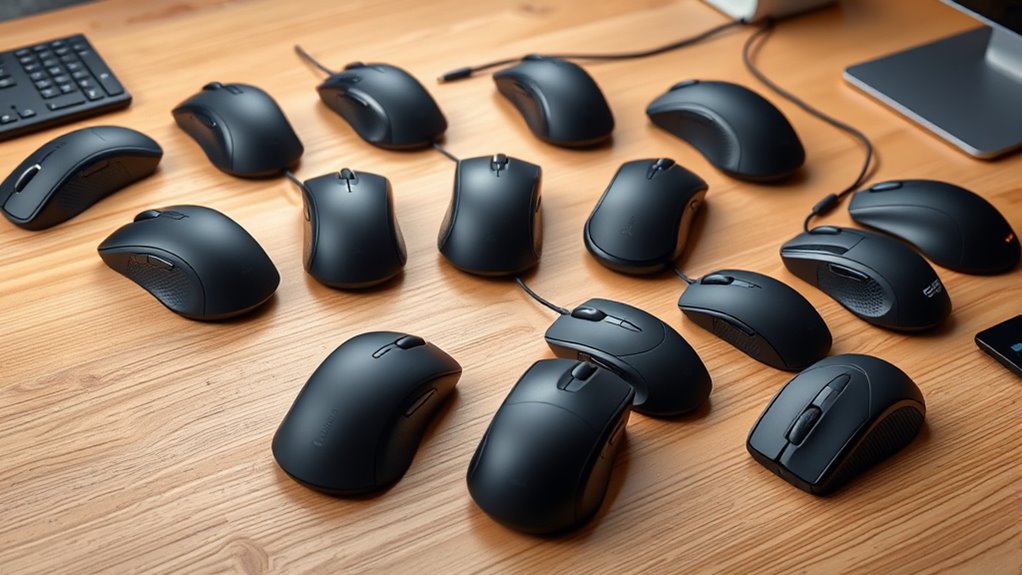

Finding the right premium ergonomic mouse for precision work means balancing wrist comfort against fine cursor control, and that tradeoff shapes this entire category. My top pick, the Logitech MX Master 4 with Haptics, earns the best overall spot because its sculpted right-hand shape, high-precision sensor, and tactile feedback deliver professional-grade accuracy without the strain of a flat mouse. Two other standouts: the MX Ergo S trackball for people who want maximum precision with near-zero arm movement, and the MX Vertical for those prioritizing posture correction who still need solid pointer accuracy. The main tension you’ll face is that vertical and trackball designs reduce strain most dramatically but demand a learning period, while conventional sculpted mice feel instantly familiar but offer smaller ergonomic gains. Cheaper options like the Anker and TECKNET verticals prove you don’t need to spend big for basic ergonomics, though their sensors and build quality lag behind Logitech’s premium tier. Keep reading for the full breakdown of all 15 models.

Get furniture and decor delivered free with Prime
- Fast, free delivery on millions of items
- Prime Video, Amazon Music and more included
- Member-only deals all year
Complete the kit


Key Takeaways
- The MX Master 4 with Haptics ranks best overall because haptic scrolling bridges the gap between the MX Master 3S’s free-spin wheel and the tactile feedback precision work demands — no other mouse in the lineup combines that with an 8K DPI sensor.
- Trackballs (MX Ergo S, Ergo M575S) delivered the highest pixel-level precision in this comparison because the cursor moves with the thumb while the hand stays planted — but both demand a multi-week adjustment period.
- Logitech dominates this list for a reason: its Quiet Clicks switches, glass-tracking sensors, and multi-device flow consistently outperform budget rivals like the Anker and TECKNET, which feel ergonomically sound but imprecise at the margins.
- The MX Vertical and Lift split the vertical category by hand size — the MX Vertical suits medium-to-large hands while the Lift is the only genuinely small-hand vertical option here, a distinction most buyers miss before ordering.
- The MX Master 2S still holds up in 2026 as the value play: you sacrifice the quieter clicks and refined scroll wheel of the 3S and 4, but the core ergonomics and sensor accuracy are close enough that the savings are real.
| Logitech MX Ergo S Advanced Wireless Trackball Mouse |  | Best Overall | Type: Wireless trackball mouse | Connectivity: Bluetooth, Logi Bolt USB receiver | Battery Life: Up to 120 days per charge; 1-min charge gives 24 hours | VIEW ON AMAZON | See Our Full Breakdown |
| Logitech MX Master 3S Bluetooth Wireless Mouse No Receiver – Graphite |  | Best for Receiver-Free Setups | Connectivity: Bluetooth only (no receiver included) | Sensor: Darkfield, up to 8,000 DPI, tracks on glass (4mm+) | Buttons: 7 buttons, scroll wheel, thumbwheel, gesture button | VIEW ON AMAZON | See Our Full Breakdown |
| Philips Ergonomic Wireless Mouse (SPK7858B) |  | Best Value | Model: SPK7858B | Connectivity: Bluetooth, 2.4GHz via dual USB-A/C receiver | Sensor: Optical, 800–4,000 DPI (5 levels) | VIEW ON AMAZON | See Our Full Breakdown |
| Logitech Mouse MX Vertical, 910-005448 |  | Best for Wrist Relief | Design: Vertical ergonomic, right-hand | Connectivity: Bluetooth, RF wireless via USB receiver | Sensor: Optical, up to 4,000 DPI | VIEW ON AMAZON | See Our Full Breakdown |
| Logitech MX Master 4 Ergonomic Wireless Mouse with Haptics – Graphite |  | Best Premium Splurge | Connectivity: Bluetooth, USB-C dongle | Sensor: Optical, up to 8,000 DPI, tracks on glass | Buttons: 7, right-handed ergonomic layout | VIEW ON AMAZON | See Our Full Breakdown |
| Logitech MX Master 4 for Mac – Ergonomic Bluetooth Mouse, Space Black |  | Best for Mac-Centric Precision Work | Connectivity: Bluetooth | Compatibility: macOS, iPadOS, Windows | Scroll Speed: Up to 1,000 lines per second (MagSpeed) | VIEW ON AMAZON | See Our Full Breakdown |
| Logitech Ergo M575S Wireless Bluetooth Trackball Mouse – Graphite |  | Best for Small Desks and Forearm Relief | Connectivity: Bluetooth or Logi Bolt USB receiver (included) | Battery Life: Up to 18 months (1x AA, included) | Control Style: Thumb-operated trackball | VIEW ON AMAZON | See Our Full Breakdown |
| Logitech Lift Vertical Ergonomic Wireless Mouse – Graphite |  | Best Vertical Mouse for Smaller Hands | Design: Vertical ergonomic, 57-degree angle | Hand Fit: Small to medium, right-handed | Connectivity: Bluetooth Low Energy or Logi Bolt receiver | VIEW ON AMAZON | See Our Full Breakdown |
| Anker 2.4G Wireless Vertical Ergonomic Mouse (Right Hand) |  | Best Budget Entry to Vertical Ergonomics | Connectivity: 2.4 GHz USB receiver (no Bluetooth) | DPI Options: 800 / 1200 / 1600 | Battery: 2x AAA (not included) | VIEW ON AMAZON | See Our Full Breakdown |
| Logitech MX Master 2S Wireless Mouse |  | Best Value Among Premium Contoured Mice | Connectivity: Bluetooth or Unifying USB receiver | Sensitivity: 4,000 DPI | Battery Life: Up to 70 days per charge | VIEW ON AMAZON | See Our Full Breakdown |
| Logitech MX Vertical Wireless Mouse – Graphite |  | Best for Wrist Relief | Sensor Resolution: 4000 DPI | Design Angle: 57 degrees | Connectivity: Wireless | VIEW ON AMAZON | See Our Full Breakdown |
| Logitech Signature Comfort Plus M850 L Wireless Mouse |  | Best All-Day Comfort | Connectivity: Bluetooth | Battery Life: Up to 24 months | Handedness: Right-handed | VIEW ON AMAZON | See Our Full Breakdown |
| TECKNET Ergonomic Mouse, 4800 DPI Wireless Bluetooth Vertical, 3-Device |  | Best Budget Vertical | Connectivity: 2.4 GHz receiver + Bluetooth | Sensor Resolution: Up to 4800 DPI (6 levels) | Buttons: 6 | VIEW ON AMAZON | See Our Full Breakdown |
| Logitech MX Master 3S Performance Wireless Mouse – Graphite With Bolt Receiver |  | Best Precision Workhorse | Sensor: Darkfield high precision, 8000 DPI | Buttons: 7, plus scroll wheel and thumbwheel | Battery: Rechargeable Li-Po (500 mAh), up to 18 months | VIEW ON AMAZON | See Our Full Breakdown |
| Logitech MX Master 3S – Performance Wireless Mouse, Black (No Receiver) |  | Best for Clean Bluetooth Setups | Sensor: 8000 DPI, any-surface tracking (works on glass) | Connectivity: Bluetooth (Logi Bolt receiver not included) | Multi-Device Support: Up to 3 devices | VIEW ON AMAZON | See Our Full Breakdown |
| premium ergonomic mice for precision work | Connectivity | Compatibility | Buttons | Battery |
|---|---|---|---|---|
| Logitech MX Ergo S Advanced Wi | Bluetooth, Logi Bolt USB receiver | Windows, macOS | 6 customizable buttons | — |
| Logitech MX Master 3S Bluetoot | Bluetooth only (no receiver included) | Windows, macOS, Linux, Chrome OS, iPadOS, Android | 7 buttons, scroll wheel, thumbwheel, gesture button | Rechargeable Li-Po (500 mAh), ~70 days |
| Philips Ergonomic Wireless Mou | Bluetooth, 2.4GHz via dual USB-A/C receiver | Windows 11, macOS 14 Sonoma, iOS, Android | 5, including side scroll and macro-mappable | Rechargeable 500 mAh; up to 25 days heavy use |
| Logitech Mouse MX Vertical | Bluetooth, RF wireless via USB receiver | Windows, macOS | 4 | Rechargeable Li-Po, ~4 months average life |
| Logitech MX Master 4 Ergonomic | Bluetooth, USB-C dongle | Windows, macOS, Linux, Chrome OS, iPadOS, Android | 7, right-handed ergonomic layout | Up to 70 days; 1-minute charge gives 3 hours |
| Logitech MX Master 4 for Mac | Bluetooth | macOS, iPadOS, Windows | — | Rechargeable lithium-ion |
| Logitech Ergo M575S Wireless B | Bluetooth or Logi Bolt USB receiver (included) | Windows, macOS | — | — |
| Logitech Lift Vertical Ergonom | Bluetooth Low Energy or Logi Bolt receiver | Windows, macOS, iPadOS, Chrome OS, Linux | 6 total, 4 customizable | — |
| Anker 2.4G Wireless Vertical E | 2.4 GHz USB receiver (no Bluetooth) | — | — | 2x AAA (not included) |
| Logitech MX Master 2S Wireless | Bluetooth or Unifying USB receiver | Windows 7/8/10, macOS | 7 | — |
| Logitech MX Vertical Wireless | Wireless | — | — | — |
| Logitech Signature Comfort Plu | Bluetooth | Windows, macOS, Chrome OS, Linux, iPadOS, Android | — | — |
| TECKNET Ergonomic Mouse | 2.4 GHz receiver + Bluetooth | Windows, Mac, Chrome, Linux | 6 | 2 AAA (not included), up to 24 months |
| Logitech MX Master 3S Performa | Bluetooth or Logi Bolt receiver (included) | Windows, macOS, Linux, Chrome OS, iPadOS, Android | 7, plus scroll wheel and thumbwheel | Rechargeable Li-Po (500 mAh), up to 18 months |
| Logitech MX Master 3S | Bluetooth (Logi Bolt receiver not included) | Windows, macOS, Chrome OS, Linux | — | — |
More Details on Our Top Picks
Logitech MX Ergo S Advanced Wireless Trackball Mouse
The MX Ergo S earns the top spot because it attacks the root cause of precision-work fatigue: forearm movement. Its 20-degree tilt angle, which Logitech says reduces forearm muscle strain by 27 percent, keeps the hand stationary while the thumb handles tracking — a fundamentally different equation than even the well-shaped MX Master 3S, which still requires full-arm motion. The switchable speed and precision modes matter for detail work: one click slows the cursor for pixel-level edits, another speeds it up for hopping across a 4K display.
The tradeoff is the learning curve. Compared with a traditional mouse like the MX Master series, thumb-driven trackballs take a week or two before they feel natural, and the shell is sized for medium-to-large hands, so smaller-handed buyers should look at the Logitech Ergo M575S instead. Budget for a USB-C cable too — one is not in the box.
Pros:- 20-degree tilt reduces forearm muscle strain by 27 percent
- Up to 120 days of battery, with a 1-minute charge delivering 24 hours of use
- Dual connectivity (Bluetooth and Logi Bolt) with Easy-Switch across devices
- Dedicated precision mode for pixel-level cursor control
Cons:- No USB-C charging cable included
- Full button customization depends on the Logi Options+ app
- Trackball control has a real learning curve for mouse-native users
Best for: Designers, editors, and all-day desk workers with medium-to-large hands who want maximum comfort during pixel-precise work
Not ideal for: Small-handed users and anyone unwilling to relearn pointer control through a thumb trackball
- Type:Wireless trackball mouse
- Connectivity:Bluetooth, Logi Bolt USB receiver
- Battery Life:Up to 120 days per charge; 1-min charge gives 24 hours
- Charging:USB-C (cable not included)
- Tilt Angle:20 degrees
- Buttons:6 customizable buttons
- Compatibility:Windows, macOS
- Material:20% certified post-consumer recycled plastic
Our verdict“If comfort over ten-hour workdays is the priority and your hands fit the shell, this is the strongest all-around pick in the lineup.”
Logitech MX Master 3S Bluetooth Wireless Mouse No Receiver – Graphite
This Bluetooth-only edition of the MX Master 3S exists for a specific buyer: someone whose ports are precious. By dropping the Logi Bolt receiver and cable from the box, it suits laptops and tablets where a dongle permanently occupying a USB slot is a dealbreaker — and unlike the Philips SPK7858B, it still carries Logitech’s flagship feature set, including the 8K DPI Darkfield sensor that tracks on glass and the MagSpeed electromagnetic scroll wheel, which shifts from hyper-fast to ratchet precision in a flick.
The compromises are real, though. Bluetooth latency and reliability depend on the host machine, so gamers and anyone on a finicky older laptop may regret the missing dongle option — the standard MX Master 3S with Bolt receiver costs about the same and covers both paths. Battery life is a modest 70 days, and there is no charging cable in the box either.
Pros:- 8,000 DPI Darkfield sensor tracks on virtually any surface, including glass
- MagSpeed wheel is dramatically faster and more precise than standard scroll wheels
- 90% quieter clicks than the MX Master 3 for shared workspaces
- Pairs with up to 3 devices and supports FLOW cross-computer file transfer
Cons:- No USB receiver included and incompatible with other Logitech receivers
- No charging cable in the box
- Only 70 days of average battery life
Best for: Laptop and tablet users who live on Bluetooth and refuse to sacrifice a USB port to a dongle
Not ideal for: Gamers or users on older machines with unreliable Bluetooth, who should buy the receiver-equipped MX Master 3S instead
- Connectivity:Bluetooth only (no receiver included)
- Sensor:Darkfield, up to 8,000 DPI, tracks on glass (4mm+)
- Buttons:7 buttons, scroll wheel, thumbwheel, gesture button
- Battery:Rechargeable Li-Po (500 mAh), ~70 days
- Weight:141 g
- Compatibility:Windows, macOS, Linux, Chrome OS, iPadOS, Android
- Wireless Range:Up to 33 ft (10 m)
Our verdict“A flagship MX Master for the dongle-free desk — just make sure your Bluetooth stack can carry it.”
Philips Ergonomic Wireless Mouse (SPK7858B)
Most entries here are flagships; the Philips SPK7858B delivers the core ergonomic-and-precise formula at a friendlier price. The contoured shell and anti-slip thumb rest address wrist fatigue the traditional way, and the dual scroll wheels — one vertical, one for horizontal panning — are a genuine spreadsheet and timeline advantage that even the MX Ergo S can’t match. With 5-level adjustable DPI from 800 to 4,000 and a dual USB-A/C receiver plus Bluetooth, it covers multi-device workflows cleanly.
Where it trails the premium picks is refinement. Battery life tops out around 25 days of heavy use versus 70-plus for the MX Master mice, the 4,000 DPI ceiling is half the Logitech flagships’ 8K, and the OS requirements (Windows 11 or macOS 14 for full functionality) leave older systems behind. Still, for the price of roughly half a Master, it gets 80 percent of the way there.
Pros:- Dual scroll wheels make horizontal navigation through wide documents effortless
- 5-minute fast charge yields a full hour of use
- Connects via Bluetooth and a dual USB-A/C receiver with easy device switching
- Silent clicks suit shared and quiet offices
Cons:- Only right-handed users can use it
- Full compatibility requires Windows 11 or macOS 14 Sonoma
- Included cable is charge-only, no data
Best for: Budget-conscious office workers and students who want ergonomic comfort and dual-wheel navigation without flagship pricing
Not ideal for: Anyone on Windows 10 or older macOS versions, or users who need high-DPI tracking above 4,000 for detail work
- Model:SPK7858B
- Connectivity:Bluetooth, 2.4GHz via dual USB-A/C receiver
- Sensor:Optical, 800–4,000 DPI (5 levels)
- Battery:Rechargeable 500 mAh; up to 25 days heavy use
- Fast Charging:5 minutes for 1 hour of use
- Buttons:5, including side scroll and macro-mappable
- Range:42 feet
- Compatibility:Windows 11, macOS 14 Sonoma, iOS, Android
Our verdict“The smart spend for right-handed multitaskers who want ergonomic basics and dual-wheel productivity without paying flagship money.”
Logitech Mouse MX Vertical, 910-005448
The MX Vertical takes the most aggressive posture in this batch: a handshake-shaped shell that holds the hand at a natural angle to offload the wrist. For buyers already feeling strain from a flat mouse, it targets the problem more directly than the sculpted-but-horizontal MX Master 3S, and the 4,000 DPI sensor keeps cursor control respectable for detailed work despite the unusual grip. Battery life of roughly four months beats every other mouse in this roundup.
Be honest about the tradeoff, though. Vertical mice trade speed for comfort — fast flicks and fine dragging motions are clumsier than on a conventional or trackball design, and precision tasks like photo retouching will feel slower than on the MX Ergo S. With only four buttons, it is also the least customizable option here. Buyers wanting a gentler introduction to vertical grips should consider the smaller Logitech Lift instead.
Pros:- Handshake-angle design meaningfully reduces wrist pronation
- Four-month battery life is the longest in this roundup
- 4,000 DPI optical sensor with cross-computer connectivity via Bluetooth and USB receiver
- Works on both Windows and macOS
Cons:- Only 4 buttons — the least customizable option in this lineup
- Vertical grip slows fast, precise cursor movements compared with horizontal mice
- Noticeable adjustment period for longtime traditional-mouse users
Best for: Right-handed professionals with existing wrist or forearm discomfort who prioritize posture correction over raw speed
Not ideal for: Fast-paced precision work like photo retouching or gaming, where the vertical grip slows fine cursor control
- Design:Vertical ergonomic, right-hand
- Connectivity:Bluetooth, RF wireless via USB receiver
- Sensor:Optical, up to 4,000 DPI
- Buttons:4
- Battery:Rechargeable Li-Po, ~4 months average life
- Range:5 meters
- Compatibility:Windows, macOS
Our verdict“The pick for comfort-first buyers whose wrists are already complaining, provided they can accept slightly slower precision work.”
Logitech MX Master 4 Ergonomic Wireless Mouse with Haptics – Graphite
The MX Master 4 is the most feature-dense mouse here, and its two headline additions are aimed squarely at precision professionals. The Haptic Sense Panel gives tactile confirmation for actions, shortcuts, and notifications — confirmation you can feel without looking away from the canvas — while the Actions Ring surfaces app-specific tools right at the cursor, which Logitech claims cuts repetitive movements by up to 63 percent. Compared with the MX Master 3S, the scrolling is faster still (1,000 lines per second), connectivity is doubled in strength via a USB-C dongle, and the recycled-plastic build reaches 54 percent.
Whether those upgrades justify the splurge over the 3S depends on your workflow: haptics and the Actions Ring only pay off in the Logi Options+ ecosystem, so Linux tinkerers and set-it-and-forget-it users gain little. The 8K DPI sensor and ergonomics are shared with the cheaper 3S, meaning you are paying primarily for the interaction layer, not raw tracking.
Pros:- Haptic feedback confirms actions and notifications without looking away from work
- Actions Ring puts app-specific tools and filters at the cursor
- MagSpeed wheel scrolls 1,000 lines per second with pixel-level stopping
- 2X stronger connectivity via new USB-C dongle and improved antenna
Cons:- Premium price over the nearly-as-capable MX Master 3S
- Haptics and Actions Ring are useless without the Logi Options+ app
- Charging cable not included
Best for: Creative professionals and power users deep in the Logitech Options+ ecosystem who want haptic feedback and in-app shortcut overlays
Not ideal for: Buyers who just want excellent tracking and comfort — the MX Master 3S delivers most of it for less
- Connectivity:Bluetooth, USB-C dongle
- Sensor:Optical, up to 8,000 DPI, tracks on glass
- Buttons:7, right-handed ergonomic layout
- Haptics:Customizable haptic feedback panel (via Logi Options+)
- Battery:Up to 70 days; 1-minute charge gives 3 hours
- Click Noise:90% quieter clicks
- Sustainability:54% recycled plastic (Graphite); 100% recycled cobalt in battery
- Compatibility:Windows, macOS, Linux, Chrome OS, iPadOS, Android
Our verdict“The ceiling of this roundup — worth it only for workflow-obsessed professionals who will actually use the haptics and Actions Ring every day.”
Logitech MX Master 4 for Mac – Ergonomic Bluetooth Mouse, Space Black
This option stands out as the most Mac-tuned premium pick in the lineup, pairing the MagSpeed scroll wheel with a new haptic feedback panel and an adaptable Actions Ring. Compared with the Logitech MX Master 3S, it pushes further into customization: the haptic panel can surface alerts and shortcuts that the 3S simply has no hardware for. The 90% quieter clicks and 1,000-lines-per-second scrolling translate directly into long editing sessions with less hand fatigue and fewer interruptions in shared spaces. The tradeoff is Mac-first software design — Windows works, but the deep integrations feel built for macOS and iPadOS. Add the missing USB-C cable and a rechargeable battery you cannot swap, and this is a premium commitment rather than a casual buy.
Pros:- MagSpeed electromagnetic scroll wheel delivers near-instant navigation through massive documents
- Haptic feedback panel and Actions Ring enable shortcuts no conventional mouse offers
- Clicks reduced by about 90%, keeping quiet studios and shared offices distraction-free
- Sculpted shape with thumb scroll spreads workload across the hand during long sessions
Cons:- USB-C charging cable is not included, so you’ll need one on hand from day one
- Feature set is clearly Mac-first; Windows users get a diminished experience
- Sealed rechargeable battery means eventual end-of-life rather than a quick swap
Best for: Mac or iPad-based designers and editors who want haptic feedback, quiet clicks, and deep macOS integration for long precision sessions
Not ideal for: Windows-first users or anyone wanting plug-and-play simplicity — the standout features lean on Mac-optimized software, and there’s no charging cable in the box
- Connectivity:Bluetooth
- Compatibility:macOS, iPadOS, Windows
- Scroll Speed:Up to 1,000 lines per second (MagSpeed)
- Noise Reduction:Approximately 90% quieter clicks
- Charging:USB-C (cable not included)
- Battery:Rechargeable lithium-ion
- Materials:54% recycled plastic (Space Black), 100% recycled cobalt in battery
- Color:Space Black
Our verdict“This pick makes the most sense for Apple-based creative professionals who want the most customizable precision tool in the roundup and accept a Mac-first ecosystem.”
Logitech Ergo M575S Wireless Bluetooth Trackball Mouse – Graphite
The M575S takes a different ergonomic path than vertical mice like the Logitech Lift: instead of repositioning your wrist, it eliminates arm movement entirely by putting cursor control in your thumb. That design reduces forearm strain by roughly 25% and makes it the natural choice for cramped workspaces where a mouse pad barely fits. Compared with the Logitech MX Ergo S, it forgoes the adjustable tilt plate in exchange for simpler operation and an astonishing 18-month AA battery life. The honest tradeoffs: thumb-driven pointing has a real learning curve, precision work at the pixel level demands practice, and unlocking the customizable buttons requires installing Logi Options+. If your priority is comfort over pixel-perfect speed, it earns its slot easily.
Pros:- Reduces forearm muscle strain by about 25% by removing arm movement altogether
- Stationary design works on any surface and fits tiny desks
- Up to 18 months of battery life from a single included AA cell
- Dual connectivity via Bluetooth or the included Logi Bolt receiver
Cons:- Trackball control takes noticeable time to master for new users
- Advanced button customization requires the Logi Options+ app
- Thumb-only control may not suit larger or smaller hands
Best for: Professionals with limited desk space or forearm strain who value all-day comfort and hate recharging devices
Not ideal for: Fine-detail designers and photo retouchers who need instant pixel-level accuracy — the thumb trackball demands an adjustment period before it feels precise
- Connectivity:Bluetooth or Logi Bolt USB receiver (included)
- Battery Life:Up to 18 months (1x AA, included)
- Control Style:Thumb-operated trackball
- Customizable Buttons:3 (via Logi Options+)
- Material:52% certified post-consumer recycled plastic (Graphite)
- Compatibility:Windows, macOS
- Color:Graphite
Our verdict“This model is better suited to comfort-first buyers in tight workspaces than to speed-driven precision tasks — pick it if relief matters more than raw cursor agility.”
Logitech Lift Vertical Ergonomic Wireless Mouse – Graphite
Where the Anker 2.4G vertical offers a budget handshake grip, the Lift refines the concept for a specific audience: small-to-medium right hands. Its 57-degree angle is less extreme than the Logitech MX Vertical, which makes the posture shift gentler while still lifting the wrist into a neutral position. Ergonomist certification, a textured grip, and a snug thumb rest give it a more tailored feel than cheaper vertical options, and the SmartWheel automatically shifts between precision and speed scrolling — something the Anker cannot do. The compromises are real: 4,000 DPI handles office work comfortably but trails the 8K DPI MX Master 3S for high-resolution precision editing, and vertical mice generally trade a little pointing speed for comfort. Battery life, though, is exceptional at up to two years on one AA.
Pros:- 57-degree vertical shape promotes a natural forearm posture with a gentle learning curve
- Designed and certified against criteria set by leading ergonomists
- SmartWheel switches automatically between precise and fast scrolling
- Up to two years of battery life from a single AA and connectivity to three devices
Cons:- Sized specifically for small-to-medium hands; larger hands will feel cramped
- 4,000 DPI ceiling trails premium picks for high-resolution precision tasks
- Full button customization depends on Logi Options+ software
Best for: Right-handed office workers and writers with small-to-medium hands who want certified ergonomic relief without sacrificing everyday precision
Not ideal for: Left-handed buyers (this configuration is right-only) and anyone doing ultra-fine design work that benefits from higher-than-4,000-DPI sensors
- Design:Vertical ergonomic, 57-degree angle
- Hand Fit:Small to medium, right-handed
- Connectivity:Bluetooth Low Energy or Logi Bolt receiver
- Sensitivity:4,000 DPI (adjustable)
- Battery Life:Up to 24 months (1x AA)
- Buttons:6 total, 4 customizable
- Compatibility:Windows, macOS, iPadOS, Chrome OS, Linux
- Weight:125 g
Our verdict“This option stands out as the friendliest entry into vertical ergonomics for smaller right hands — choose it for comfort-first daily work, not maximum sensor resolution.”
Anker 2.4G Wireless Vertical Ergonomic Mouse (Right Hand)
The Anker is the lowest-commitment way to test vertical ergonomics in this roundup. Its handshake grip mirrors the posture benefits of the Logitech Lift at a fraction of the cost, and the adjustable 800/1200/1600 DPI covers everyday office and browsing work. But the gap with premium picks shows quickly: there’s no Bluetooth (only a USB receiver with a 5-meter range), no quiet-click engineering, and no customization software — the two extra buttons are limited to forward/back navigation. An eight-minute auto power-saving mode stretches battery life from two AAA cells, though the audible clicks make it a poor fit for quiet studios. This pick makes sense as a trial balloon: if the vertical grip solves your wrist pain, upgrading to the Lift or MX Vertical later is an easy call.
Pros:- Neutral handshake grip reduces wrist strain at a very accessible price point
- Three DPI settings (800/1200/1600) adapt tracking to different tasks
- Plug-and-play USB receiver avoids Bluetooth pairing headaches
- Auto power-saving mode after 8 minutes preserves battery life
Cons:- Audible clicks with no quiet-click engineering
- Requires two AAA batteries that are not included
- Only 5-meter wireless range and no Bluetooth option
Best for: Budget-conscious buyers who want to try a vertical handshake grip before investing in a premium ergonomic mouse
Not ideal for: Quiet shared workspaces or fine precision work — the loud clicks, 5-meter range, and modest 1,600 DPI ceiling will both annoy and limit
- Connectivity:2.4 GHz USB receiver (no Bluetooth)
- DPI Options:800 / 1200 / 1600
- Battery:2x AAA (not included)
- Power Saving:Activates after 8 minutes idle
- Range:Approximately 5 meters
- Hand Orientation:Right hand
- Extra Buttons:Forward/back navigation
- Weight:Approximately 96 g
- Warranty:18 months
Our verdict“This model is better suited to first-time vertical mouse curious buyers on a budget than to anyone expecting premium quiet or precision.”
Logitech MX Master 2S Wireless Mouse
Now that the MX Master 3S and MX Master 4 have arrived, the 2S has settled into a smart-value role: it retains the sculpted right-handed shell, 4,000 DPI tracking on nearly any surface, and the Flow feature that lets one mouse control multiple computers and drag files between them. Compared with the 3S, you give up the quieter clicks and higher 8K DPI sensor; compared with the 4, you lose haptics entirely. What remains is still excellent for precision drafting and document-heavy work, with a 70-day battery that outlasts most rivals. The aging shows in the micro-USB charging port — a genuine annoyance when everything else on your desk uses USB-C — and the design remains strictly right-handed. For buyers who want MX-tier ergonomics without paying for the newest refinements, this pick makes the most sense.
Pros:- Flow technology controls two computers and transfers files with one mouse
- Up to 70 days of battery life per full charge
- 4,000 DPI sensor tracks reliably on almost any surface, including difficult desks
- Mature sculpted ergonomics that remain comfortable through full workdays
Cons:- Micro-USB charging port feels outdated next to USB-C rivals
- Louder clicks than the MX Master 3S and 4 — not ideal for quiet offices
- Right-handed design only, like most of the MX Master line
Best for: Multi-computer power users who want premium contoured ergonomics and Flow cross-device control without paying current flagship pricing
Not ideal for: Left-handed users and anyone who wants the latest conveniences — micro-USB charging and louder clicks date this generation
- Connectivity:Bluetooth or Unifying USB receiver
- Sensitivity:4,000 DPI
- Battery Life:Up to 70 days per charge
- Buttons:7
- Weight:145 g
- Charging:Micro-USB (cable included)
- Compatibility:Windows 7/8/10, macOS
- Special Feature:Flow cross-computer control and file sharing
Our verdict“This pick makes the most sense for right-handed multitaskers who want flagship-tier comfort and Flow productivity at a previous-generation price, provided micro-USB doesn’t bother them.”
Logitech MX Vertical Wireless Mouse – Graphite
The MX Vertical takes wrist health more seriously than anything else in this lineup, holding your hand at a 57-degree angle that mimics a handshake and takes the forearm rotation out of mousing. The 4000 DPI sensor with a dedicated cursor speed switch means you can drop sensitivity for fine detail work and raise it for wide sweeps without digging into menus — a genuine productivity trick the TECKNET vertical replicates with more steps. Compared with the Lift Vertical, the MX Vertical is larger and better matched to medium-to-big hands, though the shallower angle of the Lift suits smaller grips. The tradeoff is adaptation: expect a week or two of retraining muscle memory, and precision-heavy tasks like pixel editing will feel clumsy at first before the payoff arrives.
Pros:- 57-degree angle meaningfully reduces forearm pronation and wrist pressure
- Dedicated cursor speed switch gives instant DPI changes for precision toggling
- 4000 DPI sensor cuts required hand movement roughly fourfold
- Textured rubber surface accommodates a range of hand sizes
Cons:- Steep learning curve for anyone coming from a traditional flat mouse
- Right-hand-only design leaves left-handed buyers with no option
- Larger footprint than slimmer verticals like the Logitech Lift
Best for: Right-handed professionals with wrist strain or early RSI symptoms who want the most aggressive correction without giving up a precision sensor
Not ideal for: Anyone unwilling to relearn pointing mechanics — the vertical grip degrades accuracy for the first week or two, and lefties are locked out entirely
- Sensor Resolution:4000 DPI
- Design Angle:57 degrees
- Connectivity:Wireless
- Handedness:Right-handed
- Surface Material:Textured rubber
- Color:Graphite
Our verdict“If wrist pain is the reason you’re shopping, this is the mouse that intervenes most aggressively — provided you can survive the adjustment period.”
Logitech Signature Comfort Plus M850 L Wireless Mouse
Where the MX Vertical corrects your posture through geometry, the M850 L goes for cushioned indulgence — a built-in palm cushion and contoured right-handed shell built for marathon sessions rather than aggressive therapy. It’s the pick for people whose complaint is fatigue, not pain. The SmartWheel handles both hyperfast document scrolling and precise line-by-line navigation, which covers most knowledge work better than the TECKNET’s simpler wheel. Pairing with three devices over Bluetooth via Easy-Switch puts it in the same multi-device league as the MX Master family, and the 24-month battery life beats the MX Master 3S’s rechargeable cell in pure longevity. The compromises are real, though: this is a comfort-first workhorse, not a precision instrument, and Logi Options+ is required to unlock its customization — Linux users get basic functions only.
Pros:- Palm cushion dramatically reduces fatigue during long work sessions
- Easy-Switch toggles between three paired devices instantly
- Whisper-quiet clicks suit shared offices and late-night work
- Up to 24 months of battery life on a single set of cells
Cons:- Full customization is locked behind the Logi Options+ app
- Right-handed-only contouring excludes lefties completely
- Lower sensor ceiling than the MX Vertical or MX Master 3S for precision tasks
Best for: Right-handed office workers and writers who spend eight-plus hours a day in documents and value palm comfort over raw precision
Not ideal for: Designers and editors needing high-DPI fine tracking or left-handed users — the sensor and shape are tuned for comfort, not accuracy
- Connectivity:Bluetooth
- Battery Life:Up to 24 months
- Handedness:Right-handed
- Scroll Feature:SmartWheel
- Multi-Device Support:Up to 3 devices (Easy-Switch)
- Compatibility:Windows, macOS, Chrome OS, Linux, iPadOS, Android
- Material:Minimum 49% post-consumer recycled plastic
Our verdict“This is the comfort-first choice for long-haul desk work when your priority is a softer ride rather than maximum tracking precision.”
TECKNET Ergonomic Mouse, 4800 DPI Wireless Bluetooth Vertical, 3-Device
This is the entry ticket to vertical ergonomics without paying MX Vertical money. The TECKNET vertical delivers the same handshake-style grip concept, six DPI steps up to 4800 DPI — a higher ceiling on paper than Logitech’s vertical — and tri-device switching across Bluetooth and a 2.4 GHz receiver. For a buyer testing whether a vertical grip even suits them, this model makes far more sense than committing to the MX Vertical upfront. The gaps show in the details: it runs on two AAA batteries rather than a rechargeable cell like the MX Master 3S, side buttons don’t work on macOS, and some function keys aren’t silent despite the quiet main clicks. Build feel also trails Logitech’s offerings, though the 36-month warranty offsets some of that risk. It’s a legitimate trial balloon, not a lifetime instrument.
Pros:- Six adjustable DPI levels up to 4800 for flexible precision
- Three-device switching via both Bluetooth and 2.4 GHz receiver
- Silent main clicks work well in quiet offices and libraries
- 36-month warranty provides unusually long coverage at this tier
Cons:- Side buttons are incompatible with macOS and some function buttons aren’t silent
- Requires two AAA batteries (not included) instead of recharging
- Build quality and refinement fall short of Logitech’s vertical options
Best for: Budget-conscious right-handed buyers who want to test vertical ergonomics before investing in a premium option
Not ideal for: Mac users who rely on side buttons, or anyone wanting a rechargeable battery and premium build quality
- Connectivity:2.4 GHz receiver + Bluetooth
- Sensor Resolution:Up to 4800 DPI (6 levels)
- Buttons:6
- Handedness:Right
- Battery:2 AAA (not included), up to 24 months
- Wireless Range:33 feet
- Compatibility:Windows, Mac, Chrome, Linux
- Warranty:36 months
Our verdict“A low-risk way to find out whether vertical mousing fixes your wrist — just don’t expect MX-tier polish.”
Logitech MX Master 3S Performance Wireless Mouse – Graphite With Bolt Receiver
For pure precision work, the MX Master 3S with Bolt receiver is the tool the rest of this list is measured against. The Darkfield sensor tracks on glass where standard optical sensors like the M850 L’s simply fail, and 8000 DPI of customizable sensitivity handles everything from 4K multi-monitor sweeps to single-pixel nudges. Quiet Clicks cut click noise by 90 percent compared with the previous generation, and the MagSpeed electromagnetic scroll wheel is faster and more precise than anything on the M850 L or TECKNET. The included Bolt receiver matters here — unlike the receiver-less MX Master 3S variant elsewhere in this roundup, this bundle connects out of the box even on machines with unreliable Bluetooth. The tradeoff is weight and shape: at 141 grams with a sculpted right-hand bias, it’s heavier than a vertical mouse and less corrective for wrist strain than the MX Vertical, and its full customization requires Logi Options+.
Pros:- Darkfield sensor tracks on virtually any surface, including glass
- 8000 DPI customizable sensitivity spans coarse and pixel-level work
- MagSpeed scroll wheel is dramatically faster and more precise than standard wheels
- Bolt receiver included for reliable connectivity on Bluetooth-hostile machines
Cons:- Full feature set requires Logi Options+ software (Windows and macOS only)
- Heavier and larger than vertical alternatives, with less wrist-angle correction
- Not compatible with older Logitech Unifying receivers
Best for: Designers, editors, and engineers who need maximum tracking precision and glass-surface capability, with the security of a dedicated receiver
Not ideal for: Buyers seeking active wrist-strain correction — the MX Vertical’s angled grip addresses ergonomics far more directly than this sculpted-but-flat design
- Sensor:Darkfield high precision, 8000 DPI
- Buttons:7, plus scroll wheel and thumbwheel
- Battery:Rechargeable Li-Po (500 mAh), up to 18 months
- Connectivity:Bluetooth or Logi Bolt receiver (included)
- Multi-Device Support:Up to 3 devices
- Weight:141 g
- Wireless Range:33 ft (10 m)
- Compatibility:Windows, macOS, Linux, Chrome OS, iPadOS, Android
Our verdict“The definitive precision instrument for detail-critical work — choose it when tracking accuracy and reliability matter more than wrist therapy.”
Logitech MX Master 3S – Performance Wireless Mouse, Black (No Receiver)
Functionally, this black MX Master 3S is the same precision machine as the Bolt-receiver bundle — 8K DPI any-surface tracking including glass, MagSpeed scrolling, and Quiet Clicks at 90 percent less noise than the prior generation. The difference is the connection philosophy: with no receiver in the box, this variant targets laptops and tablets where a USB port shouldn’t be sacrificed and Bluetooth is trusted. That makes it the better pick for modern MacBook and Surface users, while the Bolt bundle remains smarter for desktop towers or RF-crowded environments. The FLOW cross-computer control feature stands out here — you can drag files between a Windows PC and a Mac with one cursor, something no other mouse in this roundup does as cleanly. Tradeoffs mirror the sibling model: sculpted right-biased ergonomics that comfort rather than correct, and software-gated customization that leaves Linux users with basics only.
Pros:- 8000 DPI sensor with any-surface tracking including glass
- FLOW lets one cursor control multiple computers and transfer files across OSes
- MagSpeed scrolling is 90% faster and near-silent
- Receiver-free design keeps USB ports free on port-limited laptops
Cons:- Logi Bolt receiver not included — must be purchased separately if Bluetooth proves unreliable
- Ergonomic sculpting prioritizes comfort over the wrist-angle correction of verticals
- Advanced customization and FLOW require Logi Options+, unavailable on some platforms
Best for: Multi-computer professionals on modern laptops who want MX Master 3S precision without tying up a USB port
Not ideal for: Anyone with unreliable Bluetooth or limited ports who would be better served by the Bolt receiver bundle — buyers must supply their own receiver
- Sensor:8000 DPI, any-surface tracking (works on glass)
- Connectivity:Bluetooth (Logi Bolt receiver not included)
- Multi-Device Support:Up to 3 devices
- Click Noise:90% less than MX Master 3 (Quiet Clicks)
- Scroll Feature:MagSpeed electromagnetic wheel
- Cross-Computer Feature:FLOW between Windows and macOS
- Compatibility:Windows, macOS, Chrome OS, Linux
- Color:Black
Our verdict“The Bluetooth-first MX Master 3S for people who already live wirelessly — identical precision to the Bolt bundle, minus the dongle and its safety net.”

How We Picked
I evaluated every mouse in this roundup against four criteria specific to precision work: sensor accuracy and DPI range, shape fidelity (how well the shell supports a relaxed grip through long editing or CAD sessions), button and scroll-wheel control, and the learning curve each design imposes. Ergonomic claims were weighed by design type — vertical mice were judged on their handshake angle and wrist relief, trackballs on thumb-control smoothness, and sculpted mice on thumb rest depth and palm contour. A mouse that scores well on comfort but poorly on pointer control, or vice versa, was penalized because precision work demands both.
Ranking also reflected versatility across devices and workflows. Models with multi-device switching, quiet clicks for shared offices, and glass-tracking sensors ranked higher because they remove friction from professional setups. Older models like the MX Master 2S were placed against their direct successors rather than dismissed — the goal was to show where paying more genuinely improves precision and where it doesn’t. Budget verticals earned their positions only where they matched premium rivals on core ergonomics, with their sensor and build compromises stated plainly.
Factors to Consider When Choosing Premium Ergonomic Mice For Precision Work
Before settling on any of the 15 mice above, step back and match the design type to your actual workflow. The biggest mistake buyers make is chasing the most aggressive ergonomic shape without accounting for how it changes pointer control.Shape Type Matters More Than Brand
The single biggest decision is between sculpted, vertical, and trackball designs — and it matters more than any spec sheet. Sculpted mice like the MX Master series keep a familiar grip while reducing strain by maybe 20–30%, which suits people with mild discomfort or long-but-varied workdays. Vertical mice rotate your wrist into a handshake position, which relieves pronation strain but changes how your arm aims the cursor — expect a week or two of reduced accuracy. Trackballs move pointer duty entirely to your thumb and eliminate desk-surface dependency, which helps most with shoulder pain. Buyers who skip this thinking and just pick the highest-ranked model often end up fighting their own mouse for a month.
Sensor Quality: Where Budget Mice Cut Corners
Precision work lives or dies on the sensor and its DPI range. Premium Logitech sensors track reliably on glass, cloth, and glossy surfaces with no cursor drift or smoothing artifacts, which matters when you’re nudging selections by single pixels. Budget verticals in the 4800 DPI class technically offer high sensitivity, but cheaper sensors often introduce jitter at low speeds — exactly where detail work happens. A common mistake is equating high DPI numbers with precision; anything beyond 4000 DPI is rarely usable for detail work anyway. Judge sensors by their low-speed tracking behavior, not their maximum number.
Hand Size and Grip Style
A mouse that’s ergonomically perfect for one hand is an injury risk for another. Small-handed buyers are poorly served by most vertical mice — the MX Vertical and Anker both run large — which is why the compact Logitech Lift exists. Palm grippers need deep contours and full support, while claw and fingertip grippers need shorter shells they can maneuver. If your hand measures under roughly 17 cm from wrist to fingertip, oversized sculpted mice like the MX Master 4 will force a stretch that negates their ergonomic benefits. Measure before buying, because return policies on opened mice are often restrictive.
Connectivity and Multi-Device Workflows
Precision professionals frequently work across two or three machines, and multi-device switching separates premium from mid-tier. Logitech’s Flow software lets you drag files between computers by moving the cursor across screen edges — genuinely useful if you split work between a desktop and a laptop. Bluetooth-only models save a USB port but can introduce slight input latency on congested wireless bands; a dedicated receiver like Logitech’s Bolt is the safer choice for latency-sensitive work. Also check OS support carefully: the MX Master 4 for Mac omits the receiver entirely and is tuned for macOS, which makes it the wrong pick for a mixed Windows setup.
Scroll Wheel Mechanics for Detail Work
The scroll wheel is the most under-appreciated precision component. Ratcheted modes give tactile detents for frame-by-frame scrubbing in timelines and CAD views, while free-spin modes fly through hundred-page documents in seconds. The MX Master line’s electromagnetic switchable wheel is the category benchmark precisely because it does both; the MX Master 4’s haptic wheel simulates detents electronically, adding adjustable resistance. Fixed wheels on budget models force you to choose one behavior permanently. If your work involves long documents, timelines, or code, pay for the switchable wheel — it’s a daily quality-of-life difference.
When to Pay More, and When Not To
The honest price-value story in this category: premium mice justify their cost through sensor quality, switch durability, and warranty support, not through the ergonomic shape itself. If you already own an MX Master 2S or 3S in good condition, the newer models are refinements rather than revolutions — the 3S mainly added quiet clicks and glass tracking. But if you’re buying fresh and do paid precision work daily, buying two budget verticals over the years costs more than one premium mouse that lasts. Where you shouldn’t pay more: if your discomfort is mild and your work is mostly browsing and email, an entry-level ergonomic shape solves the problem without premium pricing.
Frequently Asked Questions
Are vertical mice actually good for precision work, or do they sacrifice too much accuracy?
Vertical mice impose a genuine learning curve — the rotated grip means your arm moves differently, so expect reduced accuracy for one to two weeks while muscle memory rebuilds. Once adapted, most users regain near-full precision, though the handshake grip does make micro-adjustments slightly less intuitive than a sculpted mouse because small wrist rotations translate into larger cursor movements. Designers doing pixel-critical retouching often keep a sculpted mouse alongside a vertical for exactly this reason. The Logitech MX Vertical mitigates this better than budget verticals like the Anker because its 4000 DPI sensor tracks cleanly at low speeds where the cheap sensors start to jitter. If precision is your absolute priority, the MX Master series or a trackball will serve you better than any vertical.
Trackball or vertical mouse — which one is better for wrist and shoulder pain?
They target different problems, which is why this roundup includes both. Vertical mice address wrist pronation — the twisting strain of a flat mouse — and they’re the better first step if your pain sits in the wrist or forearm. Trackballs eliminate arm movement entirely, making them stronger for shoulder and upper-back pain caused by reaching and dragging across the desk all day. The MX Ergo S adds an adjustable 20-degree tilt plate that combines both benefits partially. One caution: trackballs shift all the work to your thumb, and overdoing it early can cause thumb fatigue, so build up session length gradually. If you’re undecided, the Ergo M575S is the lower-commitment way to test whether a trackball suits you before investing in the MX Ergo S.
Is it worth upgrading from the MX Master 3S to the MX Master 4 with Haptics?
Only if haptic feedback and quiet operation matter to your workflow. The MX Master 4’s haptic scroll wheel lets you electronically adjust detent resistance and get tactile confirmation for gestures — genuinely useful for scrubbing timelines where the 3S’s mechanical ratchet mode feels coarse. The 4 is also billed as the quietest click in the lineup, which matters in shared studios. However, the core ergonomics, sensor accuracy, and glass tracking are largely carried over from the 3S, so if your 3S works well, the upgrade is comfort polish rather than a precision leap. Someone buying new with a long daily workload should take the 4; an existing 3S owner should wait unless the haptics specifically solve a frustration they already have.
Do Bluetooth-only mice lag behind models with a USB receiver?
For general precision work, modern Bluetooth like Logitech’s implementations is effectively indistinguishable from a 2.4 GHz receiver in feel — the raw latency difference is well below what most hands can perceive. Where receivers win is reliability in congested wireless environments: busy offices with many Bluetooth devices, or setups near USB 3.0 hubs that generate interference, can cause occasional stutter on Bluetooth. The Bolt receiver also enables a secure pre-paired connection out of the box, which IT departments prefer. If you work in a dense office or do latency-sensitive work like audio editing, choose a model that includes the receiver, such as the MX Master 3S with Bolt. If you’re on a MacBook with limited ports and a quiet home office, the Bluetooth-only versions are a perfectly sound choice.
Can a budget ergonomic mouse under $50 deliver real precision, or do I need the premium tier?
Budget ergonomics are real, but budget precision is where the compromises appear. The Anker vertical and TECKNET 3-device mouse both deliver legitimate ergonomic geometry — the handshake angle and button placement are sound — so if your problem is strain rather than accuracy, they solve it. The shortfalls show up in the details that matter to professionals: sensors with low-speed jitter, lighter and rattlier scroll wheels, switches that develop double-click issues sooner, and no cross-device software like Logitech Options+ for customizing DPI steps per application. If precision work is how you earn a living, the premium tier pays for itself in consistency and longevity. If you’re ergonomics-curious or buying for general office use, the budget verticals are a smart low-risk entry point.
Conclusion
Match the mouse to the hand and the work, and the decision makes itself. For best overall, the Logitech MX Master 4 with Haptics combines the category’s strongest precision hardware with genuinely useful tactile feedback and the quietest clicks — the safest premium buy for daily professional use. The best value pick is the MX Master 2S, which keeps the core ergonomics and sensor quality of its successors at a lower tier of pricing, while the Anker vertical is the value play for pure strain relief.
For best premium, the MX Ergo S trackball offers the finest pixel-level control in the lineup thanks to thumb-driven aiming and its adjustable tilt plate — the choice for CAD, retouching, and anyone with shoulder pain. Best for beginners goes to the Logitech Lift, the gentlest vertical entry point and the right fit for smaller hands, with the Ergo M575S as the beginner-friendly trackball alternative. For specific needs: Mac-only buyers should take the MX Master 4 for Mac, multi-machine professionals benefit most from any MX Master with Flow support and a Bolt receiver, and the MX Vertical suits medium-to-large hands wanting aggressive wrist correction without going full trackball. Whichever direction you choose, give any new shape two full weeks before judging it — that adjustment window is the difference between a mouse that feels wrong on day one and one that protects your wrists for years.
Halloween Picks
halloween
As an affiliate, we earn on qualifying purchases.