TL;DR
Smart home automation devices connect household systems such as lights, heating, locks, and appliances to apps, schedules, sensors, or routines. Start with one useful task, check whether devices work with your phone or hub, and keep manual controls for anything that affects safety or comfort. Features, energy savings, and offline behavior vary by product.
At 6:30 on a winter evening, you come home with grocery bags as the hallway stays dark and the heating has been off all day. A motion sensor could switch on a lamp; a thermostat schedule could warm the living room before you arrive. Those small moments are where smart home automation devices can earn their place.

Get furniture and decor delivered free with Prime
- Fast, free delivery on millions of items
- Prime Video, Amazon Music and more included
- Member-only deals all year
This guide explains what these devices do, how they connect, and where the limits show up. You’ll get practical ways to start with one useful routine, check compatibility before buying, and protect your privacy without turning your home into a technical project.
Smart home automation is not just remote control. Devices let people control or coordinate household systems, such as lighting, through apps, voice assistants, schedules, and sensors. The best setup is the one that solves a daily annoyance and still works when the Wi-Fi or cloud service has a bad day.
Start with one repeated annoyance and choose a device that directly addresses it.
Check hub, phone, platform, and feature compatibility; “works with” may mean basic control only.
Matter is an application-layer standard, while Thread is a networking technology; neither label guarantees identical features across platforms.
Test automations and retain manual controls, especially for locks, heating, and lights used for safe access.
Review passwords, multifactor authentication, recording access, update support, and subscription costs before relying on a device.
What smart home devices can actually do for you
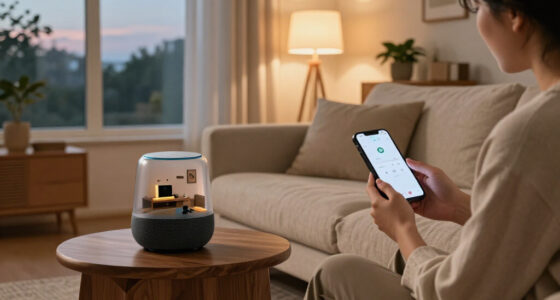
Smart home automation devices connect household products to controls or rules, so you can adjust them by app, voice, schedule, sensor, or another device. A smart bulb may respond to a phone tap; an automated system can switch it on when a hallway sensor detects movement. That difference matters: a connected gadget is not automatically a useful routine. Automation is most valuable when it removes a repeated decision or makes a control easier to reach; otherwise, it can add setup and maintenance without changing much about daily life.
Common options include smart bulbs and switches, thermostats, plugs, locks, cameras, doorbells, speakers, sensors, robot vacuums, and connected appliances. For example, a smart plug can turn off a desk lamp at bedtime, while a contact sensor can tell you that the back door was left open. Each device handles a different job, and you do not need every category to make a home feel more convenient. The distinction between monitoring and controlling is useful: a sensor may simply report an open door, while a rule that turns on a light takes action. More action can save effort, but it also makes correct settings and easy overrides more important.
A household might begin with two bulbs and one motion sensor near the stairs. The sensor turns on a soft light after sunset, then the bulbs switch off after five minutes without movement. The satisfying little click of the lights coming on feels simple; the useful part is that the rule matches a real habit. The timing and sensor position determine whether the routine stays helpful: a short timeout may leave someone in the dark, while a long one wastes power and can make the room feel less responsive.
Voice control is optional. You can use a physical switch, an app, a schedule, or a sensor instead. Smart home automation devices can also help with accessibility: someone with limited mobility may find voice or remote controls easier to reach, while someone who dislikes voice assistants can rely on buttons and timers. Keeping more than one control path can make the setup usable for guests and household members with different needs, though each added method may need its own permissions or settings.
Products Worth Considering

Dyson V15 Detect Cordless Vacuum

Dyson V9 Motorbar Cordless Vacuum

Coway Airmega AP-1512HHS Smart Air Purifier, Black
As an affiliate, we earn on qualifying purchases.
Choose your first devices by the chore you want to fix
Smart home automation devices are easiest to choose when you name the daily task first, then pick the smallest device set that can handle it. If you forget to turn off a hallway lamp, start with a smart bulb or switch and a schedule. If your entry feels dark when you arrive, a motion sensor may be the better first purchase. Naming the task also gives you a way to judge the result: did the light come on at the right time, or did the heating feel comfortable when you woke up? Without that measure, it is easy to confuse adding features with solving the problem.
Try this simple sequence before you shop:
- Write down one annoyance, such as a cold bedroom at wake-up or a porch light left on all day.
- Choose the control method that fits your household: a timer, sensor, app, physical button, or voice command.
- Check what must connect, including your phone, hub, router, and preferred smart home platform.
- Test the routine for a week and adjust its timing or sensor position if it misfires.
Imagine a family that wants the kitchen lights to come on while someone carries a toddler and a cup of tea. A motion sensor might solve that better than a voice command, but a sensor aimed at a busy doorway could keep the lights on all evening. Placement and timing make a difference. A schedule may be simpler if the kitchen is used at regular hours; a sensor adapts better to changing routines but needs tuning to avoid false triggers.
Keep the first setup modest: one task, one or two devices, and an obvious manual control. A growing collection can make sense later, once you know which routines save effort and which ones merely add another app to your phone. Starting small also limits the cost of discovering a compatibility issue, and makes it easier to tell which device or setting caused a problem.
Check compatibility before you fill your cart
Compatibility depends on more than a product’s logo: its ecosystem, wireless connection, and supported features all affect how well it works with your other devices. A product labeled “works with” a platform may offer basic on-and-off control there but keep advanced settings in its own app. Check the details for your phone, hub, router, and voice assistant before you buy. This matters because each separate app or account can add setup work and make routines harder to troubleshoot. A device that technically connects may still be a poor fit if it cannot participate in the particular automation you want.
Devices may use Wi-Fi, Bluetooth, Zigbee, or Thread. Some connect directly to a router; others need a hub or a Thread border router. A hub can add cost and another box to plug in, but it may also coordinate devices that do not connect directly to Wi-Fi. The right choice depends on the products and routines you want. Wi-Fi can be convenient for a few devices, while a home with many connected products may benefit from protocols designed for low-power devices and mesh communication. The tradeoff is that those options can require a compatible hub or border router, so check the full equipment list rather than only the device price.
Matter and Thread are related but distinct. Matter is an application-layer standard designed to help supported products work across participating platforms. Thread is a low-power mesh networking technology used by many Matter devices. A Matter label does not promise that every feature appears in every app or that every combination behaves the same way. The practical implication is that a shared standard can reduce dependence on one brand for supported features, but platform support and device capabilities still determine what you can actually control.
For instance, you might add a Matter-compatible bulb to a home platform and find basic dimming works, while a special color effect needs the manufacturer’s app. A quick check of the product’s feature list and hub requirements can save you from that surprise. Also check whether routines run locally: app-based remote access and cloud features may depend on an internet connection. Local routines can keep working during a broadband outage, but may offer fewer remote features; cloud routines can be easier to access away from home, while relying on the service and connection being available.
Make routines useful without making them unpredictable
A dependable routine has a clear trigger, a useful action, and an easy way to override it. Motion could turn on a stair light after dark; a temperature reading could start heating below a chosen setting. If the automation guesses wrong, you should be able to use the physical switch or adjust the device in its app. A clear trigger makes the rule easier to understand and debug: if the light comes on unexpectedly, you can check the sensor, time condition, or timeout instead of wondering what the system inferred.
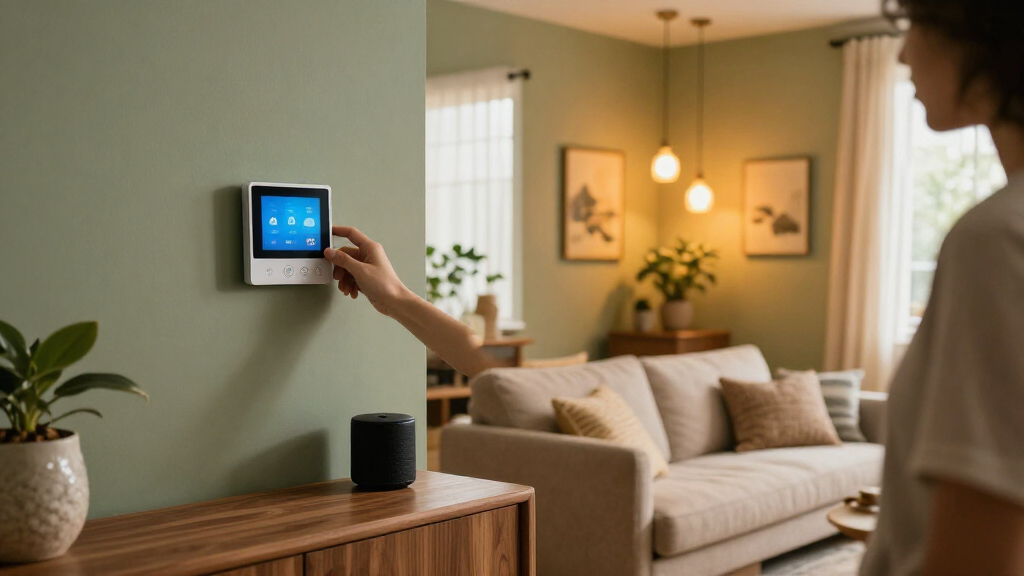
Consider a thermostat set to lower the heat when everyone leaves. If a guest stays home or a sensor misses someone reading quietly, the house could become chilly. A schedule may be more predictable for that household than occupancy sensing. Automation should follow the people who live there, not the other way around. Occupancy-based control can adapt to changing departures, but only if the system detects people reliably; a schedule needs less sensing and is easier to anticipate, though it can waste energy when plans change. The better choice depends on which failure is more tolerable: heating an empty home for a while or cooling a room someone is using.
Here’s a practical hallway example: set the motion sensor to activate a warm, dim light between 10 p.m. and 6 a.m., then turn it off after two minutes without movement. That avoids a bright flash when you get up for water. If a pet keeps setting it off, angle the sensor away from the floor or use a product with suitable sensitivity settings. Test the routine at the times you expect to use it; sensor range, walls, and the light’s response can make the real behavior differ from the product’s description.
Energy features deserve similar care. Smart thermostats, plugs, meters, and appliance controls can help you monitor or change use, but they do not guarantee lower bills. Savings depend on the home, local energy prices, settings, and occupant behavior. A plug that reveals a forgotten space heater’s schedule may help; leaving it running longer because it feels “smart” will not. Monitoring shows where electricity goes, while savings require a change that reduces consumption without creating another cost or discomfort. Compare actual usage over time where possible, and consider whether a feature’s price or subscription offsets any savings.
Protect privacy and keep a manual way back in
Privacy and reliability matter most when a device can reveal who is home, record a room, control a lock, or affect heating. Cameras, microphones, and occupancy records can expose sensitive details. Use a strong, unique password, turn on multifactor authentication when offered, install updates, and review who can view recordings or receive alerts. These steps reduce account risks, but they do not eliminate the data a product may collect or how long a service retains it, so check the maker’s privacy settings and policy before choosing a device.
For a camera by the front door, check whether recordings go to a subscription cloud service, local storage, or both. Look at the retention period and sharing controls. A family member may need access to the doorbell feed, but a former house guest probably does not. A few minutes spent checking account permissions can prevent a long-lived access problem. Cloud storage may make footage available if the camera is damaged, while local storage can reduce reliance on a subscription; each option has different costs, access controls, and failure points.
Also ask what still works if the internet goes out. Some devices preserve local controls or routines; others rely on a cloud service for remote access, voice commands, notifications, or advanced features. A smart lock should have a physical key or keypad fallback that you understand, and heating should retain a usable manual control. The consequence of an outage varies by device: a missed camera notification may be inconvenient, while losing access to a lock or heating control can be much more serious. Test likely failure points while you are home and can use the fallback.
Keep a reliable fallback for anything that affects access, safety, or comfort. Test the manual control before you need it on a freezing night or during a router outage.
Finally, check the maker’s update and support policy. A device may keep its basic function after a service changes, but remote features or automations can stop. The purchase price may also leave out a hub, batteries, installation, or monthly camera storage. Those ongoing costs belong in your decision. A device that stops receiving security updates may become less suitable over time, so expected support life is part of its practical value, just like the initial price and convenience.
Know when DIY stops being a safe shortcut
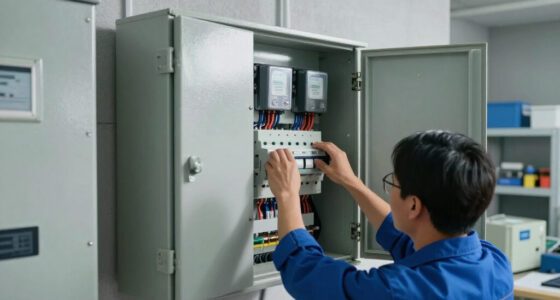
Battery-powered setup is often straightforward, but smart home projects can touch electrical, gas, structural, or roof systems. Replacing a plug-in lamp with a smart bulb is a different task from installing a new hardwired switch or modifying heating equipment. Read the instructions, follow local code and permit rules, and hire a licensed professional for work that requires one. The risk changes with the system: a wrong setting on a lamp is usually easy to reverse, while incorrect wiring or gas work can create hazards that are not visible during setup.
For example, a renter might add a plug-in smart thermostat sensor and a smart bulb without changing wiring. A homeowner planning to replace a wall switch should first confirm the device matches the circuit and box, and arrange installation by a qualified electrician if the work is beyond their training or local rules require it. Before any electrical work, turn off power at the breaker and verify it is off; use suitable PPE and the manufacturer’s safety steps. Compatibility with the wiring matters because a switch may require a neutral wire or a particular load type, and assuming it will fit can lead to unsafe installation or a device that behaves unpredictably.
Do not let an app’s friendly setup screen make a physical installation seem harmless. Gas valves, boilers, locks, and powered doors can create real hazards if fitted or configured incorrectly. A licensed trade professional can check the existing system, wiring, and code requirements, then show you how the smart control behaves during a fault. That check is especially useful where automation can prevent access, interrupt heating, or interfere with a safety mechanism; the cost of professional work should be weighed against the consequences of a failure.
Start with reversible options if you want to learn: a smart plug used within its rating, a battery sensor, or a bulb that fits an existing lamp. Keep the original control available. The goal is a home that feels easier to use, with wiring, permits, and safety handled as carefully as the software. Reversible devices make it easier to test whether a routine suits your household before investing in permanent changes.
Frequently Asked Questions
Do I need a hub to use smart home devices?
Not always. Some devices connect straight to Wi-Fi, while others need a hub for communication, shared controls, or local routines. Check the product requirements and the equipment you already own before purchasing.
Can I automate my home without voice assistants?
Yes. Apps, schedules, motion sensors, contact sensors, and physical buttons can all control routines. For example, a door sensor can turn on an entry light without a spoken command or microphone.
Will smart home devices work without internet?
It depends on the product and routine. Some local controls continue to work, while cloud-dependent remote access, voice commands, or notifications may stop. Check offline behavior and test the manual control before relying on a device.
Does Matter mean every device works with every feature?
No. Matter helps supported products work across participating platforms, but available features can vary by device and platform. Read the current feature and hub requirements; basic control may work even when an advanced setting remains in the maker’s app.
Do smart thermostats and plugs guarantee lower energy bills?
No device guarantees savings. Results depend on your home, energy prices, settings, and daily habits. A thermostat schedule that reduces heating while you are away may help, while a poorly chosen routine could have little effect.
Conclusion
Pick one small routine that would make tomorrow easier, then check compatibility, ongoing costs, privacy settings, and the manual fallback before you buy. A hallway light that glows softly when you need it can feel like a thoughtful little welcome home.
Build from there only when the first routine proves useful. The smartest home is the one that quietly helps you live in it.