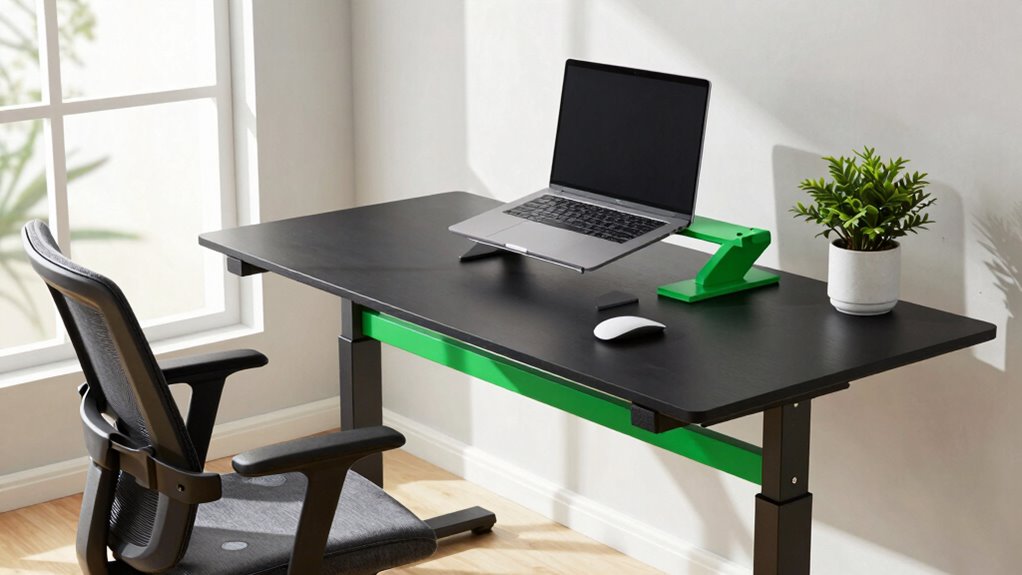

To protect your posture all day in your home office, combine ergonomic accessories like an adjustable chair with lumbar support, a sit-stand desk, and an ergonomic keyboard and mouse. Keep your monitor at eye level and your feet flat on the floor to establish a strong foundation. Take regular breaks to stretch and perform posture exercises, and add natural elements like plants for a calming environment. Keep exploring these tips to create a healthier workspace that works for you.

Get furniture and decor delivered free with Prime
- Fast, free delivery on millions of items
- Prime Video, Amazon Music and more included
- Member-only deals all year
Key Takeaways
- Combine ergonomic accessories like adjustable chairs and sit-stand desks to maintain proper alignment throughout the day.
- Position monitors at eye level and keep keyboards/mice close to reduce strain.
- Take regular breaks to perform posture exercises and stretches, preventing discomfort.
- Incorporate natural lighting and plants to enhance mental well-being and overall comfort.
- Use movement and ergonomic adjustments together to protect your posture and boost focus during long work hours.
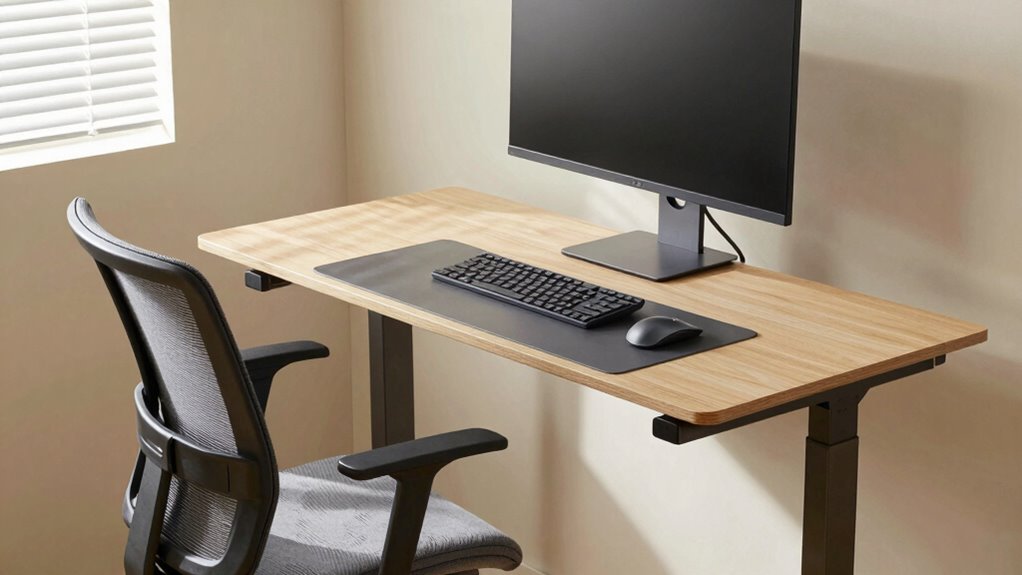
With more people working from home than ever before, maintaining good posture is essential to prevent discomfort and long-term injuries. Your home office setup plays a critical role in how well you stay aligned throughout the day. Incorporating ergonomic accessories can make a significant difference. An adjustable chair with lumbar support, a sit-stand desk converter, or ergonomic keyboard and mouse help keep your body in proper alignment. These accessories reduce strain on your neck, shoulders, and back, allowing you to work comfortably for hours. But gadgets alone aren’t enough. You need to engage in simple posture exercises to break the cycle of static positioning. Regularly stretching your neck, shoulders, and back keeps muscles flexible and blood flowing, which in turn reduces stiffness and fatigue. Small, targeted movements—like shoulder rolls, neck tilts, or seated spinal twists—can be easily integrated into your work routine.
The key to protecting your posture all day is pairing ergonomic accessories with consistent posture exercises. When you sit at your desk, guarantee your monitor is at eye level to prevent neck strain. Your feet should rest flat on the floor, and your knees should be at a 90-degree angle. Positioning your keyboard and mouse so your elbows are close to your body and your wrists are straight minimizes tension in your arms. These adjustments set a solid foundation for good posture. Complement them by taking short breaks every 30 to 60 minutes, during which you perform quick posture exercises. Stand and stretch your arms overhead, or gently rotate your shoulders backward to release tension. Incorporate neck stretches to ease tightness and maintain flexibility. These movements are simple but effective in preventing discomfort and reinforcing proper alignment. Additionally, understanding the importance of biodiversity and sustainable practices can influence how you design a workspace that promotes health and well-being. Incorporating natural elements like plants or natural lighting can also enhance your mental well-being and overall comfort. Studies show that adding biophilic design elements can significantly reduce stress and improve focus during work hours. Including natural materials in your workspace can further support a healthier environment and boost your mood.
The combination of ergonomic accessories and intentional posture exercises creates a powerful pairing that protects your body during long workdays at home. With this approach, you’ll work more comfortably, stay focused longer, and avoid the aches that come from poor posture. Building awareness of muscle flexibility can also help you identify areas where tightness may lead to discomfort, making your posture routines even more effective.
adjustable ergonomic office chair with lumbar support
As an affiliate, we earn on qualifying purchases.
As an affiliate, we earn on qualifying purchases.
Frequently Asked Questions
How Often Should I Adjust My Sitting Position During the Day?
You should adjust your sitting position every 30 to 60 minutes to maintain good posture. Incorporate ergonomic accessories like adjustable chairs and monitor stands to support proper alignment. Practicing posture awareness helps prevent strain and discomfort. Regularly changing your position reduces muscle fatigue and promotes circulation. By staying mindful and making small adjustments often, you’ll keep your back, neck, and shoulders healthy throughout your workday.
What Specific Exercises Help Counteract Poor Posture?
Think of your posture like a garden that needs regular tending. Specific exercises like shoulder blade squeezes, chin tucks, and cat-cow stretches can strengthen your back and neck muscles. Use ergonomic chairs with lumbar support to maintain proper alignment. Incorporating these movements daily helps counteract poor posture, just like watering plants keeps a garden healthy. Consistency is key to preventing discomfort and promoting long-term spinal health.
Can Certain Desk Setups Prevent Neck and Back Pain?
Yes, certain desk setups with ergonomic accessories can prevent neck and back pain. Adjust your chair and monitor to keep your screen at eye level, avoiding strain. Use ergonomic accessories like lumbar supports and adjustable desks to promote proper posture. By focusing on posture correction through these setups, you can reduce discomfort and maintain better spinal health throughout your workday. Proper ergonomics truly make a difference in preventing pain.
Are There Recommended Stretching Routines for Office Workers?
Yes, there are recommended stretching routines for office workers that support posture correction. You should incorporate ergonomic accessories like adjustable chairs and monitor stands to maintain proper alignment. Regularly stretch your neck, shoulders, and back to prevent stiffness and pain. Simple stretches such as shoulder rolls, neck tilts, and chest openers help keep your muscles flexible. Make these stretches a daily habit to promote better posture and reduce discomfort throughout your workday.
What Signs Indicate My Posture Is Negatively Affecting My Health?
If your posture is hurting your health, you might notice persistent neck, shoulder, or back pain, along with headaches or fatigue. You may also feel numbness or tingling in your limbs. To prevent this, stay aware of your posture through ergonomic accessories and regular posture checks. Improving posture awareness helps you recognize issues early, reduces discomfort, and promotes better overall health during long work hours.
Conclusion
By choosing the right home office pairing, you can protect your posture all day and avoid discomfort. Remember, sitting with proper support reduces the risk of musculoskeletal issues, which affect nearly 80% of adults at some point. Investing in an ergonomic chair and a height-adjustable desk isn’t just comfort—it’s a smart move for your long-term health. Make small adjustments today, and your body will thank you tomorrow.
Halloween Picks
halloween
As an affiliate, we earn on qualifying purchases.