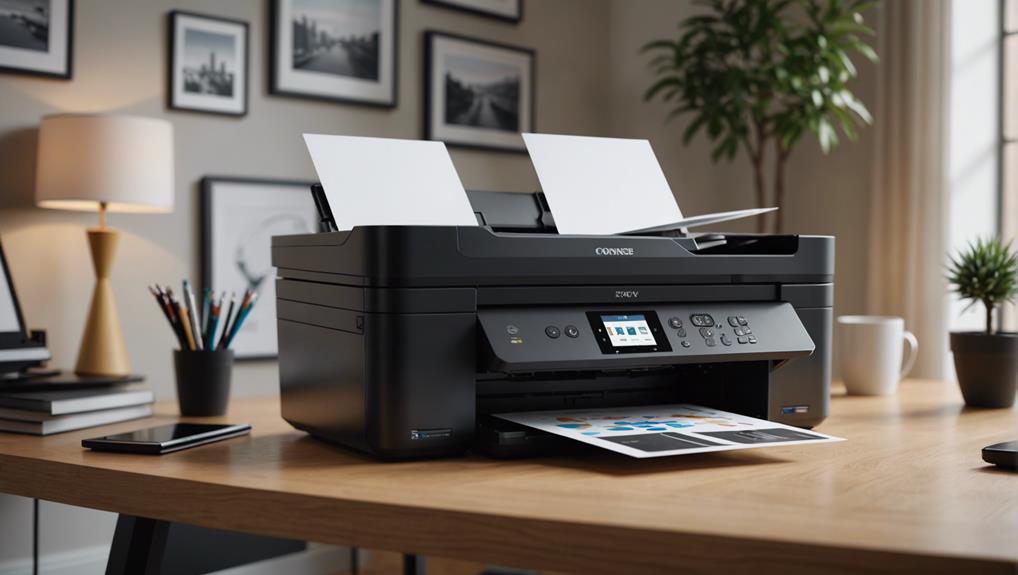

For most homes, I’d start with the HP OfficeJet Pro 9125, which combines color printing, scanning, copying, and office-ready features for households with varied document needs. The Canon MegaTank G3270 and Epson EcoTank ET-2800 stand out for refillable ink systems that can suit frequent printing, while the Brother DCP-L2640DW is a focused choice for homes that mainly print black-and-white pages. The key tradeoff is between a low-complexity, lower-volume cartridge printer and a larger investment in refillable ink or a laser model built around a narrower job. Paper handling, color needs, and how often you print can matter as much as the headline feature list. Read on for the full comparison and guidance on which type fits your home.
Complete the kit

Key Takeaways
The HP OfficeJet Pro 9125 is the broadest fit in this group for a home that prints both color and documents regularly, while its office-focused feature set may be more than a light user needs.
Refillable ink tanks define the frequent-printing choices: the HP Smart Tank 5003, Canon MegaTank G3290 and G3270, and Epson EcoTank ET-2800 favor ongoing volume over a compact, cartridge-first setup.
The Brother DCP-L2640DW fills a distinct monochrome role. Its laser design suits text-heavy households, but it cannot replace a color printer for school projects or photos.
Canon’s PIXMA and TR models cover different home priorities. The PIXMA TS3720, TS4320, and TS6520 are straightforward color inkjet options, while the TR4720 and TR7120 add a more document-oriented all-in-one profile.
Low-volume buyers have several simpler choices, including the HP DeskJet 2955 and Canon PIXMA TS3720; frequent printing or specialized needs make the tank, office inkjet, and laser models more compelling.
| Canon PIXMA TR4720 Wireless All-in-One Inkjet Printer |  | Best for Home Office Tasks | Printer type: Inkjet | Functions: Print, copy, scan, fax | Connectivity: Wireless | VIEW ON AMAZON | See Our Full Breakdown |
| Canon PIXMA TS6520 Wireless Color Inkjet All-in-One Printer |  | Best for Wireless Photo and Document Printing | Printer type: Wireless color inkjet all-in-one | Functions: Print, scan, copy | Ink system: Two-cartridge hybrid ink | VIEW ON AMAZON | See Our Full Breakdown |
| HP Smart Tank 5003 Wireless All-in-One Ink Tank Printer |  | Best for High-Volume Home Printing | Printer type: HP Thermal Inkjet | Functions: Print, copy, scan | Ink system: Cartridge-free refillable ink tank | VIEW ON AMAZON | See Our Full Breakdown |
| Canon PIXMA G3290 MegaTank Wireless All-in-One Inkjet Printer |  | Best for Flexible Tank Printing | Printer type: Inkjet SuperTank | Functions: Print, copy, scan | Connectivity: Wireless, USB | VIEW ON AMAZON | See Our Full Breakdown |
| Canon PIXMA TS3720 Wireless All-in-One Inkjet Printer |  | Best Simple Pick for Occasional Printing | Functions: Print, copy, scan | Print speed: Approximately 7.7 pages per minute black; 4 color images per minute | Ink system: 2-cartridge FINE hybrid ink system | VIEW ON AMAZON | See Our Full Breakdown |
| HP Envy 6155 Wireless All-in-One Color Inkjet Printer |  | Best for Simple Duplex Home Printing | Printer type: Wireless all-in-one color inkjet | Functions: Print, scan, copy | Print speed: Up to 10 ppm black; 7 ppm color | VIEW ON AMAZON | See Our Full Breakdown |
| HP OfficeJet Pro 9125 Wireless All-in-One Color Inkjet Printer |  | Best for a Busy Home Office | Model: OfficeJet Pro 9125 | Functions: Print, scan, copy, fax | Print speed: Up to 22 ppm black; 18 ppm color | VIEW ON AMAZON | See Our Full Breakdown |
| Canon MegaTank G3270 All-in-One Wireless Color Printer |  | Best for High-Volume Inkjet Printing | Functions: Print, copy, scan | Connectivity: Wireless | Ink included: Up to two years | VIEW ON AMAZON | See Our Full Breakdown |
| Canon PIXMA TR7120 Wireless Color Inkjet All-in-One Printer |  | Best for Home Documents and Photos | Printer type: Wireless color inkjet all-in-one | Functions: Print, scan, copy | Ink system: Two-cartridge hybrid ink system | VIEW ON AMAZON | See Our Full Breakdown |
| Canon PIXMA TS4320 Wireless All-in-One Color Inkjet Printer |  | Best Compact Pick for Light Use | Printer type: Color inkjet all-in-one | Functions: Print, copy, scan | Connectivity: Dual-band Wi-Fi, 2.4 GHz or 5 GHz | VIEW ON AMAZON | See Our Full Breakdown |
| Brother DCP-L2640DW Wireless Monochrome Laser Multifunction Printer |  | Best for High-Volume Black-and-White Documents | Functions: Print, scan, copy | Print technology: Monochrome laser | Print speed: Up to 36 pages per minute | VIEW ON AMAZON | See Our Full Breakdown |
| HP OfficeJet Pro 8125 Wireless All-in-One Color Inkjet Printer |  | Best for a Connected Home Office | Model: OfficeJet Pro 8125 | Functions: Print, scan, copy | Printer type: Wireless color inkjet all-in-one | VIEW ON AMAZON | See Our Full Breakdown |
| Epson EcoTank ET-2800 Wireless All-in-One Color Supertank Printer |  | Best for Cartridge-Free Printing | Model: ET-2800 | Functions: Print, scan, copy | Ink system: Cartridge-free refillable ink bottles | VIEW ON AMAZON | See Our Full Breakdown |
| HP DeskJet 2955 Wireless All-in-One Color Inkjet Printer |  | Best Compact Pick for Basic Home Tasks | Functions: Print, copy, scan | Printer type: Thermal inkjet | Output: Color | VIEW ON AMAZON | See Our Full Breakdown |
| Brother Work Smart 1360 Wireless Color Inkjet All-in-One Printer |  | Best for Everyday Color and Cloud Printing | Functions: Print, copy, scan | Print technology: Color inkjet | Print speed: Up to 16 ppm black; up to 9 ppm color | VIEW ON AMAZON | See Our Full Breakdown |
| all in one printer for home use | Functions | Connectivity | Printer type | Print speed |
|---|---|---|---|---|
| Canon PIXMA TR4720 Wireless Al | Print, copy, scan, fax | Wireless | Inkjet | Up to 8.8 pages per minute black; up to 4.4 images per minute color |
| Canon PIXMA TS6520 Wireless Co | Print, scan, copy | Dual-band Wi-Fi, 2.4 GHz or 5 GHz | Wireless color inkjet all-in-one | — |
| HP Smart Tank 5003 Wireless Al | Print, copy, scan | Wireless; mobile printing supported | HP Thermal Inkjet | — |
| Canon PIXMA G3290 MegaTank Wir | Print, copy, scan | Wireless, USB | Inkjet SuperTank | — |
| Canon PIXMA TS3720 Wireless Al | Print, copy, scan | Dual-band Wi-Fi, 2.4 GHz or 5 GHz; high-speed USB | — | Approximately 7.7 pages per minute black; 4 color images per minute |
| HP Envy 6155 Wireless All-in-O | Print, scan, copy | Dual-band Wi-Fi and mobile printing | Wireless all-in-one color inkjet | Up to 10 ppm black; 7 ppm color |
| HP OfficeJet Pro 9125 Wireless | Print, scan, copy, fax | Dual-band Wi-Fi and HP app | — | Up to 22 ppm black; 18 ppm color |
| Canon MegaTank G3270 All-in-On | Print, copy, scan | Wireless | — | — |
| Canon PIXMA TR7120 Wireless Co | Print, scan, copy | Dual-band Wi-Fi, 2.4 GHz or 5 GHz | Wireless color inkjet all-in-one | — |
| Canon PIXMA TS4320 Wireless Al | Print, copy, scan | Dual-band Wi-Fi, 2.4 GHz or 5 GHz | Color inkjet all-in-one | — |
| Brother DCP-L2640DW Wireless M | Print, scan, copy | Dual-band Wi-Fi, Ethernet, USB 2.0 | — | Up to 36 pages per minute |
| HP OfficeJet Pro 8125 Wireless | Print, scan, copy | Dual-band Wi-Fi | Wireless color inkjet all-in-one | Up to 20 ppm black; 10 ppm color |
| Epson EcoTank ET-2800 Wireless | Print, scan, copy | Wireless | — | Up to 10 ISO pages per minute |
| HP DeskJet 2955 Wireless All-i | Print, copy, scan | Dual-band Wi-Fi; mobile printing | Thermal inkjet | Up to 7.5 ppm black; 5.5 ppm color |
| Brother Work Smart 1360 Wirele | Print, copy, scan | Wireless, USB | — | Up to 16 ppm black; up to 9 ppm color |
More Details on Our Top Picks
Canon PIXMA TR4720 Wireless All-in-One Inkjet Printer
The PIXMA TR4720 is the most task-ready choice here for a home that needs more than basic printing: it adds faxing and an automatic document feeder to print, copy, and scan. That feeder can handle multi-page jobs with less page-by-page effort, while automatic duplexing saves manual paper handling. The 100-sheet tray also holds more than the TS3720’s 60-sheet tray. Its tradeoff is modest speed, especially for color at up to 4.4 images per minute, and it relies on replaceable ink cartridges. Choose it over the tank-based HP Smart Tank 5003 if occasional faxing and document feeding matter more than a high included ink yield; skip it if color jobs are frequent or you want a cartridge-free system.
Pros:- Combines print, copy, scan, and fax functions
- Automatic document feeder helps with multi-page scanning and copying
- Automatic two-sided printing reduces manual page handling
- 100-sheet tray holds more paper than the TS3720’s 60-sheet tray
Cons:- Color print speed is modest at up to 4.4 images per minute
- Cartridges need periodic replacement
- Fax capability may go unused in homes with no faxing needs
Best for: Households that occasionally fax, scan multi-page paperwork, and want duplex printing in one compact machine
Not ideal for: Frequent color printers who would benefit more from the HP Smart Tank 5003’s included refillable ink supply
- Printer type:Inkjet
- Functions:Print, copy, scan, fax
- Connectivity:Wireless
- Automatic document feeder:Yes
- Automatic two-sided printing:Yes
- Paper capacity:100 sheets
- Print speed:Up to 8.8 pages per minute black; up to 4.4 images per minute color
- Weight:12.7 pounds
Our verdict“Choose the TR4720 if faxing and an automatic document feeder matter for home paperwork; frequent color printing favors a refillable tank model.”
Canon PIXMA TS6520 Wireless Color Inkjet All-in-One Printer
The PIXMA TS6520 suits a home that switches between everyday documents and occasional borderless photos, with automatic duplexing and mobile printing through Canon PRINT, AirPrint, or Mopria. Its dual-band Wi-Fi gives it more connection flexibility than the wireless-only details provided for the TR4720, though the TR4720 is the better fit when faxing or an automatic document feeder is needed. The TS6520 keeps the feature set focused on printing, scanning, and copying; it has no listed fax or feeder. Its two-cartridge hybrid ink system is simpler than a refillable tank but means ongoing cartridge replacement. Pick it for a compact, app-friendly mix of documents and photos, not for frequent high-volume printing.
Pros:- Prints, scans, and copies in one compact device
- Automatic two-sided printing reduces manual page turning
- Dual-band Wi-Fi and support for Canon PRINT, AirPrint, and Mopria
- Supports borderless documents and photos up to 8.5 × 11 inches
Cons:- Two-cartridge ink system requires periodic cartridge replacement
- No fax function or automatic document feeder is listed
- Print speed and paper capacity are not provided in the product data
Best for: Home users who print documents and occasional borderless photos from phones or laptops and want automatic duplexing
Not ideal for: People who need faxing, an automatic document feeder, or the high included ink yield of the HP Smart Tank 5003
- Printer type:Wireless color inkjet all-in-one
- Functions:Print, scan, copy
- Ink system:Two-cartridge hybrid ink
- Connectivity:Dual-band Wi-Fi, 2.4 GHz or 5 GHz
- Display:1.42-inch monochrome OLED
- Duplex printing:Automatic two-sided printing
- Maximum media size:8.5 × 11 inches
- Mobile printing:Canon PRINT app, Apple AirPrint, Mopria Print Service
Our verdict“Pick the TS6520 for flexible phone printing and occasional photos, while document-heavy households may prefer the TR4720’s feeder and fax.”
HP Smart Tank 5003 Wireless All-in-One Ink Tank Printer
For a household that prints regularly, the Smart Tank 5003 makes a strong case with a refillable, cartridge-free ink tank and up to 6,000 color or black pages of included ink. That supply can reduce interruptions for replacement cartridges compared with the Canon TS3720 and TS6520, both of which use two-cartridge systems. It handles print, copy, and scan jobs and supports wireless mobile printing, but the supplied details do not list duplex printing, paper capacity, or print speed, so it is harder to judge daily workflow fit. The one-year or 30,000-page warranty limit is also clearly defined. Choose it for sustained home use; occasional printers may find the tank system more than they need.
Pros:- Refillable, cartridge-free ink tank
- Includes ink rated for up to 6,000 color or black pages
- Wireless printing and mobile printing support
- Supports borderless printing and scan to PDF
Cons:- Product data does not provide print speed or paper capacity
- Automatic duplexing is not specified
- Warranty is limited to one year or 30,000 pages, whichever comes first
Best for: Families and home learners who print often and want a large included ink supply without cartridge changes
Not ideal for: Occasional printers who prioritize a clearly specified paper capacity, print speed, or automatic duplexing
- Printer type:HP Thermal Inkjet
- Functions:Print, copy, scan
- Ink system:Cartridge-free refillable ink tank
- Included ink yield:Up to 6,000 color or black pages
- Connectivity:Wireless; mobile printing supported
- Scanner type:Flatbed
- Maximum black-and-white copy speed:10 pages per minute
- Weight:11.1 pounds
Our verdict“Choose the Smart Tank 5003 for frequent home printing and a large included ink supply, provided the unspecified speed and paper capacity suit your needs.”
Canon PIXMA G3290 MegaTank Wireless All-in-One Inkjet Printer
The PIXMA G3290 MegaTank pairs a refillable ink supply with a more fully described home workflow than the HP Smart Tank 5003: its data specifies automatic duplexing, USB connectivity, and paper capacity. One ink set is rated for up to 6,000 black-and-white or 7,700 color pages, making it a practical choice for homes that print often and want to handle photos as well as documents. Its 2.7-inch color touchscreen also gives it a larger stated display than the small monochrome screens on the Canon TS6520 and TS3720. The 100-sheet plain-paper limit is still modest, and the product details omit height. Choose it over cartridge models for sustained output, while occasional users may prefer a simpler printer.
Pros:- Ink yield rated for up to 6,000 black-and-white or 7,700 color pages per set
- Automatic two-sided and borderless printing
- Wireless and USB connectivity
- 2.7-inch color touchscreen and capacity for photo paper
Cons:- Plain-paper capacity is limited to 100 sheets
- Product dimensions do not include height
- Refillable tanks may be unnecessary for occasional printers
Best for: Home users who print frequently, want refillable tanks, and switch between documents and borderless photos
Not ideal for: People who need a larger paper reserve or a compact setup with fully specified dimensions
- Printer type:Inkjet SuperTank
- Functions:Print, copy, scan
- Connectivity:Wireless, USB
- Ink yield:Up to 6,000 black-and-white or 7,700 color pages per set
- Display:2.7-inch color touchscreen
- Duplex printing:Automatic
- Paper capacity:Up to 100 plain-paper sheets or 20 4 × 6-inch photo sheets
- Maximum borderless photo size:8.5 × 11 inches
Our verdict“Choose the G3290 for frequent mixed document and photo printing with tank ink, if its 100-sheet paper capacity is enough.”
Canon PIXMA TS3720 Wireless All-in-One Inkjet Printer
The PIXMA TS3720 is the straightforward choice for a home that prints now and then: it covers print, copy, and scan, supports mobile printing, and connects by either Wi-Fi or USB. Its 60-sheet rear tray and single-sided printing keep it behind the TR4720, which offers a larger tray and automatic duplexing, and behind the tank models for sustained output. It does support borderless photos up to 5 × 7 inches and paper up to 8.5 × 14 inches, giving it useful media flexibility for a basic machine. The two-cartridge ink system means regular printing brings cartridge replacements, so it is a better fit for light use than for busy households.
Pros:- Print, copy, and scan functions in a compact home printer
- Wireless, USB, and mobile printing support
- Handles media up to 8.5 × 14 inches
- Prints borderless photos up to 5 × 7 inches
Cons:- Prints single-sided only
- 60-sheet tray needs more frequent reloading than the TR4720’s 100-sheet tray
- Two-cartridge ink system requires periodic replacement
Best for: Students, renters, or small households that print occasional documents and 5 × 7-inch photos
Not ideal for: Frequent printers who need automatic duplexing, a larger paper supply, or refillable tank ink
- Functions:Print, copy, scan
- Print speed:Approximately 7.7 pages per minute black; 4 color images per minute
- Ink system:2-cartridge FINE hybrid ink system
- Connectivity:Dual-band Wi-Fi, 2.4 GHz or 5 GHz; high-speed USB
- Display:1.5-inch segment LCD
- Paper capacity:Up to 60 sheets
- Maximum paper size:8.5 × 14 inches
- Photo printing:Borderless photos up to 5 × 7 inches
Our verdict“Choose the TS3720 for occasional home documents and small borderless photos; regular or duplex printing calls for a more capable model.”
HP Envy 6155 Wireless All-in-One Color Inkjet Printer
The Envy 6155 fits homes that want print, scan, and copy without a bulky office setup. Automatic two-sided printing saves paper on everyday documents, while its 100-sheet tray suits occasional family or school jobs. Compared with the Canon PIXMA TS4320, it adds a color touchscreen and a larger paper tray, though neither is built for heavy workloads. Its speeds of up to 10 ppm black and 7 ppm color are modest, so larger batches take patience. The three-month Instant Ink trial may help get started, but a monthly fee follows unless canceled, and cartridge use is restricted to those with original HP chips or circuitry. Choose it for straightforward home tasks; skip it if you need fast batch printing or flexible cartridge choices.
Pros:- Prints, scans, and copies in one wireless device
- Automatic two-sided printing reduces paper use
- 2.4-inch color touchscreen makes basic controls accessible
- At least 60% recycled plastic content
Cons:- Print speeds are modest for larger jobs
- Instant Ink becomes a monthly service unless canceled after the trial
- Requires cartridges with original HP chips or circuitry
Best for: Households printing homework, forms, and occasional color pages that want a touchscreen and automatic duplexing.
Not ideal for: Busy home offices that print large batches or buyers who want freedom to use third-party cartridges.
- Printer type:Wireless all-in-one color inkjet
- Functions:Print, scan, copy
- Print speed:Up to 10 ppm black; 7 ppm color
- Duplex printing:Automatic two-sided printing
- Input tray:100 sheets
- Display:2.4-inch color touchscreen
- Connectivity:Dual-band Wi-Fi and mobile printing
- Recycled plastic:At least 60%
Our verdict“Pick the Envy 6155 for routine home documents and duplex printing when a compact touchscreen matters more than speed.”
HP OfficeJet Pro 9125 Wireless All-in-One Color Inkjet Printer
The OfficeJet Pro 9125 is the strongest fit here for a home office that handles frequent, multi-page jobs. Its 250-sheet tray, automatic document feeder, and two-sided scanning reduce the stops and manual page flipping common with lighter home models such as the HP Envy 6155. It also prints faster, at up to 22 ppm in black and 18 ppm in color, and adds faxing for households that still need it. That office capacity comes with a larger role in the home: occasional users may not benefit from the feeder, fax, or extra paper capacity. The Instant Ink trial converts to a monthly fee unless canceled, and cartridges need original HP chips or circuitry. This is a practical step up for paperwork-heavy households, but more printer than casual users need.
Pros:- Automatic document feeder supports multi-page jobs
- Scans and prints on both sides automatically
- 250-sheet tray and faster listed print speeds suit frequent work
- Prints, scans, copies, and faxes
Cons:- Its office-oriented features may be unnecessary for occasional printing
- Instant Ink becomes a monthly service unless canceled after the trial
- Requires cartridges with original HP chips or circuitry
Best for: Self-employed people and households that regularly scan contracts, school packets, or multi-page forms.
Not ideal for: Light-use homes with limited desk space or buyers who do not need an automatic feeder, duplex scanning, or fax.
- Model:OfficeJet Pro 9125
- Functions:Print, scan, copy, fax
- Print speed:Up to 22 ppm black; 18 ppm color
- Duplex:Automatic two-sided printing and scanning
- Input tray:250 sheets
- Document feeder:Automatic document feeder
- Display:2.7-inch color touchscreen
- Connectivity:Dual-band Wi-Fi and HP app
- Recycled plastic:More than 40%
Our verdict“Choose the OfficeJet Pro 9125 if your home printer regularly handles office paperwork and multi-page scanning.”
Canon MegaTank G3270 All-in-One Wireless Color Printer
The MegaTank G3270 stands apart from cartridge-based picks such as the Canon PIXMA TR7120 through its included high-yield ink supply: one set is rated for up to 6,000 black-and-white or 7,700 color pages, with up to two years of ink included. That makes it a better match for homes that print frequently and want fewer ink replacements. It handles printing, copying, and scanning wirelessly, but the tradeoff is practical: it offers single-sided printing only, so two-sided documents require manual page handling. Its small 1.35-inch LCD is also simpler than the touchscreens on HP’s OfficeJet models. For households with steady print volume, the tank system is the defining advantage; for mostly occasional use, the bulk ink capacity may matter less than duplex convenience.
Pros:- Includes up to two years of ink
- Ink set rated for up to 6,000 black-and-white or 7,700 color pages
- Combines printing, copying, and scanning
- Wireless connectivity supports home placement
Cons:- Printing is single-sided only
- Small 1.35-inch display offers limited on-device control
Best for: Families, students, and home users who print many pages and prefer an included high-yield ink supply.
Not ideal for: People who frequently print double-sided documents or want fast, automatic duplex workflows.
- Functions:Print, copy, scan
- Connectivity:Wireless
- Ink included:Up to two years
- Display:1.35-inch square LCD
- Two-sided printing:Not supported; single-sided printing
Our verdict“Choose the MegaTank G3270 for frequent home printing where high included ink yield matters more than automatic duplexing.”
Canon PIXMA TR7120 Wireless Color Inkjet All-in-One Printer
The PIXMA TR7120 is a balanced choice for homes that switch between paperwork and letter-size photos. It combines automatic duplex printing with an auto document feeder, so multi-page copying and scanning are easier than on the compact PIXMA TS4320. Dual-band Wi-Fi and support for Canon PRINT, AirPrint, and Mopria also give households several ways to send jobs from phones and computers. Its two-cartridge hybrid ink system is straightforward, though buyers focused on high page volume may prefer the Canon MegaTank G3270 and its much higher stated ink yield. The TR7120 is limited to media up to 8.5 × 11 inches, and its small monochrome OLED is less expansive than a color touchscreen. It suits mixed home use better than bulk printing or larger-format projects.
Pros:- Automatic duplex printing
- Auto document feeder simplifies multi-page scanning and copying
- Supports dual-band Wi-Fi and several mobile printing services
- Handles both documents and photos up to letter size
Cons:- Two-cartridge ink system may be less suited to frequent high-volume printing
- Maximum listed media size is 8.5 × 11 inches
- 1.42-inch monochrome OLED is small for on-device navigation
Best for: Households that print school and work documents, scan multi-page papers, and occasionally print letter-size photos.
Not ideal for: High-volume users seeking a high-yield tank system or anyone needing media larger than 8.5 × 11 inches.
- Printer type:Wireless color inkjet all-in-one
- Functions:Print, scan, copy
- Ink system:Two-cartridge hybrid ink system
- Connectivity:Dual-band Wi-Fi, 2.4 GHz or 5 GHz
- Maximum paper size:8.5 × 11 inches
- Duplex printing:Automatic
- Document feeder:Auto document feeder
- Display:1.42-inch monochrome OLED
- Mobile printing:Canon PRINT App, Apple AirPrint, Mopria Print Service
Our verdict“Pick the PIXMA TR7120 for a versatile home mix of letter-size photos, everyday documents, and multi-page scanning.”
Canon PIXMA TS4320 Wireless All-in-One Color Inkjet Printer
The PIXMA TS4320 keeps the home setup simple: it prints, copies, and scans, with automatic two-sided printing and borderless output up to letter size. Its compact design makes it an easier fit for a small desk than the larger HP OfficeJet Pro 9125, which is built around a 250-sheet tray and document feeder. The TS4320 also supports dual-band Wi-Fi and mobile printing through Canon PRINT, AirPrint, and Mopria. The tradeoff is that it has no display and no automatic document feeder, so setup and multi-page scanning rely more on a connected device and manual page placement. Its two-cartridge hybrid system and light-use positioning make it less suited to heavy workloads than the MegaTank G3270. Choose it for occasional household printing where space and basic duplexing lead the decision.
Pros:- Compact design suits small desks
- Automatic two-sided printing
- Borderless printing up to 8.5 × 11 inches
- Dual-band Wi-Fi and mobile printing support
Cons:- No display screen for on-device controls
- No automatic document feeder for multi-page scanning
- Designed for light, occasional use
Best for: Apartment residents, students, and occasional home users who need a compact printer for documents and borderless letter-size prints.
Not ideal for: Home offices with frequent multi-page scans or households that print enough to benefit from a high-yield ink tank.
- Printer type:Color inkjet all-in-one
- Functions:Print, copy, scan
- Connectivity:Dual-band Wi-Fi, 2.4 GHz or 5 GHz
- Ink system:Two-cartridge hybrid ink system
- Maximum media size:8.5 × 11 inches
- Two-sided printing:Automatic
- Mobile printing:Canon PRINT App, Apple AirPrint, Mopria Print Service
- Certifications:EPEAT Silver, ENERGY STAR
Our verdict“Choose the PIXMA TS4320 when space and occasional duplex printing matter more than feeder convenience or high-volume capacity.”
Brother DCP-L2640DW Wireless Monochrome Laser Multifunction Printer
The Brother DCP-L2640DW is the document-focused pick for a home office that prints often and rarely needs color. Its 36 ppm laser output, 50-page automatic document feeder, and 250-sheet tray make multi-page work less hands-on than with the slower, smaller-tray HP DeskJet 2955. Automatic duplex printing also cuts paper use for routine forms and reports. Ethernet joins dual-band Wi-Fi and USB, giving it more flexible placement than a basic wireless home printer. The tradeoff is decisive: it prints only in black and white, so it cannot handle color school projects or photos. Its larger document capacity is useful, but may be unnecessary for a household printing occasional pages. I’d choose it when fast, dependable monochrome documents matter more than color versatility.
Pros:- Prints up to 36 pages per minute for fast document jobs
- 50-page automatic document feeder helps process multi-page originals
- 250-sheet tray reduces frequent paper reloading
- Automatic duplex printing plus Wi-Fi, Ethernet, and USB connectivity
Cons:- Monochrome printing cannot handle color documents or photos
- Its document capacity may be more than occasional home printing requires
Best for: Home-office users who regularly print long black-and-white documents and scan or copy multi-page paperwork
Not ideal for: Households that need color prints, photos, or a small, occasional-use printer
- Functions:Print, scan, copy
- Print technology:Monochrome laser
- Print speed:Up to 36 pages per minute
- Scan speed:Up to 23.6 ipm black / 7.9 ipm color
- Automatic document feeder:50 pages
- Paper tray capacity:250 sheets
- Connectivity:Dual-band Wi-Fi, Ethernet, USB 2.0
- Duplex printing:Automatic
- Warranty:1-year limited
Our verdict“Choose the Brother DCP-L2640DW if your home office prioritizes fast, high-capacity black-and-white printing over color.”
HP OfficeJet Pro 8125 Wireless All-in-One Color Inkjet Printer
The HP OfficeJet Pro 8125 brings useful home-office conveniences together: color printing, automatic two-sided output, an automatic document feeder, and a 225-sheet input tray. Its 2.7-inch touchscreen and smartphone app support make routine jobs easier to start than on the simpler HP DeskJet 2955, while its listed speeds of up to 20 ppm black and 10 ppm color suit mixed document workloads. Dual-band Wi-Fi keeps it easy to place without a cable. The ownership tradeoff is more restrictive: it requires original HP cartridges with HP chips or circuitry, and the three-month Instant Ink trial converts to a monthly fee unless cancelled. I’d pick it for a connected home office that values convenient document handling, but skip it if cartridge flexibility is a priority.
Pros:- Automatic duplex printing supports two-sided documents
- Automatic document feeder and 225-sheet tray suit regular office work
- Dual-band Wi-Fi, smartphone app support, and color touchscreen
- Made with more than 45% recycled plastic
Cons:- Requires cartridges with original HP chips or circuitry
- Instant Ink trial converts to a monthly fee unless cancelled
Best for: Remote workers who print mixed color and black-and-white documents and want an ADF, touchscreen, and app-based printing
Not ideal for: Buyers who want to use third-party cartridges or prefer to avoid managing a subscription trial
- Model:OfficeJet Pro 8125
- Functions:Print, scan, copy
- Printer type:Wireless color inkjet all-in-one
- Print speed:Up to 20 ppm black; 10 ppm color
- Duplex printing:Automatic
- Input tray capacity:225 sheets
- Display:2.7-inch color touchscreen
- Connectivity:Dual-band Wi-Fi
- Cartridge compatibility:Requires original HP chips or circuitry
Our verdict“Pick the OfficeJet Pro 8125 for connected home-office convenience if HP cartridge requirements fit your preferences.”
Epson EcoTank ET-2800 Wireless All-in-One Color Supertank Printer
The Epson EcoTank ET-2800 swaps replaceable cartridges for refillable ink bottles, making it a distinct choice for homes that print color regularly and want fewer ink changes. Its stated yield—up to 4,500 black or 7,500 color pages per ink set—and included ink supply can suit steady family or school workloads better than the cartridge-based HP OfficeJet Pro 8125. It still covers printing, scanning, and copying over wireless, but its maximum listed speed of 10 ISO pages per minute is modest for a busy document queue. Bottle refills also require careful handling, and Epson recommends genuine ink; non-genuine ink damage may fall outside the limited warranty. I’d favor this tank design for frequent color printing, while occasional users may find the slower pace and refill system less compelling.
Pros:- Refillable bottle system avoids frequent cartridge replacement
- Stated yield reaches 4,500 black or 7,500 color pages per ink set
- Includes up to two years of ink
- Combines wireless printing, scanning, and copying
Cons:- Up to 10 ISO pages per minute is slower than the Brother DCP-L2640DW for document-heavy work
- Epson recommends genuine ink, and non-genuine ink damage may not be covered by the limited warranty
Best for: Families and students who print color worksheets, projects, and everyday documents often enough to benefit from high-yield ink bottles
Not ideal for: People who print only occasionally, need fast document output, or want to use non-genuine ink
- Model:ET-2800
- Functions:Print, scan, copy
- Ink system:Cartridge-free refillable ink bottles
- Yield per ink set:Up to 4,500 black or 7,500 color pages
- Included ink:Up to 2 years
- Print speed:Up to 10 ISO pages per minute
- Print technology:Micro Piezo Heat-Free
- Connectivity:Wireless
Our verdict“Choose the EcoTank ET-2800 if your household prints color often and prefers refillable bottles to cartridges.”
HP DeskJet 2955 Wireless All-in-One Color Inkjet Printer
The HP DeskJet 2955 keeps the setup simple for households that mostly need to print, copy, or scan a page now and then. At 7.6 pounds and about 16.73 inches wide, it is an easier fit for a crowded desk than the document-oriented Brother DCP-L2640DW. Dual-band Wi-Fi and mobile printing cover routine phone and laptop jobs, and its flatbed scanner handles single originals. The compromises suit its basic role: a 60-sheet tray means more frequent reloading than the Brother’s 250-sheet tray, and listed speeds top out at 7.5 ppm black and 5.5 ppm color. It has no stated automatic document feeder or duplex printing. I’d choose it for occasional home tasks and limited space, not for a household with regular multi-page workloads.
Pros:- Compact, lightweight design at 7.6 pounds
- Prints, copies, and scans in color
- Dual-band Wi-Fi and mobile printing support
- Made with at least 70% recycled plastics
Cons:- 60-sheet input tray needs more frequent reloading than larger home-office models
- Listed print speeds are modest at up to 7.5 ppm black and 5.5 ppm color
- Flatbed scanner is suited to individual pages rather than batch scanning
Best for: Apartment dwellers and students who need color printing, copying, and flatbed scanning for occasional home tasks
Not ideal for: Families or home-office users who print frequently, handle multi-page originals, or need automatic two-sided printing
- Functions:Print, copy, scan
- Printer type:Thermal inkjet
- Output:Color
- Input tray capacity:60 sheets
- Print speed:Up to 7.5 ppm black; 5.5 ppm color
- Scanner type:Flatbed
- Connectivity:Dual-band Wi-Fi; mobile printing
- Weight:7.6 pounds
- Dimensions:11.97 × 16.73 × 6.06 inches (D × W × H)
Our verdict“Choose the DeskJet 2955 for occasional color printing and scanning when desk space matters more than speed or capacity.”
Brother Work Smart 1360 Wireless Color Inkjet All-in-One Printer
The Brother Work Smart 1360 sits between a basic occasional-use printer and the more document-heavy HP OfficeJet Pro 8125. It adds automatic duplex printing, a 20-sheet single-sided document feeder, and a 150-sheet tray, so routine home-office jobs need less page-by-page handling than with the compact HP DeskJet 2955. Wireless and USB connections, mobile app printing, and support for Google Drive, Dropbox, Box, and OneDrive make it convenient for people who print files from different devices or cloud accounts. Its listed speeds reach 16 ppm black and 9 ppm color. The feeder scans only one side at a time, and the small 1.8-inch display is less spacious for controls than the OfficeJet’s touchscreen. I’d choose it for a balanced home setup, not frequent double-sided scanning.
Pros:- Automatic duplex printing reduces manual page turning
- 20-sheet automatic document feeder and 150-sheet tray support routine document work
- Wireless, USB, mobile app, and cloud service connectivity
- Prints up to 16 ppm black and 9 ppm color
Cons:- Automatic document feeder is single-sided
- The 1.8-inch display is smaller than the HP OfficeJet Pro 8125 touchscreen
Best for: Households and home-office users who print color documents, use cloud storage, and want automatic duplex printing
Not ideal for: Users who often scan double-sided originals or want a larger touchscreen for printer controls
- Functions:Print, copy, scan
- Print technology:Color inkjet
- Print speed:Up to 16 ppm black; up to 9 ppm color
- Automatic document feeder:20-sheet, single-sided
- Paper tray capacity:150 sheets
- Duplex printing:Automatic, two-sided
- Connectivity:Wireless, USB
- Display:1.8-inch color display
- Cloud services:Google Drive, Dropbox, Box, OneDrive
Our verdict“Choose the Brother Work Smart 1360 for a flexible everyday home printer with cloud access and automatic two-sided printing.”
How We Picked
I ranked these printers around the work a home all-in-one needs to handle: printing, scanning, and copying across family documents, schoolwork, occasional photos, and routine paperwork. I weighed print type and ink system against usability, paper handling, connectivity, versatility, and the likely maintenance burden. A model’s strengths count only when they solve a recognizable household need; color capability, for instance, matters less to a home that prints only text.
The ordering favors flexible everyday use, then separates out models that make more sense for frequent printing, monochrome documents, simpler setups, or particular home-office demands. Similar-looking entry-level inkjets are differentiated by their feature set and intended workload, while refillable tank printers earn attention for households that print often enough to value that system. I also account for tradeoffs: a specialized laser printer ranks lower for all-purpose color use, and a basic cartridge model ranks lower for sustained high volume. Since home print habits vary, the role assigned to each pick matters as much as its position.
| all in one printer for home use | Functions |
|---|---|
| Canon PIXMA TR4720 Wireless Al | Print, copy, scan, fax |
| Canon PIXMA TS6520 Wireless Co | Print, scan, copy |
| HP Smart Tank 5003 Wireless Al | Print, copy, scan |
| Canon PIXMA G3290 MegaTank Wir | Print, copy, scan |
| Canon PIXMA TS3720 Wireless Al | Print, copy, scan |
| HP Envy 6155 Wireless All-in-O | Print, scan, copy |
| HP OfficeJet Pro 9125 Wireless | Print, scan, copy, fax |
| Canon MegaTank G3270 All-in-On | Print, copy, scan |
| Canon PIXMA TR7120 Wireless Co | Print, scan, copy |
| Canon PIXMA TS4320 Wireless Al | Print, copy, scan |
| Brother DCP-L2640DW Wireless M | Print, scan, copy |
| HP OfficeJet Pro 8125 Wireless | Print, scan, copy |
| Epson EcoTank ET-2800 Wireless | Print, scan, copy |
| HP DeskJet 2955 Wireless All-i | Print, copy, scan |
| Brother Work Smart 1360 Wirele | Print, copy, scan |
Factors to Consider When Choosing All In One Printer For Home Use
I’d choose a home printer by starting with what comes out of it each week, then checking whether its setup and supplies match that routine. These broader tradeoffs can prevent a common mismatch: buying for a rare photo or worst-case workload and living with a printer that is awkward for everyday use.
Match the ink system to your real print volume
Think about pages printed in a typical month, including school worksheets and return labels, rather than the occasional burst of printing. Cartridge inkjets make sense when volume is modest and you value a familiar, simple format, but infrequent use can make dried or depleted cartridges an annoyance. Tank printers trade a larger, refillable reservoir system for fewer cartridge changes, which is more useful when pages flow regularly. Don’t assume a tank is automatically the right choice because it can print many pages; check whether the printer’s size and setup suit your space. If your household prints only a handful of pages, the convenience of a basic inkjet may outweigh the tank system’s advantage. Choose around the routine you expect to keep, not a hypothetical future habit.
Decide whether color is a must-have or an occasional extra
Color is useful for charts, children’s projects, forms with color cues, and photos, but it changes the type of printer that fits best. If nearly every page is a letter, invoice, or school handout, monochrome laser can be a more direct match and avoids paying for color capability you rarely use. A household that prints both family documents and creative work has a stronger reason to choose a color inkjet or tank model. Consider whether photo output means snapshots for crafts or prints you plan to display; an everyday all-in-one is not automatically a dedicated photo printer. One common mistake is choosing color “just in case” without checking supply costs and maintenance needs. If multiple people share the printer, ask each person what they actually print before deciding.
Check the whole paper workflow, not just print quality
Scanning and copying are only convenient when the printer can handle the documents your household brings to it. A flatbed is useful for books, identity documents, and odd-sized originals, while an automatic document feeder can save time on multi-page forms and school packets. Paper capacity and supported media also affect whether the printer feels easy to share or needs constant tending. Before buying, measure the space with trays open and consider where paper and supplies will be stored. A compact printer may fit a desk better, but that convenience can come with a simpler document workflow. Match the hardware to the busiest recurring task in your home, not only the occasional scan.
Pay attention to connectivity and household sharing
A printer used by several people should be easy to reach from the devices they already use. Check compatibility with your computers and phones, the available wireless options, and how the setup app handles adding household members. Wi-Fi printing reduces cable clutter, though a stable location near the router can matter in a home with weak coverage. Some homes benefit from wired networking or Ethernet when the printer stays in a shared office; others need a simple phone-first setup. Do not treat “wireless” as a guarantee of effortless setup, since accounts, network changes, and app requirements vary. Pick a connection method that the least technical person in the home can maintain.
Weigh size, noise, and upkeep against the space you have
All-in-one printers often occupy more room than their product photos suggest once you account for an open scanner lid, paper tray, and access to ink or toner. A busy household may accept a larger device for faster handling or higher capacity, while a shared bedroom desk calls for a quieter, smaller footprint. Check how the printer signals low supplies and whether replacement or refill steps seem manageable for the person who will maintain it. Inkjet models may need occasional printing to keep up with their intended use, while laser models have a different supply routine and do not provide color in monochrome form. Also consider where printed pages will land so output does not pile up or get misplaced. The best fit is the printer you can keep accessible and ready for ordinary tasks.
Frequently Asked Questions
Should I choose a refillable tank printer if I only print occasionally?
Not automatically. Tank models in this roundup, including the Canon MegaTank and Epson EcoTank options, are aimed at households that expect to print often enough to make refillable ink useful. A cartridge inkjet may be simpler when printing is sparse, though any inkjet can be a poor fit if it sits unused for long stretches. Think about who will refill and maintain the printer as well as how many pages you print. If usage is mostly black text, compare a monochrome laser model too.
Is a monochrome laser printer enough for a family home?
It can be, if the household mainly prints essays, forms, bills, and other text documents. The Brother DCP-L2640DW is the dedicated monochrome laser choice here, so it gives up color for a more focused document role. A separate color-capable device may still be needed for school projects, charts, and photos. Before choosing laser, list the tasks each household member needs to print, including occasional ones. If color jobs are rare, deciding how to handle those exceptions can make a monochrome printer a practical main device.
Do I need an office-oriented printer for work-from-home paperwork?
That depends on how much paperwork you handle and whether you scan or copy multiple pages at a time. Office-oriented models such as the HP OfficeJet Pro 9125 and 8125 are worth comparing when home work involves regular document batches and color output. For a few pages each week, a simpler inkjet may take up less space and be easier to live with. Check the paper workflow and connectivity you need before paying attention to a model’s office label. The right choice solves a recurring task without making your home setup unnecessarily bulky.
Can a home all-in-one printer handle photos as well as documents?
Many color inkjets in this roundup can print both, but “color printer” does not guarantee photo output that suits every buyer. Occasional snapshots for crafts or schoolwork are different from prints meant for framing. Consider the paper sizes and types you plan to use, and whether you are comfortable loading specialty paper when needed. A printer optimized around general home documents may be a better fit than a photo-focused device if photographs are only an occasional task. If photo quality is your main priority, compare dedicated photo models before choosing from an all-in-one shortlist.
Which features matter most when several people share one printer?
Easy wireless access, a straightforward setup process, and enough paper capacity for the household’s routine can matter more than niche print features. Check that each person’s computer or phone can connect using a method they understand, and confirm any app or account requirements. A document feeder becomes useful when someone regularly scans or copies multi-page paperwork. Think about where the printer will sit and whether everyone can reach the paper tray and output area. A shared printer should fit the least technical user’s needs, not only the person who installs it.
Conclusion
For the best overall home fit, I’d choose the HP OfficeJet Pro 9125 when the household needs color and handles a varied document workload. The best value for frequent printing is a refillable tank option such as the Canon MegaTank G3270 or Epson EcoTank ET-2800; choose between them based on setup and feature preferences. For a premium, office-heavy home, compare the HP OfficeJet Pro 9125 and 8125 around your paper workflow. The best choice for beginners and light use is a simpler model such as the Canon PIXMA TS3720 or HP DeskJet 2955. If your specific need is black-and-white paperwork, the Brother DCP-L2640DW is the clear fit; choose the printer whose role matches your household’s actual pages.