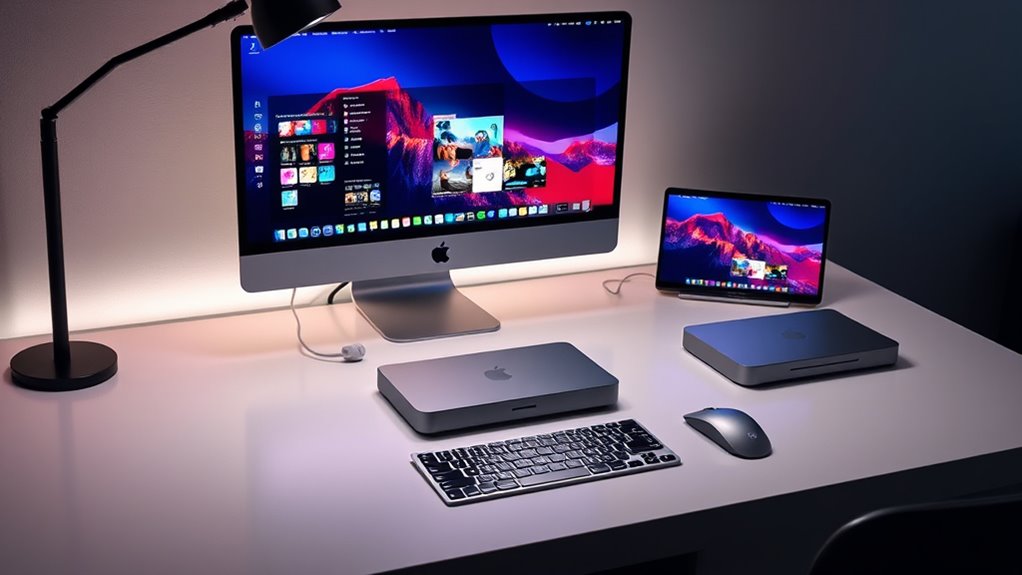

If you’re looking for the best compact workstations in 2025, I recommend considering models like the Mac mini with the M4 chip or the MacBook Pro with M4 Max for their incredible power and portability. These machines pack high-end performance into small, lightweight designs perfect for tight spaces or on-the-go work. Whether you need top-tier processing or excellent display quality, these picks deliver. Keep exploring, and you’ll discover the top options tailored for your professional needs.
Key Takeaways
- Compact designs like Mac Studio and Mac mini offer high performance in small, portable form factors suitable for demanding workflows.
- Configurable options with powerful M4 chips, extensive RAM, and high-speed SSDs ensure professional-grade workstation capabilities.
- Supports multiple high-resolution external displays and high-bandwidth connectivity for versatile workspace setups.
- Seamless integration with the Apple ecosystem enhances productivity and device compatibility in compact environments.
- Ideal for professionals needing powerful, space-efficient Macs for rendering, coding, visual work, and multitasking.
Apple 2024 MacBook Pro Laptop with M4 Max


If you’re looking for a powerful and portable workstation, the Apple 2024 MacBook Pro with M4 Max is hard to beat. It features a stunning 16.2-inch Liquid Retina XDR display with vibrant colors, HDR support, and ProMotion technology for smooth visuals. The M4 Max chip delivers exceptional performance with a 14-core CPU, 32-core GPU, and up to 128GB of unified memory, making multitasking effortless. Its sleek design weighs just 4.73 pounds, yet offers up to 21 hours of battery life. With advanced connectivity options, including Thunderbolt 5 ports and Wi-Fi 6E, this MacBook combines power, portability, and cutting-edge features seamlessly.
Best For: creative professionals, power users, and students seeking a portable yet high-performance laptop for demanding tasks.
Pros:
- Exceptional display quality with Liquid Retina XDR and ProMotion technology for smooth visuals
- Powerful M4 Max chip with extensive memory options for multitasking and intensive applications
- Long battery life of up to 21 hours, ideal for on-the-go use
Cons:
- Premium price point may be prohibitive for some users
- Hefty weight compared to ultraportables, at 4.73 pounds
- Limited to macOS ecosystem, which may not suit all software preferences
Apple Mac mini Desktop Computer with M4 Chip (512GB SSD, 16GB RAM)

The Apple Mac mini with M4 chip stands out as the ideal choice for professionals who need powerful performance in a compact form factor. Despite its small size—just 5 by 5 inches and weighing only 1.5 pounds—it packs a punch with a 10-core CPU, 10-core GPU, and a 16-core Neural Engine. With 16GB of unified memory and a 512GB SSD, it handles demanding tasks smoothly. Its versatile connectivity supports up to three displays, making it perfect for multitasking. Designed to fit seamlessly beside monitors, this mini offers exceptional performance without sacrificing space or portability, making it a top pick for a sleek, powerful workstation.
Best For: Professionals and creatives seeking a compact yet powerful desktop solution that seamlessly integrates with their Apple ecosystem.
Pros:
- Compact size fits easily on any desk or workspace
- Powerful M4 chip with 10-core CPU and 16GB RAM handles demanding tasks effortlessly
- Supports up to three displays for enhanced multitasking and productivity
Cons:
- Limited upgrade options due to integrated hardware design
- Higher price point compared to traditional mini PCs with similar specs
- No dedicated GPU options beyond the M4 integrated GPU
Apple 2024 MacBook Pro Laptop with M4 Pro
Looking for a powerful, portable workstation that can handle demanding creative tasks with ease? The 2024 MacBook Pro with M4 Pro is exactly that. It packs the latest M4 Pro chip, making it perfect for compiling code or managing complex workflows like 3D rendering. Its stunning 16.2-inch Liquid Retina XDR display offers incredible brightness and contrast, ideal for professional visuals. With 48GB of memory and 512GB SSD storage, multitasking and data access are lightning-fast. Plus, it seamlessly integrates with other Apple devices, providing a smooth, secure, and efficient user experience—making it an excellent choice for professionals on the go.
Best For: creative professionals, software developers, and power users seeking a portable yet high-performance laptop for demanding tasks.
Pros:
- Equipped with the latest M4 Pro chip for exceptional processing power
- Stunning 16.2-inch Liquid Retina XDR display with high brightness and contrast
- Ample 48GB of memory and 512GB SSD for fast multitasking and data access
Cons:
- Premium price point may be a barrier for some users
- Limited storage capacity for users needing extensive local storage
- Slightly heavier and less portable compared to smaller laptops
Apple 2024 MacBook Pro Laptop with M4 Pro
For professionals demanding powerful performance in a compact form, the 2024 MacBook Pro with M4 Pro stands out as an ideal choice. Its 16.2-inch Liquid Retina XDR display delivers stunning visuals with 1 billion colors, ProMotion technology, and peak HDR brightness of 1600 nits. Packed with the M4 Pro chip, it offers a 14-core CPU, 20-core GPU, and up to 128GB of memory, handling intensive tasks effortlessly. Weighing just 4.71 pounds, it combines portability with professional-grade power. Features like fast charging, multiple Thunderbolt 5 ports, and support for dual 6K displays make it a versatile, high-performance workstation for demanding workflows.
Best For: professionals and creatives seeking a powerful, portable laptop with a stunning display and top-tier performance for demanding workflows.
Pros:
- Exceptional 16.2-inch Liquid Retina XDR display with vivid colors and HDR support
- Powerful M4 Pro chip with up to 128GB of RAM, ideal for intensive tasks
- Versatile connectivity options including multiple Thunderbolt 5 ports, HDMI, and support for dual 6K displays
Cons:
- Relatively high price point for the premium features and hardware
- Weight of 4.71 pounds may be less portable for some users
- Limited upgradeability post-purchase due to integrated components
Apple 2023 MacBook Pro with M3 Max (16-Inch, 36GB RAM, 1TB SSD, Space Black)

If you need a powerful, portable workstation that can handle demanding tasks with ease, the Apple 2023 MacBook Pro with M3 Max is an ideal choice. It features a 16-inch display, a 4.05 GHz M3 Max chip with 14 cores, and 36GB of unified RAM, ensuring smooth multitasking and high-performance workflows. The 1TB SSD provides ample storage, while the integrated 30-core GPU offers impressive graphics power. Weighing just 7.1 pounds, it balances portability with power. Though pre-owned, it’s been professionally inspected and tested, with a battery capacity over 80%. This MacBook Pro combines high-end specs with a sleek Space Black finish, making it a versatile workstation option.
Best For: professionals and power users who need a portable yet high-performance workstation for demanding tasks, creative workflows, and multitasking.
Pros:
- High-end 16-inch display with impressive resolution and color accuracy
- Powerful M3 Max chip with 14 cores and 36GB RAM for seamless multitasking and demanding workflows
- Ample 1TB SSD storage combined with a 30-core GPU for excellent graphics performance
Cons:
- Pre-owned condition may be a concern despite professional inspection
- Not Apple certified, which could affect warranty and support options
- Heavier than some ultraportables at 7.1 pounds, potentially impacting portability
Apple 2024 MacBook Pro with M4 Max Chip (Renewed)

The Apple 2024 MacBook Pro with M4 Max Chip (Renewed) stands out as an ideal choice for demanding professionals who need powerhouse performance in a portable design. Its 16.2-inch Liquid Retina XDR display delivers stunning visuals with peak brightness of 1600 nits and a contrast ratio of 1,000,000:1. Powered by the M4 Max chip, it handles intensive workflows like 3D rendering effortlessly, with 36GB of unified RAM and a 1TB SSD. Weighing just under 5 pounds, it offers all-day battery life and seamless integration with the Apple ecosystem. This renewed model combines high performance, portability, and reliability at a compelling price point.
Best For: demanding professionals who need a high-performance, portable laptop with stunning visuals and seamless Apple ecosystem integration.
Pros:
- Exceptional performance with the M4 Max chip and 36GB RAM for intensive workflows
- Stunning 16.2-inch Liquid Retina XDR display with high brightness and contrast for vivid visuals
- All-day battery life combined with lightweight design for portability and convenience
Cons:
- Premium price point even as a renewed product
- Limited upgrade options due to integrated hardware design
- Heavier than some ultraportable laptops at 4.73 pounds
Apple 2024 MacBook Pro Laptop with M4 Chip

Designed for professionals who need powerful performance in a portable package, the Apple 2024 MacBook Pro with M4 Chip delivers exceptional visuals thanks to its 14.2-inch Liquid Retina XDR display, supporting 1 billion colors and up to 120Hz refresh rates. It features a sleek design, a backlit Magic Keyboard with Touch ID, and multiple ports including SDXC, HDMI, and Thunderbolt 4. Powered by the M4 chip, it offers a 10-core CPU, 10-core GPU, and up to 24GB of unified memory. With impressive battery life, fast charging, and seamless integration with Apple’s ecosystem, this laptop balances power and portability effortlessly.
Best For: professionals and creatives seeking a powerful, portable laptop with stunning display quality and seamless Apple ecosystem integration.
Pros:
- Exceptional 14.2-inch Liquid Retina XDR display with vivid colors and high refresh rate up to 120Hz
- Powerful M4 chip with a 10-core CPU and GPU for demanding tasks and creative workflows
- Long battery life supporting up to 24 hours of video streaming and fast charging capabilities
Cons:
- Higher price point may be a barrier for some users
- Limited to macOS, which may not suit users preferring Windows or other OS
- Slightly heavier compared to ultra-lightweight ultraportables
Apple Mac mini Desktop Computer with M4 Chip and 24GB Memory
For professionals seeking powerful performance in a compact form, the Apple Mac mini with the M4 chip and 24GB of memory stands out as an ideal choice. Its small footprint (just 5 by 5 inches) packs impressive hardware, including a 10-core CPU, 10-core GPU, and hardware-accelerated ray tracing. The 16-core Neural Engine enhances AI tasks, while 24GB of unified memory ensures smooth multitasking. With multiple Thunderbolt 4 ports, HDMI, and gigabit Ethernet, it supports up to three displays and fast data transfer. Its sleek design fits easily anywhere, making it perfect for those who need serious power without sacrificing space or portability.
Best For: professionals and creative users who need powerful performance in a compact, space-saving desktop with advanced hardware and multitasking capabilities.
Pros:
- Compact size with a sleek, modern design for versatile placement
- High-performance M4 chip with 10-core CPU and GPU, plus hardware-accelerated ray tracing
- Supports up to three displays and fast data transfer via Thunderbolt 4, HDMI, and Ethernet
Cons:
- Limited internal storage options starting at 512GB, which may require external solutions for large files
- No dedicated ports for legacy peripherals, relying mainly on USB-C and Thunderbolt connections
- Upfront cost can be high compared to traditional mini PCs with similar specifications
Apple 2024 MacBook Pro with M4 Max Processor
If you’re looking for a powerhouse portable workstation, the Apple 2024 MacBook Pro with M4 Max Processor is difficult to surpass. It packs a 16-core CPU, 40-core GPU, and up to 48GB of unified memory, making it ideal for demanding tasks like 3D rendering and large code compilations. The 16.2-inch Liquid Retina XDR display delivers stunning visuals with high brightness and contrast, perfect for content creation. Its all-day battery life ensures portability without sacrificing performance. Seamlessly integrated with the Apple ecosystem, it supports efficient multitasking and connectivity with other Apple devices, making it a versatile choice for professionals on the go.
Best For: professionals and power users who need a portable, high-performance workstation for tasks like 3D rendering, large code compilation, and content creation.
Pros:
- Exceptional performance with M4 Max chip, 16-core CPU, and 40-core GPU
- Stunning 16.2-inch Liquid Retina XDR display with high brightness and contrast
- Seamless integration within the Apple ecosystem for enhanced productivity
Cons:
- Premium price point may be prohibitive for some users
- Limited ports may require adapters for connectivity
- Heavy compared to ultraportable laptops, impacting portability for some users
Apple 2024 Mac mini Desktop Computer with M4 Chip
The Apple 2024 Mac mini with the M4 chip is an ideal choice for professionals and small teams who need a powerful yet space-saving workstation. Its compact five-by-five-inch design packs impressive performance, thanks to the 10-core CPU, 10-core GPU, and 16-core Neural Engine. Weighing just 1.5 pounds, it’s highly portable without sacrificing speed or capabilities. The device offers versatile connectivity with USB-C, Thunderbolt 4, HDMI, Ethernet, and a headphone jack. Supporting up to three displays and high-quality media playback, it seamlessly integrates into any workspace, providing robust power in a sleek, space-efficient package.
Best For: professionals and small teams seeking a compact, high-performance desktop with versatile connectivity and seamless integration into the Apple ecosystem.
Pros:
- Compact and lightweight design easily fits into any workspace or portability needs
- Powerful M4 chip with a 10-core CPU, 10-core GPU, and Neural Engine ensures fast performance for demanding tasks
- Supports multiple high-resolution displays and extensive connectivity options including Thunderbolt 4, HDMI, and Ethernet
Cons:
- Limited upgradability; storage and memory configurations are fixed at purchase
- May be more expensive compared to other compact desktops with similar specs from different brands
- Lacks dedicated graphics options for intensive gaming or specialized graphics workloads
Factors to Consider When Choosing Compact Workstation Macs (Mac Studio Picks)
When choosing a compact workstation Mac, I focus on processing power, display quality, and port options to match my workflow. Size and portability also matter, especially if I need mobility, while ample memory and storage guarantee smooth multitasking. Considering these factors helps me find a Mac that balances performance and convenience perfectly.
Processing Power Needs
Choosing the right compact workstation Mac hinges on understanding your processing power needs. If you handle demanding tasks like rendering or compiling code, a model with a 14-core or 16-core CPU might be essential. For GPU-heavy work such as 3D rendering or video editing, look for options with a 32-core or 40-core GPU. Also, consider how much memory you need—anywhere from 16GB to 128GB—based on multitasking or large datasets. If your workflow relies on hardware-accelerated media formats like ProRes or AV1, verify the device supports these. Matching your processing demands to the chip’s bandwidth and core configuration guarantees smooth performance. Carefully evaluating these factors helps you choose a Mac that aligns perfectly with your workload, avoiding bottlenecks and future-proofing your investment.
Display Quality Standards
Selecting a compact workstation Mac isn’t just about processing power; display quality plays a crucial role in guaranteeing your visual tasks are handled with clarity and precision. Look for Retina or Liquid Retina displays with at least 3024×1964 resolution to capture fine details. Peak brightness levels of 1000 nits or more are essential for accurate HDR content and outdoor use. A wide color gamut, like P3 Wide Color or True Tone technology, guarantees vibrant, true-to-life colors, vital for creative work. Adaptive refresh rates such as ProMotion up to 120Hz deliver smoother visuals, enhancing media editing and interactive workflows. High contrast ratios, around 1,000,000:1 or higher, help distinguish subtle differences in depth and detail. Prioritizing these standards ensures your display supports professional-quality visuals in a compact form factor.
Port Selection Options
Port selection is a critical factor in choosing a compact workstation Mac because it determines how easily you can connect all your peripherals and manage your workflow. These Macs typically feature a variety of ports, including Thunderbolt 4/5, HDMI, SDXC card slots, and audio jacks. The number of Thunderbolt ports varies, with some models supporting up to three, enabling high-speed data transfer and multiple external displays. Many also include SDXC card slots, which are ideal for photographers and videographers, simplifying media transfer. HDMI ports support high-resolution outputs, including 6K and 8K displays, perfect for professional visual work. Additional options like USB-C, Ethernet, and headphone jacks guarantee thorough connectivity, making these Macs versatile and well-suited for demanding workflows.
Size and Portability
When it comes to getting the most out of a compact workstation Mac, size and portability are essential considerations. These Macs typically measure around 5 by 5 inches, making them incredibly space-efficient for any setup. Weighing about 1.5 pounds, they’re designed for easy transport without sacrificing power. Their small size allows flexible placement options—next to monitors or in tight spaces—making them perfect for crowded workstations or mobile workflows. The slim profile, often less than 2 inches thick, ensures they’re easy to carry and integrate seamlessly into various environments. Despite their compact dimensions, these Macs support multiple high-resolution external displays, boosting productivity without demanding additional space. Overall, their size and portability make them ideal for users needing power on the go.
Memory and Storage
Size and portability make compact workstation Macs perfect for mobile workflows, but their performance also hinges on memory and storage options. Larger memory configurations, like 48GB or 64GB, boost multitasking and handle demanding tasks more efficiently. Faster memory bandwidth, reaching up to 546GB/s in some models, enhances data transfer speeds and overall responsiveness. Storage capacity varies from 512GB to 8TB SSDs, giving users flexibility to choose based on their data needs. Configurable options allow customization for specific professional workflows, whether video editing, 3D rendering, or data processing. Adequate memory and storage are vital for smooth performance and quick access to large files, making the right combination essential for maximizing productivity without sacrificing the compact form factor.
Ecosystem Compatibility
Choosing a compact workstation Mac means considering how well it fits into the broader Apple ecosystem, guaranteeing smooth integration across devices. Ecosystem compatibility allows for effortless features like iPhone mirroring, message sharing, and FaceTime calls, making multitasking seamless. Devices that support Wi-Fi 6E and Bluetooth 5.3 enable high-speed data transfer and easy connection to peripherals. Macs built for ecosystem harmony support Continuity features such as Universal Clipboard and Handoff, boosting productivity. This compatibility ensures that software optimized for macOS and Apple Silicon runs smoothly, providing a consistent user experience. Additionally, integration with iCloud and Apple services ensures your data stays synchronized and workflows stay streamlined across all your Apple devices, creating a cohesive, efficient workspace.
Budget Considerations
Budget considerations play a significant role in selecting the right compact workstation Mac, especially when weighing options like the Mac Studio. The cost varies based on processor, memory, and storage upgrades, which can quickly add up. More powerful configurations come with a higher price tag, so balancing performance needs with affordability is essential. I also factor in the total cost of ownership, including accessories and potential future upgrades, to ensure I’m making a smart investment. Sometimes, opting for a budget-friendly model means compromising on RAM, storage, or processing power, which could impact performance for demanding tasks. Ultimately, I weigh the long-term value and performance benefits against my initial budget to find the most cost-effective Mac Studio that meets my professional needs without overspending.
Frequently Asked Questions
How Does Thermal Management Differ Across These Mac Models?
Thermal management varies quite a bit among these Mac models. The Mac Studio, for example, has a robust internal cooling system with larger fans and better heat dissipation, allowing it to handle intensive tasks longer. In contrast, more portable models like the MacBook Pro rely on passive cooling or smaller fans, which can lead to higher temperatures under heavy loads. I find that the Mac Studio stays cooler during demanding workflows.
Are There Any Upgrade Options for RAM or Storage Post-Purchase?
I can tell you that upgrading RAM or storage after purchase isn’t really an option for these Macs. Apple designs them with soldered RAM and integrated storage, meaning you’re stuck with what you buy. So, I recommend carefully considering your needs beforehand and opting for the maximum specifications when you order. It’s a bit of a bummer, but that’s the trade-off for a sleek, compact design.
Which Models Offer the Best Battery Life for Portable Use?
If you’re after the best battery life for portable use, I recommend the MacBook Air with M2 chip. It’s incredibly efficient, offering up to 18 hours of battery life, making it perfect for on-the-go work without constantly worrying about charging. The MacBook Pro models with M2 Pro or M2 Max also deliver solid battery performance, but if portability is a priority, the Air strikes the perfect balance between power and endurance.
How Do These Macs Perform With Professional Creative Software?
These Macs handle professional creative software remarkably well. I’ve found that they run Adobe Creative Suite, Final Cut Pro, and DaVinci Resolve smoothly, thanks to their powerful M2 chips and ample RAM options. They’re highly capable for video editing, graphic design, and 3D work. The compact form doesn’t compromise performance, making them perfect for on-the-go professionals who need serious power without sacrificing portability.
What Are the Warranty and Support Options for Refurbished Units?
Did you know that Apple offers a one-year limited warranty on refurbished Macs? I’ve found their support options quite reassuring. Refurbished units typically come with the same warranty as new products, and you can purchase AppleCare+ for extended coverage. I recommend registering your device and using Apple’s support app for quick help. Overall, their support for refurbished units is solid, making it a safe choice for professionals seeking reliable, powerful Macs.
Conclusion
Choosing the right compact workstation Mac means balancing power with portability. While the Mac Studio offers unmatched performance for demanding tasks, the Mac mini provides a sleek, budget-friendly alternative that still packs a punch. It’s about finding the perfect mix for your needs—whether you crave raw power or a more streamlined setup. Sometimes, the smallest device can deliver the biggest impact, proving that size isn’t everything when it comes to professional performance.