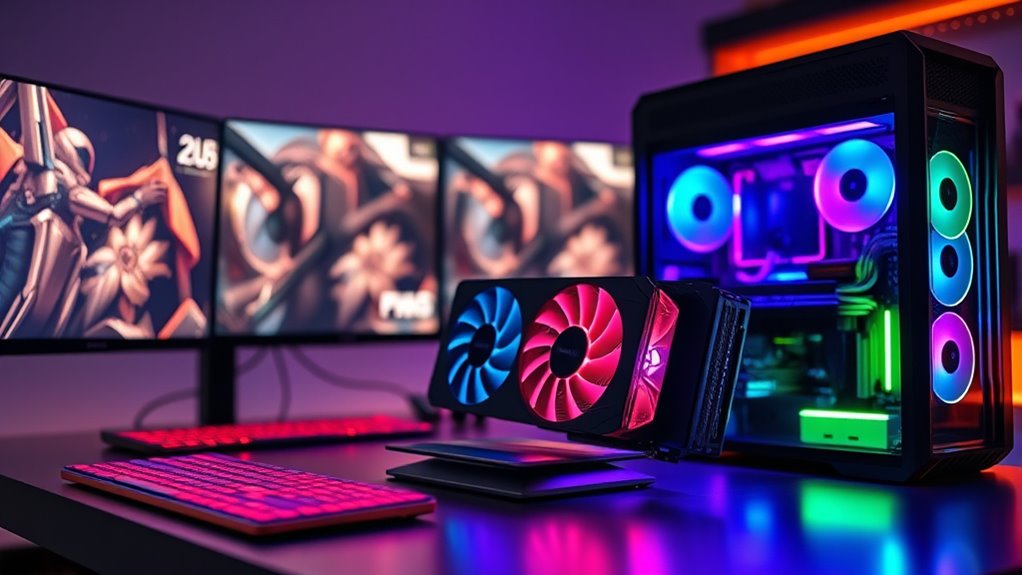

If you’re shopping for premium graphics cards for gaming rigs, the short answer is this: the ASUS TUF Gaming GeForce RTX 5090 OC Edition is the best overall pick for raw 4K performance, while the GIGABYTE Radeon RX 9070 XT Gaming OC delivers the best performance-per-dollar for high-refresh 1440p gaming. The ASUS TUF Gaming GeForce RTX 5070 Ti OC Edition sits in the sweet spot between them, handling 1440p ultrawide and entry 4K without the power and cooling demands of the flagship tier. The main tradeoffs in this category are price versus frame rates, power supply requirements, case clearance, and whether you need NVIDIA features like DLSS and stronger ray tracing or prefer the value Radeon typically offers at the same tier. Below is the full breakdown of all twelve cards, ranked and matched to the type of gamer each one makes sense for.

Get furniture and decor delivered free with Prime
- Fast, free delivery on millions of items
- Prime Video, Amazon Music and more included
- Member-only deals all year
Complete the kit


Key Takeaways
- The RTX 5090 class is in a league of its own for 4K gaming, but it demands a 1000W-class power supply and a large case — the RTX 5080 tier delivers roughly 80% of the experience with far friendlier system requirements.
- Across this lineup, the Radeon RX 9070 XT cards consistently undercut comparable NVIDIA cards on price while trading away some ray tracing performance — the deciding factor for most buyers should be whether they play RT-heavy titles.
- The 16GB versus 12GB VRAM split matters more than raw GPU class: the RTX 5060 Ti 16GB outlasts the 12GB RTX 5070 in texture-heavy modern games despite being the cheaper chip.
- Triple-fan TUF and Gaming OC coolers in this roundup run noticeably quieter than the slimmer Prime cards, so buyers with compact cases face a real tradeoff between size and acoustics.
- Four different RTX 5080 models made the list because board partner cooling and PCB quality genuinely differ — the NVIDIA Founders Edition is the compact pick, while ASUS and PNY triple-fan variants favor sustained boost clocks.
| ASUS Prime GeForce RTX 5070 OC Edition 12GB Graphics Card |  | Best Compact Build Pick | GPU: NVIDIA GeForce RTX 5070 | Memory: 12GB GDDR7 | Boost Clock: 2587 MHz (OC mode); 2557 MHz (default) | VIEW ON AMAZON | See Our Full Breakdown |
| ASUS Prime GeForce RTX 5060 Ti 16GB GDDR7 Graphics Card |  | Best Value Pick | GPU: NVIDIA GeForce RTX 5060 Ti | Memory: 16GB GDDR7 | Boost Clock: Up to 2602 MHz | VIEW ON AMAZON | See Our Full Breakdown |
| ASUS Prime GeForce RTX 5080 EVO 16GB GDDR7 OC Edition Graphics Card |  | Best Overall | GPU: NVIDIA GeForce RTX 5080 | Memory: 16GB GDDR7 | Boost Clock: 2685 MHz (OC mode); 2655 MHz (default) | VIEW ON AMAZON | See Our Full Breakdown |
| ASUS TUF Gaming GeForce RTX 5090 OC Edition 32GB GDDR7 Graphics Card |  | Best Premium Powerhouse | GPU: NVIDIA GeForce RTX 5090 | Memory: 32GB GDDR7 | Boost Clock: Up to 2580 MHz (OC mode) | VIEW ON AMAZON | See Our Full Breakdown |
| ASUS TUF Gaming GeForce RTX 5070 Ti OC Edition 16GB Graphics Card |  | Best Midrange Workhorse | GPU Architecture: NVIDIA Blackwell | Memory: 16GB GDDR7 | Boost Clock: 2610 MHz (OC mode); 2588 MHz (default) | VIEW ON AMAZON | See Our Full Breakdown |
| GIGABYTE Radeon RX 9070 XT Gaming OC 16G Graphics Card |  | Best AMD Alternative | GPU: AMD Radeon RX 9070 XT | Memory: 16 GB GDDR6 | GPU Clock Speed: 3060 MHz | VIEW ON AMAZON | See Our Full Breakdown |
| ASUS TUF Gaming GeForce RTX 5070 12GB GDDR7 OC Edition Graphics Card |  | Best Durability Build | GPU: NVIDIA GeForce RTX 5070 | Memory: 12 GB GDDR7 | Boost Clock: 2640 MHz (OC mode) | VIEW ON AMAZON | See Our Full Breakdown |
| GIGABYTE GeForce RTX 5080 Gaming OC 16G Graphics Card |  | Best for High-Refresh 4K | GPU: NVIDIA GeForce RTX 5080 | Memory: 16 GB GDDR7, 256-bit | GPU Clock Speed: 2.73 GHz | VIEW ON AMAZON | See Our Full Breakdown |
| NVIDIA GeForce RTX 5080 Founders Edition |  | Best Reference Design | Architecture: NVIDIA Blackwell | Tensor Cores: FP4 precision, 5th generation | DLSS: DLSS 4 | VIEW ON AMAZON | See Our Full Breakdown |
| PNY NVIDIA GeForce RTX 5080 Epic-X RGB OC Triple-Fan Graphics Card |  | Best for Tinkerers and RGB Builds | GPU: NVIDIA GeForce RTX 5080 | Architecture: NVIDIA Blackwell | Tensor Cores: 5th generation | VIEW ON AMAZON | See Our Full Breakdown |
| ASUS TUF Gaming GeForce RTX 5080 OC Edition 16GB GDDR7 Graphics Card |  | Best Durability-Focused Flagship | GPU: NVIDIA GeForce RTX 5080 (Blackwell) | Memory: 16 GB GDDR7 | Boost Clock: 2730 MHz OC mode; 2700 MHz default | VIEW ON AMAZON | See Our Full Breakdown |
| ASUS Prime Radeon RX 9070 XT 16GB GDDR6 OC Edition Graphics Card |  | Best Quiet-Performance AMD Pick | GPU: AMD Radeon RX 9070 XT | Memory: 16 GB GDDR6 | Boost Clock: Up to 3030 MHz OC mode; 3010 MHz default | VIEW ON AMAZON | See Our Full Breakdown |
| premium graphics cards for gaming rig | Cooling | GPU | Memory | Boost Clock |
|---|---|---|---|---|
| ASUS Prime GeForce RTX 5070 OC | Axial-tech fans, phase-change GPU thermal pad | NVIDIA GeForce RTX 5070 | 12GB GDDR7 | 2587 MHz (OC mode); 2557 MHz (default) |
| ASUS Prime GeForce RTX 5060 Ti | Triple Axial-tech fans | NVIDIA GeForce RTX 5060 Ti | 16GB GDDR7 | Up to 2602 MHz |
| ASUS Prime GeForce RTX 5080 EV | 3 Axial-tech fans, MaxContact heat spreader, phase-change thermal pad | NVIDIA GeForce RTX 5080 | 16GB GDDR7 | 2685 MHz (OC mode); 2655 MHz (default) |
| ASUS TUF Gaming GeForce RTX 50 | 3 Axial-tech fans | NVIDIA GeForce RTX 5090 | 32GB GDDR7 | Up to 2580 MHz (OC mode) |
| ASUS TUF Gaming GeForce RTX 50 | Three Axial-tech fans, phase-change GPU thermal pad | — | 16GB GDDR7 | 2610 MHz (OC mode); 2588 MHz (default) |
| GIGABYTE Radeon RX 9070 XT Gam | WINDFORCE with Hawk fans | AMD Radeon RX 9070 XT | 16 GB GDDR6 | — |
| ASUS TUF Gaming GeForce RTX 50 | 3 Axial-tech fans, phase-change GPU thermal pad | NVIDIA GeForce RTX 5070 | 12 GB GDDR7 | 2640 MHz (OC mode) |
| GIGABYTE GeForce RTX 5080 Gami | WINDFORCE (3 fans) | NVIDIA GeForce RTX 5080 | 16 GB GDDR7, 256-bit | — |
| NVIDIA GeForce RTX 5080 Founde | — | — | — | — |
| PNY NVIDIA GeForce RTX 5080 Ep | Triple 100 mm axial fans, vapor chamber, dense heatsink, aluminum backplate | NVIDIA GeForce RTX 5080 | — | — |
| ASUS TUF Gaming GeForce RTX 50 | 3 Axial-tech fans with phase-change GPU thermal pad | NVIDIA GeForce RTX 5080 (Blackwell) | 16 GB GDDR7 | 2730 MHz OC mode; 2700 MHz default |
| ASUS Prime Radeon RX 9070 XT 1 | Axial-tech fans with phase-change GPU thermal pad | AMD Radeon RX 9070 XT | 16 GB GDDR6 | Up to 3030 MHz OC mode; 3010 MHz default |
More Details on Our Top Picks
ASUS Prime GeForce RTX 5070 OC Edition 12GB Graphics Card
This option stands out for small-form-factor builds, where the SFF-ready 2.5-slot design and phase-change thermal pad do the heavy lifting. Compared with the ASUS Prime RTX 5060 Ti, the 5070 delivers meaningfully higher AI throughput (1005 vs 758 TOPS) and a stronger Blackwell core, making it the better pick if 1440p gaming is the target. The dual BIOS switch is a genuine advantage in compact cases, since the Quiet profile keeps fan noise tolerable when airflow is restricted. The tradeoff is memory: 12GB is workable today but tighter than the 16GB on both the 5060 Ti Prime and the TUF 5070 Ti, and texture-heavy titles at higher settings will feel that limit sooner. Buyers in larger cases should also compare it against the TUF RTX 5070 elsewhere in this lineup for its tougher construction.
Pros:- SFF-ready 2.5-slot design fits compact cases
- Dual BIOS with Quiet and Performance profiles
- 0dB technology for silent light gaming
- Dual-ball fan bearings rated to last up to twice as long as sleeve bearings
Cons:- 12GB of memory trails the 16GB alternatives in this lineup
- Full OC clock requires manually selecting OC mode
Best for: Small-form-factor builders who want solid 1440p performance in a short, quiet card
Not ideal for: Gamers chasing maxed-out settings at 1440p ultrawide or 4K — the 12GB buffer will bottleneck first
- GPU:NVIDIA GeForce RTX 5070
- Memory:12GB GDDR7
- Boost Clock:2587 MHz (OC mode); 2557 MHz (default)
- AI Performance:1005 AI TOPS
- Interface:PCIe 5.0
- Slot Design:2.5-slot, SFF-ready
- Cooling:Axial-tech fans, phase-change GPU thermal pad
- Warranty:3 years
Our verdict“This pick makes the most sense for compact rig builders who prioritize fit and quiet operation over maximum memory headroom.”
ASUS Prime GeForce RTX 5060 Ti 16GB GDDR7 Graphics Card
For buyers who want Blackwell features on a budget, this model earns its spot by pairing 16GB of GDDR7 with a relatively modest GPU core — the opposite tradeoff of the ASUS Prime RTX 5070. That large memory buffer means texture-heavy games and creative workloads hold up longer than the 5070’s 12GB allows, even if raw frame rates land lower. The triple Axial-tech fan array and 0dB technology keep it quiet under light loads, and at roughly 12 inches it fits most mid-tower cases without the clearance headaches of the TUF RTX 5090’s 13.7-inch footprint. The honest tradeoff: 758 AI TOPS is the lowest in this lineup, so buyers chasing high-refresh 1440p or 4K should step up to the 5070 Ti or 5080 EVO instead.
Pros:- 16GB of GDDR7 memory, unusual at this tier
- Triple-fan cooling with dual BIOS profiles
- 0dB technology for quieter light gaming
- Supports up to 7680 x 4320 resolution
Cons:- Lowest AI throughput in this roundup at 758 TOPS
- 2.5-slot size may still limit very compact case compatibility
Best for: Budget-conscious 1080p and entry-1440p gamers who want 16GB of memory headroom for future titles
Not ideal for: High-refresh 1440p or 4K players — the GPU core won’t keep pace with the rest of this lineup
- GPU:NVIDIA GeForce RTX 5060 Ti
- Memory:16GB GDDR7
- Boost Clock:Up to 2602 MHz
- AI Performance:758 AI TOPS
- Interface:PCIe 5.0 x16
- Cooling:Triple Axial-tech fans
- Weight:800 g
- Warranty:3 years
Our verdict“This card is best suited to value-focused builders who prize memory capacity and DLSS 4 support over raw frame-pushing power.”
ASUS Prime GeForce RTX 5080 EVO 16GB GDDR7 OC Edition Graphics Card
This is the card I’d point most premium builders toward, because it balances outright performance with practical buildability. At 1801 AI TOPS, it delivers more than double the throughput of the ASUS Prime RTX 5060 Ti and nearly 80% more than the Prime RTX 5070, which translates directly into high-refresh 4K and heavy ray-traced gaming. Unlike the TUF RTX 5090’s 13.7-inch frame, this SFF-ready 2.5-slot design at 12 inches slots into far more cases, while still packing a MaxContact heat spreader and phase-change thermal pad that the cheaper Prime cards don’t all share. The tradeoff is price-tier adjacency: it costs close to halo territory while offering 16GB rather than the 5090’s 32GB, and buyers doing extreme multitasking or local AI workloads may regret not stretching further.
Pros:- 1801 AI TOPS with NVIDIA Blackwell and DLSS 4
- SFF-ready 2.5-slot design despite flagship-tier performance
- MaxContact heat spreader with phase-change thermal pad
- Dual BIOS with Quiet and Performance profiles
Cons:- 12-inch length may limit compact case compatibility
- 16GB of memory is modest for its near-flagship price tier
Best for: Enthusiasts building a no-compromise 4K gaming rig who still care about case compatibility
Not ideal for: Local AI or content creators needing 32GB of VRAM — the TUF RTX 5090 covers that better
- GPU:NVIDIA GeForce RTX 5080
- Memory:16GB GDDR7
- Boost Clock:2685 MHz (OC mode); 2655 MHz (default)
- AI Performance:1801 AI TOPS
- Interface:PCI-Express x16, PCIe 5.0
- Slot Design:2.5-slot, SFF-ready
- Cooling:3 Axial-tech fans, MaxContact heat spreader, phase-change thermal pad
- Video Outputs:1x HDMI 2.1b, 3x DisplayPort 2.1b
Our verdict“Compared with everything else here, this model offers the best blend of 4K horsepower, thermals, and build flexibility for a premium gaming rig.”
ASUS TUF Gaming GeForce RTX 5090 OC Edition 32GB GDDR7 Graphics Card
Nothing else in this roundup matches the 32GB of GDDR7 on this card — double the capacity of the Prime RTX 5080 EVO — which makes it the clear choice for 4K max-settings gaming, local AI workloads, and heavy multitasking. The TUF construction and GPU Tweak III software give it more tuning depth than the Prime-branded cards, and five display outputs (three DisplayPort, two HDMI) beat every alternative here for multi-monitor setups. The compromises are physical and financial: at 13.7 inches long, it demands a full tower in a way the SFF-ready 5080 EVO simply doesn’t, and buyers should verify the listed 2.5-slot claim against the taller 3.6-slot highlight before committing to a tight case. For pure gaming at 4K60, the 5080 EVO delivers most of the experience with far fewer headaches.
Pros:- 32GB of GDDR7, double any other card in this lineup
- Five display outputs for extensive multi-monitor setups
- GPU Tweak III software for performance and thermal control
- Triple-fan cooling with dual BIOS profiles
Cons:- 13.7-inch length severely limits case compatibility
- Listed slot count conflicts between 2.5-slot spec and 3.6-slot highlight — verify before buying
Best for: No-limit builders running 4K max settings, local AI models, or multi-monitor battlestations
Not ideal for: Mid-tower and compact-case builders — its 13.7-inch length and thick cooler demand serious clearance
- GPU:NVIDIA GeForce RTX 5090
- Memory:32GB GDDR7
- Boost Clock:Up to 2580 MHz (OC mode)
- AI Performance:772 AI TOPS
- Interface:PCI-Express x16, PCIe 5.0
- Cooling:3 Axial-tech fans
- Dimensions:13.7 x 5.7 inches
- Video Outputs:3x DisplayPort 2.1a, 2x HDMI 2.1b
Our verdict“This card makes the most sense for enthusiasts who refuse to compromise on VRAM or multi-display output and have the chassis to house it.”
ASUS TUF Gaming GeForce RTX 5070 Ti OC Edition 16GB Graphics Card
This model carves out the sweet spot between price and endurance. The 16GB of GDDR7 matches the Prime RTX 5080 EVO’s capacity at a lower tier, and its protective PCB coating plus military-grade components give it durability credentials the Prime 5070 can’t claim — a real consideration for rigs that run hot or live in dusty rooms. Compared with the Prime RTX 5060 Ti, the performance jump is substantial, with a 2610 MHz OC boost clock that makes high-refresh 1440p genuinely comfortable. The catches are infrastructural: the 3.125-slot thickness is the widest in this batch after the 5090, and it demands a minimum 850W power supply with a 16-pin 12V-2×6 connector — older systems may need a PSU upgrade before this card even boots.
Pros:- 16GB of GDDR7 with DLSS 4 support
- Protective PCB coating guards against moisture, dust, and debris
- Three-fan cooling with phase-change GPU thermal pad
- Automated manufacturing and military-grade components for reliability
Cons:- Requires a minimum 850W power supply
- Needs a 16-pin 12V-2×6 (12VHPWR) connector
- 3.125-slot thickness limits compact builds
Best for: 1440p high-refresh gamers with a modern PSU who want durable, long-haul hardware
Not ideal for: Builders with aging 650W–750W power supplies or narrow cases — the power and slot demands will force upgrades
- GPU Architecture:NVIDIA Blackwell
- Memory:16GB GDDR7
- Boost Clock:2610 MHz (OC mode); 2588 MHz (default)
- Power Supply Requirement:Minimum 850W
- Power Connector:16-pin 12V-2×6 (12VHPWR)
- Cooling:Three Axial-tech fans, phase-change GPU thermal pad
- Slot Design:3.125-slot
Our verdict“This card is better suited than anything else here to buyers who want 5080-class memory and hardened durability without paying flagship prices — provided their power supply is already up to spec.”
GIGABYTE Radeon RX 9070 XT Gaming OC 16G Graphics Card
For buyers who want to step off the NVIDIA ladder, this RX 9070 XT stands out as the strongest AMD case in this lineup. The 16 GB of GDDR6 memory matches what the GIGABYTE RTX 5080 offers, which matters at 1440p and 4K where texture-heavy titles punish cards with smaller buffers — something the 12 GB ASUS TUF RTX 5070 can’t claim. The WINDFORCE cooling with Hawk fans keeps the 3060 MHz factory overclock sustainable without sounding like a hair dryer.
The tradeoff is software, not hardware: you lose DLSS 4, which is the single biggest reason the NVIDIA cards in this roundup pull ahead in ray-traced games. AMD’s upscaler has improved, but developers prioritize DLSS. Compared with the ASUS Prime RX 9070 XT, this Gaming OC variant buys you a more aggressive cooler and clock headroom for a modest premium.
Pros:- 16 GB of GDDR6 memory outclasses 12 GB rivals at high resolutions
- WINDFORCE cooling with Hawk fans sustains the 3060 MHz factory overclock
- PCIe 5.0 support keeps it future-proofed for current platforms
- Compact 11.34-inch length fits more cases than the 13-inch-plus NVIDIA cards here
Cons:- No DLSS 4 — AMD’s upscaling ecosystem still lags in supported games
- GDDR6 rather than GDDR7 means less memory bandwidth than comparable RTX 50-series cards
Best for: 1440p and entry-4K gamers who prioritize raw memory capacity and prefer avoiding NVIDIA’s pricing structure
Not ideal for: Players who live in ray-traced titles like Cyberpunk 2077 — DLSS 4 on the RTX cards is a genuine performance gap, not marketing
- GPU:AMD Radeon RX 9070 XT
- Memory:16 GB GDDR6
- GPU Clock Speed:3060 MHz
- Interface:PCIe 5.0 x16
- Cooling:WINDFORCE with Hawk fans
- Max Resolution:7680 x 4320
- Dimensions:11.34 x 5.2 inches
Our verdict“Buy this if you want flagship-tier memory capacity and 4K capability without paying the NVIDIA premium — skip it if DLSS 4 matters to your game library.”
ASUS TUF Gaming GeForce RTX 5070 12GB GDDR7 OC Edition Graphics Card
Where most cards in this roundup compete on raw speed, the TUF RTX 5070 makes its case on longevity. The phase-change GPU thermal pad, protective PCB coating, and reinforced mounting are features you’ll find on few rivals here — the GIGABYTE RTX 5080 Gaming OC has the cooling muscle but not this defensive engineering. For a rig that runs eight hours a day, this build philosophy translates to fewer thermal-related failures over years of ownership.
Realistically, this is the value rung of the premium ladder. The 12 GB of GDDR7 is fast, but the ASUS TUF RTX 5070 Ti’s 16 GB buffer gives it more breathing room at 4K, and DLSS 4 has to work harder to close the gap. The 3.125-slot footprint is also disproportionate for this performance tier — you’re giving up nearly as much case space as a 5080 demands.
Pros:- Phase-change thermal pad and PCB coating for long-term durability
- DLSS 4 access on Blackwell architecture at the lowest tier in this lineup
- Triple Axial-tech cooling handles the 2640 MHz boost clock comfortably
- Five display outputs (3x DP 2.1a, 2x HDMI 2.1b) for multi-monitor setups
Cons:- 3.125-slot design consumes case space disproportionate to its performance class
- 12 GB memory is the smallest buffer in this roundup
Best for: RTX 40-series or older owners upgrading to 1440p who want a tank-like card they won’t replace for years
Not ideal for: 4K ultra purists — the 12 GB buffer will bottleneck in texture-heavy titles before the GPU core does
- GPU:NVIDIA GeForce RTX 5070
- Memory:12 GB GDDR7
- Boost Clock:2640 MHz (OC mode)
- Interface:PCIe 5.0 x16
- Cooling:3 Axial-tech fans, phase-change GPU thermal pad
- Max Resolution:7680 x 4320
- Slot Design:3.125-slot
- Dimensions:13 x 5.5 inches
Our verdict“This is the card for buyers who treat a GPU as a five-year purchase and value build toughness over benchmark peaks.”
GIGABYTE GeForce RTX 5080 Gaming OC 16G Graphics Card
This is the workhorse pick of the premium tier: 16 GB of GDDR7 on a 256-bit bus with DLSS 4 makes it the card to buy when 4K at high refresh rates is the goal rather than a stretch. Compared with the ASUS TUF RTX 5070 above, the wider memory interface and larger buffer mean ultra-settings in modern titles without texture compromises — and unlike the 5070, it holds that performance as resolutions climb.
The 2.73 GHz clock and WINDFORCE triple-fan cooling keep sustained frame rates stable through long sessions. The honest tradeoff is footprint and power: at 13.46 inches long, it’s one of the biggest cards here, and its 30000 MHz memory clock signals a PSU requirement that mid-range builds may not meet. Against the PNY RTX 5080, you get similar silicon but trade PNY’s vapor chamber and tuning software for GIGABYTE’s slightly more aggressive clocks.
Pros:- 16 GB GDDR7 on a 256-bit interface delivers genuine 4K ultra headroom
- DLSS 4 support provides large frame-rate gains in supported titles
- WINDFORCE triple-fan cooling sustains the 2.73 GHz clock under load
- PCIe 5.0 x16 interface maximizes bandwidth on current platforms
Cons:- 13.46-inch length demands a large case and careful clearance checks
- Power consumption implies a high-wattage PSU many existing builds lack
Best for: Enthusiasts with full-tower cases and capable PSUs targeting 4K/120+ gaming
Not ideal for: Small-form-factor builders — the 13.46-inch length rules out most compact cases entirely
- GPU:NVIDIA GeForce RTX 5080
- Memory:16 GB GDDR7, 256-bit
- GPU Clock Speed:2.73 GHz
- Memory Clock Speed:30000 MHz
- Interface:PCIe 5.0 x16
- Cooling:WINDFORCE (3 fans)
- Max Resolution:7680 x 4320
- Dimensions:13.46 x 5.59 inches
Our verdict“The sensible flagship for 4K high-refresh gaming, provided your case and power supply are already built for it.”
NVIDIA GeForce RTX 5080 Founders Edition
The Founders Edition is the card for buyers who want NVIDIA’s own take on the 5080 rather than a partner’s interpretation. Its differentiators are the ones that don’t show on spec sheets: Reflex 2 with Frame Warp for latency reduction that competitive players will feel, and FP4 Tensor Cores that push AI rendering and content-creation workloads beyond what stock descriptions capture. The neural-rendered ray tracing pipeline is the most refined implementation of the technology you can buy at this tier.
Against the GIGABYTE RTX 5080 Gaming OC, you trade a factory overclock and bulkier cooler for NVIDIA’s typically tighter, more elegant physical design and reference-level consistency. The ASUS TUF RTX 5090 remains the outright performance king of this roundup, but at a steep step up in cost and power. The 5080 Founders Edition is the balance point — though it’s arguably more card than anyone gaming at 1080p will ever use.
Pros:- FP4 Tensor Cores deliver the strongest AI and neural rendering performance in the lineup
- DLSS 4 produces high frame rates with excellent image quality
- Reflex 2 with Frame Warp offers ultra-low latency for competitive play
- Founders Edition design typically offers cleaner aesthetics and build quality
Cons:- High power consumption demands a robust PSU
- Full feature utilization requires a current-generation CPU and platform
Best for: Serious gamers and creators who want top-tier ray tracing and AI features in NVIDIA’s cleanest package
Not ideal for: 1080p gamers or budget builders — this level of hardware is wasted below 4K, and it likely requires a modern platform to exploit fully
- Architecture:NVIDIA Blackwell
- Tensor Cores:FP4 precision, 5th generation
- DLSS:DLSS 4
- Reflex:NVIDIA Reflex 2 with Frame Warp
- Ray Tracing:Full ray tracing with neural rendering
- AI Performance:Max AI performance with FP4
Our verdict“The definitive 5080 for buyers who want NVIDIA’s reference execution and the most complete feature stack — overkill for anyone below enthusiast tier.”
PNY NVIDIA GeForce RTX 5080 Epic-X RGB OC Triple-Fan Graphics Card
Among the three RTX 5080s in this roundup, the PNY Epic-X carves out a distinct identity: it’s the one for people who like to tune their hardware. The VelocityX software goes beyond what GIGABYTE or the Founders Edition offer in control — adjustable core and memory clocks, custom fan curves, and up to five saved profiles you can switch between a quiet daily mode and an aggressive gaming mode. That flexibility is real value for enthusiasts who enjoy the tuning process itself.
The vapor chamber plus triple 100 mm fan array is premium cooling architecture, and the fan-stop feature at low temperatures means near-silent desktop work. The Epic-X ARGB lighting integrates with showcase builds in a way the understated Founders Edition deliberately avoids. The main frustration is documentation — PNY doesn’t publish dimensions or power requirements clearly, so case and PSU planning requires extra research before committing.
Pros:- Vapor chamber and dense heatsink with counter-rotating fans for superior thermal headroom
- VelocityX software with clock, fan curve, and lighting control plus five saved profiles
- Fan stop keeps the card silent during light workloads
- Customizable Epic-X ARGB lighting for coordinated builds
Cons:- Published specs omit dimensions and power requirements, complicating case and PSU selection
- Triple-fan design requires substantial case clearance like the other 5080s here
Best for: RGB-focused showcase builders and overclocking hobbyists who want deep software control over their card
Not ideal for: Buyers who want clean, published specs before purchasing — the missing dimensions and power data make pre-purchase planning harder than it should be
- GPU:NVIDIA GeForce RTX 5080
- Architecture:NVIDIA Blackwell
- Tensor Cores:5th generation
- Ray Tracing Cores:4th generation
- Cooling:Triple 100 mm axial fans, vapor chamber, dense heatsink, aluminum backplate
- Fan Features:Counter-rotating, dual-ball bearings, fan stop at low temps
- Lighting:Customizable Epic-X ARGB
- Software:VelocityX with up to 5 saved profiles
Our verdict“Pick this over the other 5080s if tuning control and RGB aesthetics drive your build — just verify your case clearance yourself before ordering.”
ASUS TUF Gaming GeForce RTX 5080 OC Edition 16GB GDDR7 Graphics Card
Among the RTX 5080 options in this lineup, the TUF Gaming OC Edition stands out for its focus on long-term resilience rather than flash. The phase-change GPU thermal pad and protective PCB coating are what separate it from the sleeker NVIDIA GeForce RTX 5080 Founders Edition — this card is built to run hard for years, not just to look good in a windowed case. Its 2730 MHz OC mode boost gives it a slight edge over the ASUS Prime RTX 5080 EVO, and the three Axial-tech fans keep thermals in check during extended sessions. The tradeoff is physical bulk: at 3.6 slots and 4.3 lbs, it demands a roomy case and a sturdy mount. Buyers also need an 850 W PSU with a 16-pin 12V-2×6 connector, which adds cost if your current build can’t supply it.
Pros:- Three-fan cooling with a large fin array keeps the card stable under sustained loads
- Phase-change thermal pad supports long-term performance and reliability
- Protective PCB coating guards against moisture, dust, and debris
- GPU Tweak III software offers granular performance and thermal control
Cons:- Requires a minimum 850 W power supply with a 16-pin 12V-2×6 connector
- 3.6-slot width and 13.7-inch length limit case compatibility
- At 4.3 lbs, it may need a support bracket in some builds
Best for: Enthusiast builders who want flagship RTX 5080 performance with rugged, longevity-focused construction and don’t mind a large, power-hungry card
Not ideal for: Owners of compact mid-tower cases or older sub-850 W power supplies — the 3.6-slot width and 16-pin power requirement make it impractical without upgrades
- GPU:NVIDIA GeForce RTX 5080 (Blackwell)
- Memory:16 GB GDDR7
- Boost Clock:2730 MHz OC mode; 2700 MHz default
- Cooling:3 Axial-tech fans with phase-change GPU thermal pad
- Video Outputs:3 x DisplayPort 2.1a, 2 x HDMI 2.1b
- Slot Width:3.6 slots
- Dimensions:13.7 x 5.7 inches
- Power Supply Requirement:Minimum 850 W with 16-pin 12V-2×6 connector
Our verdict“This is the RTX 5080 for builders who prioritize durability and cooling headroom over compact aesthetics, provided their case and PSU can handle it.”
ASUS Prime Radeon RX 9070 XT 16GB GDDR6 OC Edition Graphics Card
Where the TUF Gaming RTX 5080 goes big and heavy, the ASUS Prime RX 9070 XT takes the opposite approach: a 2.5-slot design that fits mid-tower builds the TUF simply can’t. Its signature feature is the Dual BIOS switch, letting you flip between Quiet and Performance profiles without software fiddling — something neither the GIGABYTE Radeon RX 9070 XT Gaming OC nor most NVIDIA cards in this lineup offer as directly. The 0dB mode fully stops the fans during light workloads, which makes it a strong fit for a living-room or bedroom rig. Compared with the ASUS Prime RTX 5070, the 16GB of GDDR6 memory gives it more breathing room at higher resolutions. The compromise is that AMD’s card trails NVIDIA’s flagships in ray tracing and some creator workloads, so buyers chasing maximum RT fidelity should look elsewhere in this roundup.
Pros:- Dual BIOS with Quiet and Performance profiles for easy mode switching
- 0dB technology stops fans entirely during light gaming and desktop use
- 2.5-slot design fits a wider range of cases than 3-plus-slot competitors
- Dual-ball fan bearings and a phase-change thermal pad support long-term reliability
Cons:- Still needs 2.5 slots of clearance, ruling out the smallest ITX builds
- Ray tracing performance trails comparable NVIDIA cards in this lineup
- GPU Tweak III tuning options are more limited than NVIDIA’s broader software ecosystem
Best for: PC builders who want strong 1440p-to-4K rasterization performance, near-silent light-duty operation, and easier case compatibility than a triple-slot flagship
Not ideal for: Players who prioritize ray-traced visuals or heavy GPU-accelerated content creation — NVIDIA options like the RTX 5080 cards here handle those workloads better
- GPU:AMD Radeon RX 9070 XT
- Memory:16 GB GDDR6
- Boost Clock:Up to 3030 MHz OC mode; 3010 MHz default
- Game Clock:Up to 2480 MHz OC mode; 2460 MHz default
- Design:2.5-slot
- Cooling:Axial-tech fans with phase-change GPU thermal pad
- Fan Bearings:Dual-ball
- BIOS:Dual BIOS with Quiet and Performance profiles
Our verdict“A smart choice for buyers who value quiet operation and build flexibility over NVIDIA’s ray tracing edge, especially in space-conscious or noise-sensitive setups.”

How We Picked
I judged each card through the lens of a premium gaming build: sustained performance at 1440p and 4K, cooler and acoustic design, VRAM capacity relative to the card’s target resolution, power draw, and physical fit inside typical gaming cases. Because every card here is premium by definition, the ranking logic came down to differentiation rather than quality — the RTX 5090 leads on outright capability, the RX 9070 XT models win on value, the 5070 Ti earns the sweet-spot position, and the 5080 variants are separated by cooler design, size, and feature sets rather than performance gaps.
I also weighed board partner choices heavily. ASUS Prime cards are trimmed-down designs aimed at standard builds, TUF cards add reinforced coolers and higher sustained clocks, and GIGABYTE’s Gaming OC line splits the difference. A card that throttles, whines under load, or doesn’t fit your case isn’t premium no matter what the spec sheet says, so build quality and practicality influenced placement as much as benchmarks.
| premium graphics cards for gaming rig | GPU | Interface |
|---|---|---|
| ASUS Prime GeForce RTX 5070 OC | NVIDIA GeForce RTX 5070 | PCIe 5.0 |
| ASUS Prime GeForce RTX 5060 Ti | NVIDIA GeForce RTX 5060 Ti | PCIe 5.0 x16 |
| ASUS Prime GeForce RTX 5080 EV | NVIDIA GeForce RTX 5080 | PCI-Express x16, PCIe 5.0 |
| ASUS TUF Gaming GeForce RTX 50 | NVIDIA GeForce RTX 5090 | PCI-Express x16, PCIe 5.0 |
| ASUS TUF Gaming GeForce RTX 50 | — | — |
| GIGABYTE Radeon RX 9070 XT Gam | AMD Radeon RX 9070 XT | PCIe 5.0 x16 |
| ASUS TUF Gaming GeForce RTX 50 | NVIDIA GeForce RTX 5070 | PCIe 5.0 x16 |
| GIGABYTE GeForce RTX 5080 Gami | NVIDIA GeForce RTX 5080 | PCIe 5.0 x16 |
| NVIDIA GeForce RTX 5080 Founde | — | — |
| PNY NVIDIA GeForce RTX 5080 Ep | NVIDIA GeForce RTX 5080 | — |
| ASUS TUF Gaming GeForce RTX 50 | NVIDIA GeForce RTX 5080 (Blackwell) | — |
| ASUS Prime Radeon RX 9070 XT 1 | AMD Radeon RX 9070 XT | — |
Factors to Consider When Choosing Premium Graphics Cards For Gaming Rigs
Choosing a premium graphics card is less about finding the fastest chip and more about matching the card to your monitor, your case, and your power supply. These are the factors that actually decide which of the twelve cards above belongs in your rig.Match the Card to Your Monitor First
The most common mistake in this category is buying more GPU than your display can use. A 1440p 165Hz monitor pairs perfectly with an RX 9070 XT or RTX 5070 Ti, and paying RTX 5090 money for that setup buys frames you’ll never see. Conversely, a 4K 240Hz display genuinely needs the 5080 or 5090 tier to stay saturated in demanding titles. Before comparing cards, write down your resolution and refresh rate — that single detail eliminates half the lineup instantly. Upgraders who plan to buy a better monitor later can justify one tier of headroom, but two tiers is wasted budget.
VRAM Capacity Is a Longevity Decision
VRAM doesn’t affect today’s frame rates as much as it affects how long the card stays usable. The 12GB cards in this roundup handle current games at 1440p comfortably, but texture-heavy open-world titles and growing VRAM budgets are already testing that ceiling. The 16GB and 32GB options buy you years of headroom, which is why a cheaper 16GB card can be the smarter long-term purchase than a faster 12GB one. Ray tracing and path tracing amplify VRAM pressure further, so buyers who enable those features should treat 16GB as the floor for a premium build. Think of VRAM as insurance against your next three years of game library, not a spec on a chart.
Power Supply and Case Clearance Kill More Builds Than Price
Every card in this roundup assumes a quality power supply, but requirements range dramatically — the 5060 Ti tier runs comfortably on modest units while the RTX 5090 realistically wants 1000W of headroom with proper PCIe 5.0 cabling. Physical size matters just as much: the triple-fan TUF and GIGABYTE coolers are long and thick, and cramming one into a mid-tower case restricts airflow and turns a quiet cooler into a loud one. Measure your case’s GPU clearance and check your PSU wattage before ordering anything. The Founders Edition and Prime cards exist specifically for buyers facing these constraints, and choosing them over a chunkier card isn’t a compromise — it’s correct planning.
NVIDIA Versus Radeon: Features, Not Just Frame Rates
Raw raster performance between the RX 9070 XT and comparably priced NVIDIA cards is closer than ever, but the ecosystems differ. NVIDIA’s DLSS has broader game support and typically higher image quality, and NVIDIA leads in ray tracing performance and creator workloads like video encoding. Radeon counters with strong upscaling performance, frequently lower pricing at the same tier, and excellent raw rasterization. If you play competitive titles with effects dialed down, the value argument favors Radeon. If you play cinematic single-player games with ray tracing maxed or stream regularly, the NVIDIA premium pays for itself in features rather than frames.
Board Partner Cards: Why the Same Chip Costs Different Amounts
This roundup includes multiple RTX 5080s and multiple RX 9070 XTs because the card around the chip matters. Premium coolers sustain boost clocks longer, run quieter, and exhaust heat better in stuffy cases. Factory overclocks add a few percent at most, so pay for the cooler and the build quality, not the clock speed on the box. Warranty terms and the absence of coil whine are where cheaper partner cards sometimes cut corners. A safe rule: step up to a TUF-class cooler if your case airflow is mediocre or you game for long sessions, and stick with Prime-class cards if your case has strong airflow and you value a compact footprint.
Frequently Asked Questions
Is the RTX 5090 worth it over an RTX 5080 for gaming?
Only if you game at 4K with high refresh rates or need the 32GB of VRAM for creative work alongside gaming. The 5090 delivers a real performance lead at 4K, but at 1440p the gap shrinks to the point where a 5080 keeps you just as happy. The 5090 also carries hidden costs: a 1000W-class power supply, a physically massive cooler, and more heat dumped into your case. If any of those constraints apply to your build, one of the 5080 variants in this lineup — especially the compact Founders Edition — is the smarter premium purchase.
Should I pick the RX 9070 XT or the RTX 5070 Ti?
This is the closest head-to-head in the roundup and it comes down to features versus savings. The RX 9070 XT typically lands at a lower price for very similar raster performance, which makes it the value pick for esports and traditional rasterized games. The RTX 5070 Ti pulls ahead in ray tracing-heavy titles and benefits from DLSS’s broader game support, which matters if you play cinematic single-player releases. Both offer 16GB of VRAM, so longevity is a wash. If you enable ray tracing regularly, the 5070 Ti justifies itself; if you don’t, the Radeon cards are the better deal.
Does 12GB of VRAM still cut it in 2026?
At 1440p with standard settings, yes — the RTX 5070 cards in this lineup handle current games without VRAM-related stutters. The pressure appears when you stack on ray tracing, high-resolution texture packs, or push into 4K, where 12GB cards can hit texture streaming limits that cause frame time spikes. That’s why a 16GB RTX 5060 Ti can outperform expectations against a 12GB 5070 in memory-heavy titles despite being the weaker chip on paper. For a premium build meant to last, 16GB is the safer floor, and 12GB is acceptable only if you upgrade cards frequently anyway.
Is a Founders Edition better than a partner card like ASUS or GIGABYTE?
Neither is universally better — they solve different problems. The NVIDIA RTX 5080 Founders Edition is the most compact card in this roundup, making it the clear pick for small-form-factor builds where a triple-fan card won’t fit. Partner cards like the TUF and GIGABYTE Gaming OC models trade that compactness for larger coolers that run quieter and hold boost clocks longer under sustained loads. Performance differences between them are small either way. Choose the Founders Edition for tight cases and clean aesthetics; choose a partner card when you want maximum cooling headroom and quieter operation in a standard mid-tower.
Can my current power supply handle one of these premium cards?
Check two things: total wattage and connector format. The mid-tier cards here — RX 9070 XT, RTX 5070, 5070 Ti — generally run well on a quality 750W unit. The RTX 5080 cards want 850W as a comfortable floor, and the RTX 5090 realistically needs a 1000W supply with modern transient handling. Most of these cards use the 12V-2×6 connector, so an older PSU without native support will need a quality adapter, and cheap adapter cables are a genuine fire risk under these loads. An under-specced power supply causes crashes and shutdowns that look like GPU defects, so sort this out before blaming the card.
Conclusion
For the best overall premium gaming card, the ASUS TUF Gaming GeForce RTX 5090 OC Edition stands above everything else at 4K — buy it if your monitor, power supply, and budget can all keep up. The best value pick is the GIGABYTE Radeon RX 9070 XT Gaming OC, which delivers premium 1440p performance without the NVIDIA price premium. The best premium alternative for balanced builds is the ASUS TUF Gaming RTX 5070 Ti OC Edition, the sweet-spot card for high-refresh 1440p and light 4K. For beginners building a first premium rig, the ASUS Prime RTX 5060 Ti 16GB is the easiest entry point — modest power demands, 16GB of VRAM, and no exotic cooling requirements. Specific needs round out the list: the NVIDIA RTX 5080 Founders Edition for compact builds, the ASUS TUF RTX 5080 OC or PNY Epic-X for sustained-load cooling and aesthetics, and the ASUS Prime RX 9070 XT for value buyers who prefer a slimmer card. Whatever you choose, let your monitor, case, and power supply make the decision — the right card is the one that fits the rig you actually own.
Halloween Picks

Max Fun 10-Foot Halloween Dragon and Pumpkin Inflatable Archway with LED Lights

HOPOCO Halloween Pumpkin Fog Machine with 12 LED Colors & Remote Control

12-Foot Inflatable Pumpkin Halloween Archway with LED Lights
As an affiliate, we earn on qualifying purchases.