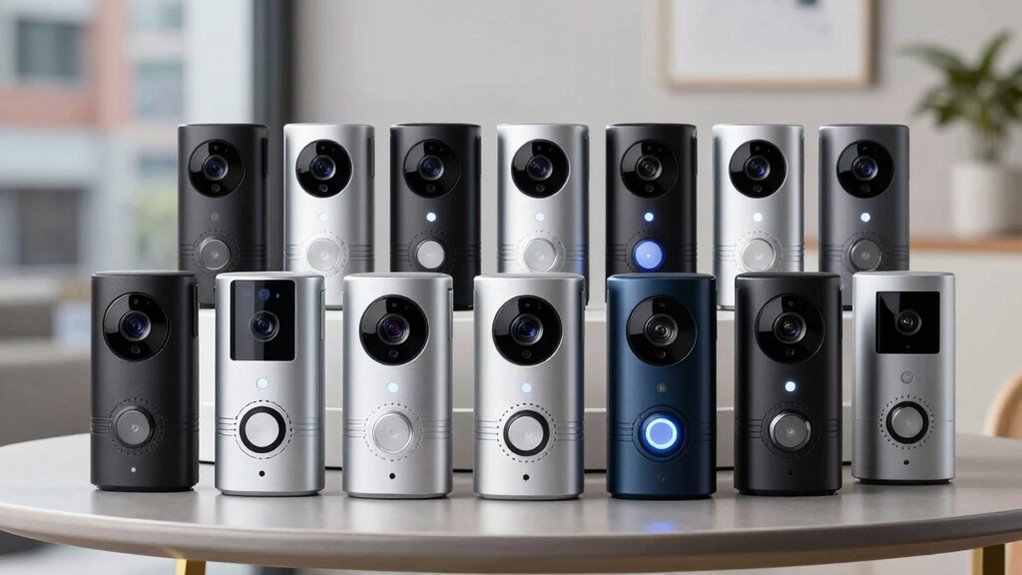
For a wired video doorbell that balances sharp video, useful alerts, and flexible installation, my best overall pick is the Arlo Video Doorbell 2K (2nd Gen). The Wyze Wired Doorbell Camera v2 is a strong alternative for shoppers focused on value, while the Google Nest Doorbell (Wired, 3rd Gen) suits households that want a polished smart-home experience. The main tradeoffs are how much installation flexibility you need, whether you want a view of packages near the doorstep, and how much you rely on cloud or ecosystem features. Some models also offer battery operation alongside wired power, which can help when existing wiring is inconvenient but may change how you maintain the device. Read on for the full comparison and advice on choosing a doorbell that fits your home.

Get furniture and decor delivered free with Prime
- Fast, free delivery on millions of items
- Prime Video, Amazon Music and more included
- Member-only deals all year
Complete the kit


Key Takeaways
- Arlo earns the best overall position for pairing a detailed 2K image with the option to run wired or wirelessly, giving it broader installation appeal than strictly wired picks.
- Wyze is the value-oriented choice in this lineup, with 2K video in a wired design; buyers should weigh its simpler positioning against models offering more specialized views or ecosystem features.
- eufy’s dual-camera design addresses a different problem from a single-camera doorbell: seeing the doorstep and visitors can matter more than simply chasing higher resolution.
- Nest appears in three color listings—standard, Linen, and Hazel—so those entries represent finish choices for the same core model rather than three distinct feature sets.
- Hybrid power models offer flexibility, not a free upgrade: Arlo and Tapo can work with wired or battery power, but shoppers should check their wiring, chime, and maintenance preferences before choosing.
| Arlo Video Doorbell 2K (2nd Gen), Wireless or Wired, 1 Camera |  | Best for Flexible Installation | Resolution: 2K | Field of view: 180 degrees | Installation: Wireless or wired | VIEW ON AMAZON | See Our Full Breakdown |
| Wyze Wired Doorbell Camera v2, 2K HD |  | Best for Local Recording | Resolution: 2K HD | Power requirement: 16–24V AC, at least 10VA | Installation: Requires existing doorbell wiring and indoor chime | VIEW ON AMAZON | See Our Full Breakdown |
| Google Nest Doorbell (Wired, 3rd Gen) – 2K HDR Video, Live View, Color Night Vision, 2-Way Audio |  | Best for Google Home Homes | Video resolution: 2K HDR | Field of view: 166 degrees | Night vision: Color night vision | VIEW ON AMAZON | See Our Full Breakdown |
| eufy Security Video Doorbell E340 with Dual Cameras, 2K Resolution |  | Best for Package Coverage | Cameras: Dual | Video resolution: 2K | Local storage: 8GB eMMC | VIEW ON AMAZON | See Our Full Breakdown |
| Blink Wired Doorbell 2K+ |  | Best for Noise-Reduced Two-Way Audio | Video resolution: 2K (1920 x 1920) | Field of view: 140 degrees horizontal, 140 degrees vertical | Aspect ratio: 1:1 | VIEW ON AMAZON | See Our Full Breakdown |
| Chamberlain myQ Video Doorbell with 2K Camera |  | Best for Flexible Power | Resolution: 2K | Field of view: 150° | Night vision: Color | VIEW ON AMAZON | See Our Full Breakdown |
| Tapo D225 2K+ Wired or Battery-Powered Smart Video Doorbell with Chime |  | Best for Local Storage | Resolution: 2K QHD | Field of view: 180° head-to-toe | Power: Built-in 10,000mAh battery or 8–24V hardwired | VIEW ON AMAZON | See Our Full Breakdown |
| Google Nest Doorbell (Wired, 3rd Gen), 2K HDR, Linen |  | Best for Google Home | Resolution: 2K HDR (2000) | Field of view: 166° | Power source: Corded electric | VIEW ON AMAZON | See Our Full Breakdown |
| Ring Wired Doorbell 2K (2nd Gen), Speckled Gray |  | Best for Zoom Detail | Video resolution: Retinal 2K | Enhanced zoom: Up to 6× | Field of view: 140° horizontal × 140° vertical | VIEW ON AMAZON | See Our Full Breakdown |
| Google Nest Doorbell (Wired, 3rd Gen), 2K HDR, Hazel |  | Best Wired Pick for Color Night Vision | Resolution: 2K HDR (2000) | Field of view: 166° | Night vision: Color | VIEW ON AMAZON | See Our Full Breakdown |
| video doorbell wired | Field of view | Resolution | Connectivity | Power |
|---|---|---|---|---|
| Arlo Video Doorbell 2K | 180 degrees | 2K | — | Rechargeable battery or wired trickle charging |
| Wyze Wired Doorbell Camera v2 | — | 2K HD | — | — |
| Google Nest Doorbell | 166 degrees | — | Wired | — |
| eufy Security Video Doorbell E | — | — | — | Battery powered or wired, 16–24V |
| Blink Wired Doorbell 2K+ | 140 degrees horizontal, 140 degrees vertical | — | 2.4 GHz Wi-Fi, 802.11b/g/n | 12–24V AC, 10–40 VA, 50/60 Hz, or 24V DC, 0.42A |
| Chamberlain myQ Video Doorbell | 150° | 2K | Wi-Fi and Bluetooth | Battery powered or wired |
| Tapo D225 2K+ Wired or Battery | 180° head-to-toe | 2K QHD | — | Built-in 10,000mAh battery or 8–24V hardwired |
| Google Nest Doorbell | 166° | 2K HDR (2000) | Wired and Wi-Fi | — |
| Ring Wired Doorbell 2K | 140° horizontal × 140° vertical | — | Wi-Fi 4, 2.4 GHz single band | — |
| Google Nest Doorbell | 166° | 2K HDR (2000) | Wired and Wi-Fi | — |
More Details on Our Top Picks
Arlo Video Doorbell 2K (2nd Gen), Wireless or Wired, 1 Camera
Arlo’s main advantage is installation flexibility: it can run on a rechargeable battery or connect to existing wiring, making it a practical fit for homes where a wired setup may not be straightforward. Its 2K video and 180-degree view give it broader coverage than the Blink Wired Doorbell 2K+, whose listed viewing angles are 140 degrees horizontally and vertically. That wider view can help capture more of the entry area, while two-way audio and motion alerts cover everyday visitor checks.
The tradeoff is that this is not a fully wired-only pick, and the supplied details do not give a battery-life estimate. Advanced detection and 60-day video history require a paid plan after the included trial. Compared with the Wyze Wired Doorbell Camera v2, Arlo offers easier power flexibility, but Wyze provides continuous local recording when you add a microSD card.
Pros:- 2K video with a 180-degree field of view for broad entry coverage
- Can use rechargeable battery power or wired trickle charging
- Two-way audio, night vision, and motion alerts
- Works with Alexa, Apple Home, Google Home, Samsung SmartThings, and IFTTT
Cons:- Advanced detection and 60-day video history require a paid plan after the trial
- Battery life is not specified in the supplied product details
- Battery installation may not suit buyers specifically seeking a permanently wired doorbell
Best for: Homeowners who want a wide-view doorbell and may need to switch between wired power and battery installation.
Not ideal for: Buyers committed to wired-only installation who want continuous local recording without relying on a paid cloud plan.
- Resolution:2K
- Field of view:180 degrees
- Installation:Wireless or wired
- Power:Rechargeable battery or wired trickle charging
- Weather resistance:IP65
- Wi-Fi:2.4 GHz
- Audio:Two-way
- Smart home compatibility:Alexa, Apple Home, Google Home, Samsung SmartThings, IFTTT
Our verdict“Choose Arlo if you want wide 2K coverage with the option to use battery or wiring, but look elsewhere for subscription-free continuous recording.”
Wyze Wired Doorbell Camera v2, 2K HD
Wyze is the clearest choice here for buyers who want continuous local footage: add a separately sold microSD card and it can record 24/7 without making cloud history the only route to saved video. Its 2K head-to-toe view and color night vision help show visitors in useful detail, while two-way audio and visitor or package notifications cover routine doorstep monitoring. The IP65 rating also suits an exposed outdoor installation.
That local-recording advantage comes with setup conditions: the doorbell needs 16–24V AC wiring and a compatible indoor chime. Compared with the Arlo Video Doorbell 2K (2nd Gen), Wyze lacks battery installation flexibility but offers a defined continuous-recording option. The microSD card is an extra purchase, so this is best for buyers willing to provide their own storage rather than expecting everything in the box.
Pros:- 2K head-to-toe video with color night vision
- Supports 24/7 local recording with a microSD card
- Two-way audio plus visitor and package notifications
- IP65 weather protection
Cons:- Requires existing 16–24V AC doorbell wiring and a compatible indoor chime
- MicroSD card for local recording is sold separately
- Does not offer the battery installation option available with the Arlo Video Doorbell 2K (2nd Gen)
Best for: Homeowners with compatible doorbell wiring who want continuous local recording and are comfortable adding a microSD card.
Not ideal for: Renters or households without existing 16–24V AC wiring and a compatible indoor chime, or buyers who want battery installation.
- Resolution:2K HD
- Power requirement:16–24V AC, at least 10VA
- Installation:Requires existing doorbell wiring and indoor chime
- Weather resistance:IP65
- Audio:Two-way audio
- Local recording:24/7 with microSD card, sold separately
- Dimensions:2.9 x 1.4 x 4.7 inches
- Compatibility:Alexa and Google Assistant
Our verdict“Pick Wyze if your wiring and chime are compatible and you want continuous local footage without depending solely on cloud history.”
Google Nest Doorbell (Wired, 3rd Gen) – 2K HDR Video, Live View, Color Night Vision, 2-Way Audio
For a Google Home household, this Nest is the most direct ecosystem fit in this group. Its wired-only setup avoids battery recharging, while 2K HDR video and color night vision are aimed at clear live views across changing light. Encrypted video and two-step verification add a security layer, a distinction not specified for the Wyze Wired Doorbell Camera v2 or Blink Wired Doorbell 2K+ in the supplied details.
The narrower 166-degree field of view trails Arlo’s 180-degree coverage, and wired installation rules out homes without suitable wiring. Google Home Premium is required for advanced features, so buyers should distinguish basic live viewing from the paid features they expect. Compared with the dual-camera eufy E340, Nest does not list a separate package-facing camera or included local storage; its appeal is strongest for people who already manage their home through Google Home.
Pros:- 2K HDR video and color night vision
- Wired power avoids battery recharging
- Encrypted video and two-step verification
- Integrates with Google Home
Cons:- Wired installation may not fit homes without compatible wiring
- Advanced features require Google Home Premium
- 166-degree field of view is narrower than the Arlo Video Doorbell 2K (2nd Gen)
Best for: Google Home users with compatible doorbell wiring who prioritize 2K HDR live views and added account and video security measures.
Not ideal for: Homes without suitable wiring, buyers seeking battery backup or included local storage, and shoppers who want advanced features without a subscription.
- Video resolution:2K HDR
- Field of view:166 degrees
- Night vision:Color night vision
- Connectivity:Wired
- Security:Encrypted video and two-step verification
- Subscription:Google Home Premium required for advanced features
Our verdict“Choose Nest if you already use Google Home and want a wired 2K HDR doorbell, but compare subscription needs and viewing coverage before committing.”
eufy Security Video Doorbell E340 with Dual Cameras, 2K Resolution
The E340 stands apart with two cameras: one can show visitors while the other helps monitor packages near the doorstep. That makes it a more targeted choice for delivery visibility than the single-camera Arlo Video Doorbell 2K (2nd Gen) or Blink Wired Doorbell 2K+. It records at 2K resolution, offers color night vision up to 16 feet, and includes 8GB of local storage, so buyers can save footage without a subscription fee.
Power is flexible too, with battery or 16–24V wired installation. The tradeoff is that the product needs a compatible chime or device for alerts throughout the home; that extra equipment requirement can complicate setup. Its 160-degree viewing angle is also narrower than Arlo’s 180-degree view. Choose eufy for package-focused coverage and included local storage, not for the widest stated field of view or a stand-alone whole-home chime setup.
Pros:- Dual cameras show visitors and packages
- Includes 8GB of local eMMC storage with no subscription fee
- Battery or 16–24V wired installation
- Color night vision reaches up to 16 feet
Cons:- Requires a compatible chime or device for alerts throughout the home
- 160-degree viewing angle is narrower than Arlo’s 180-degree field of view
- Battery-powered installation may not suit buyers seeking wired-only operation
Best for: Frequent online shoppers who want a separate view of visitors and packages, plus local storage without a subscription fee.
Not ideal for: Buyers who need a doorbell that can send alerts throughout the home without a compatible chime or device, or who prioritize the widest listed view.
- Cameras:Dual
- Video resolution:2K
- Local storage:8GB eMMC
- Power:Battery powered or wired, 16–24V
- Night vision range:Up to 16 feet (5m)
- Viewing angle:160 degrees
- Compatibility:Alexa, Google Assistant, eufy HomeBase 2 and 3, compatible chimes
- Mount type:Wall mount
Our verdict“Choose the E340 if package monitoring and included local storage matter more to you than the widest view or a self-contained indoor alert setup.”
Blink Wired Doorbell 2K+
Blink’s strongest case is its square 2K image paired with noise-canceling two-way audio. The 1:1 aspect ratio and head-to-toe coverage are designed to show a tall slice of the entry, while noise cancellation can make doorstep conversations easier to follow. Color night vision works in low light, though it switches to black and white in near darkness. For buyers who want a hardwired model with person alerts, it offers a focused feature set rather than the installation flexibility of Arlo or the dual-camera package view of eufy’s E340.
This is a wired-only choice that needs compatible power, and person detection requires a Blink subscription. A Blink Chime is sold separately for in-home alerts, which adds a setup step absent from a doorbell with an included chime. Its 140-degree horizontal and vertical viewing angles are also less broad than Arlo’s listed 180-degree field of view.
Pros:- Square 2K video with head-to-toe coverage
- Two-way audio includes noise cancellation
- Color night vision in low light
- IP65 weather resistance
Cons:- Requires existing compatible doorbell wiring
- Person detection requires a Blink subscription
- Blink Chime is sold separately for in-home alerts
Best for: Homeowners with compatible wiring who want square 2K head-to-toe coverage and clearer two-way conversations at the door.
Not ideal for: Buyers who need battery installation, subscription-free person detection, or an included Blink Chime for indoor alerts.
- Video resolution:2K (1920 x 1920)
- Field of view:140 degrees horizontal, 140 degrees vertical
- Aspect ratio:1:1
- Frame rate:Up to 24/25 FPS
- Power:12–24V AC, 10–40 VA, 50/60 Hz, or 24V DC, 0.42A
- Connectivity:2.4 GHz Wi-Fi, 802.11b/g/n
- Weather resistance:IP65
- Operating temperature:-5°F to 113°F (-20°C to 45°C)
Our verdict“Choose Blink for wired square 2K coverage and noise-reduced conversations, but skip it if you want battery flexibility or person detection without a subscription.”
Chamberlain myQ Video Doorbell with 2K Camera
The myQ stands out for households that want a wired option without giving up battery flexibility. Its 2K camera and 150° view provide a useful balance of detail and coverage, while Color Night Vision and two-way talk help with checking visitors after dark or answering from inside. Compared with the Google Nest Doorbell (Wired, 3rd Gen), it can run on battery power when wiring is unavailable, though that flexibility means periodically removing the battery to recharge it. The tradeoff also extends to smart alerts: AI alerts and custom monitoring areas require a separately sold plan. I’d choose it over a wired-only model when installation conditions may change, but skip it if uninterrupted wired operation and advanced alerts without an added plan are priorities.
Pros:- Offers both wired and battery-powered installation
- 2K video and a 150° field of view cover useful detail and a broad area
- Color Night Vision supports viewing visitors after dark
- Two-way talk and motion alerts allow remote responses
Cons:- AI alerts and customizable monitoring areas require a separately sold Video Monitoring Plan
- The battery must be removed from its mount for charging
Best for: Homeowners who want the option to switch between existing doorbell wiring and battery power, especially where wiring may be inconvenient.
Not ideal for: Buyers seeking advanced AI alerts without a separate plan or a battery-powered setup that never needs removal for charging.
- Resolution:2K
- Field of view:150°
- Night vision:Color
- Power:Battery powered or wired
- Connectivity:Wi-Fi and Bluetooth
- Video format:MP4
- Mount:Wall mount
- Water resistance:Water resistant
Our verdict“Choose the myQ if you want a doorbell that can adapt between wired and battery power and can accept plan-dependent advanced alerts.”
Tapo D225 2K+ Wired or Battery-Powered Smart Video Doorbell with Chime
The Tapo D225 is the most versatile pick here for buyers who want wide coverage and a way to save footage locally. Its 180° head-to-toe view can show more of a doorstep than the Chamberlain myQ and its 150° lens, while person, package, and vehicle detection helps sort motion alerts by what is approaching. The included indoor chime and adjustable wedges also make placement and everyday alerts more flexible. Hardwiring supports continuous recording, but the D225 can run on its built-in battery when wiring is unavailable. The main constraints are practical: it only supports 2.4 GHz Wi-Fi, and local microSD storage requires buying a card separately. I’d favor it over subscription-centered alternatives when local recording matters more than dual-band Wi-Fi.
Pros:- 180° head-to-toe field of view captures more of the doorstep
- Can run on battery or 8–24V hardwired power, with hardwiring supporting continuous recording
- Supports local microSD storage up to 512GB
- Includes an indoor chime and adjustable mounting wedges
Cons:- Does not support 5 GHz Wi-Fi
- microSD card for local storage is sold separately
- Battery life is listed as up to 8 months, so battery operation still requires recharging
Best for: Households that want a broad head-to-toe view, an included indoor chime, and local recording through a microSD card.
Not ideal for: Buyers whose home Wi-Fi uses only 5 GHz, or those who expect local storage to be ready without purchasing a separate card.
- Resolution:2K QHD
- Field of view:180° head-to-toe
- Power:Built-in 10,000mAh battery or 8–24V hardwired
- Battery life:Up to 8 months
- Night vision:Full color with spotlight
- Wi-Fi:2.4 GHz; no 5 GHz support
- Local storage:microSD card up to 512GB; card not included
- Detection:Person, package, and vehicle
- Smart home compatibility:Amazon Alexa and Google Assistant
Our verdict“Pick the Tapo D225 if broad coverage and optional local storage matter more to you than 5 GHz Wi-Fi support.”
Google Nest Doorbell (Wired, 3rd Gen), 2K HDR, Linen
For a home already organized around Google Home, this Nest is the most direct wired choice in the group. Its 2K HDR video and 166° field of view offer more coverage than the Ring Wired Doorbell 2K (2nd Gen), whose listed view is 140° horizontally and vertically. Wired power also removes battery charging from the routine, which suits a fixed installation. Google Home integration brings intelligent alerts and video summaries, though Google Home Premium is required for some Gemini features. Unlike the Tapo D225, this Nest does not offer a battery-powered installation option, so the existing wiring needs to suit the installation. The Linen finish helps distinguish this version visually, but the key buying decision is whether you want Google’s ecosystem and can commit to wired power.
Pros:- 2K HDR video provides detailed footage
- 166° field of view is wider than the listed view on the Ring Wired Doorbell 2K
- Corded power avoids battery charging or replacement
- Works with Google Home and offers intelligent alerts
Cons:- Requires a wired installation
- Some Gemini features require a Google Home Premium subscription
Best for: Google Home households with compatible doorbell wiring that want 2K HDR video and a battery-free installation.
Not ideal for: Renters or homeowners without suitable wiring, and buyers who want battery backup or Gemini features without a paid subscription.
- Resolution:2K HDR (2000)
- Field of view:166°
- Power source:Corded electric
- Connectivity:Wired and Wi-Fi
- Features:Night vision, intelligent alerts, and two-way audio
- Color:Linen
- Dimensions:5.16 × 1.65 × 1.14 inches
- Weight:4.96 ounces
- Model number:GA09969-US
Our verdict“Choose the Linen Nest if you have doorbell wiring and want a Google Home-centered camera without battery upkeep.”
Ring Wired Doorbell 2K (2nd Gen), Speckled Gray
The Ring Wired Doorbell 2K is the specialist pick for buyers who value zooming in on details more than the widest possible view. Its Retinal 2K video supports up to 6× enhanced zoom, which can help inspect a visitor or delivery in Live View. That focus differs from the Tapo D225, which offers a broader 180° head-to-toe field of view; Ring lists a 140° horizontal by 140° vertical view instead. It also needs a compatible wired power system, and neither a plug-in adapter nor a hardwired transformer is included. Alexa compatibility and two-way talk suit an Alexa household, but recordings and some alert features require a separate Ring Protect subscription. I’d choose it for close inspection, not for a flexible or subscription-light setup.
Pros:- Retinal 2K video includes up to 6× enhanced zoom
- Two-way talk and Live View support real-time visitor responses
- Works with select Alexa-enabled devices
- IP65 weather resistance and a listed operating range from -5°F to 120°F
Cons:- Requires a compatible wired power system; adapter and transformer are not included
- Recording and some alert features require a paid Ring Protect subscription
- Listed 140° × 140° view is narrower than the Tapo D225’s 180° head-to-toe coverage
Best for: Alexa households with compatible doorbell wiring that want enhanced zoom for checking visitors and deliveries in Live View.
Not ideal for: Buyers without a compatible power source, those who need a broader head-to-toe view, or anyone who wants recording features without a separate plan.
- Video resolution:Retinal 2K
- Enhanced zoom:Up to 6×
- Field of view:140° horizontal × 140° vertical
- Power requirements:16 or 24 VAC, 10–40 VA (30–40 VA recommended), or 24 VDC 12 W
- Connectivity:Wi-Fi 4, 2.4 GHz single band
- Weather resistance:IP65
- Dimensions:2.1 × 5.2 × 1.02 inches
- Operating temperature:-5°F to 120°F (-20.5°C to 48.5°C)
- Warranty:One-year limited warranty
Our verdict“Pick Ring if zoomed-in Live View and Alexa compatibility are your priorities and you already have suitable wired power.”
Google Nest Doorbell (Wired, 3rd Gen), 2K HDR, Hazel
This Hazel Nest is a strong match for buyers who want a fixed wired doorbell with color night vision and already use Google Home. It shares the 2K HDR resolution and 166° view of the Linen Nest, so the choice between these two is chiefly finish and package details rather than a different camera capability. Compared with the Ring Wired Doorbell 2K (2nd Gen), the Nest offers a wider listed field of view and color night vision, while Ring brings up to 6× enhanced zoom. The Hazel model’s supplied base plate, wedges, spacers, and wiring connectors can help with mounting adjustments, but it still requires a wired installation. Some Gemini features also need Google Home Premium. I’d choose Hazel for its finish and included installation parts, not for different core video performance from the Linen version.
Pros:- 2K HDR video and color night vision
- 166° field of view offers broad doorstep coverage
- Corded power avoids battery recharging or replacement
- Included base plate, wedge, spacers, and wiring connectors support installation
Cons:- Requires a wired installation
- Some Gemini features require a Google Home Premium subscription
- Core camera capabilities match the Linen Nest, so the finish and included accessories are the main distinctions
Best for: Google Home users who want color night vision, a broad view, and included mounting and wiring accessories in the Hazel finish.
Not ideal for: People who lack existing doorbell wiring, want battery-powered installation, or expect all Gemini features without a subscription.
- Resolution:2K HDR (2000)
- Field of view:166°
- Night vision:Color
- Power source:Corded electric
- Connectivity:Wired and Wi-Fi
- Features:Two-way audio and intelligent alerts
- Color:Hazel
- Dimensions:5.16 × 1.65 × 1.14 inches
- Included components:Base plate and wedge, spacers, screws and anchors, security screw, hex key, wire connector, and chime connector
Our verdict“Choose the Hazel Nest if you want Google Home, color night vision, and its included mounting parts in this finish.”
How We Picked
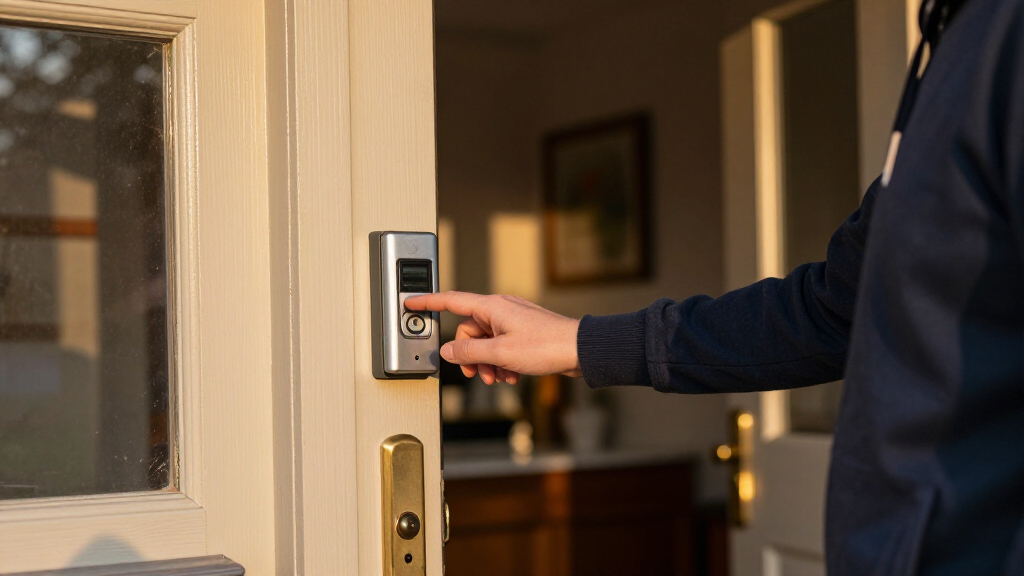
I ranked these doorbells around the decisions that matter when replacing or adding a wired unit: video detail and useful coverage, fit with existing wiring and chimes, alert and two-way communication features, and the amount of ongoing maintenance or ecosystem commitment they may involve. A high resolution alone did not put a model first; camera placement and the ability to see the area where packages are left can be more useful than extra pixels.
The order reflects how broadly each model fits a typical wired-doorbell buyer, then gives specialist strengths their own place. The Arlo leads for its mix of 2K video and power flexibility, while Wyze is positioned for value and Nest for connected-home users. Eufy stands out for dual-camera coverage, and the remaining options serve narrower preferences such as a particular app or a battery-capable installation. The three Nest color listings are treated as one model with different finishes, not as separate technical competitors.
Factors to Consider When Choosing Video Doorbell Wired
Before choosing a model, I would start with the conditions at your entryway rather than the largest number on the box. Wiring, viewing angle, chime compatibility, and recording preferences can affect daily use more than small differences in resolution. These checks also help prevent a common mistake: buying a doorbell that fits the feature list but not the way your home is wired or how you want to review events.
Check Your Existing Wiring and Chime
Wired does not always mean the installation is a direct swap. Check the transformer’s voltage and the doorbell’s stated requirements, then confirm whether your existing chime is supported or whether the model uses its own chime. Some homes have wiring that is present but not suitable for a smart doorbell’s power needs. If you are unsure, identify the transformer and chime before ordering, or ask a qualified installer to check them. A battery-capable model can offer a fallback when wiring is difficult, but it adds charging or battery upkeep. Treat power flexibility as an installation option, not proof that every wiring setup will work.
Choose Coverage for Your Doorstep, Not Just Resolution
Think about what you need to see: a visitor’s face, the full porch, or parcels placed close to the door. A wider or differently positioned view can answer more useful questions than a resolution bump if the camera misses the ground-level area. Dual-camera designs target this doorstep blind spot, while conventional single-camera models may suit entries where the approach is clear. Check the camera’s field of view and mounting height recommendations against your own doorway. A high-resolution image also uses more data and may require a stronger home network. Prioritize the view that helps you make a decision when an alert arrives.
Decide How Much Recording and Cloud Service You Want
Live view, motion alerts, and saved clips are different functions, so check which ones work without an ongoing service plan. A doorbell can send an alert yet offer limited access to past events unless recording is configured or a subscription is active. Read the current storage terms for the exact model and region, since plans and included features can change. If you mainly want to answer the door in real time, subscription-dependent recording may matter less. If you need to review deliveries or missed visitors later, storage access should be part of your decision before purchase. Avoid assuming that a camera’s video quality tells you how long footage remains available.
Match the Doorbell to Your Smart-Home Setup
App experience can shape everyday satisfaction as much as the camera itself. Consider whether you want alerts and live video inside a smart-home system you already use, and check that the particular model supports the features you expect. Ecosystem fit can simplify routines, but it may also make the doorbell less convenient if your household uses another platform. Shared access matters too: confirm whether other residents can receive alerts and answer calls through their own accounts. If you want a straightforward standalone doorbell, prioritize clear app controls over integrations you may never use. Do not assume that products from the same brand all offer identical smart-home compatibility.
Plan for Wi-Fi, Motion Alerts, and Privacy
A doorbell’s connection can be weaker at the front door than elsewhere in the house, especially through brick, metal doors, or long hallways. Check signal strength at the mounting spot before installation; a delayed alert can undermine otherwise capable hardware. Motion zones and sensitivity controls help reduce alerts from passing traffic or a busy sidewalk, so look for settings that suit your entryway. Also decide how much of a public walkway the camera needs to capture and adjust its view or zones where possible. Review who can access footage and how account security is managed. A little planning can reduce nuisance alerts while keeping attention on the area that matters.
Spend on the Capability You Will Actually Use
Paying more makes sense when the extra capability solves a real problem, such as a package blind spot, a difficult wiring setup, or integration with a home system you already rely on. It is less compelling to pay for features that duplicate equipment you own or depend on a service you do not plan to use. Compare the full ownership picture, including any chime accessory, installation work, storage plan, and battery upkeep. Buyers who want a simple wired replacement may get more value from a focused model than a feature-heavy one. If the doorbell is in a shared or rental property, ease of setup and removal may matter more than advanced customization. Choose around your entryway and habits rather than the longest feature list.
Frequently Asked Questions
Can I install a wired video doorbell if my current doorbell does not work?
Possibly, but a nonworking button does not reveal whether the transformer and wiring can power a smart doorbell. Check the transformer specifications and the model’s power requirements before installation. Also confirm that the wiring is connected and that the chime setup is compatible. If you cannot identify the transformer or the wiring is damaged, an electrician or qualified installer can check it. A battery-capable model may help when wiring proves unsuitable, though it brings charging or battery maintenance.
Should I choose a dual-camera doorbell or a higher-resolution single-camera model?
Choose based on the blind spot you need to solve. A second camera aimed toward the doorstep can help show packages that sit below a visitor-facing camera, while a higher-resolution single camera can provide more detail within its field of view. Resolution cannot recover an area the camera does not capture. Review your doorway layout and the usual placement of deliveries before deciding. If parcels are often left directly beneath the unit, coverage may matter more than the headline resolution.
Will a wired doorbell record video without a subscription?
That depends on the specific model and its current storage features; a wired power connection does not automatically include saved video. Some functions, such as live viewing or alerts, may differ from access to event history and recorded clips. Check the product’s current plan terms and whether any local storage option is supported. If you need to review deliveries after the event, confirm how clips are stored and how long they remain accessible. Do this before choosing a doorbell based only on its camera specifications.
Are the three Google Nest Doorbell listings different models?
The listings here identify the same Nest Doorbell (Wired, 3rd Gen) in different finishes: the standard listing, Linen, and Hazel. The color choice is a cosmetic distinction in this roundup, not a separate reason to expect different core camera features. Confirm the exact generation and wired designation on the listing you plan to buy, since product names can be similar across generations. Pick a finish that suits your entryway after checking the model details. For feature comparisons, treat these as one option rather than three independent alternatives.
Is a battery-capable model still a good choice if I want a wired doorbell?
It can be, especially if you want wired power now but may need another installation option at a different home or mounting point. Hybrid models such as the Arlo and Tapo give buyers more flexibility than strictly wired designs. Still, check how the device behaves when connected to existing wiring and whether that wiring supports the needed power and chime setup. Battery operation can introduce charging or replacement tasks that a fully wired installation avoids. If you know your wiring is suitable and want the simplest upkeep, a wired-only model may be a better fit.
Conclusion
For most shoppers, I recommend the Arlo Video Doorbell 2K (2nd Gen) as the best overall because its sharp video and wired-or-wireless setup suit a wider range of entryways. The Wyze Wired Doorbell Camera v2 is my best value-oriented pick for buyers who want a straightforward wired 2K option, while the Google Nest Doorbell (Wired, 3rd Gen) is the best premium fit for households invested in Google’s connected-home experience. For beginners, I would start with the model whose wiring and chime requirements most closely match the existing setup; Wyze is a sensible first place to compare, but compatibility should decide the purchase. Choose the eufy E340 for doorstep coverage if package visibility is your priority, or the Tapo D225 if power flexibility and an included chime fit your needs. If you are drawn to Nest, choose between the standard, Linen, and Hazel listings by finish rather than expecting different core features.