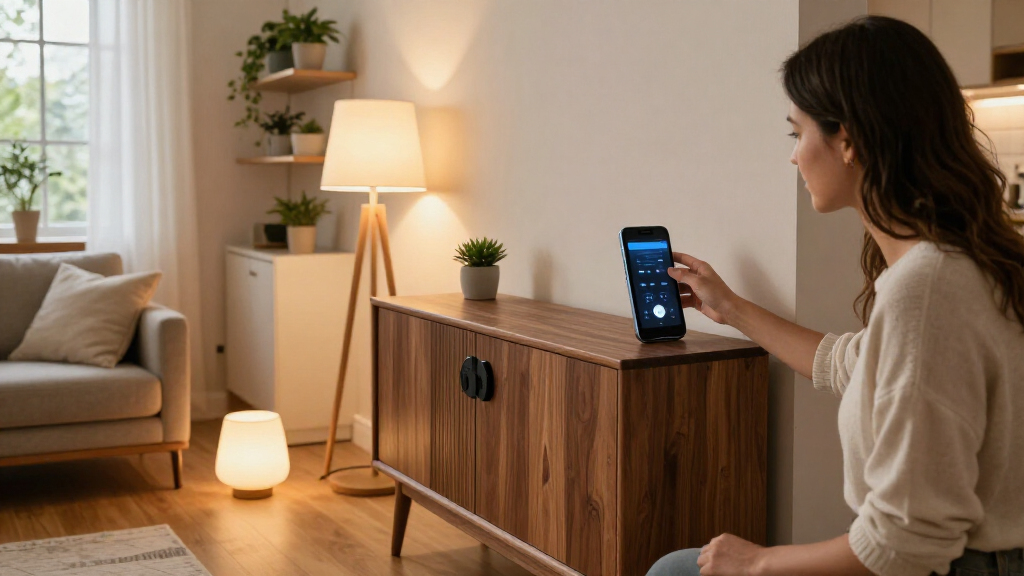

Choosing a smart home system is less about picking a speaker than deciding which voice assistant, compatible devices, and routines you want your household to rely on. Amazon Echo and Google Nest are often compared because both can control lights, plugs, thermostats, locks, and other connected products, but they make different tradeoffs. Echo, powered by Alexa, has a broad range of compatible devices and automation options; Nest, powered by Google Assistant, fits naturally with Google services and can feel more useful for everyday questions. Choose Echo if flexibility and a large accessory selection matter most. Choose Nest if your household already uses Google and wants voice control that connects neatly to that ecosystem. Exact features vary by model, region, and device, so compare the specific products you plan to use before buying.

Get furniture and decor delivered free with Prime
- Fast, free delivery on millions of items
- Prime Video, Amazon Music and more included
- Member-only deals all year

Hubitat Elevation C-8 Pro Smart Home Hub
- ✔ Model: C-8 Pro
- ✔ Protocols: Matter 1.5, Z-Wave 800 Series with Long Range, Zigbee 3.0, Bluetooth
- ✔ Processing: Local

Lutron Caseta Smart Dimmer Starter Kit with Smart Hub, Dimmer Switch, and Pico Remote
- ✔ Included items: Smart Hub, dimmer switch, Pico remote, wall plate bracket
- ✔ Connectivity: Proprietary Clear Connect; Wi-Fi free
- ✔ Compatibility: Alexa, Apple HomeKit, Google Home, Ring, Sonos, Samsung SmartThings
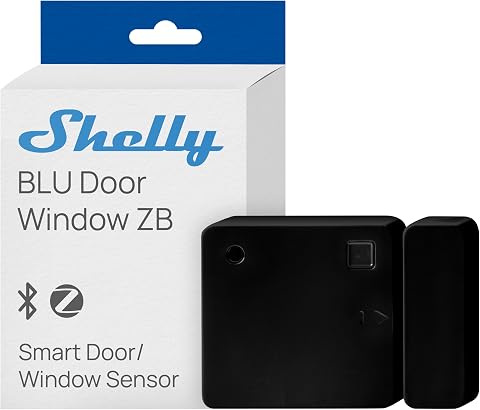
Shelly BLU Door/Window Sensor, Black, Zigbee and Bluetooth
- ✔ Connectivity: Zigbee and Bluetooth
- ✔ Power source: Battery powered
- ✔ Battery type: Lithium-ion
At a Glance
| Criteria | Amazon Echo | Google Nest | Winner |
|---|---|---|---|
| Compatible devices | Broad selection across many Alexa-compatible brands; check individual device support. | Works with many major smart home brands, though compatibility should be checked for each product. | A |
| Voice assistant | Alexa handles smart home commands and common questions; capabilities vary by device and service. | Google Assistant connects voice control with Google services and general information requests. | Depends |
| Automation and routines | Routines can link triggers, schedules, and actions across supported devices. | Routines support common scheduled and triggered actions; available controls depend on devices and model. | A |
| Google and Amazon ecosystem | Strong fit with Amazon services and Alexa-compatible products. | Strong fit with Google services and Nest products. | Depends |
| Setup and everyday use | A flexible starting point, though a growing system can require checking several compatibility details. | Often straightforward for people already using Google accounts and services. | B |
| Privacy controls | Amazon provides privacy settings and controls; review them for the specific Echo model and account. | Google provides privacy settings and controls; review them for the specific Nest model and account. | Depends |
| Value and expansion | Entry-level models can start a system at modest cost; extra hubs or devices may add to the total. | Can be good value for Google households, while the best choice depends on the models and devices needed. | Depends |
Hubitat Elevation C-8 Pro Smart Home Hub
When we want one device to coordinate a mixed smart home, the Hubitat Elevation C-8 Pro has the broadest role in this lineup. It supports Matter, Z-Wave, Zigbee, and Bluetooth, and its processing is local. That combination can make it a better foundation for automations that should keep running without an internet connection than a single-purpose sensor or a lighting kit tied to its own hub. Compatibility with Alexa, Google Home, Apple HomeKit, and Ring also gives buyers several routes for voice control and ecosystem connections.That breadth comes with work: the Rule Machine and advanced routines can take time to configure, and the hub cannot create useful actions without compatible devices to coordinate. Lutron is more straightforward if our goal is simply to dim existing lights, while the Shelly sensor supplies a specific kind of trigger. Hubitat makes more sense when we expect to combine devices and build routines around them. Its two external antennas are intended to extend wireless reach, but buyers still need to check that their particular devices and desired integrations are supported.
Pros:
- Local processing supports automations without relying on internet access.
- Matter, Z-Wave, Zigbee, and Bluetooth cover a broad mix of device types.
- Works with major voice assistant ecosystems and Ring integrations.
- No recurring subscription is required for platform features.
Cons:
- Advanced automation setup can require time and learning.
- Its capabilities depend on owning compatible devices and integrations.
Best for: We recommend it to buyers building a multi-brand smart home who want local automations and are comfortable configuring routines.
Not ideal for: Skip it if you want a quick, single-purpose lighting upgrade or do not have compatible smart devices to connect.
Bottom line: For a home that will combine several compatible devices, Hubitat offers the strongest automation foundation here, provided we are ready to configure it.
“For a home that will combine several compatible devices, Hubitat offers the strongest automation foundation here, provided we are ready to configure it.”
Lutron Caseta Smart Dimmer Starter Kit with Smart Hub, Dimmer Switch, and Pico Remote
For buyers whose main automation goal is controlling lights, Lutron Caseta is the most purpose-built option in this group. The kit includes a wall dimmer, Smart Hub, and Pico remote, so we can add smart control to compatible existing lights without replacing bulbs. Its no-neutral-wire installation is particularly useful in older homes where switch-box wiring can rule out other smart dimmers. The Pico remote also provides a wireless way to add another control point without running new wiring.Compared with Hubitat, Caseta offers a more contained lighting solution rather than a general automation brain. Its proprietary Clear Connect connection avoids placing this system’s control traffic on Wi-Fi, but it also means the included hub is required. The kit’s 150W maximum for dimmable LEDs is another limit to check against the connected load. A wall plate is not included, so installation may call for a separate purchase. If we want to automate door events or coordinate a wide range of devices, Hubitat has the broader purpose; if we want dependable dimming with a remote, Lutron is the more direct fit.
Pros:
- No neutral wire is required for installation.
- Dedicated Clear Connect communication operates independently of Wi-Fi.
- Includes a Pico remote for an additional wireless control point.
- Supports Alexa, Apple HomeKit, Google Home, Ring, Sonos, and SmartThings.
Cons:
- The Lutron Smart Hub is required for operation.
- The kit does not include a wall plate.
- Each dimmer is limited to a 150W dimmable LED load.
Best for: We recommend it to homeowners who want smart dimming for compatible existing lights, especially where the switch box has no neutral wire.
Not ideal for: Skip it if you want a general-purpose hub, need to control loads above the stated LED limit, or do not want a proprietary hub.
Bottom line: For lighting-first automation and a no-neutral-wire installation, Caseta is the most practical focused pick in this roundup.
“For lighting-first automation and a no-neutral-wire installation, Caseta is the most practical focused pick in this roundup.”
Shelly BLU Door/Window Sensor, Black, Zigbee and Bluetooth
The Shelly BLU Door/Window Sensor fills a different niche from the two systems above: it detects changes that can start an automation. Mounted on a door, window, gate, or garage door, it can report tilt angle and luminosity as well as serve as a trigger for notifications or other compatible actions. Its small form and battery power suit locations where wiring a sensor would be inconvenient. The stated battery life of up to five years may also reduce how often we need to attend to it, though actual life depends on use and conditions.That compact role is also its limitation. This is not a controller like Hubitat, and it does not replace the lighting controls in the Lutron kit. A gateway is required; compatible Shelly Plus, Pro, Gen3, and Gen4 devices can serve that role. Buyers should confirm their intended gateway and automation path before choosing it, especially because support for Zigbee and Bluetooth does not by itself guarantee compatibility with every hub. The listed lithium-ion battery is a nonstandard type, which may make replacement less convenient. It is a sensible add-on when we need a particular door or tilt signal, but it is the weakest standalone starting point in this selection.
Pros:
- Supports both Zigbee and Bluetooth connectivity.
- Measures tilt angle and luminosity in addition to door or window events.
- Compact, battery-powered design suits varied mounting locations.
- Stated battery life is up to five years.
Cons:
- A compatible gateway is required for use.
- Uses a nonstandard lithium-ion battery type.
- Its sensor role is narrower than the automation coordination offered by Hubitat.
Best for: We recommend it to buyers who already have a compatible gateway and want a compact sensor to trigger door, window, gate, or garage routines.
Not ideal for: Skip it if you need a complete smart home controller, want a sensor that works without a gateway, or prefer easy-to-source standard batteries.
Bottom line: Choose Shelly when a compatible gateway is already in place and a compact event sensor is the missing piece in a specific routine.
“Choose Shelly when a compatible gateway is already in place and a compact event sensor is the missing piece in a specific routine.”
As an Amazon Associate we earn from qualifying purchases.
Key Differences
The biggest practical difference is ecosystem flexibility versus Google integration. Echo is a strong default when you expect to mix devices from different brands or want many options as your setup grows. Alexa routines can connect compatible products into scenes, such as turning off lights and adjusting a thermostat together. This breadth does not mean every device works with every Echo: check the model and product listings before buying. Some products need a separate bridge, and features can vary across regions.
Nest has a clearer advantage for households already using Google services. Voice requests can sit alongside familiar Google accounts and devices, making Nest a natural fit for people who want smart home control and an assistant for everyday information in the same place. That fit is less valuable if the rest of your home revolves around Amazon services or if a must-have device lacks the Nest support you need. Neither system wins every voice interaction; the results depend on the request, settings, region, and model.
Cost should be judged across the whole setup, not just the first speaker. A discounted hub can become an expensive choice if your preferred bulbs, locks, or sensors require extra equipment or do not support the routines you want. Start with the devices you plan to control, confirm compatibility, then compare the hub and any required accessories. For most people building a mixed-brand system from scratch, Echo is the safer starting point. For a Google household buying a few common devices, Nest may offer the more convenient value.
Detailed Comparison
Compatible devices (Amazon Echo wins — moderate)
Winner: Amazon Echo, moderate gap. Alexa is supported across a broad selection of smart home brands, which gives Echo an advantage if you want to mix products or keep future options open. That advantage is useful when adding devices over time: you are more likely to find a product that fits your needs. Still, compatibility is not universal. Confirm that a particular bulb, lock, camera, or thermostat supports your chosen Echo model and the features you expect.
Voice assistant (moderate difference)
Winner: depends on household needs; minor to moderate gap. Alexa gives Echo a capable route to voice commands and smart home control, while Google Assistant makes Nest appealing to people who already rely on Google services and use voice for general questions. There is no single assistant advantage that applies to every household or region. If you often ask for information tied to Google services, Nest is the more natural fit. If your main requests are controlling compatible devices, both can work well; test the specific commands and models you plan to use.
Automation and routines (Amazon Echo wins — moderate)
Winner: Amazon Echo, moderate gap. Alexa routines provide a useful way to combine supported actions, schedules, and triggers into one command or automatic sequence. That can make a varied collection of devices behave more like one system. Nest supports routines too, but the available actions can depend on the product and setup. Echo is the better bet for people who want to build and adjust multi-device automations; for a few simple schedules, the difference may not matter.
Google and Amazon ecosystem (major difference)
Winner: depends; major for households with an established ecosystem. Nest fits naturally with Google services and Nest products, while Echo aligns with Amazon services and Alexa-compatible products. This can shape the convenience of account setup, voice commands, and the devices already in your home. The advantage is substantial if one ecosystem is already central to your daily use, and small if you use neither much. Choose around the services and products you already own rather than assuming one brand works best for everyone.
Setup and everyday use (Google Nest wins — minor)
Winner: Google Nest for existing Google users, minor gap. Nest can feel more familiar if your household already uses Google accounts and services, while Echo offers a flexible starting point for people who prefer Alexa or Amazon services. Day-to-day ease also depends on how many brands and apps your setup involves. A small collection of supported devices should be manageable with either system. Before purchasing, check whether the devices you own can be added to the platform and whether household members can use the controls they need.
Privacy controls (minor difference)
Winner: tie, minor gap. Both platforms provide privacy settings and account controls, but the details differ by model and service. Review options for voice recordings, microphones, accounts, and connected devices before setup. A privacy preference can matter more than a small difference in convenience, especially in shared spaces. Neither brand should be treated as automatically private without checking its current settings and choosing the controls that fit your household.
Value and expansion (moderate difference)
Winner: depends; moderate gap once the full system is counted. The better value is the platform that supports your devices without forcing unnecessary bridges or replacements. Echo can be a cost-effective foundation for a mixed-brand system, while Nest can avoid friction for someone already invested in Google and Nest products. Compare the speaker, required accessories, and the specific devices you want to add. Paying more for a premium speaker is worthwhile only if its features matter to you; the more important cost may be compatibility across the home.
Amazon Echo: Pros and Cons
Pros:
- Broad Alexa-compatible device selection gives room to expand across brands.
- Routines can combine supported smart home actions into useful scenes.
- A practical choice when Alexa or Amazon services already feature in the home.
Cons:
- Compatibility and features still vary by device, model, and region.
- A mixed-brand setup may require extra apps or bridges.
- Less natural for households that prefer Google services and Nest products.
Google Nest: Pros and Cons
Pros:
- Natural fit for households already using Google services.
- Combines smart home voice commands with Google Assistant features.
- Can be a convenient choice for a simple setup centered on Nest products.
Cons:
- The right devices and features need checking before purchase.
- Less compelling if the home already relies on Alexa or Amazon services.
- Routine options depend on the chosen products and model.
Who Should Choose What
Choose Amazon Echo if:
- You want to mix smart home products from several brands and value a wide selection.
- You expect to build multi-device routines as your system grows.
- Your household already uses Alexa or Amazon services.
Choose Google Nest if:
- You already use Google services and want your voice assistant to fit that routine.
- You plan a relatively simple setup with devices confirmed to support Nest.
- You prefer Google Assistant for common voice requests as well as smart home commands.
Skip both if: Skip both ecosystems until you confirm that your essential devices support the platform you want, or if you do not want voice assistants or connected devices in your home.
Value for Money
Paying more is worthwhile only when the extra capability matches a real need. If a premium Echo or Nest model offers audio, display, or connectivity features you will use, the added cost may make sense; a basic hub can be better value when its main job is controlling lights and plugs. Price the entire setup, including any bridge or replacement device, and check compatibility before buying. Echo generally offers stronger value for someone assembling a varied system because its wider Alexa support can preserve more choices. Nest can be the better value for an existing Google household when its devices and services fit without extra equipment. Discounts change the arithmetic, so compare current prices for equivalent models and required accessories.
Final Verdict
For most people starting a smart home with products from multiple brands, choose Amazon Echo. Its broader Alexa compatibility and flexible routines make it the stronger foundation for expansion, provided your specific devices are supported. Choose Google Nest if your household already uses Google services and the devices you want work with Nest; that familiarity can make everyday use more convenient than Echo’s extra breadth. The deciding factor is not the speaker’s price but whether your current and planned devices work smoothly with the system. Paying extra for a premium model makes sense only when you will use its additional features.
Frequently Asked Questions
Is Amazon Echo or Google Nest better for a smart home?
Echo is the stronger general starting point for a mixed-brand setup because Alexa has broad device support. Nest is the better fit when Google services are already central to your household. Check support for your specific devices before choosing.
Can Alexa and Google Nest devices work together?
Some products can be controlled through multiple platforms, but support varies by brand, model, and feature. Check the manufacturer’s compatibility details for each device. Do not assume that a device’s connection to one assistant makes every function available through the other.
Is it worth paying more for a premium Echo or Nest speaker?
Pay more when you will use the extra audio, display, or connectivity features included in that model. If you mainly need voice control for a few devices, a less expensive compatible speaker may be enough. Compare the total cost of the system as well as the hub.
Which system is easier for beginners?
Either can work for a small setup. Nest may feel more familiar to a household already using Google services; Echo may suit someone who wants a broad choice of compatible products. Ease also depends on whether your devices need separate apps or a bridge.