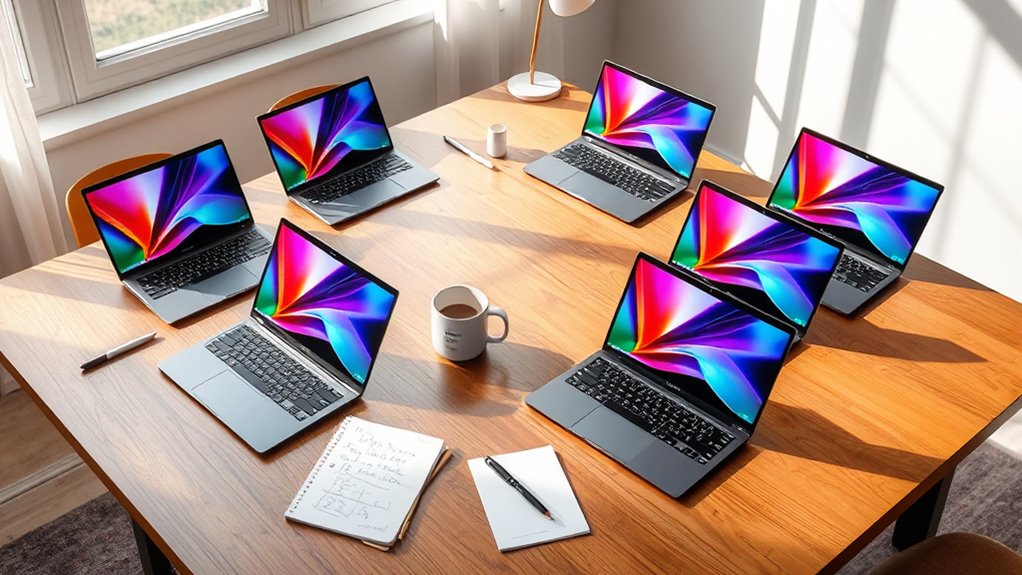

For most students, I’d start with the HP Essential 14: its newer Intel N150 processor, Windows compatibility, and 128GB of storage make it a balanced choice for everyday schoolwork. The 15.6-inch FHD laptop offers a larger, sharper screen and more memory, while the Samsung Galaxy Chromebook Go suits students who mainly work in browser-based tools. The main tradeoffs are screen size versus portability, Windows flexibility versus ChromeOS simplicity, and usable storage versus limited memory. These laptops are entry-level machines, so demanding creative software and heavy multitasking call for higher specifications. Read on for how each option compares and which student it fits best.

Get furniture and decor delivered free with Prime
- Fast, free delivery on millions of items
- Prime Video, Amazon Music and more included
- Member-only deals all year
Complete the kit


Key Takeaways
- The HP Essential 14 is the best overall fit for students who need Windows and a current entry-level processor, though its 4GB of RAM limits heavy multitasking.
- The 15.6-inch FHD laptop has the strongest listed memory and screen combination with 6GB of RAM and a Full HD display, but its older Core i5 processor does not automatically make it faster in every task.
- ChromeOS models make the most sense for browser-first schoolwork. The Samsung Galaxy Chromebook Go has a 14-inch screen and 64GB of storage; the renewed Dell is more compact but has just 16GB.
- Storage capacity separates the Windows options from the smallest Chromebooks. The 128GB Windows models leave more room for local files, while cloud-first habits matter more on devices with 16GB or 64GB.
- Several options have only 4GB of RAM. That suits lighter workloads, but students who keep many tabs open or run several apps at once should look closely at the 6GB model or seek a laptop with more memory.


| budget laptops for student | Processor | Storage | Operating System | RAM |
|---|---|---|---|---|
| Dell Chromebook 11 3100 | Intel Celeron N4020 | 16 GB Flash Memory | Chrome OS | 4 GB |
| 15.6-Inch Windows 11 Laptop wi | Intel Celeron N4020 | 128GB eMMC (expandable to 1TB via TF card) | Windows 11 | 4GB DDR4 |
| HP Stream 14 Student Laptop | Intel N150 Quad-Core (up to 3.6 GHz) | 128 GB UFS | Windows 11 Home in S mode | 4 GB DDR4 SDRAM |
| Samsung Galaxy Chromebook Go 1 | Intel Celeron N4500 | 64GB | ChromeOS | 4GB |
| HP Essential 14" Laptop | Intel N150 (4 cores, up to 3.6 GHz) | 128GB UFS | Windows 11 Home | 4GB LPDDR5 |
| 15.6 Inch FHD Laptop with Inte | Intel Core i5-5205U, 1.9GHz | 128GB SSD + 512GB expansion | Windows 11 | — |
| HP Chromebook 14 Laptop | Intel Celeron N4120 | 64GB eMMC | Chrome OS | — |
More Details on Our Top Picks
Dell Chromebook 11 3100 (Renewed) – 11.6″ HD, Intel Celeron N4020, 4GB RAM, 16GB Flash Memory
This renewed Dell Chromebook 11 3100 is the cheapest way to get a functional machine for essays, Google Docs, and web research. Chrome OS boots fast and handles updates automatically, which matters when a student just needs something that works before class. Compared with the Samsung Galaxy Chromebook Go, the smaller 11.6-inch screen and 16GB of storage feel cramped, but the Dell undercuts it on cost and shrugs off backpack life thanks to its education-market build. The tradeoff is real: the 1366 x 768 display is the dimmest, lowest-density panel here, and 16GB fills up quickly if anything is saved locally. This option makes the most sense for a younger student or a backup device rather than a primary daily driver.
Pros:- Rugged education-grade build that survives backpack abuse
- Chrome OS boots in seconds and updates itself
- Smallest and lightest footprint in the lineup
- Cheapest entry point for basic schoolwork
Cons:- 16GB of local storage is nearly unusable without cloud reliance
- Low-resolution 11.6-inch display is tiring for long reading sessions
- Renewed condition means variable cosmetic and battery wear
Best for: Parents buying a first laptop for a middle-schooler who lives in Google Classroom
Not ideal for: Students who install desktop software or work offline — 16GB of storage fills almost immediately
- Screen:11.6 inches, 1366 x 768
- Processor:Intel Celeron N4020
- RAM:4 GB
- Storage:16 GB Flash Memory
- Operating System:Chrome OS
- Graphics:Intel HD Graphics
- Condition:Renewed
Our verdict“A dependable bare-minimum machine for Google-centric schoolwork when budget is the only deciding factor.”
15.6-Inch Windows 11 Laptop with Intel Celeron N4020, 4GB RAM, 128GB Storage
Of all the picks here, this is the only one that gives a student a 15.6-inch Full HD IPS display, and that alone changes the daily experience — side-by-side note-taking and lecture slides actually fit on screen. Compared with the HP Stream 14, the larger panel and 128GB of base storage (expandable to 1TB via TF card) make it better as a dorm-room workhorse, though the same Celeron N4020 chip means performance is similarly modest. The 1MP webcam is the weak point: online classes will look grainy next to almost anything else in this roundup. Port selection is generous, with two USB-C ports that handle charging and video output, which the Dell Chromebook 11 simply cannot match.
Pros:- Full HD IPS display with wide viewing angles, rare at this budget
- Storage expandable up to 1TB via TF card slot
- Two USB-C ports support charging, data, and video output
- Runs full Windows 11 for desktop software compatibility
Cons:- 1MP webcam is poor for video calls and remote classes
- 4GB of RAM buckles under more than a few browser tabs
- Celeron N4020 limits performance strictly to light tasks
Best for: Students who prioritize a large, sharp screen for lectures and split-screen work at a desk
Not ideal for: Commuters and coffee-shop studiers — the 15.6-inch footprint is the least portable option here
- Display:15.6-inch FHD IPS (1920×1080)
- Processor:Intel Celeron N4020
- RAM:4GB DDR4
- Storage:128GB eMMC (expandable to 1TB via TF card)
- Operating System:Windows 11
- Ports:2x USB 3.2 Gen1, 2x USB-C, TF card slot
- Battery:38 Wh (3300mAh)
Our verdict“The pick for students who want the biggest, clearest workspace possible and rarely carry their laptop far.”
HP Stream 14 Student Laptop, Intel N150 Quad-Core, 4GB RAM, 128GB UFS, Windows 11 Home, Willow Green
The HP Stream 14 earns its spot by bundling what students actually spend money on: Microsoft Office 365 and Copilot AI tools ship pre-installed, so there is no extra software outlay on day one. Its quad-core Intel N150 is a clear step up from the Celeron chips in the Samsung Galaxy Chromebook Go and the 15.6-inch Windows laptop, feeling noticeably snappier when juggling docs and browser tabs. At 3.24 pounds with Wi-Fi 6, it is easy to carry between classes, and the anti-glare coating helps in bright lecture halls. The compromises: a 1366 x 768 panel at 14 inches looks soft next to the 15.6-inch FHD pick, and the RAM cannot be upgraded later, so 4GB is what you keep.
Pros:- Microsoft Office 365 and Copilot AI included out of the box
- Faster quad-core N150 than comparable Celeron models
- Very light at 3.24 lbs with anti-glare screen
- Fast UFS storage and Wi-Fi 6 for quick boot and load times
Cons:- 1366 x 768 resolution is dated for a 14-inch panel
- RAM is not user-upgradeable, capping future headroom
- Seller opens the factory seal for setup, which may worry warranty-minded buyers
Best for: Budget-conscious students who need Word, Excel, and PowerPoint included from day one
Not ideal for: Anyone wanting a sharper screen or future RAM upgrades — the display is HD-only and the memory is soldered
- Processor:Intel N150 Quad-Core (up to 3.6 GHz)
- RAM:4 GB DDR4 SDRAM
- Storage:128 GB UFS
- Display:14-inch HD (1366 x 768), anti-glare, 250 nits
- Operating System:Windows 11 Home in S mode
- Connectivity:Wi-Fi 6 (2×2), Bluetooth 5.4
- Weight:3.24 lbs
- Ports:USB-C, 2x USB-A, HDMI 1.4b, headphone/mic combo, SD reader
Our verdict“The smartest all-in-one value for a student who needs Office software bundled rather than bought separately.”
Samsung Galaxy Chromebook Go 14″ Laptop (Intel Celeron N4500, 4GB RAM, 64GB Storage, ChromeOS, Silver)
If a full day of classes without an outlet is the priority, the 12-hour battery life of the Galaxy Chromebook Go stands alone in this lineup — the HP Stream 14 and HP Essential 14 top out around 11 hours of video playback, and the Celeron-powered 15.6-inch Windows laptop falls well short. The military-grade build also makes it more forgiving of drops and spills than typical budget plastic. Where it lags: the N4500 is slower than the N150 in the HP Stream 14, and 64GB of storage forces near-total dependence on Google Drive. For a student already on an Android phone, the ecosystem tie-ins — instant hotspot, synced notifications — add real convenience the Windows options cannot replicate.
Pros:- Class-leading 12-hour battery outlasts every Windows pick here
- Military-grade durability handles drops and daily wear
- Deep integration with Android phones and the Google ecosystem
- Slim, light chassis well suited to constant carrying
Cons:- 64GB of storage requires heavy cloud reliance
- Celeron N4500 is slower than the N150 options for demanding tabs
- ChromeOS limits which applications can be installed
Best for: All-day students who need battery from morning classes to evening study, especially Android users
Not ideal for: Students who need Windows-only software like SPSS or full desktop Office — ChromeOS cannot run them
- Screen:14 inches
- Processor:Intel Celeron N4500
- RAM:4GB
- Storage:64GB
- Operating System:ChromeOS
- Battery Life:Up to 12 hours
- Color:Silver
Our verdict“The pick for students tethered to outlets all day — best battery and toughness, provided ChromeOS covers their software needs.”
HP Essential 14″ Laptop (2026) – Intel N150, 4GB RAM, 128GB Storage, Windows 11, Willow Green
This is the most complete package in the roundup, and my top overall pick because it balances performance, portability, and included software without any single weak point dominating. The 1-year Microsoft 365 Personal subscription with 1TB of cloud storage quietly solves the 128GB local storage limitation that hampers the Samsung Galaxy Chromebook Go. Its N150 chip and LPDDR5 RAM match the HP Stream 14 for speed, but the Essential 14 adds a dedicated Copilot key and slightly newer platform. Compared with the 15.6-inch Windows laptop, it trades screen size for a pound of portability and better battery life. The 1366 x 768 panel remains the sore spot — acceptable on a 14-inch anti-glare screen, but noticeably softer than the FHD pick.
Pros:- 1-year Microsoft 365 Personal with 1TB cloud storage included
- Up to 11 hours of battery life at just 3.24 lbs
- Modern connectivity with Wi-Fi 6 and USB-C DisplayPort
- Fast N150 processor and LPDDR5 RAM for a budget machine
Cons:- 1366 x 768 resolution trails the Full HD 15.6-inch alternative
- 4GB of RAM caps heavy multitasking and browser-tab count
- 128GB local storage fills fast without cloud offloading
Best for: The student who wants one balanced laptop for classes, papers, and streaming without overspending
Not ideal for: Media-heavy users — the HD screen and 4GB of RAM make photo editing or heavy multitasking frustrating
- Processor:Intel N150 (4 cores, up to 3.6 GHz)
- RAM:4GB LPDDR5
- Storage:128GB UFS
- Display:14-inch HD (1366 x 768), anti-glare, 250 nits, micro-edge bezel
- Operating System:Windows 11 Home
- Battery Life:Up to 11 hours (video playback)
- Connectivity:Wi-Fi 6, Bluetooth 5.4, USB-C (DisplayPort), USB-A, HDMI 1.4b
- Weight:3.24 lbs
- Included Software:1-Year Microsoft 365 Personal
Our verdict“The best all-around student laptop here — fast enough, light enough, and bundled with the software students actually need.”
15.6 Inch FHD Laptop with Intel Core i5-5205U, 6GB RAM, 128GB SSD + 512GB Expansion, Windows 11
For students who need a large Full HD Windows display for documents, video, and split-screen work, this 15.6-inch laptop offers more screen space than the HP Chromebook 14. Its 128GB SSD handles the operating system and regular files, while the added expansion slot gives students room to keep more coursework locally. At 3.6 pounds, it is still manageable to carry between classes, and HDMI and USB-C help when connecting to a monitor or classroom display.
The tradeoff is age: the Core i5-5205U and 6GB DDR3 RAM are older hardware, so demanding apps and heavier multitasking may feel limiting. Its stated eight-hour battery life also trails the Chromebook’s longer claim. Pick it for Windows software and sharper screen space; skip it if speed and all-day unplugged use matter more.
Pros:- 15.6-inch Full HD display gives documents and side-by-side windows more room than the 14-inch HP Chromebook.
- SSD plus a 512GB expansion slot offers more flexible local storage than the HP Chromebook’s 64GB eMMC.
- Windows 11 supports coursework that depends on Windows software.
- HDMI, USB-C, and SD card reader support common classroom and accessory connections.
Cons:- Older Core i5-5205U processor may constrain demanding software and heavier multitasking.
- 6GB of DDR3 RAM is dated and can limit how many applications stay responsive at once.
- Eight-hour stated battery life is shorter than the HP Chromebook 14’s up-to-14-hour claim.
Best for: Students who need Windows programs, a Full HD screen for reading and split-screen assignments, and expandable local storage.
Not ideal for: Students who regularly run demanding apps or need the longest battery life for a full day away from an outlet.
- Display:15.6-inch LCD, 1920 x 1080 (Full HD)
- Processor:Intel Core i5-5205U, 1.9GHz
- Memory:6GB DDR3
- Storage:128GB SSD + 512GB expansion
- Operating system:Windows 11
- Battery life:Up to 8 hours
- Weight:3.6 lbs (1.63 kg)
- Connectivity:Wi-Fi 5, Bluetooth 4.2, USB Type-C, HDMI
Our verdict“Choose this for a larger Full HD screen, Windows compatibility, and expandable storage, provided its older components fit your workload.”
HP Chromebook 14 Laptop (14a-na0226nr, 2022)
The HP Chromebook 14 is the straightforward pick for students whose work lives in a browser and who want to carry a charger less often. Its claimed up-to-14-hour battery life is a clear advantage over the 15.6-inch Windows laptop’s stated eight hours, while the 14-inch size makes it easier to fit in a backpack. Chrome OS and Android app access suit web research, writing, and basic school tasks without the overhead of a full Windows setup.
That simplicity comes with firm limits. The 64GB eMMC storage leaves less room for offline files than the 15.6-inch model’s SSD and expansion slot, and the HD display is less sharp than Full HD. With 4GB RAM and a Celeron N4120, it is best for one or two light tasks at a time. Choose it for portability and battery life; skip it for Windows-only software or heavier workloads.
Pros:- Up-to-14-hour stated battery life suits long school days away from a charger.
- 14-inch form factor is easier to carry than the 15.6-inch Windows laptop.
- Chrome OS with Android app access covers common browser-based school tasks.
- Anti-glare display and ENERGY STAR and EPEAT Silver certifications add practical and sustainability credentials.
Cons:- 64GB eMMC storage can require cloud storage or careful management of offline files.
- 1366 x 768 HD resolution is less sharp than the Full HD display on the 15.6-inch Windows laptop.
- 4GB RAM and the Celeron N4120 are poorly suited to demanding apps or heavy multitasking.
Best for: Students who mainly use browser-based school tools, stream lessons, and need a portable laptop with long claimed battery life.
Not ideal for: Students who need Windows-only applications, substantial offline storage, a Full HD screen, or frequent heavy multitasking.
- Model:14a-na0226nr (2022)
- Display:14-inch HD anti-glare, 1366 x 768
- Processor:Intel Celeron N4120
- Memory:4GB RAM
- Storage:64GB eMMC
- Operating system:Chrome OS
- Battery life:Up to 14 hours
- Graphics:Intel UHD Graphics 600
- Connectivity:802.11a/b/g/n/ac (2×2) Wi-Fi, Bluetooth
Our verdict“Choose this Chromebook for portable, browser-based schoolwork and long claimed battery life, if its limited storage and HD screen meet your needs.”

How We Picked
I ranked these laptops around the work students commonly need to do: writing, research, online classes, school portals, and everyday file handling. I weighed the listed processor, memory, storage, screen size and resolution, operating system, and portability as a group, since a strong point in one area does not erase a meaningful limit elsewhere.
The HP Essential 14 leads for its newer listed processor, Windows support, and 128GB storage. The 15.6-inch FHD model comes next for its larger high-resolution screen and 6GB of RAM, with its older processor keeping it from taking the top spot. I placed the HP Stream 14 and Samsung Chromebook Go in the middle for their newer entry-level processors or practical everyday formats, while the Chromebook and renewed Dell rank lower where their listed details show narrower storage, age, or memory limits. The product information does not specify battery life, keyboard quality, display brightness, or upgrade options, so I do not use those as ranking claims.
| budget laptops for student | Processor | Operating System | Battery Life |
|---|---|---|---|
| Dell Chromebook 11 3100 | Intel Celeron N4020 | Chrome OS | — |
| 15.6-Inch Windows 11 Laptop wi | Intel Celeron N4020 | Windows 11 | — |
| HP Stream 14 Student Laptop | Intel N150 Quad-Core (up to 3.6 GHz) | Windows 11 Home in S mode | — |
| Samsung Galaxy Chromebook Go 1 | Intel Celeron N4500 | ChromeOS | Up to 12 hours |
| HP Essential 14" Laptop | Intel N150 (4 cores, up to 3.6 GHz) | Windows 11 Home | Up to 11 hours (video playback) |
| 15.6 Inch FHD Laptop with Inte | Intel Core i5-5205U, 1.9GHz | Windows 11 | Up to 8 hours |
| HP Chromebook 14 Laptop | Intel Celeron N4120 | Chrome OS | Up to 14 hours |
Factors to Consider When Choosing Budget Laptops For Students
Choosing a student laptop is less about finding one machine that excels at everything and more about matching its limits to a school routine. I’d check the software requirements and the way a student stores and organizes work before prioritizing screen size or a processor label.
Check school software before choosing Windows or ChromeOS
Start with the apps required for classes, exams, and extracurricular work. Browser-based documents and learning platforms often work well on ChromeOS, but a course may require installed Windows software or a specific testing app. Ask the school or instructor for compatibility details before buying, since an operating-system mismatch can be harder to fix than limited storage. Also check whether the student needs to work offline; cloud tools are convenient, but downloaded readings and assignments still need local space. For a mixed schedule, Windows generally offers broader desktop software support among these options. Match the operating system to actual requirements rather than assuming that every school task runs in a browser.
Treat 4GB of RAM as a limit on multitasking
RAM affects how comfortably a laptop can keep several apps and browser tabs open at once. Many models here list 4GB, which can cover a document, a few research tabs, and a video call, but crowded workloads may feel constrained. Students who routinely switch between large documents, many tabs, and conferencing software should favor more memory where available or look for a different configuration. The 6GB model offers some extra room, though memory alone does not settle overall performance. A common mistake is to compare processor names while overlooking RAM. Think through a typical class session and count the apps likely to stay open together.
Choose storage around the student’s file habits
Storage needs depend on whether assignments live in cloud services or on the laptop. A browser-first student who syncs documents may manage with less local capacity, while downloaded textbooks, media projects, and offline files take space quickly. The 16GB Dell Chromebook leaves particularly little room for local files, and the Samsung’s 64GB calls for more deliberate storage habits than the 128GB Windows models. Check whether the listed storage is enough for required apps as well as personal files; the total capacity is not all available for documents. Avoid assuming that cloud storage removes every concern, because internet access and school account policies can vary. If offline work is routine, favor more local storage or confirm that external storage is supported.
Balance portability against a comfortable workspace
An 11.6-inch laptop is easier to carry between classes, but a smaller display gives less room for a document beside research material. A 14-inch screen offers a middle ground for students who move around campus yet spend time writing. The 15.6-inch option provides more screen area, which can make long reading sessions and split-screen work easier, while taking up more space in a bag and on a desk. Screen size does not tell the whole story: resolution affects how much detail fits on screen, and only one listing here explicitly specifies Full HD. If possible, check the physical dimensions and keyboard layout against the student’s backpack and workspace. Choose the smallest screen that still feels workable for the student’s regular assignments.
Buy for the workload ahead, not just the first semester
Entry-level laptops are best matched to light schoolwork, and students’ needs can shift as they take more specialized courses. Before choosing, look at the likely software and project demands for the next few years, especially for programming, media editing, or technical classes. The newer N150 options may appeal for current everyday use, while the older Core i5 label on the 15.6-inch model deserves context: processor generation matters, so the name alone does not predict speed. Also check the exact configuration, warranty, and return terms, particularly for a renewed device or a product listing that gives few hardware details. A laptop that meets minimum requirements today may become frustrating if memory cannot be expanded and workloads grow. Paying for a better-matched configuration can make more sense than choosing by a single headline specification.
Frequently Asked Questions
Is 4GB of RAM enough for a student laptop?
It can be enough for lighter school routines such as writing, web research, and using a small number of browser tabs. It is less comfortable when video calls, many tabs, and several apps run at the same time. Most of the listed laptops have 4GB, so students with heavier multitasking needs should pay close attention to the 6GB option or compare other configurations with more memory. The operating system and workload also affect how much headroom feels available. If the student’s school has a required app list, use that list to judge whether an entry-level configuration will cope.
Should I choose a Chromebook or a Windows laptop for school?
Choose based on the software the student must run, rather than the operating system’s general reputation. ChromeOS can suit browser-centered coursework, while Windows supports a broader range of installed desktop applications among these picks. Confirm compatibility for exam software, specialized class tools, and any applications the student already uses. Consider offline work as well: a Chromebook can handle some downloaded files, but a workflow built around online services depends more on reliable access and account setup. When requirements are unclear, ask the school before settling on a platform.
Will 16GB or 64GB of storage be enough for school?
It may work for a cloud-first student who keeps most documents online and installs few applications, but 16GB leaves very little room for local files. The 64GB Samsung Chromebook offers more breathing room, yet large downloads and media can still fill it. Windows models with 128GB provide more space for installed software and offline work, though students should still manage large files. Check how much storage the operating system and required apps use before deciding how much remains for assignments. If the student often works without internet access, favor more local capacity.
Does an older Core i5 laptop beat a newer Celeron or N-series model?
Not by processor name alone. The 15.6-inch model’s Core i5-5205U is an older chip, while several other listings name newer entry-level processors; their generation, memory, cooling, and configuration all shape everyday performance. The older Core i5 model does list 6GB of RAM and a Full HD screen, which may help with multitasking and workspace, but that does not prove it is faster in every application. Look for independent performance results for the exact configuration if processor speed is central to the decision. For ordinary school tasks, compatibility, RAM, storage, and screen usability may matter just as much.
Which listed laptop is the better fit for carrying between classes?
The renewed Dell Chromebook 11 has the smallest listed screen at 11.6 inches, making it the compact option on paper. The Samsung Galaxy Chromebook Go and the 14-inch Windows models offer larger screens while still avoiding the 15.6-inch footprint. The product information here does not include device weight or dimensions, so screen size cannot confirm how each laptop feels in a bag. Check the manufacturer’s measurements and weight before buying, particularly if the student carries books and a laptop all day. Also weigh portability against the extra workspace a larger screen gives for reading and writing.
What are the best affordable laptops for students?
The picks above highlight options suited to student needs, with a focus on balancing everyday performance, portability, and useful features. The best choice depends on how you plan to use your laptop: writing papers, joining online classes, browsing, or running demanding software can call for different capabilities. When comparing affordable laptops for students, consider battery life, keyboard comfort, screen size, storage, and whether the laptop supports the apps required for your courses. Check the article’s recommendations against your school’s requirements and your own preferences to find a practical fit for studying, coursework, and day-to-day use.
Conclusion
For a student who needs a balanced Windows machine for everyday classes, I’d choose the HP Essential 14 as the best overall option. The best value fit depends on the workload: the Samsung Galaxy Chromebook Go suits browser-first coursework, while the HP Stream 14 offers Windows with 128GB storage for students who need installed applications. For more screen space and the most listed RAM, the 15.6-inch FHD laptop is the best premium-style pick in this group, though its older processor deserves a closer check. Beginners whose schoolwork happens mainly online may prefer the straightforward Chromebook setup; the renewed Dell is the compact choice if very limited storage is workable. For students with specialized software, heavy multitasking, or offline file needs, I’d verify requirements and compare higher-memory configurations before choosing any of these entry-level models.
Halloween Picks
halloween
As an affiliate, we earn on qualifying purchases.